
Reviving Bells: How Dogecoin's Founder's Old Project Came Back from the Dead (With Detailed Mining Tutorial)
TechFlow Selected TechFlow Selected
Reviving Bells: How Dogecoin's Founder's Old Project Came Back from the Dead (With Detailed Mining Tutorial)
That's interesting because everyone used to think Bells were stupid.
 Navigating Web3 tides with focused insights
Written by: TechFlow
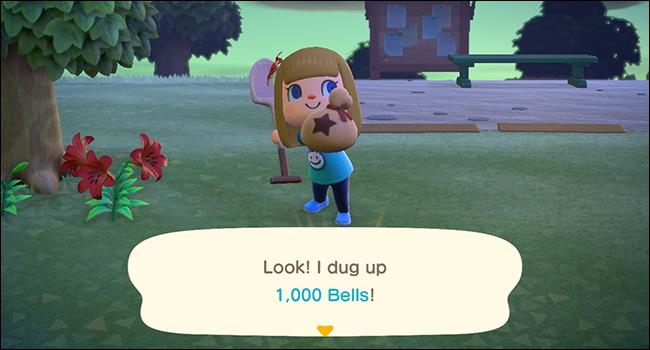
Recently, Bells, the earliest cryptocurrency project launched by Dogecoin co-founder Billy Markus, has been revived.
In 2013, Billy Markus, a software engineer at IBM who was obsessed with video games and later became a co-founder of Dogecoin, created a cryptocurrency in his spare time called Bells—named after the in-game currency used in Nintendo’s Animal Crossing.
The main difference between Bells and ordinary cryptocurrencies lies in its mining reward: it is entirely random. If you mine Bitcoin using a decent home computer, your rewards are consistent. But when mining Bells, you never know whether you'll get one Bell or 500 Bells.
Like Dogecoin, Bells started as a "joke"—a digital currency based on a video game, telling the story of animals living together in a village going fishing.
However, the cryptocurrency community didn't really get the joke.
"People were just attacking it," said Billy, who quickly realized there was little overlap between crypto enthusiasts and gamers. Disappointed, Billy decided to exit the cryptocurrency space—until he came across a message from Jackson Palmer on dogecoin.com saying, "If you want to make Dogecoin a reality, contact me." That's how Dogecoin was born. Dogecoin succeeded; Bells was forgotten.
Yet recently, two cryptocurrency practitioners have attempted to revive Bells.
On December 5, the 10th anniversary of Dogecoin’s launch, Hot Sauce reached out to Adam McBride, a marketer for a crypto project, saying he had seen Billy Markus’ 2013 post about Bells on X (formerly Twitter).
Together, they found Billy Markus’ original announcement of BELLS on Bitcoin Talk, posted on November 28, 2013—just eight days before Dogecoin was introduced.

They also discovered a BELLS community fork from March 2014, which appears to have died out by 2021, while the original BELLS blockchain had already ceased operations by the end of 2014.
Suddenly inspired, the two contacted Luke—a developer for Uber and also involved in Litecoin’s ecosystem—to ask if it was possible to connect some nodes to the original BELLS blockchain and figure out how to restart it.
Luke got the original code running again in just two hours, bringing BELLS back to life for the first time since 2014.

In response, Billy Markus said, "This is interesting because everyone used to think Bells was stupid." Just like the original version, Bells mining rewards remain completely random—with lucky miners potentially finding blocks containing up to 10,000 coins.
Over the past week, Adam said less than 1% of the total supply has been mined, with fewer than 90 days until the first halving event. He also shared a mining tutorial. According to Adam, there are now over 300 active nodes running on the BELLS network.
Mining Tutorial
Step 1: Download the wallet and related files;
Step 2: Open the "bells-qt" file;
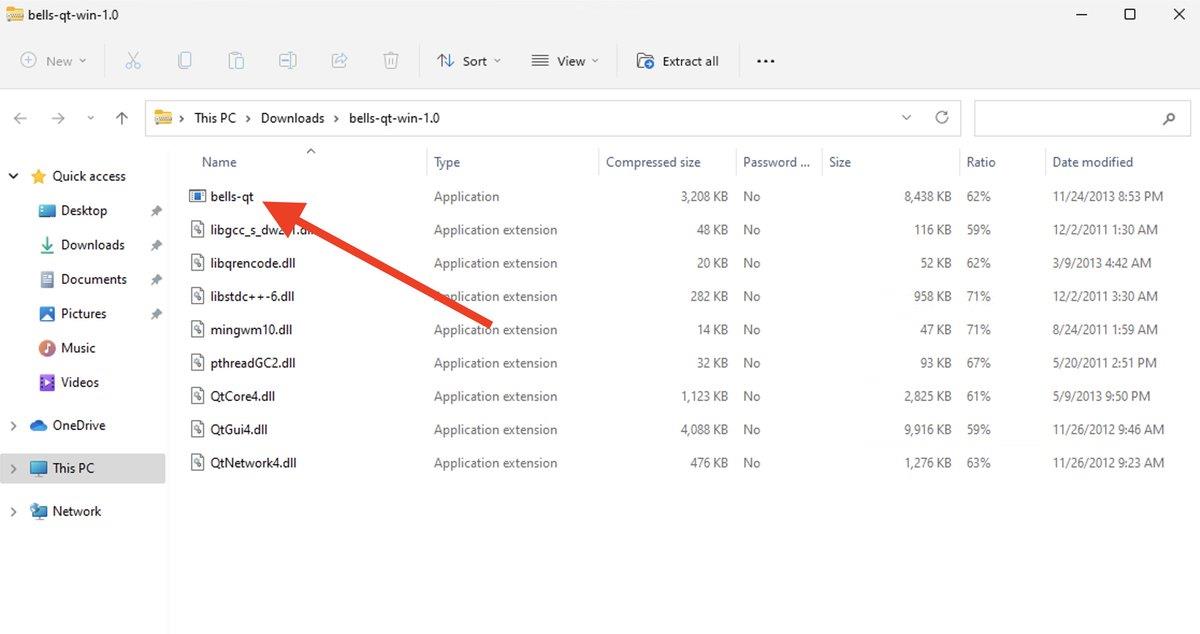
Step 3: In the new folder, click on "bells-qt";
Note: Your computer may block the file from running. If so, click “More info” and then “Run anyway.”
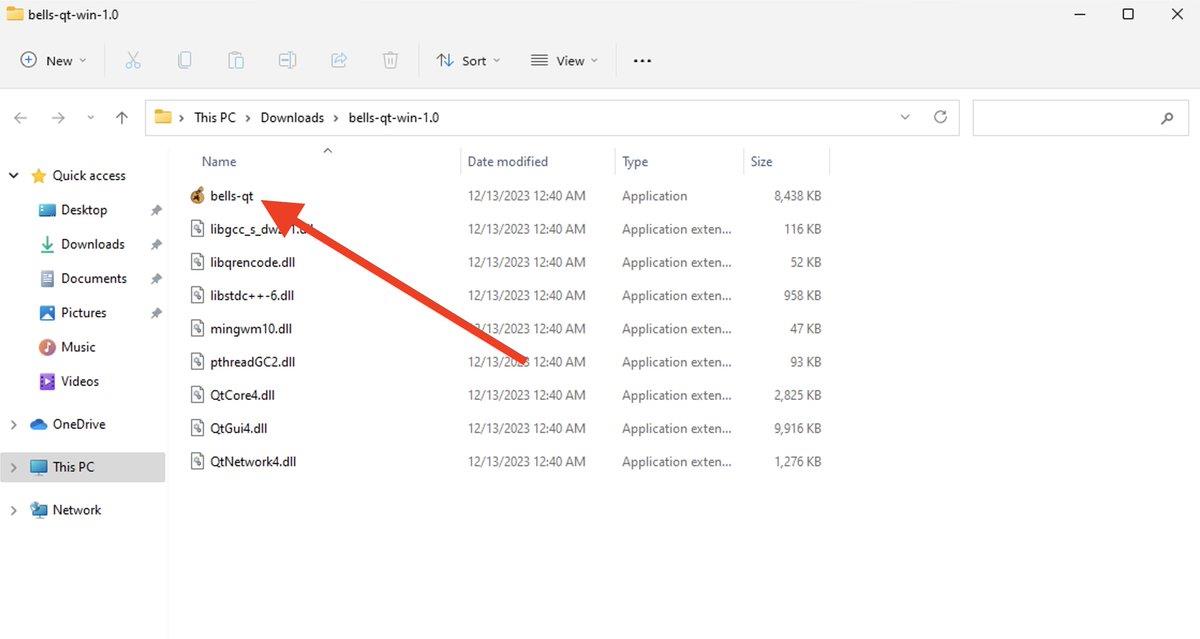
Step 4: The Bells wallet and miner software will now load, but you’ll see a “Not synchronized” notification;

Step 5: Access this location on your PC:
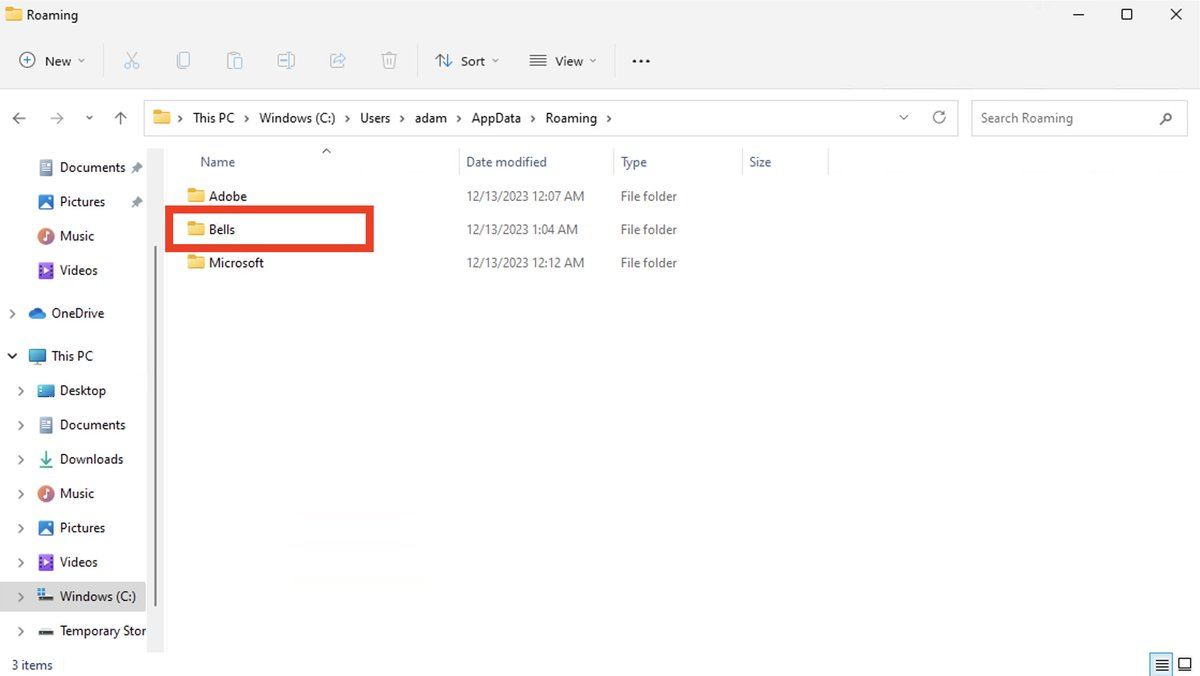
C:\Users\{username}\AppData\Roaming\Bells
“{username}” refers to your actual username.
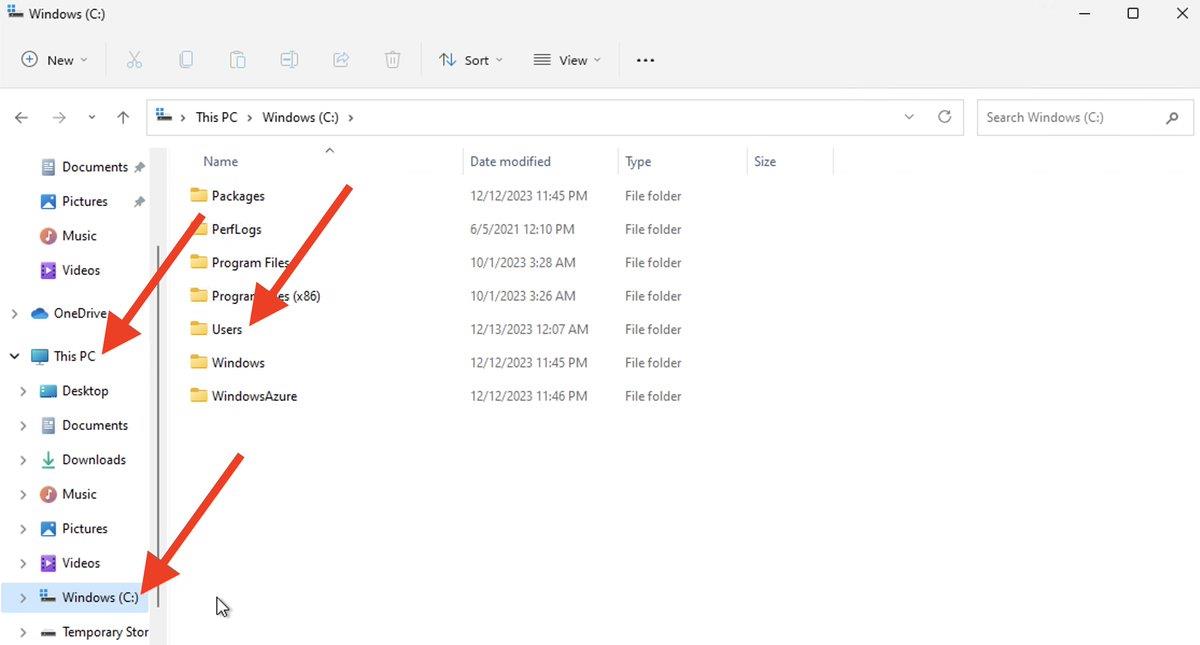
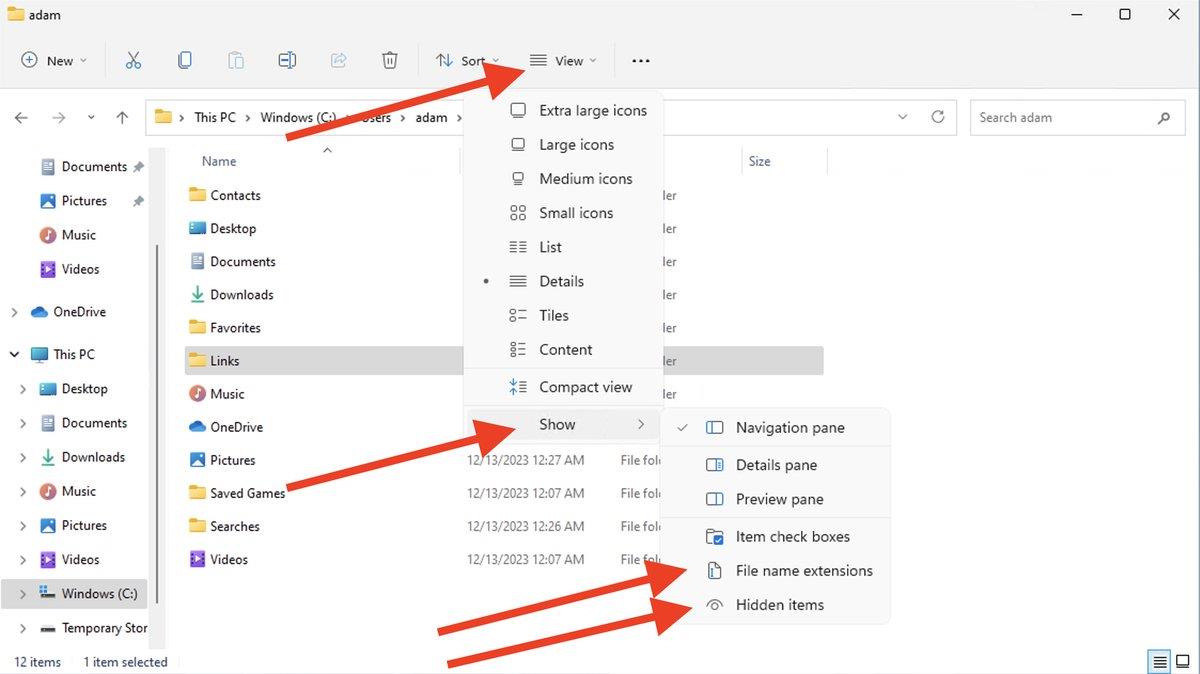
Step 6: You may not see the “AppData” folder. Click “View,” then check “Show,” and select both “Hidden items” and “File name extensions” to reveal the “AppData” folder;
Step 7: Navigate into AppData → Roaming → Bells;
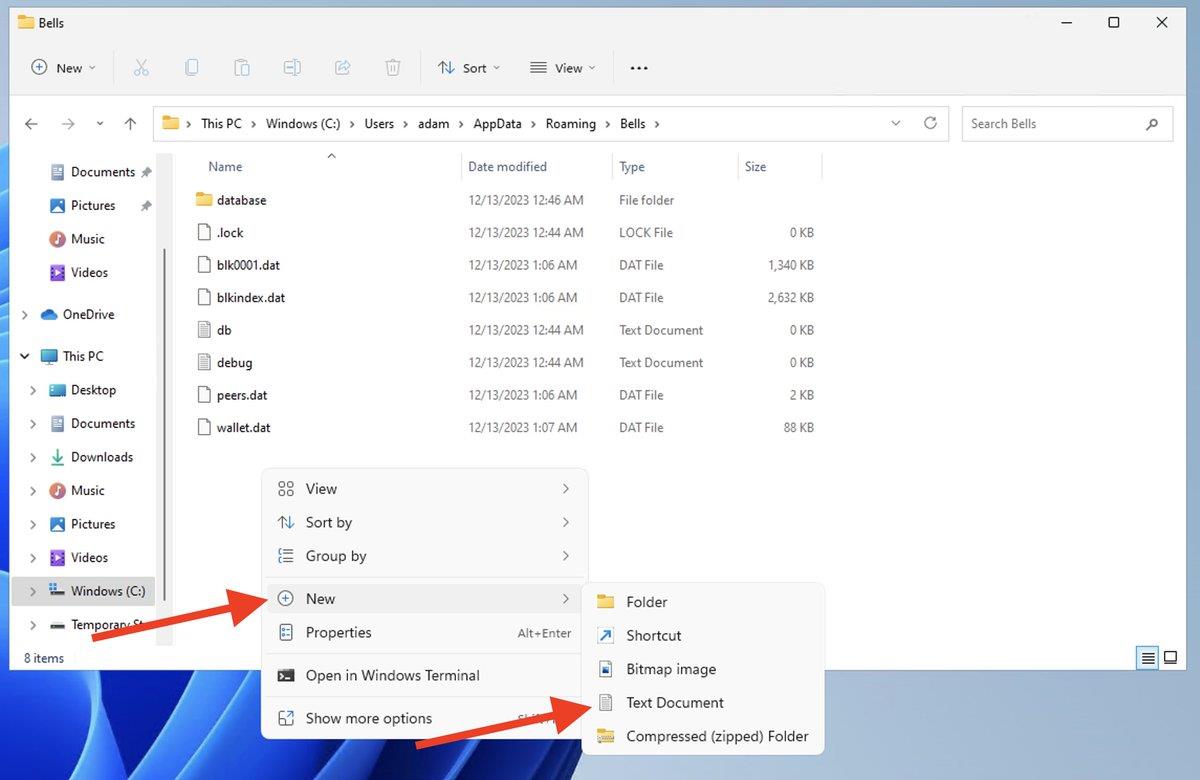
Step 8: Right-click to display options, choose “New,” then click “Text Document”;
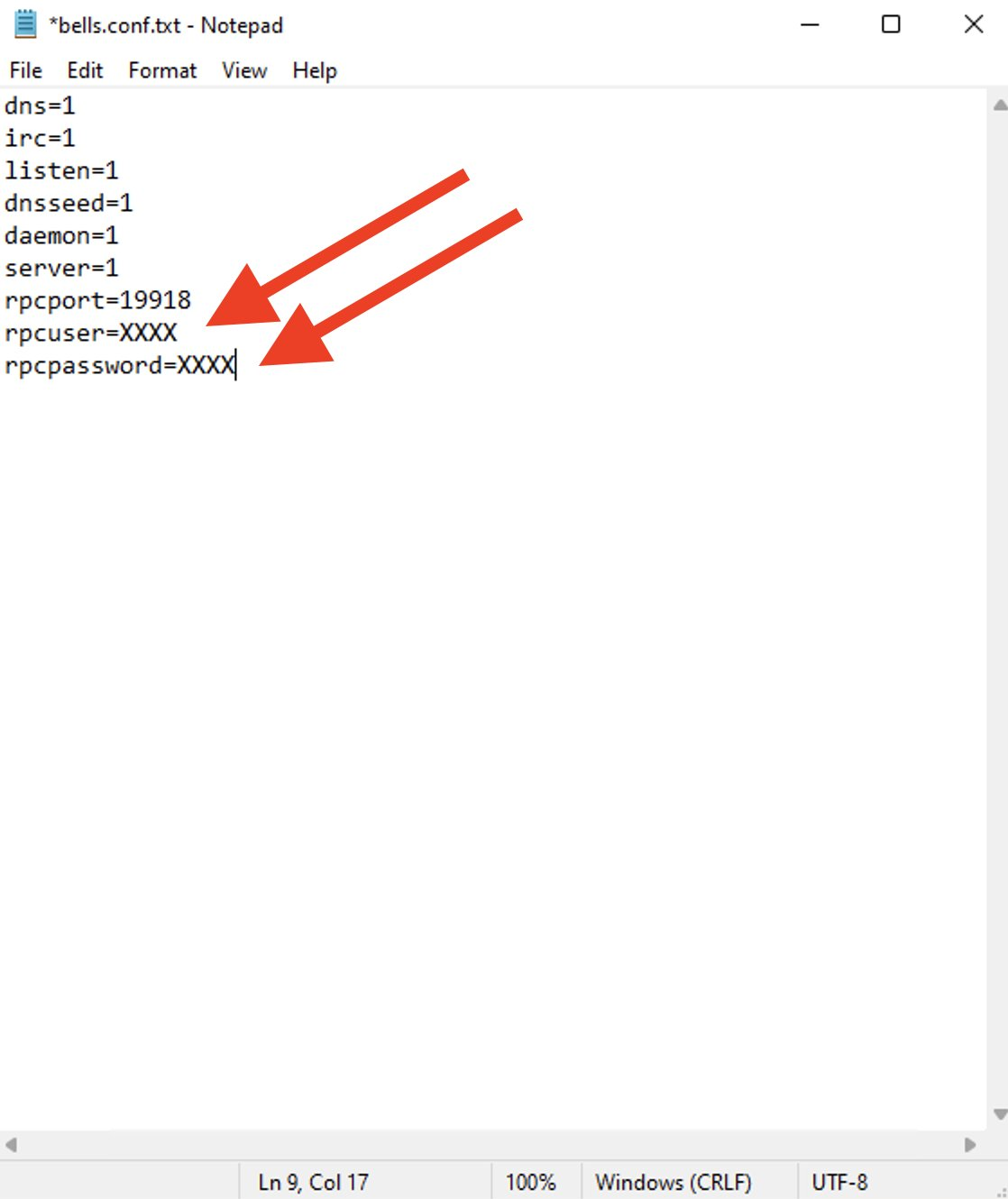
Step 9: Rename the document to bells.conf, and enter the following content:
dns=1
irc=1
listen=1
dnsseed=1
daemon=1
server=1
rpcport=19918
rpcuser=XXXX
rpcpassword=XXXX Note: Replace "XXXX" in the text with a username and password known only to you.
Step 10: Change “Threads” to 2, then click “Start Mining”;
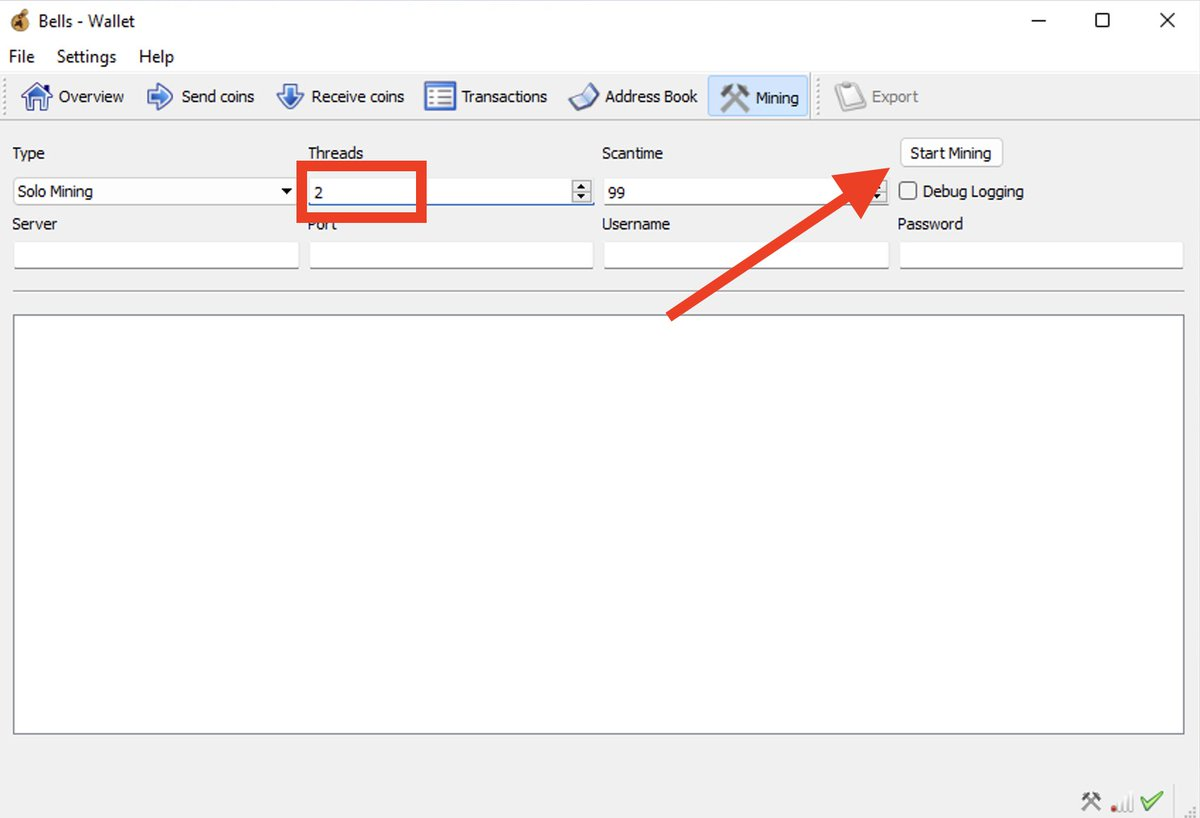
You’re now mining. However, to avoid damaging your computer, take one final step: Open Task Manager, locate “bells-qt.exe,” right-click it, select “Set affinity,” uncheck all processors, select only two (2) CPU cores, then click “OK.”

That completes the process.
Join TechFlow official community to stay tuned
Telegram:https://t.me/TechFlowDaily
X (Twitter):https://x.com/TechFlowPost
X (Twitter) EN:https://x.com/BlockFlow_News
 深潮TechFlow