I Spent 40 Hours Deeply Researching Clawdbot—Here’s the Truth Those Tweets Didn’t Tell You
TechFlow Selected TechFlow Selected
I Spent 40 Hours Deeply Researching Clawdbot—Here’s the Truth Those Tweets Didn’t Tell You
The productivity tools leading us into the future are not magic—they require a continuous learning curve.
 Navigating Web3 tides with focused insights
Author: Shruti
Translated and edited by: TechFlow
TechFlow Intro: Recently, Clawdbot has gone viral on X (formerly Twitter), hailed as “Claude with hands.” In this article, author Shruti invested 40 hours in deep research—peeling back the marketing hype to reveal the real technical underpinnings of Clawdbot.
The piece dissects its core architecture and operational logic as an autonomous AI agent, while honestly delineating the boundary between “out-of-the-box” functionality and tasks requiring heavy configuration.
For developers, researchers, and content creators seeking AI-powered productivity in the Web3 era, this is a highly practical, no-nonsense guide—both a roadmap for getting started and a realistic reality check. It calmly reminds us: tomorrow’s productivity tools are not magic—they demand sustained learning and effort.
Full text below:
Clawdbot is now everywhere on X.
Photos of Mac Minis. Blurry declarations like “I automated everything.” People call it “the future”—but never explain why.
I spent 40 hours digging into documentation, analyzing use cases, watching tutorials, and reading every implementation guide I could find.
Below is what everyone is hyping—but no one truly explains—including the parts they conveniently omit.
Clawdbot, explained in plain English
Forget the jargon—for a moment.
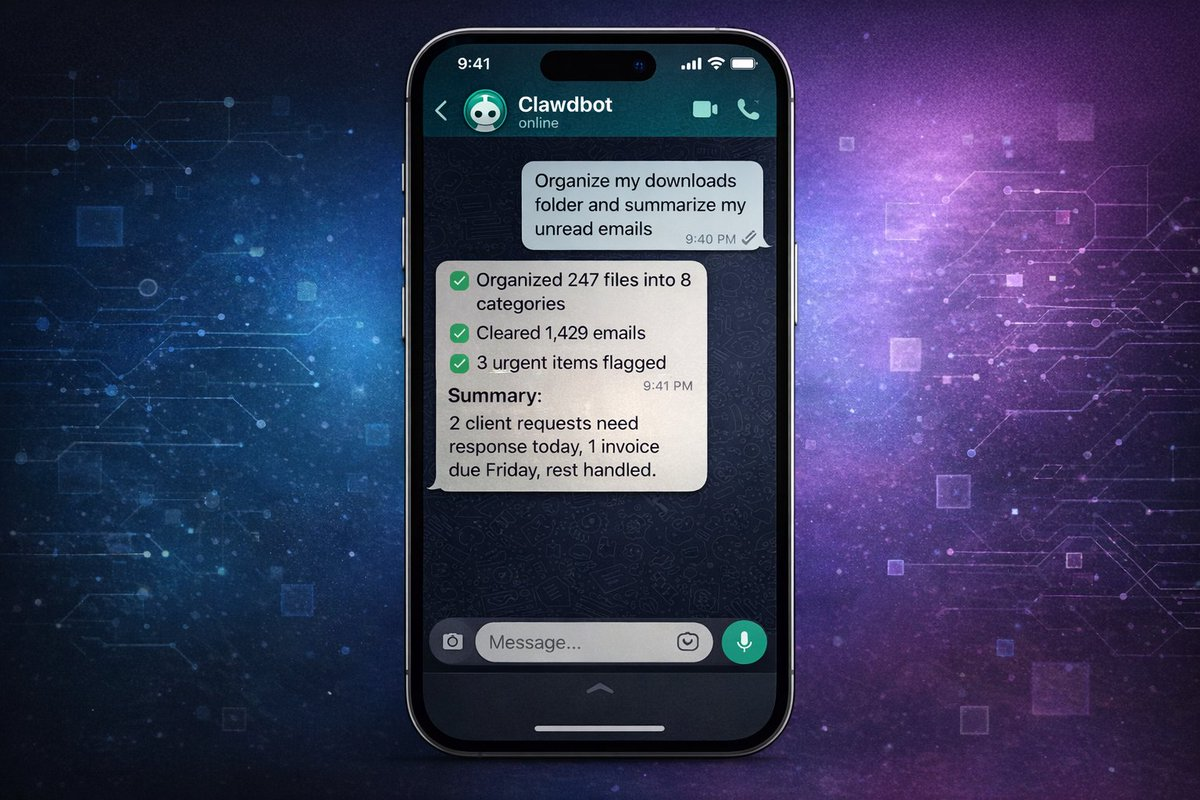
Clawdbot is “Claude with hands.”
You know how you chat with Claude and get answers? Imagine if Claude could actually execute those answers on your computer—installing software, running scripts, managing files, monitoring websites, sending emails—all triggered by simple text commands sent via WhatsApp, Telegram, or iMessage.
It’s an AI agent that doesn’t just think—it acts.
Think of it this way:
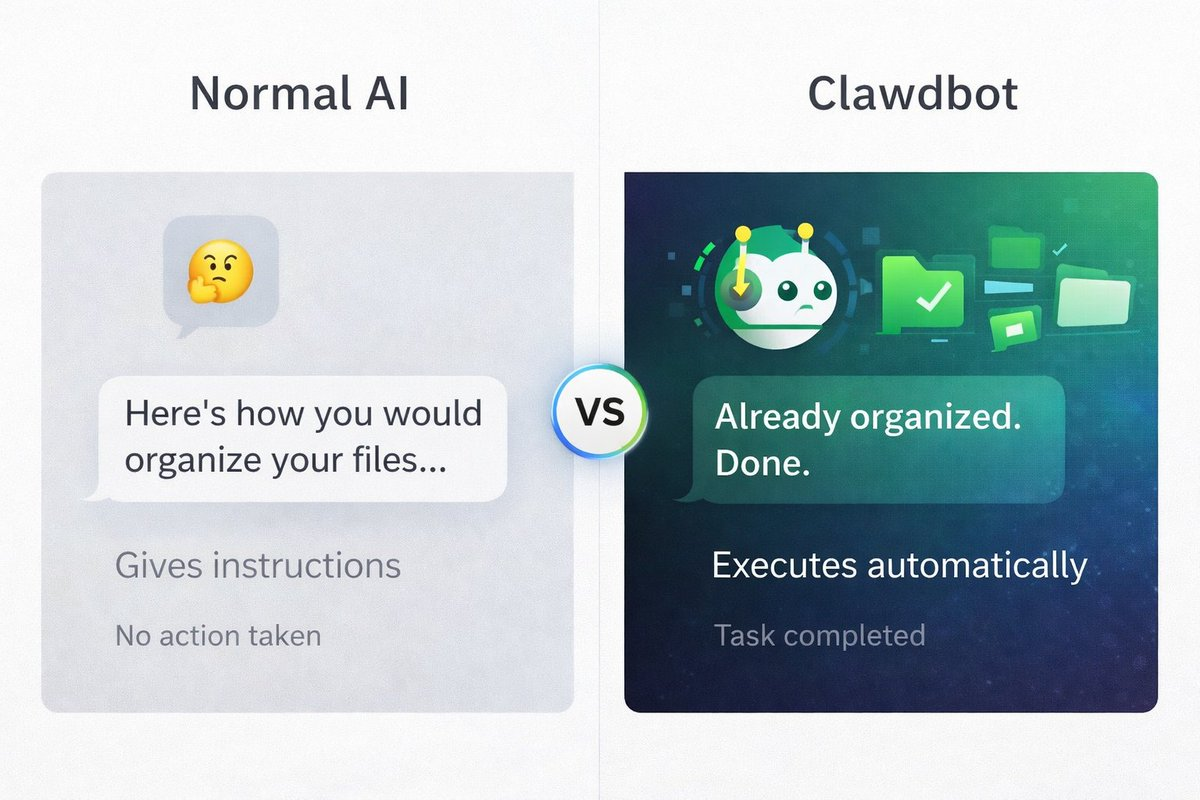
Ordinary AI: “Here’s how to organize your files.” Clawdbot: While you’re still reading that sentence, it’s already organized them.
Ordinary AI: “You should check these 10 market news sources.” Clawdbot: Already scraped them, summarized them, and texted you the key takeaways.
That’s what people mean by “autonomous AI.” It doesn’t just answer questions—it completes tasks.
Any catch? Yes—some tasks run instantly; others require you to build automation workflows first. Details below…
Why is everyone so obsessed?
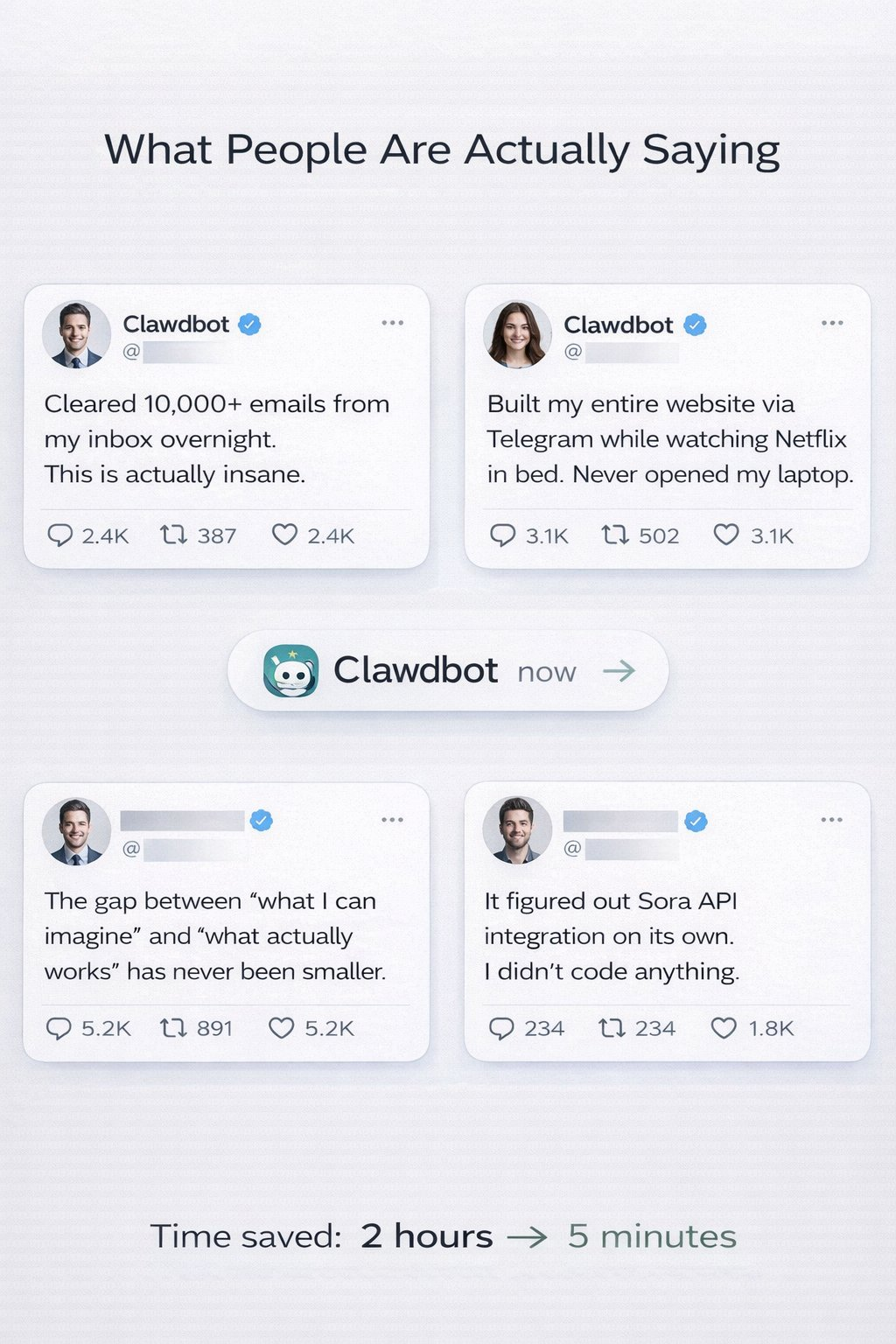
Tweets sound almost unbelievable:
“Cleared 10,000 emails from my inbox overnight.”
“Built my entire website via Telegram while watching Netflix.”
“Figured out Sora API integration on its own.”
“Automated 80% of my work in 48 hours.”
Here’s what makes it different from all other AI tools:
- It runs on your computer—not some cloud interface, but your actual machine, with access to your files, apps, and data.
- You control it anytime, anywhere—via WhatsApp on your phone, Telegram on your iPad, or iMessage on your watch. You’re no longer chained to a browser.
- It can use any app on your computer—email clients, browsers, terminals, scripts. If you can do it manually, Clawdbot can likely do it autonomously.
- It can build its own tools—this is the wildest part. You can ask it to create a “Skill” (a reusable workflow), and—with proper guidance—it’ll write code, install dependencies, and start using it.
Someone asked their Clawdbot: “Can you access my university course schedule?”
Clawdbot replied: “No—but I can build a Skill to do that. Give me one minute.”
After some iteration and optimization, it built the integration.
Important caveat: This isn’t magic. Building complex automations still requires:
- Clear instructions
- An understanding of what’s possible
- Testing and optimization
- Sometimes hours of setup
But the framework for autonomous execution is real.
How does it work?
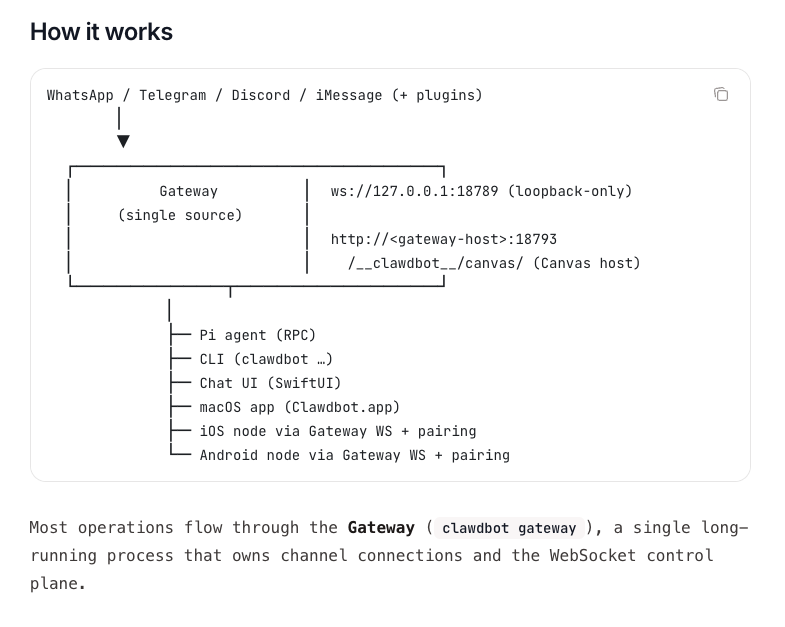
Clawdbot’s architecture: Messages from any platform flow through a central Gateway, then execute tasks on your computer.
You send messages via WhatsApp, Telegram, Discord, or iMessage. Those messages go to the Gateway—a single process running on your machine, acting as the control center.
The Gateway then:
- Routes your request to Claude (via Anthropic’s API)
- Executes commands on your computer
- Manages connections to your chat apps
- Handles file operations and automation
You can interact with it via:
- Messaging apps (WhatsApp, Telegram, etc.)—most common
- CLI (Command-Line Interface)—for terminal users
- macOS/iOS/Android apps—native interfaces
- Chat UI (browser)—web-based dashboard
Everything runs locally on your machine. The Gateway bridges your messages and your computer’s capabilities.
Setup isn’t as hard as it looks
The GitHub page looks intimidating—terminal commands, MCP servers, JSON configs.
But here’s the truth: Basic setup takes 20–30 minutes for technical users, 1–2 hours for non-technical ones.
You’ll need:
- A Mac, Linux PC, or Windows with WSL2
- Node.js installed (free, takes 5 minutes)
- An Anthropic API key (pay-as-you-go, cost varies)
- WhatsApp, Telegram, iMessage, Discord, or Slack
The actual setup:
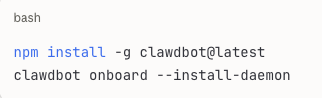
A guided onboarding flow walks you through:
- Connecting to your chat app
- Setting permissions
- Running your first test command
Most people’s first test: “What files are in my Downloads folder?”
Clawdbot lists them.
“Organize them by type.”
Done. PDFs in one folder, images in another, documents sorted.
This works instantly—no extra setup required.
What works instantly—and what needs deployment?
This is the part no one clearly explains.
Clawdbot has two tiers of capability:
Level 1: Out-of-the-box (setup in minutes)
These features work immediately after installing Clawdbot:
✅ File Management
- “Organize my Downloads folder”
- “Find all PDFs from last month”
- “Back up my Documents”
✅ Basic Research
- “Search for latest news about [topic]”
- “Summarize these 5 articles” (paste URLs)
- “What’s trending on [platform]?”
✅ Calendar/Email Reading (if CLI access is set up)
- “What’s on my calendar today?”
- “Read my last 10 emails”
- “Search my email for [keyword]”
✅ Simple Automation
- “Run this script every morning at 8 a.m.”
- “Monitor changes to this website”
- “Alert me when [file] updates”
✅ Text Processing
- “Summarize this document”
- “Extract key points from this transcript”
- “Convert this data to CSV”
Time investment: Minutes. These are instant—or near-instant.
Level 2: Powerful—but requires building (hours to days)
These require custom Skills, API integrations, and configuration:
⚠️ Advanced Email Management
- Auto-classify thousands of emails
- Smart filtering and archiving
- Rule-based processing
Requires: CLI setup for email client, custom workflows, testing
⚠️ Trading/Market Automation
- Real-time price monitoring
- Unusual volume alerts
- Automated data analysis
Requires: API access from data providers, custom monitoring scripts, authentication
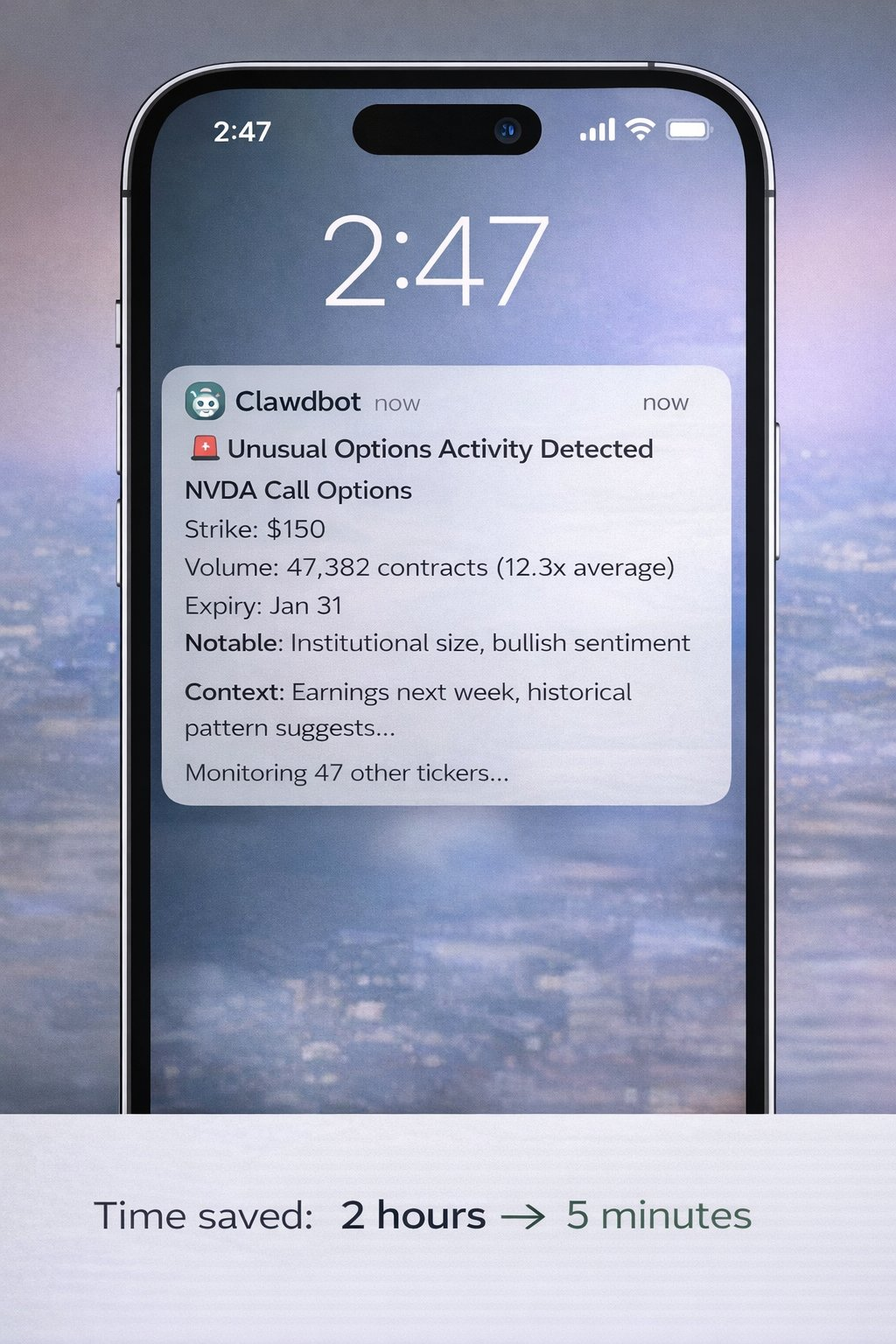
Advanced trading alerts like this are achievable with Clawdbot—but require hours of custom setup, API access, and configuration. It’s not instant magic—but once built, it’s extremely powerful.
⚠️ Social Media Automation
- Multi-platform publishing
- Engagement tracking
- Brand monitoring
Requires: Social media API access, custom integrations, rate-limit handling
⚠️ Complex Code Projects
- Build full applications
- Manage GitHub repositories
- Automate testing and deployment
Requires: Proper setup, clear requirements, iterative optimization
⚠️ Custom Integrations
- Connect to proprietary systems
- Build cross-app workflows
- Advanced data pipelines
Requires: API fluency, custom Skill development, maintenance
Time investment: Varies by complexity—hours to days.
Real-world applications
Let me show you what each tier can actually deliver:
Instant-use cases (usable today)
File Organization
Command: “Organize my Downloads folder by file type and date.” What happens:
- Clawdbot scans your Downloads
- Creates folders by type (PDF, images, documents, etc.)
- Moves files into appropriate folders
- Optionally adds date-based subfolders
Time saved: 20 minutes manual sorting → 10 seconds
Real result: Truly out-of-the-box.
Basic Research & Summarization
Command: “Find 10 recent articles about AI safety. Summarize the main concerns.” What happens:
- Web searches for recent articles
- Extracts key content
- Identifies recurring themes
- Delivers a structured summary
Time saved: 1 hour reading → 5-minute summary
Real result: Works instantly via web search.
Calendar Management
Command: “What’s on my calendar tomorrow?” What happens:
- Checks your calendar
- Lists all events
- Estimates prep time
- Flags conflicts
Time saved: Manual calendar check → instant
Note: Requires one-time calendar access setup.
Document Processing
Command: “Extract all email addresses from these 20 PDFs.” What happens:
- Reads each PDF
- Identifies email patterns
- Compiles master list
- Deduplicates
Time saved: 2 hours manual work → 2 minutes
Real result: Works instantly for text-based PDFs.
Advanced-use cases (require setup)
What people think you can do instantly:
❌ “Track unusual options activity and alert me in real time”
❌ “Auto-publish optimized copy across 5 social platforms”
❌ “Monitor 100 competitors and analyze their strategies”
What you actually need to do:
- Identify data sources (which APIs, which websites)
- Set up authentication (API keys, access tokens)
- Build monitoring Skills (with Clawdbot’s help—but still requires work)
- Test and optimize (handle edge cases, rate limits, errors)
- Maintain (APIs change; Skills need updates)
A realistic advanced workflow example:
Goal: Monitor a specific Twitter account for high-engagement posts
Step 1: Set up Twitter API access (30 min – 2 hrs)
Step 2: Build monitoring Skill using Clawdbot (1–2 hrs)
Step 3: Test and tune alert thresholds (30 min)
Step 4: Deploy and run (ongoing)
Total initial time: 2–4 hours
Ongoing value: 24/7 automated monitoring
This is achievable—but not instantaneous.
Regarding social media automation: If you specifically want to automate content creation and publishing, consider Postey. Clawdbot excels at general computer automation, but tools like Postey handle social-specific workflows (copy generation, multi-platform publishing, scheduling, analytics) without custom Skills or API management. Different tools for different jobs.
Real results people are getting
Let me show you real testimonials—and clarify exactly what each one required:
From @Sully’s tweet:
“Cleared over 10,000 emails from my inbox (down 45%!)”
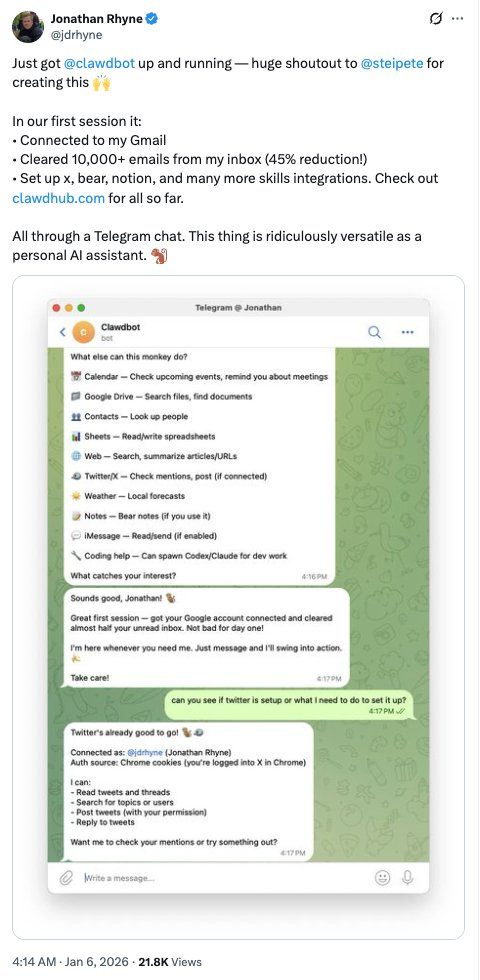
What this required:
- CLI setup for email client
- Custom filtering rules
- Hours of initial configuration
- But afterward: Fully automated
From @levelsio’s tweet:
“Rebuilt my entire website via Telegram while in bed watching Netflix. Notion → Astro, migrated 18 articles, DNS moved to Cloudflare. Never opened my laptop.”
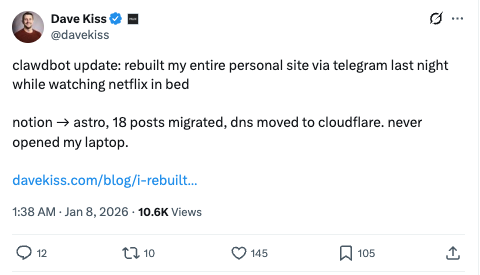
What this required:
- Deep technical knowledge
- Understanding of web development
- Existing site structure as a foundation
- Multiple iterations and commands
- This person is a developer—not a beginner
From @PackyM’s tweet:
“The gap between ‘I can imagine it’ and ‘it actually works’ has never been smaller.”
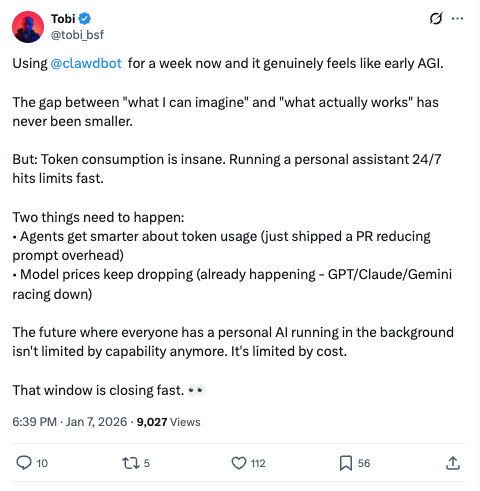
Honest explanation: This is true—if you understand what’s possible and communicate needs clearly. If you don’t know what you need, Clawdbot can’t read your mind.
From @SoraExpert’s tweet:
“Had Clawdbot make a Sora video. It handled watermark removal, API keys, and workflow on its own.”

What this required:
- Access to the Sora API
- Understanding of video processing
- Multiple iterations
- Troubleshooting ability
- Not a single-command solution
Pattern: All are real outcomes—but none are magic. They combine:
- Clear requirements
- Technical understanding
- Iteration and optimization
- Time investment
Clawdbot is incredibly powerful—but it’s not a magic wand.
Self-optimizing agents
Here’s one of the coolest real features:
Clawdbot has a “Heartbeat” feature—regular checks where it proactively notifies you of relevant updates or suggests workflow improvements.
As user @mishig25 put it:
“Clawdbot comes to me during Heartbeat!? Love this proactive touch.”
In practice, this means:
- You can configure periodic checks
- Clawdbot surfaces relevant information
- It can suggest workflow improvements based on patterns
This does not mean:
- It’s constantly monitoring everything you do
- It automatically optimizes without your input
- You don’t need to configure what it monitors
It’s proactive assistance—not omniscient automation.
What it cannot do
Let’s be blunt:
- It’s not magic—“Make my business successful” won’t work. “Analyze my sales process and identify bottlenecks” might—given proper setup.
- Complex tasks require precise instructions—the more specific you are, the better the result. Vague requests yield vague outputs.
- It needs appropriate permissions—no credentials, no account access. It can’t hack systems. It operates strictly within your granted permissions.
- Advanced features require building—those impressive demos took time to set up. Out-of-the-box capabilities are limited—but the potential is real.
- Verification remains critical—never blindly trust outputs for high-stakes decisions. AI can confidently err; human review is still essential.
- API costs can add up
Light usage: $10–30/month
Moderate usage: $30–70/month
Heavy usage: $70–150/month
These estimates are based on Anthropic’s API pricing. Your actual cost will vary widely. Monitor closely in Month One. - Setup difficulty varies
Technical users: 20–30 minutes
Non-technical users: 1–2 hours + troubleshooting
Non-technical users wanting advanced features: May need help - Privacy matters—you’re granting an AI agent access to your computer. Read security docs carefully. Understand what you’re sharing. Use Pairing Mode to secure DMs.
Cost
Setup cost: $0 (open source)
API cost: Pay-as-you-go with Anthropic
- Costs fluctuate wildly with usage
- One user reported consuming 180 million tokens (extreme case)
- Typical user: $15–50/month
- Heavy automation user: $50–150/month
Monitor your API usage closely in Month One to gauge real costs.
Time investment:
- Basic setup: 30 minutes – 2 hours
- Learning: 2–4 hours of experimentation
- Building advanced workflows: Hours to days per workflow
- Maintenance: Ongoing, as needs evolve
ROI calculation:
Example: You save 5 hours/week via basic automation
At $50/hour time value:
- Time value: $250/week = $1,000/month
- Tool cost: ~$30/month
- Net gain: $970/month
Even at $25/hour, saving 5 hours/week is worth $500/month.
If used effectively, this tool pays for itself quickly.
Who should use it
Perfect fit (immediate value):
- Developers comfortable with CLI
- Technical users who regularly automate
- People with specific repetitive tasks
- Those willing to invest setup time for long-term gains
- Experimenters and early adopters
Good fit (requires patience):
- Semi-technical users willing to learn
- People with clear automation goals
- Users who follow documentation
- Users comfortable debugging
Poor fit (for now):
- Beginners with zero CLI experience
- Those expecting instant advanced automation
- People unwilling to invest setup time
- Users in highly regulated environments with strict IT policies
- Those expecting plug-and-play perfection
Use cases where it shines:
Traders/Researchers:
- Market research compilation
- News aggregation
- Data extraction
- File organization
- Calendar management
- (Advanced monitoring requires custom build)
Content Creators:
- Research automation
- Content idea curation
- File management
- Schedule tracking
- (Full social automation requires build or Postey)
Developers:
- Code review
- Documentation generation
- Test automation
- Deployment workflows
- (All require proper setup)
Team Leads:
- Customer communication management
- Report generation
- Data organization
- Research compilation
- (CRM integration requires custom work)
The bigger picture
Clawdbot isn’t just a productivity tool.
It’s a preview of how we’ll all work in 2–3 years.
Consider:
- 2020: AI writes text
- 2023: AI generates images
- 2024: AI writes code
- 2025: AI executes autonomously (with proper setup)
- 2027: AI execution becomes standard
We’re shifting from “AI-assisted” to “AI-actionable.”
Those learning to collaborate with autonomous agents now are building muscle memory for the future of work.
It’s like learning spreadsheets in 1985—or search engines in 1998.
Early adopters aren’t just saving time today.
They’re cultivating a skill that will be mandatory in five years.
But honestly:
Most people won’t invest the time to learn properly.
They’ll try once, get frustrated when it doesn’t solve everything instantly—and quit.
The real advantage goes to those who:
- Start simple
- Gradually increase complexity
- Invest time to understand what’s possible
- Iterate and optimize workflows
- Stay consistent
This group achieves 10x productivity leaps.
The rest may still be manually organizing Downloads folders in 2027.
How to get started
Step 1: Install (budget 30–60 minutes)
Visit the Clawdbot website and follow the quick-start guide—don’t skip the docs.
Step 2: Start simple (critical)
Don’t try to automate your entire business on Day One.
Start with one annoying task:
- “Organize my Downloads folder”
- “What’s on my calendar tomorrow?”
- “Find all PDFs from last month”
Win a small victory. Build confidence.
Step 3: Learn what’s possible
Read the Skills documentation. Join the Discord community. See what others have built. Understand the framework.
Step 4: Build a meaningful automation
Pick one repetitive task you do weekly. Invest time to set it up right. Test and optimize it. Let it run—and save you time.
Step 5: Expand gradually
Once you have one working automation, add another. Each success builds on prior learning. Complexity compounds over time.
Step 6: Join the community
Discord: Active community sharing workflows
X/Twitter: Follow official accounts for updates
GitHub: Contribute code if you’re technical
What they didn’t tell you
The learning curve is real
First automation: Might take 2 hours
Second automation: Might take 1 hour
Tenth automation: Might take 20 minutes
It gets easier—but there is a curve.
Not everything automates easily
Some tasks are inherently hard to automate. Some workflows demand too much human judgment. Choose your battles.
Maintenance is ongoing
APIs change. Websites redesign. Skills break. You must maintain what you build.
Hype is both real and exaggerated
Yes—it’s incredibly powerful. No—it’s not instant magic. Truth lies in between.
Your results will vary
Technical users: Fast, stunning results.
Non-technical users: Slower—but still valuable.
Your outcomes will differ.
It’s worth it—if you commit
Half-hearted attempts won’t work. Full commitment delivers massive returns. Decide which camp you’re in.
Final thoughts
I began this research skeptical.
I thought, “Another AI tool,” “Probably overhyped.”
Forty hours later, here’s my honest belief:
Clawdbot truly matters.
It’s imperfect. Not magic. Requires effort.
But its core promise is real:
An AI assistant that doesn’t just answer questions—it completes tasks.
Calling it “revolutionary” isn’t wrong.
Calling it “plug-and-play” is.
It’s powerful. Complex. Demands investment.
Who wins with Clawdbot:
- Those who start simple
- Those who learn incrementally
- Those who iterate and optimize
- Those who stay consistent
- Those who truly invest
Who struggles with Clawdbot:
- Those expecting instant magic
- Those unwilling to learn
- Those who quit after one failure
- Those who skip the docs
- Those comparing their Day One to someone else’s Day 100
The question isn’t whether autonomous AI agents will become standard.
They inevitably will.
The question is: Do you learn now—while it’s still early—or scramble to catch up in two years, when everyone else has built their workflows?
The best time to start was last year.
The second-best time is today.
But only if you’re ready to learn it—right.
Join TechFlow official community to stay tuned
Telegram:https://t.me/TechFlowDaily
X (Twitter):https://x.com/TechFlowPost
X (Twitter) EN:https://x.com/BlockFlow_News
 @heyshrutimishra