



Analysis of Fake Wallets and Risks of Private Key and Mnemonic Phrase Leakage
TechFlow Selected TechFlow Selected
Analysis of Fake Wallets and Risks of Private Key and Mnemonic Phrase Leakage
This guide aims to help every user better protect their assets and travel further in the dark forest of blockchain.
 Navigating Web3 tides with focused insights
Author: SlowMist Security Team
Background
Wallets play a crucial role in the Web3 world. They are not only tools for storing digital assets but also essential for users to conduct transactions and access DApps. In our previous Web3 security guide, we introduced wallet classifications and common risk points to help readers build foundational knowledge about wallet security. With the growing popularity of cryptocurrency and blockchain technology, cybercriminals have increasingly targeted Web3 users' funds. According to theft reports received by the SlowMist Security Team, many users have lost funds due to downloading or purchasing counterfeit wallets. Therefore, this article will explore why users fall victim to fake wallets, discuss risks related to private key and mnemonic phrase exposure, and provide practical security recommendations to help safeguard users’ assets.
Downloading Fake Wallets
Due to device restrictions—such as lack of Google Play Store support—or network issues, many users resort to alternative methods to download wallets, including:
Third-party download sites
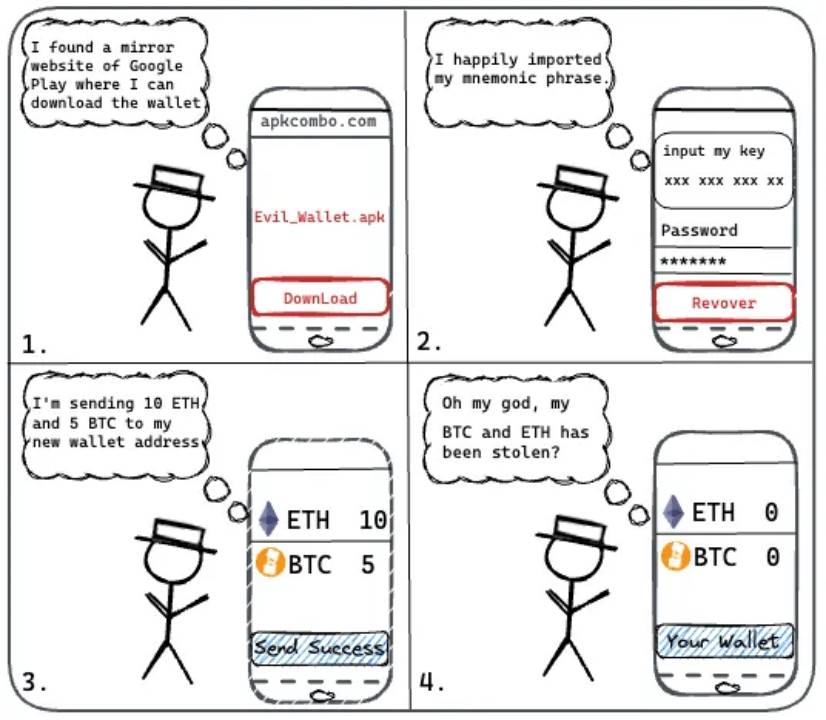
Some users download wallets from third-party platforms like apkcombo or apkpure. These sites often claim their apps are mirrored from Google Play Store, but how secure are they really? The SlowMist Security Team conducted an investigation into fake Web3 wallets distributed via third-party sources. Results showed that certain wallet versions offered on apkcombo did not actually exist. Once users create or import a wallet using the seed phrase on such fake apps, the app immediately transmits the seed phrase and other sensitive data to phishing servers.
Search engines
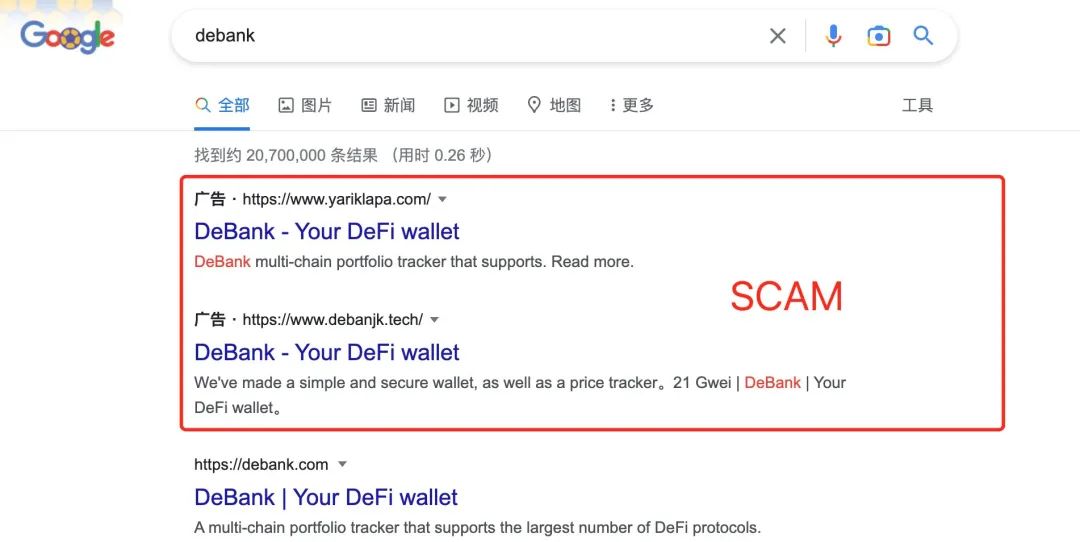
Search engine rankings can be purchased, which has led to fake official websites appearing higher in results than legitimate ones. Users should avoid directly searching for wallets via search engines and clicking top-ranking links, as these may lead to phishing sites hosting fake wallets. Without knowing the correct official URL, it is extremely difficult to distinguish a fake website from a real one—fraudsters often design phishing pages that closely mimic authentic official sites. Similarly, avoid clicking on wallet download links shared by others on Twitter or other social media platforms, as these are often malicious phishing links.
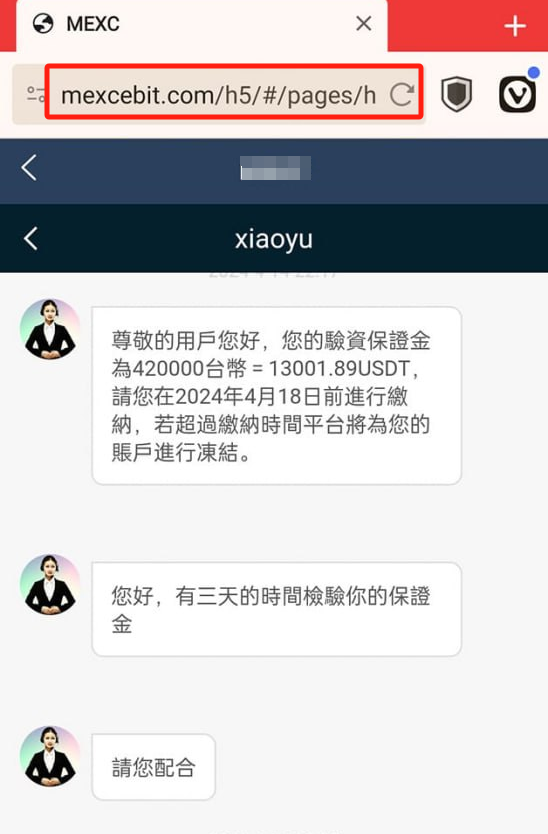
Friends/family or "Pig Butchering" scams
In the dark forest of blockchain, adopt a zero-trust mindset. Even if your friends or family mean no harm, the wallet they downloaded might still be counterfeit—they just haven’t been compromised yet. If you download a wallet via a QR code or link they share, you could end up with a fake version too.
The SlowMist Security Team has received numerous theft reports related to "Pig Butchering" scams. Scammers typically begin by building trust with victims, then lure them into cryptocurrency investments and provide fake wallet download links. Ultimately, victims lose both emotionally and financially. Therefore, users should remain cautious with online acquaintances—especially when someone pushes investment opportunities or shares suspicious links.

Telegram
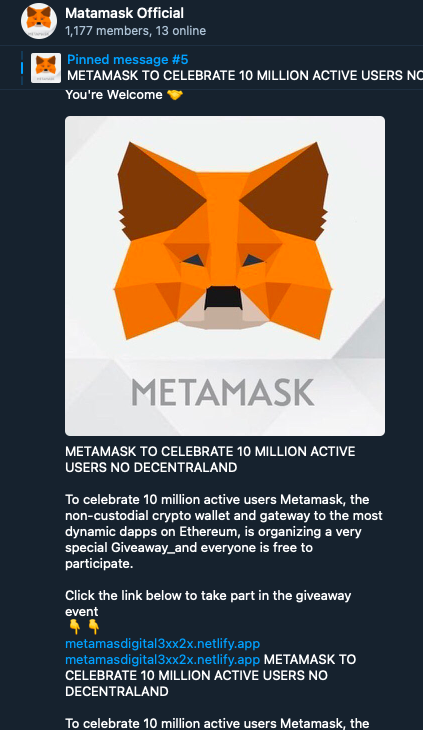
On Telegram, searching for well-known wallets reveals some unofficial groups falsely claiming to be official channels. Scammers even post warnings within these groups urging users to verify the “official” website link—except those links are all fake.
App stores
It's important to note that apps in official app stores aren't always safe. Some malicious actors use paid keyword advertising or ranking manipulation to trick users into downloading fraudulent apps. Readers should exercise caution and carefully verify authenticity.
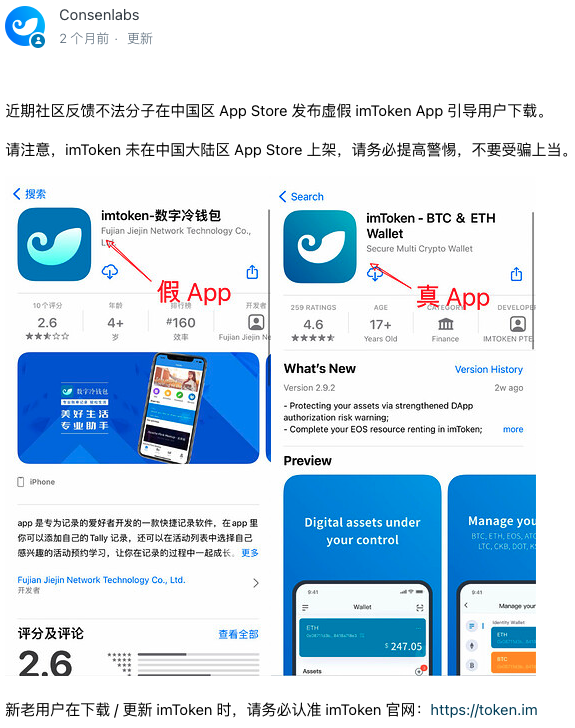
So, what can users do to avoid downloading fake wallets?
Download from official websites
The ability to identify genuine official websites is not only critical when downloading wallets but also essential when engaging with Web3 projects later on. Here’s how to find the real official site.
Users might try searching for a project on Twitter and judge legitimacy based on follower count, account age, or presence of a blue or gold verification badge. However, all of these indicators can be faked. As previously discussed in our article Fake Project Teams | Beware of High-Fidelity Impostor Accounts in Comments, there is a thriving black market selling fake verified accounts. Therefore, beginners are advised to first follow reputable industry security firms, experts, and well-known media outlets on Twitter and check whether they follow the account you’re verifying.
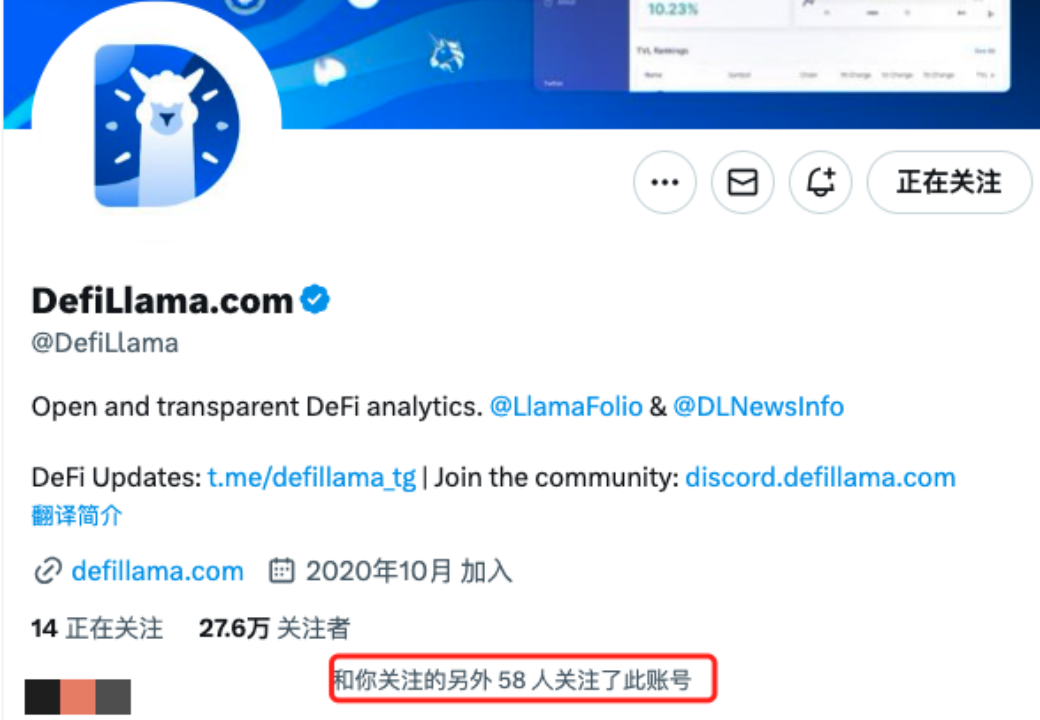
(https://twitter.com/DefiLlama)
Using this method, you’ll likely identify the legitimate official Twitter account. However, further cross-verification is necessary—official Twitter accounts have been hacked before, and attackers often replace pinned website links with phishing URLs. Therefore, compare the website URL you found with those listed on trusted third-party platforms such as DefiLlama, CoinGecko, or CoinMarketCap:
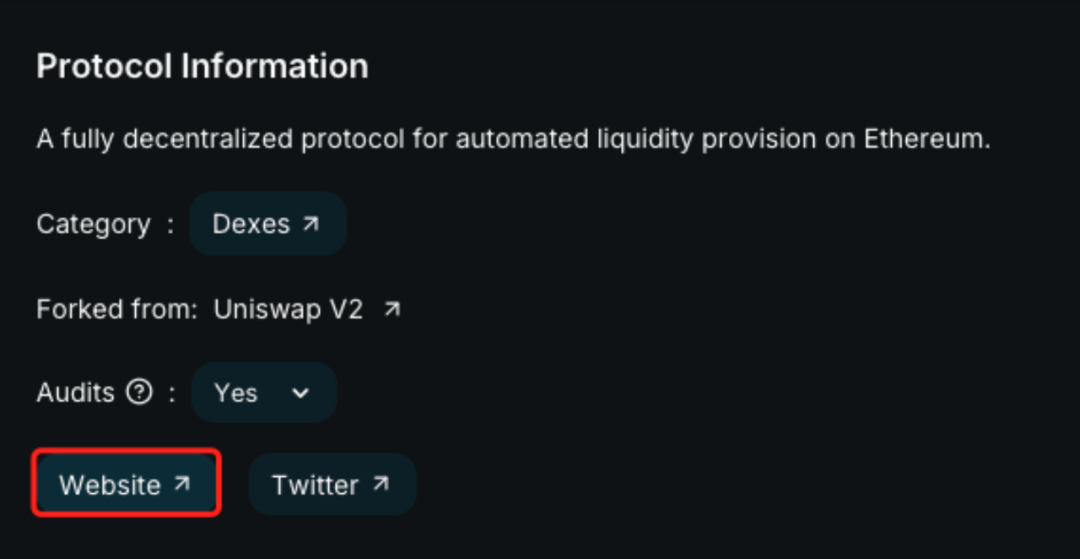
(https://defillama.com/)
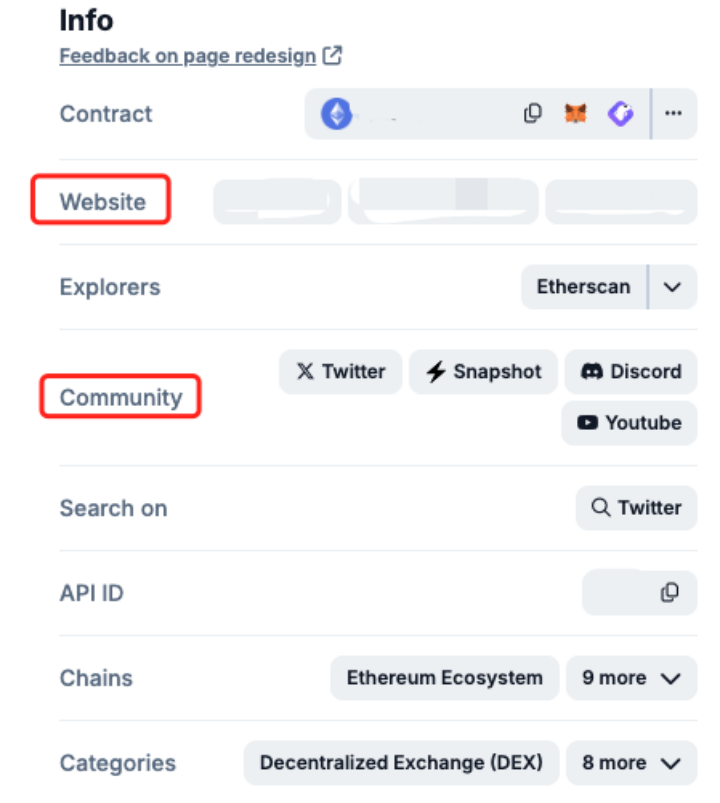
(https://landing.coingecko.com/links/)
Once you’ve confirmed the correct official URL, save it as a bookmark. This allows direct access in the future without needing to re-verify each time, significantly reducing the chance of visiting a phishing site.
Official app stores
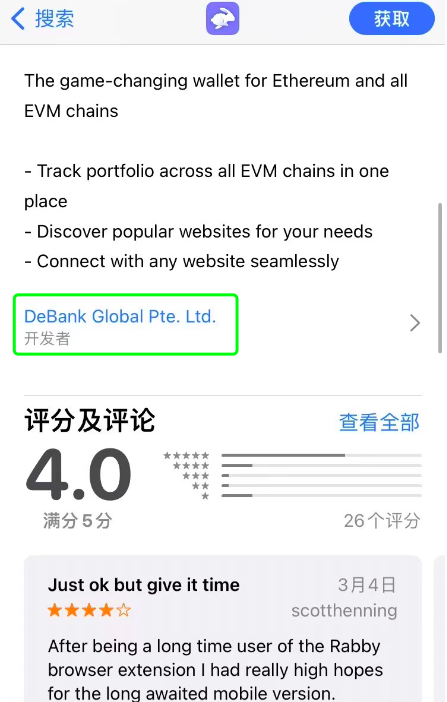
Users can download wallets from official app stores such as Apple App Store or Google Play Store. Before installing, always verify the developer information to ensure it matches the official entity. Additionally, consider user ratings and download counts as supplementary indicators of legitimacy.
Verify official wallet version
Some readers may now wonder: how can I verify whether the downloaded wallet is authentic? You can perform file integrity verification by comparing the file’s hash value (e.g., MD5, SHA-256) with the official one. Simply drag the downloaded APK file into a hash verification tool. If the generated hash matches the official hash, the file is legitimate. If not, it’s a fake.
What should you do if your wallet turns out to be fake?
1. First, assess the scope of exposure. If you only downloaded the fake app but didn’t enter your private key or mnemonic phrase, simply uninstall the app and reinstall the official version.
2. If you already imported your private key or mnemonic into the fake wallet, your credentials have been compromised. Immediately download the official wallet from the legitimate website, import your key/phrase, and transfer all movable assets to a newly created address.
3. If your cryptocurrency has already been stolen, we offer free community assistance for case evaluation. Simply submit a form according to the category (funds stolen / fraud victim / ransomware). The hacker’s address you provide will also be shared with the InMist threat intelligence network for risk control. (Note: Submit Chinese forms at https://aml.slowmist.com/cn/recovery-funds.html, English forms at https://aml.slowmist.com/recovery-funds.html)
Purchasing Fake Hardware Wallets
The above discusses how users end up downloading fake software wallets and how to respond. Now let’s examine how users end up purchasing counterfeit hardware wallets.
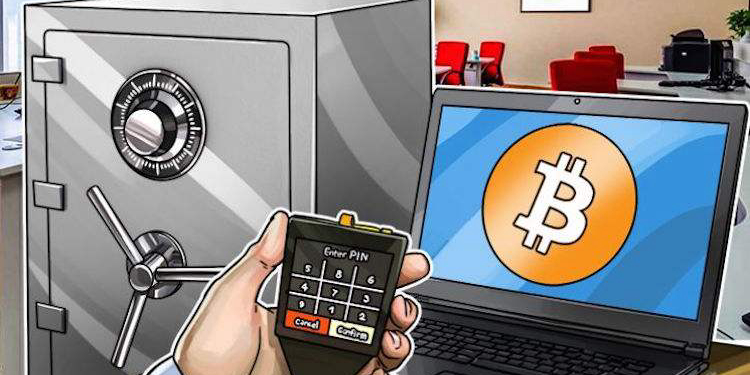
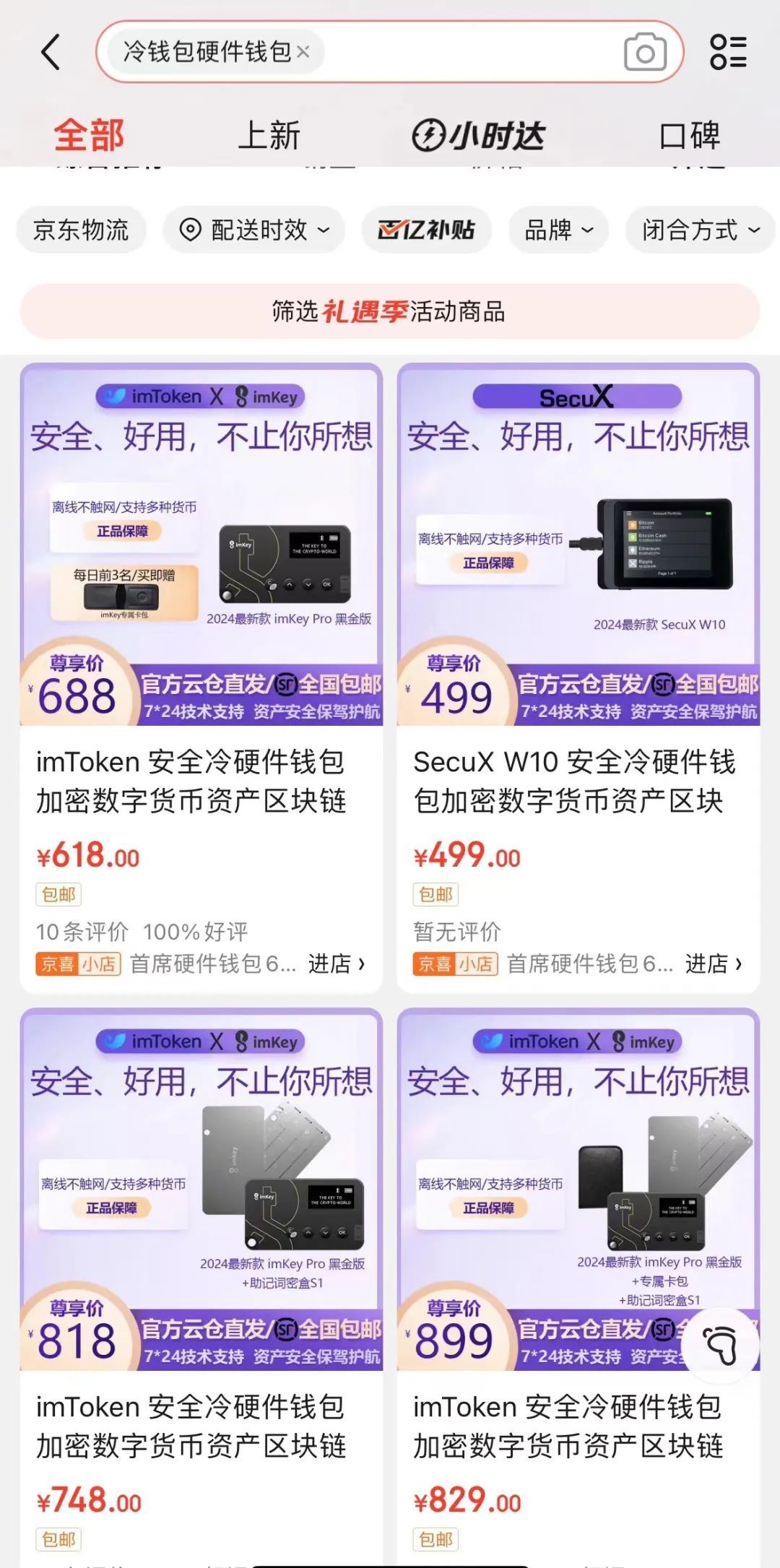
Some users purchase hardware wallets through online marketplaces. However, devices from unauthorized sellers pose serious security risks. It’s unknown how many hands the wallet passed through before reaching the buyer, or whether internal components were tampered with. Such modifications are nearly impossible to detect from appearance or functionality alone.
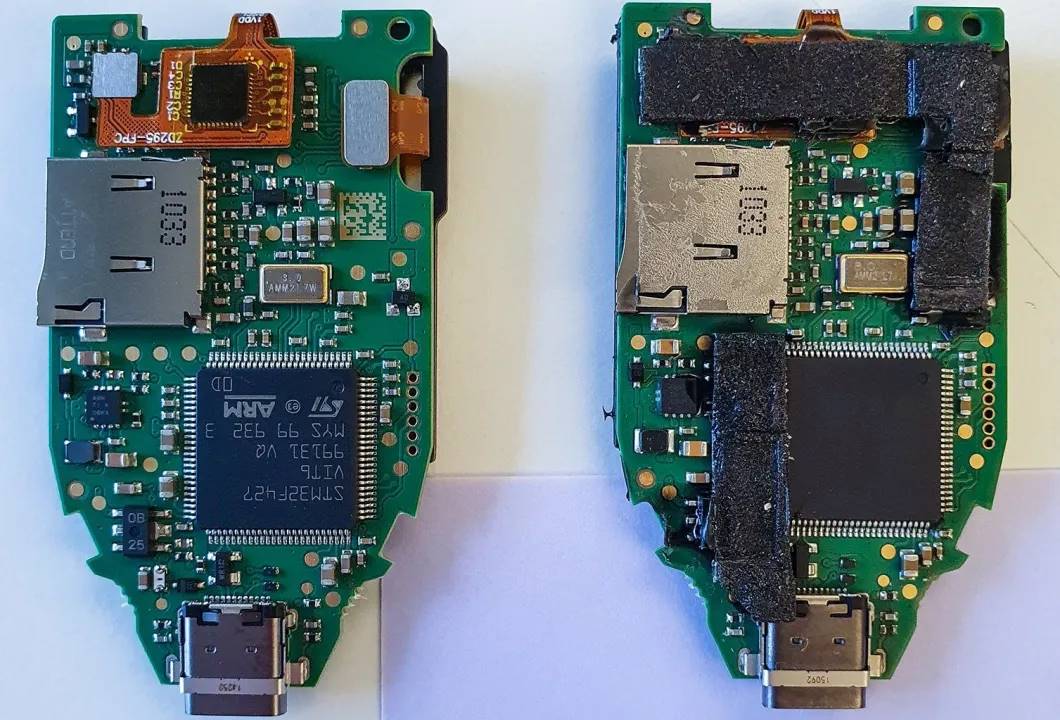
(https://www.kaspersky.com/blog/fake-trezor-hardware-crypto-wallet/48155/)
Below are recommended measures against supply chain attacks on hardware wallets:
Purchase from official channels: This is the most effective way to prevent supply chain attacks. Avoid buying hardware wallets from unofficial sources such as online marketplaces, resellers, or individuals.
Inspect packaging: Upon receipt, check for any signs of tampering with the outer packaging. While sophisticated attackers may avoid leaving obvious traces, this remains a basic initial check.
Official device authentication: Some hardware wallets offer online verification services. During initialization, the device prompts users to complete an online authenticity check. If the device was tampered with during shipping, it will fail this verification.
Anti-tamper self-destruct mechanism: Consider purchasing hardware wallets equipped with tamper-proofing features. If someone attempts to open the device and modify internal components, a self-destruct mechanism erases all sensitive data from the secure chip and renders the device unusable.
Private Key / Mnemonic Phrase Exposure Risks
By now, you should know how to obtain genuine wallets. But securely managing your private key or mnemonic phrase is another critical challenge. These are the sole credentials for recovering your wallet and controlling your assets. A private key is typically a 64-character hexadecimal string composed of letters and numbers, while a mnemonic phrase usually consists of 12 words. The SlowMist Security Team emphasizes: if your private key or mnemonic phrase is exposed, your assets are at high risk of being stolen. Below are common causes of such exposure:
Poor confidentiality: Users sometimes share their private keys or mnemonics with friends or family for safekeeping, only to have their funds stolen by those very individuals.
Storing or transmitting keys online: Although users understand they shouldn’t share keys, some still store them via WeChat收藏, screenshots, cloud storage, or notes. If the associated accounts are breached, these credentials become vulnerable to theft.
Copying and pasting keys: Many clipboard tools and input methods automatically sync clipboard history to the cloud, exposing private keys and mnemonics in insecure environments. Additionally, malware can monitor and steal clipboard contents whenever users copy sensitive data. Therefore, avoid copying and pasting private keys or mnemonics—a seemingly harmless action that carries significant leakage risks.
How can you prevent private key or mnemonic phrase leaks?
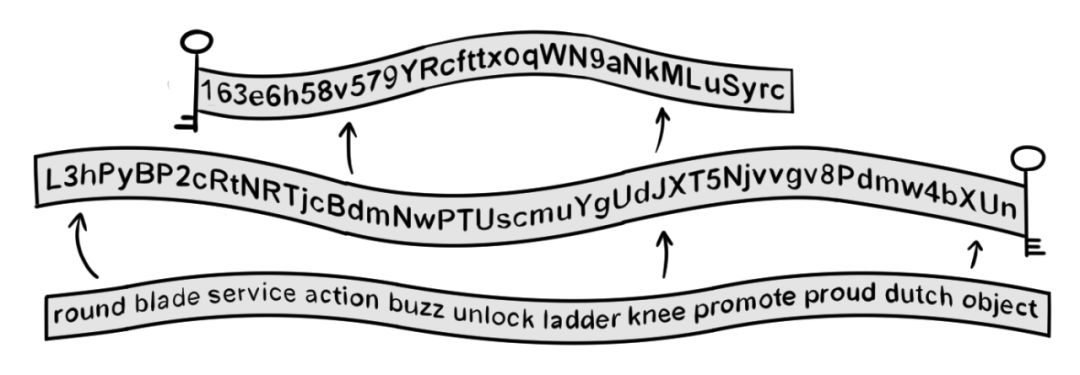
First, never share your private key or mnemonic with anyone—not even close friends or family. Second, prefer physical storage over digital methods to reduce the risk of remote attacks. For example, write down your key or phrase on high-quality paper (optionally laminated), or use a dedicated mnemonic passphrase vault. Additionally, using multi-signature setups or splitting key storage across multiple secure locations can enhance security. For more guidance on backing up private keys and mnemonics, refer to SlowMist’s Blockchain Dark Forest Self-Protection Handbook.
Summary
This article covered risks associated with downloading or purchasing wallets, methods to identify genuine official websites and verify wallet authenticity, and common causes of private key and mnemonic phrase exposure. We hope this guide helps you take your first secure steps into the dark forest of blockchain. In the next installment, we’ll discuss risks during wallet usage—such as phishing, signing, and authorization vulnerabilities—so stay tuned. (Ps. Brands and images mentioned in this article are used solely for illustrative purposes and do not constitute endorsement or warranty.)
Join TechFlow official community to stay tuned
Telegram:https://t.me/TechFlowDaily
X (Twitter):https://x.com/TechFlowPost
X (Twitter) EN:https://x.com/BlockFlow_News
 @SlowMist_Team