A Complete Guide to Testing the Web3 Social Protocol Lens Protocol
TechFlow Selected TechFlow Selected
A Complete Guide to Testing the Web3 Social Protocol Lens Protocol
Lens is a Web3 social protocol developed by the AAVE team.
 Navigating Web3 tides with focused insights
Original Title: SocialFi | Lens Protocol Testing Tutorial
Original Author: Twitter @KitXxZzx
What is Lens Protocol?
Lens is a Web3 social protocol developed by the AAVE team.
Lens Testing Tutorial
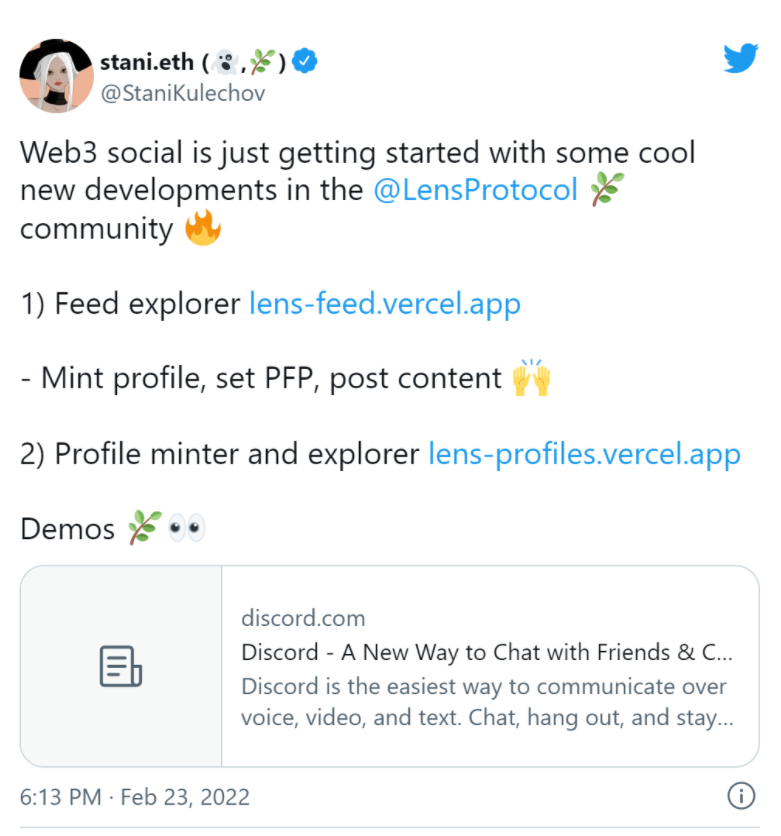
The DEMO has launched for testing! After seeing Stani's tweet, I immediately opened Discord and started exploring.
Testing Steps
Three steps: Add testnet - Claim test tokens - Test the DEMO. I'll explain each step below.
1. Add Test Network
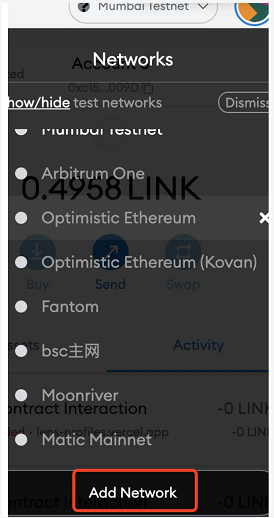
In your MetaMask wallet, click "Network", scroll down and select "Add Network", then add the Mumbai testnet.
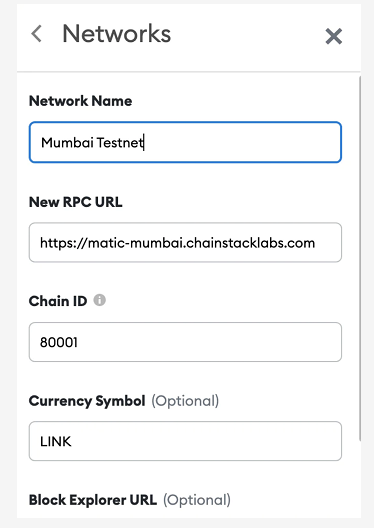
Parameters
Network Name: Mumbai
New RPC URL: matic-mumbai.chainstacklabs.com
Chain ID: 80001
2. Claim Test Tokens
After completing step one, go claim test tokens. Enter your wallet address in the field and click submit.
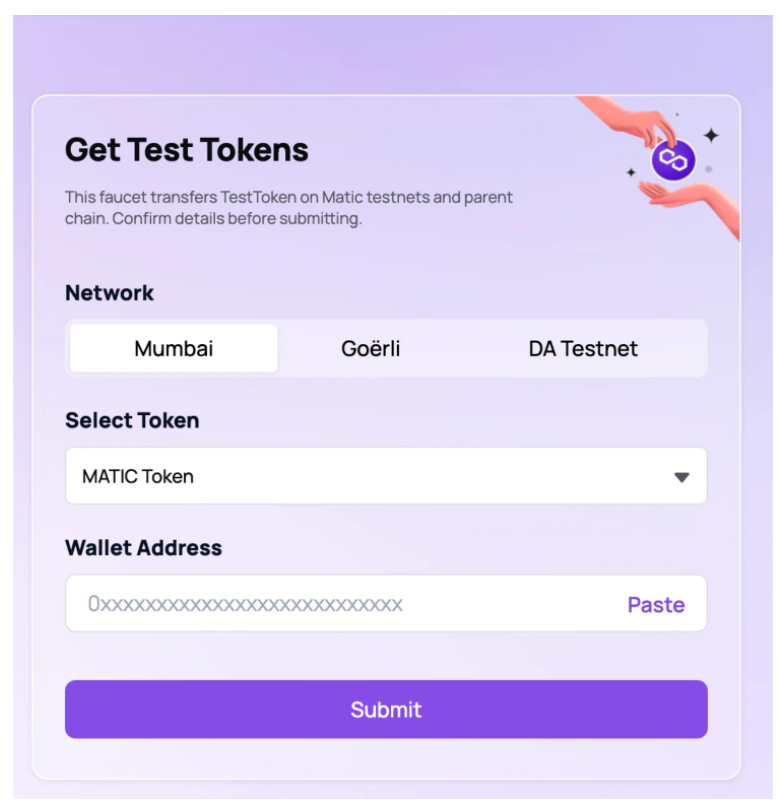
Once done, you can start testing the DEMO!
3. Test the DEMO
Open the first link from Stani's tweet and connect your wallet.
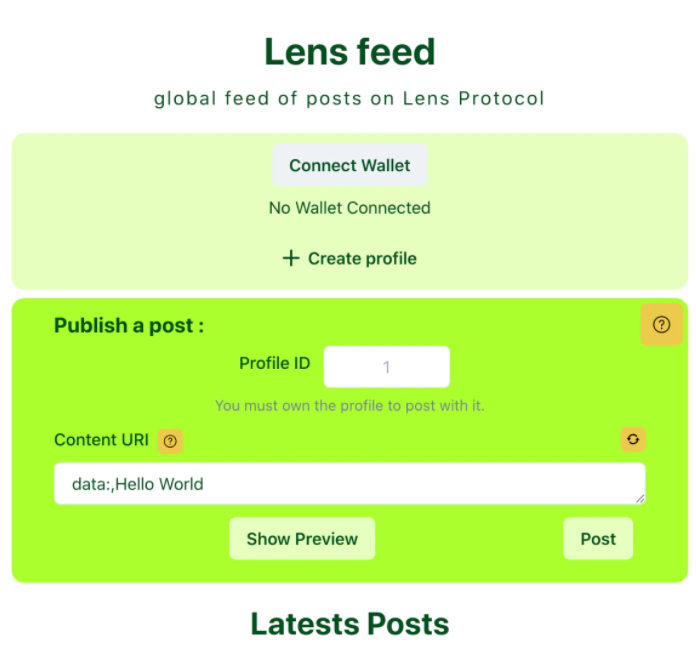
If you see this prompt, switch your wallet network to the Mumbai testnet you just added.
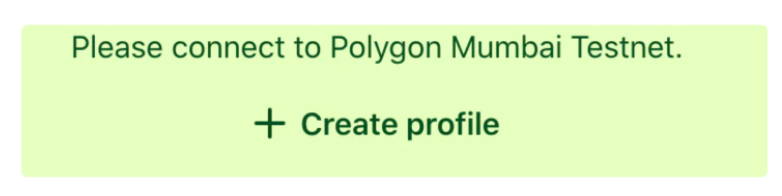
After connecting successfully, you can create your profile!
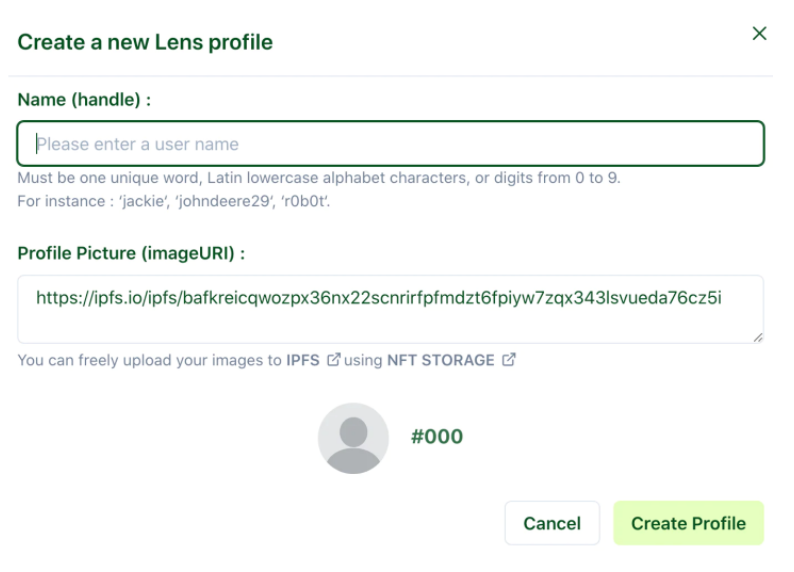
Enter your username in the field—remember to use lowercase letters—and complete the creation (profile picture is optional).
Then change "Hello World" to any message you'd like (or leave it as is), and click Post. Done!
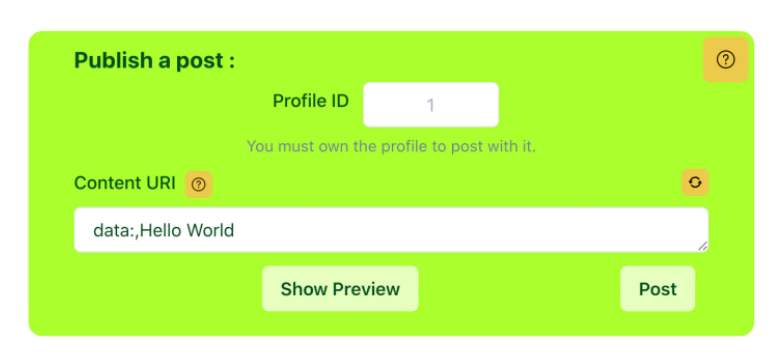
Hello World ~
The second link provided by Stani may load slower. If you see the interface below, feel free to do something else while waiting.
If it eventually loads, you’ll see a page like this, listing every successfully minted profile.
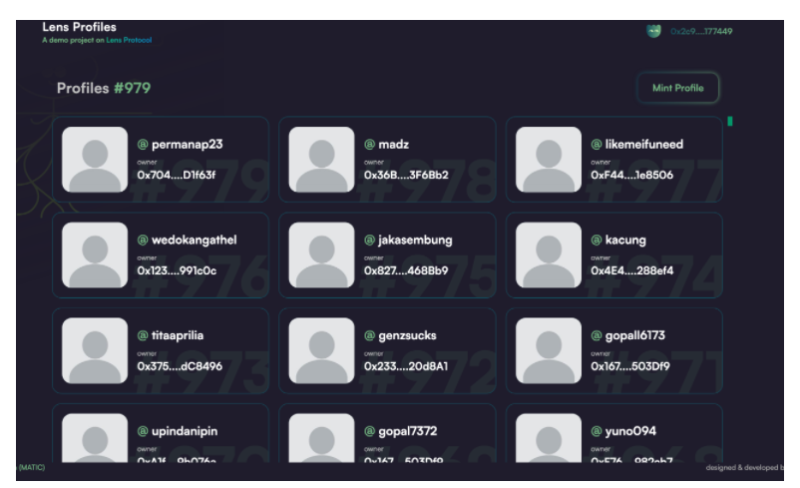
Now comes the exciting part—click to mint your own profile in the top right corner.
You need to fill in two links. You can directly copy the image URL from someone’s avatar in this demo’s message board (or just enter any two links).
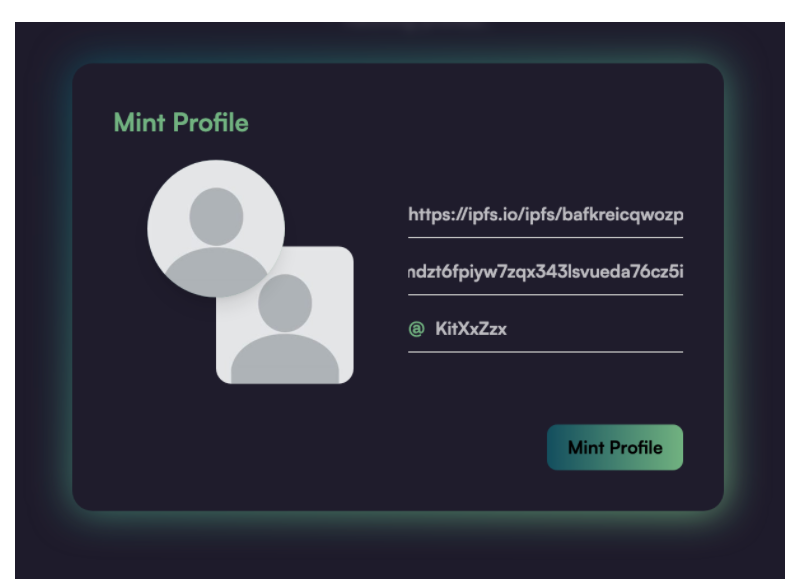
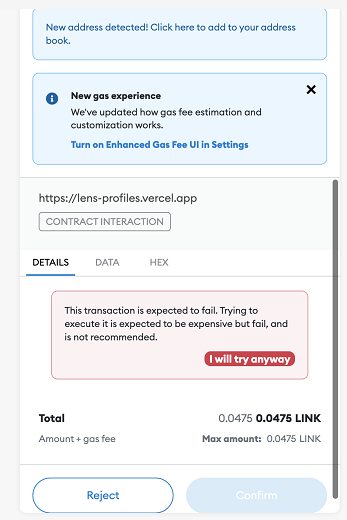
Click "mint profile" at the bottom right. If you see the interface below, try multiple times (some people succeeded after more than 10 attempts, others couldn’t succeed even with high gas fees). If it’s currently difficult to succeed, set it aside and come back in a few hours.
Join TechFlow official community to stay tuned
Telegram:https://t.me/TechFlowDaily
X (Twitter):https://x.com/TechFlowPost
X (Twitter) EN:https://x.com/BlockFlow_News