How to access websites "on-chain"?
TechFlow Selected TechFlow Selected
How to access websites "on-chain"?
This article attempts to deploy an accessible webpage on the TON blockchain, exploring steps such as purchasing a domain, preparing the frontend page, and binding the domain, while summarizing current issues and future potential.
 Navigating Web3 tides with focused insights
By: Yeezo, ZAN
A recent incident prompted the author to reconsider traditional domain name services. We've long regarded domain resolution as highly stable—yet it can still fail. This raises an interesting question: could decentralized alternatives be worth exploring?
After some reflection, deploying websites on a blockchain might offer several advantages:
-
Decentralization: All changes require community consensus; no single entity has full control.
-
No certificates required: Since blockchains inherently use cryptographic technology, there's no need for additional SSL/TLS certificate configurations.
The author previously encountered TON’s domain solution and thought it was more of a novelty with limited practicality, especially given how stable and widely adopted traditional web access methods are. But now, it seems this technology might actually have real use cases—so it's worth revisiting.
Creating Websites on Blockchain
This article will explore deploying a website on TON that users can access via regular browsers. The process involves three steps: 1. Buying a domain; 2. Preparing the front-end page; 3. Binding the page to the domain.
Blockchain-based domains are conceptually similar to Web2 domains—they both act as aliases for complex, hard-to-remember addresses. In blockchain, they represent user or service addresses; in Web2, they map to IP addresses.
Purchasing a Domain
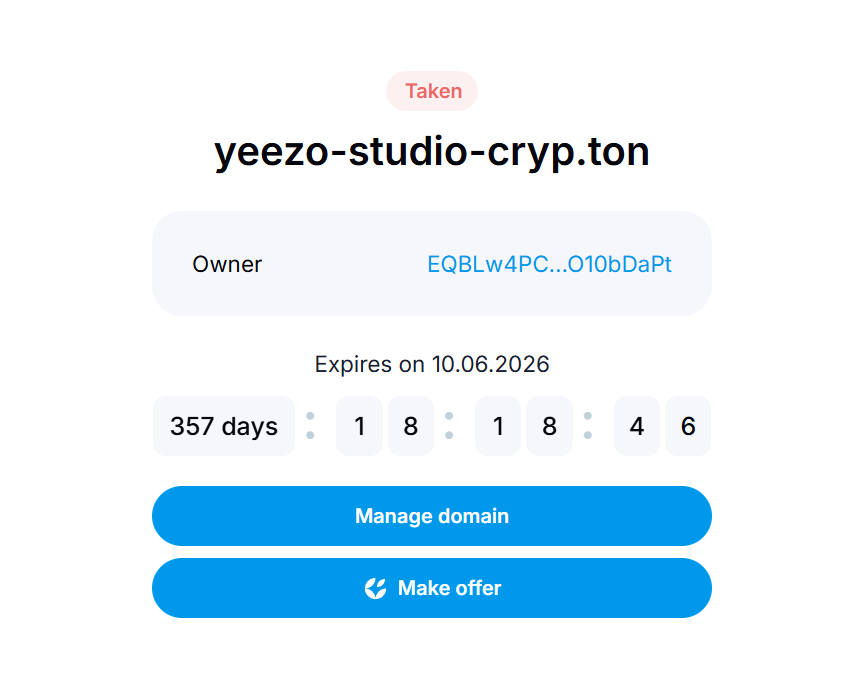
Taking TON as an example, the official domain purchase site is https://dns.ton.org/, where prices are quoted in TON. Similar to Web2, shorter domains cost more, ranging from 1 to 100 TON.
If a domain isn't owned by anyone, you can place a low initial bid. After bidding, a countdown begins during which others may also bid. Once the timer ends, the highest bidder wins. Acquired domains exist as NFTs stored directly in your wallet and can be traded. Domains are valid for one year before expiring and being reclaimed.
In summary, you can obtain a domain either through auction on the official site or by purchasing it from another user.
Preparing the Front-End Page
You’ll need a front-end page ready for display. For simplicity, this guide uses just an HTML file served via nginx, requiring a cloud server to host the front end—identical to standard web application deployment practices.
Binding the Page to a .ton Domain
Once you own a .ton domain, go to TON DNS official website to bind your ADNL address. Alternatively, use TON’s provided binding tools following their documentation.
After binding, you must run a listening port on your server to receive HTTP requests and forward them over UDP. Use the official rldp-http-proxy tool with the following command:
rldp-http-proxy/rldp-http-proxy -p 8080 -c 3333 -C global.config.json
Here, 8080 is the TCP port listening for incoming HTTP queries locally, while 3333 is the UDP port handling all outbound and inbound RLDP and ADNL traffic (i.e., connections over the TON network to your TON website). global.config.json is the global configuration file for TON, available for download from their site.
Accessing .ton Domains
Simply typing a .ton domain into a browser won’t work because browsers don’t know how to resolve such domains. Additional setup is required.
The .ton Request Process
When requesting a .ton domain, the system first queries the blockchain to find the corresponding ADNL address—analogous to an IP address in Web2, automatically generated when setting up your site. This lookup process resembles DNS resolution in traditional web infrastructure.
Once the ADNL address is obtained, the request routes to your machine, where you specify which content to return. Overall, the flow closely mirrors Web2, differing mainly in how domain-to-address mapping is resolved.
Accessing the Site via Proxy
The recommended method is using the official proxy tool: Tonutils Reverse Proxy. After downloading, installing, and launching it, a local proxy runs on port 8080, enabling access to .ton domains.

As shown, you can now access websites under .ton domains.
User Experience Summary
Current challenges include:
-
Specific environment requirements: Your system must support glibc 2.34 or higher. Check compatibility before deployment.
-
Unclear documentation: Possibly due to low demand, the documentation is incomplete and requires trial-and-error. Chinese versions lag behind English ones in updates.
-
Slower loading speed: Performance lags behind traditional websites. Many factors contribute, but there’s significant room for improvement.
-
Lack of wallet support: While the official platform offers a simple embedded browser allowing access without installing proxies, most mainstream wallets currently flag this site as phishing.
In conclusion, the current experience is mediocre with plenty of room for enhancement. However, the author finds this direction innovative and promising—worth experimenting with despite its early-stage limitations.
Join TechFlow official community to stay tuned
Telegram:https://t.me/TechFlowDaily
X (Twitter):https://x.com/TechFlowPost
X (Twitter) EN:https://x.com/BlockFlow_News