Layer 2 network Taiko will launch its mainnet in Q1. Here's a step-by-step guide to interact with it at zero cost.
TechFlow Selected TechFlow Selected
Layer 2 network Taiko will launch its mainnet in Q1. Here's a step-by-step guide to interact with it at zero cost.
This interaction: $0 cost, potential profit of $9,000.
 Navigating Web3 tides with focused insights
Author: 0xNobler, Crypto KOL
Translation: Felix, PANews
Taiko, an Ethereum Layer 2 network based on zkRollup, has raised $22 million from OKX, Sequoia Capital, and other venture capital firms, with its mainnet planned to launch in early 2024. Don't let the TKO airdrop become your next missed opportunity.
This interaction:
-
Cost: $0
-
Potential profit: $9,000
-
Estimated time: 10-15 minutes
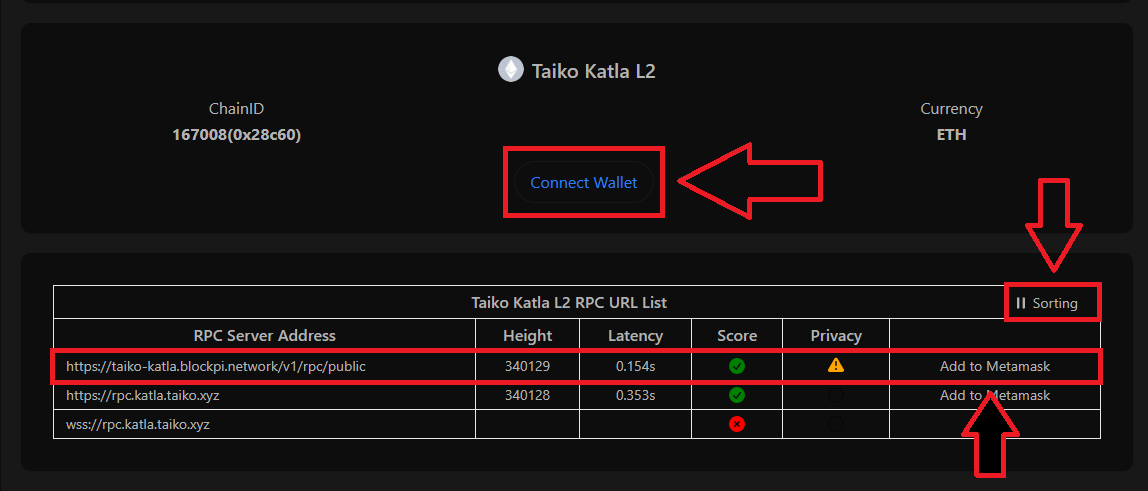
1. Visit: https://chainlist.org/chain/167008
-
Click "Connect Wallet"
-
Click "Sorting"
-
Find the appropriate RPC and click "Add to Metamask"
-
Approve and add the new chain to your wallet
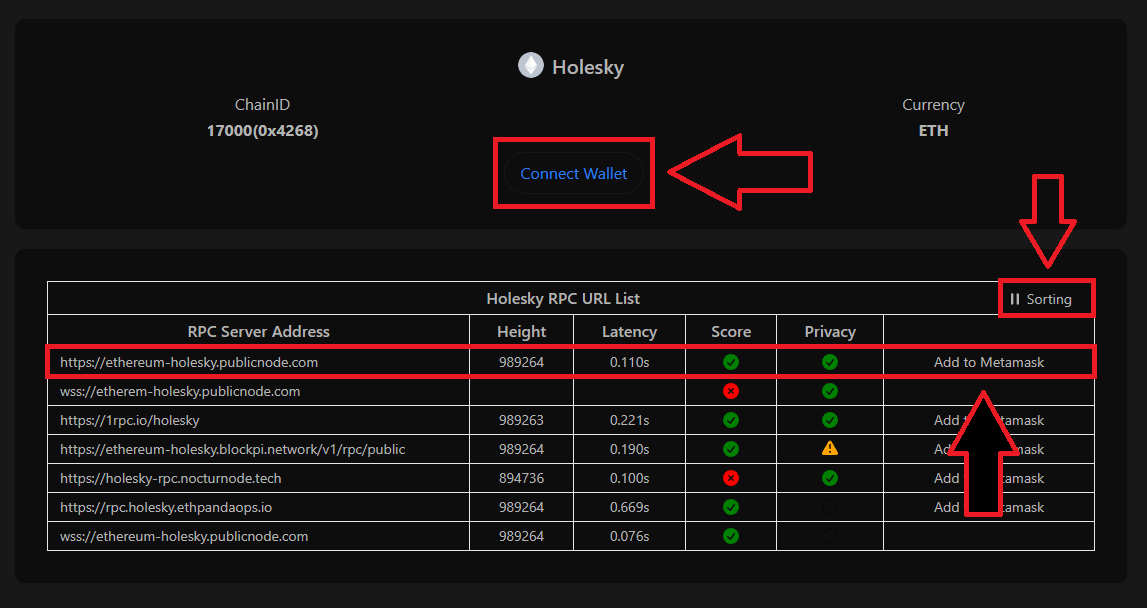
2. Visit: https://chainlist.org/chain/17000
-
Click "Connect Wallet"
-
Click "Sorting"
-
Find the appropriate RPC and click "Add to Metamask"
-
Approve and add the new chain to your wallet
3. Visit:
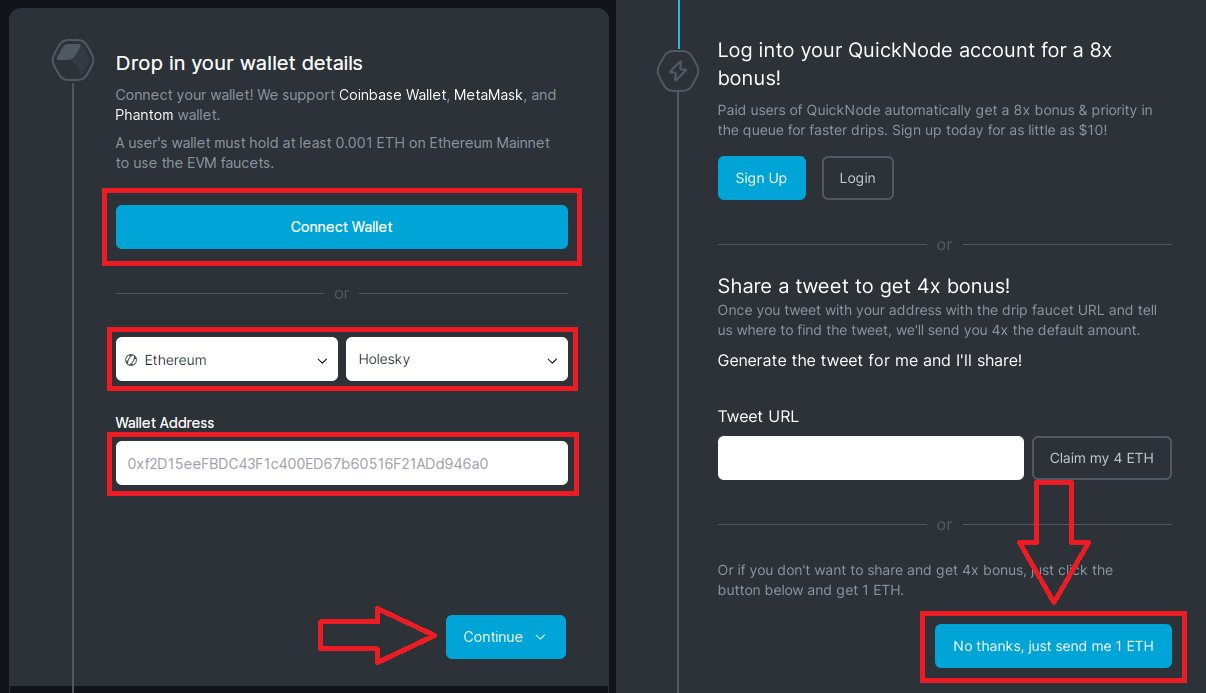
https://faucet.quicknode.com/ethereum/holesky
-
Connect wallet, select Ethereum Holesky and click "Continue"
-
Next, you can generate a tweet or click "Send me 1 ETH"
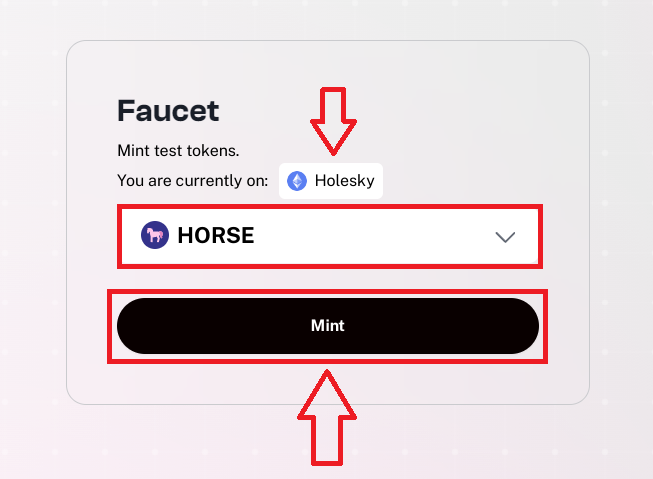
4. Visit: https://bridge.katla.taiko.xyz/faucet
-
Connect wallet and switch to Holesky chain
-
Select "HORSE", click "Mint", confirm transaction in wallet
5. Visit: https://nfts2me.com/create/drop/
-
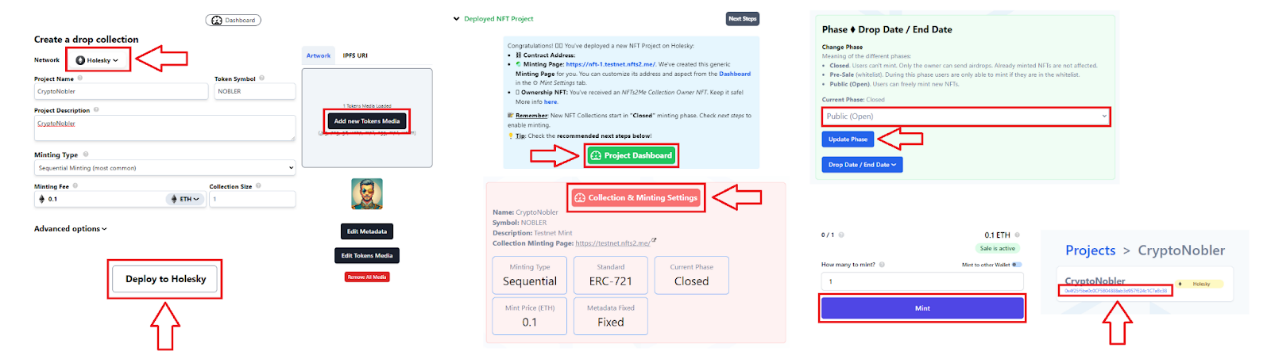
Connect wallet, select "Holesky" network
-
Fill in project details and upload image
-
Set Mint fee and click "Deploy"
-
Click "Project Dashboard", click "Collection & Minting Settings", scroll down and set phase to "Public (Open)", click "Update Phase" and confirm transaction
-
Return to Project Dashboard, open Mint page, click "Mint" and confirm transaction
-
Return to dashboard and copy your NFT address at the top
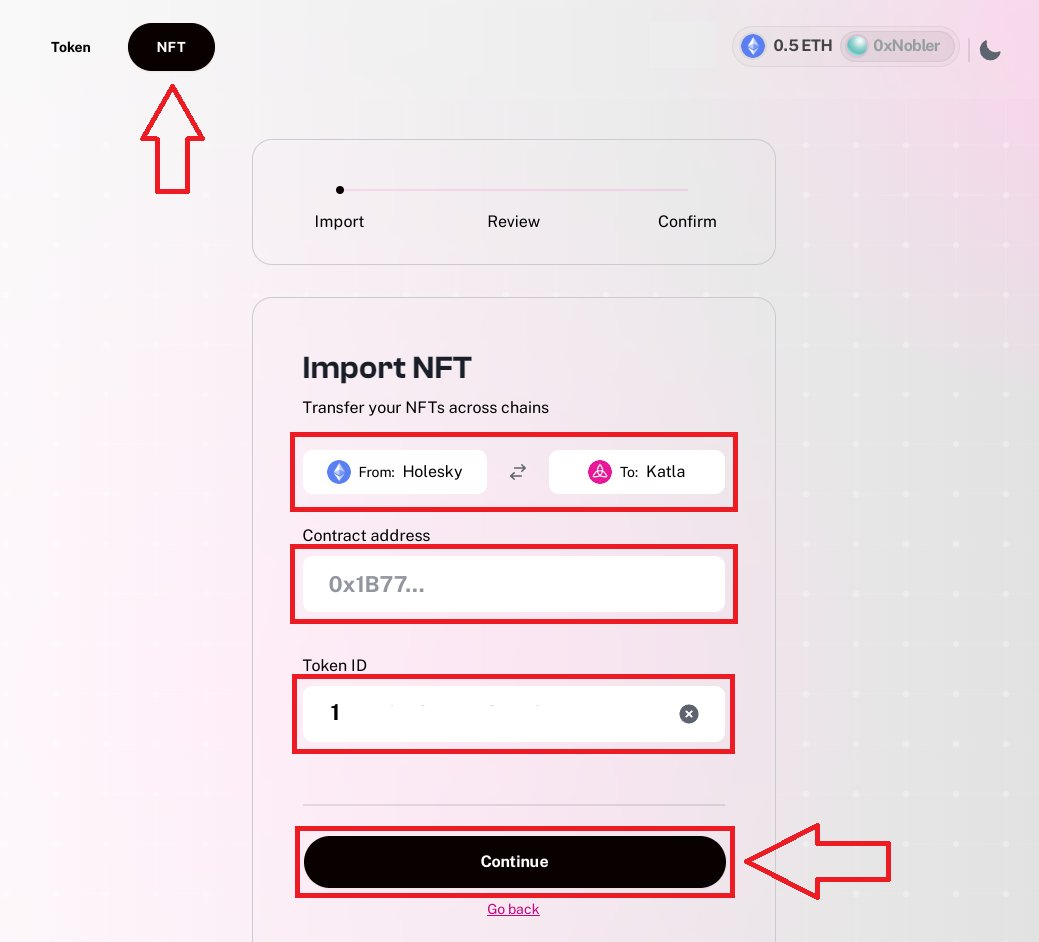
6. Visit: https://bridge.katla.taiko.xyz/
-
Connect wallet and click "NFT" at the top
-
Select Holesky → Katla, click "Manual Add", paste the contract address copied in the previous step and enter 1
-
Click "Continue", click "Confirm", click "Approve" and "Bridge", confirm two transactions
7. Visit: https://bridge.katla.taiko.xyz/
-
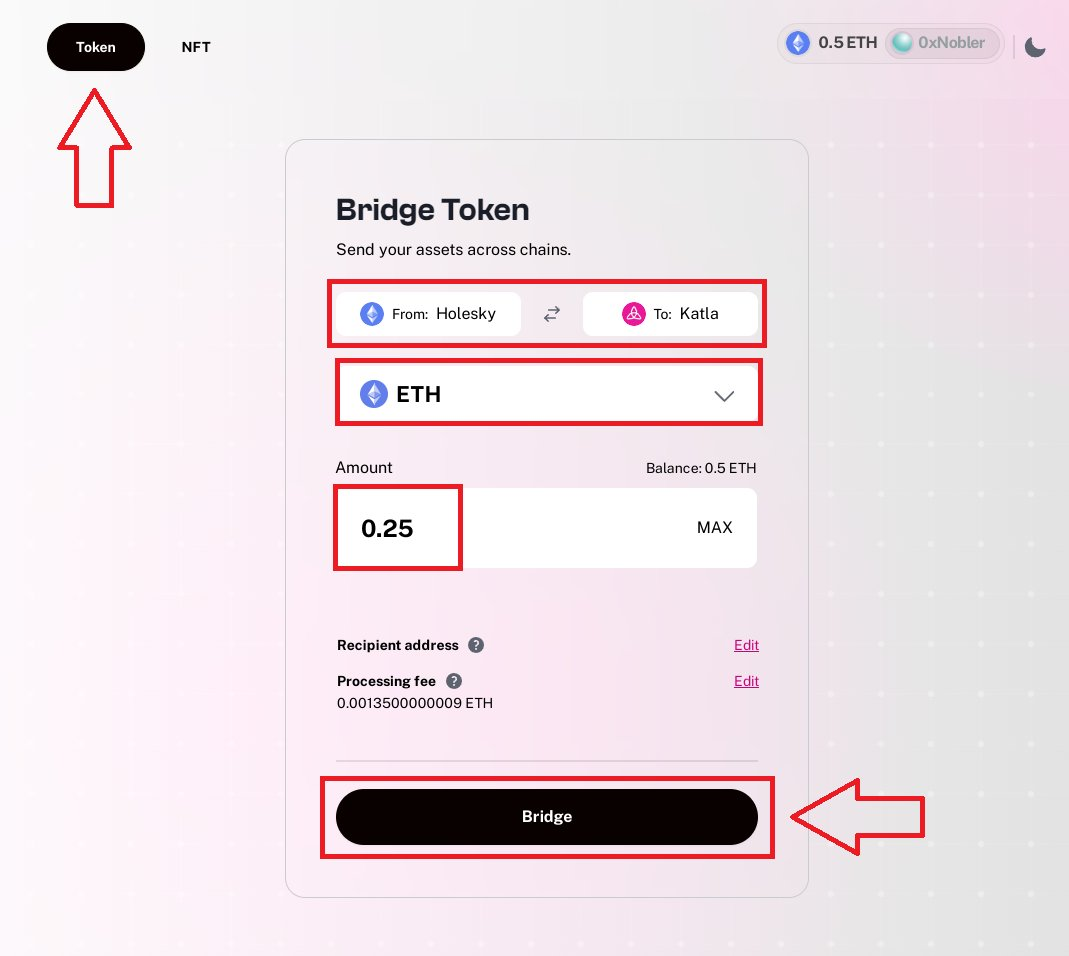
Connect wallet, click "Token" at the very top
-
Select Holesky → Katla, select "ETH", enter amount, click "Bridge" and confirm transaction
-
Repeat this process and bridge some HORSE tokens
8. Visit: https://swap.katla.taiko.xyz/#/swap
-
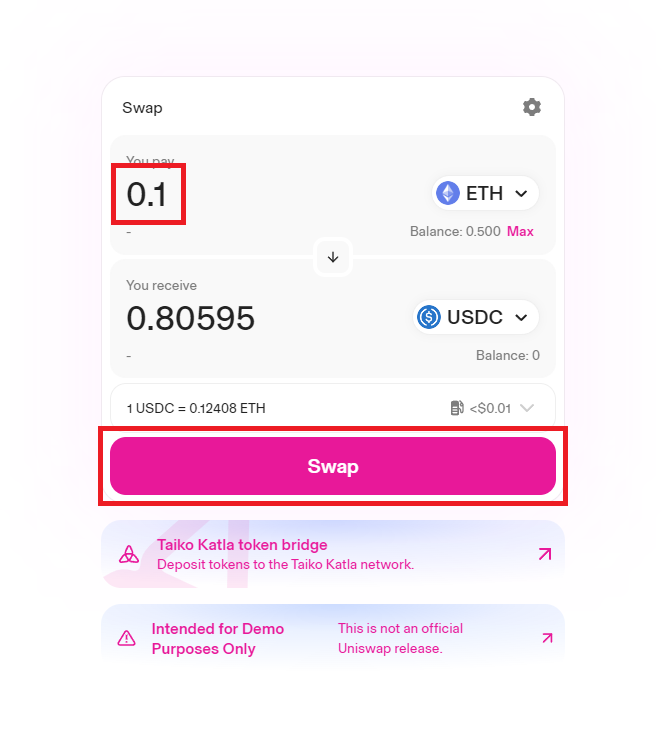
Connect wallet, select ETH → USDC, enter amount, click "Swap" and confirm transaction
-
Make several other trades between different token pairs
9. Visit: https://swap.katla.taiko.xyz/#/pools
-
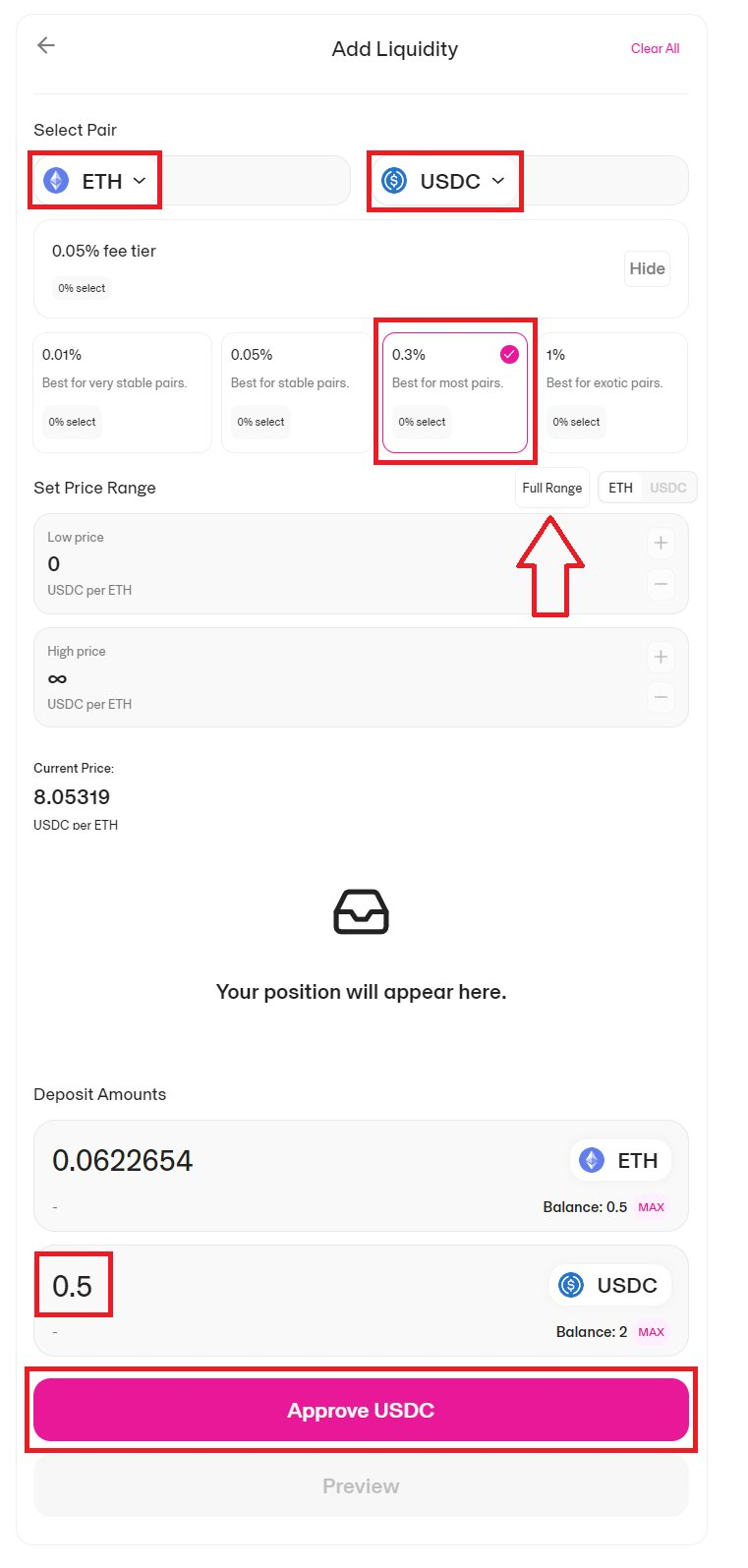
Connect wallet and click "New position"
-
Select token pair, set fee, click "Full Range", enter amount, click "Approve", confirm transaction
-
Click "Preview", view liquidity
-
You can repeat this step for different token pairs.
10. Visit: https://dottaiko.me/
-
Connect wallet, click "Create Smart Wallet", select "Standard EOA Wallet", click "Continue"
-
Search for a domain name, click the first search result
-
Extend duration, click "Register", toggle main switch, click "Confirm"

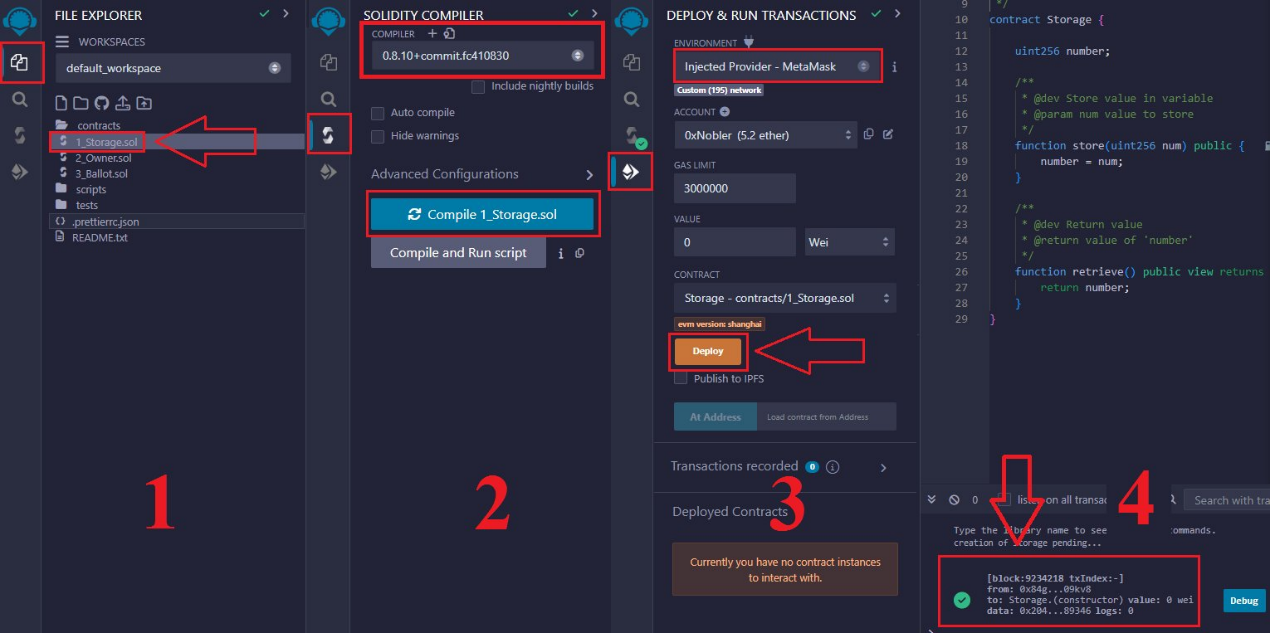
11. Visit: https://remix.ethereum.org/
-
Click the first icon (File Explorer) in the left panel, click "Contracts", select "1_Storage.sol"
-
Click the third icon (Solidity Compiler), select version 0.8.10, then click "Compile 1_Storage.sol"
-
Click the fourth icon (Deploy & Run Transactions), switch to Taiko Katla L2 chain in your wallet, select "Injected Provider", click "Deploy", confirm transaction in wallet
12. Visit:
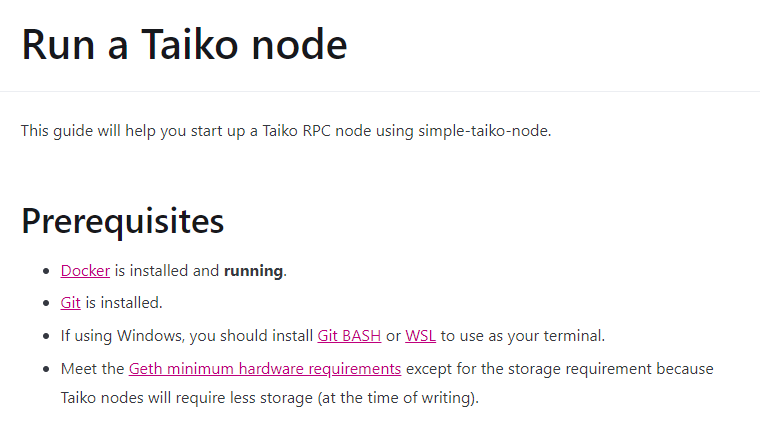
https://docs.taiko.xyz/guides/run-a-taiko-node
-
Follow the guide to set up and run a node
This step is optional and only for users who want to earn node rewards.
13. Visit:
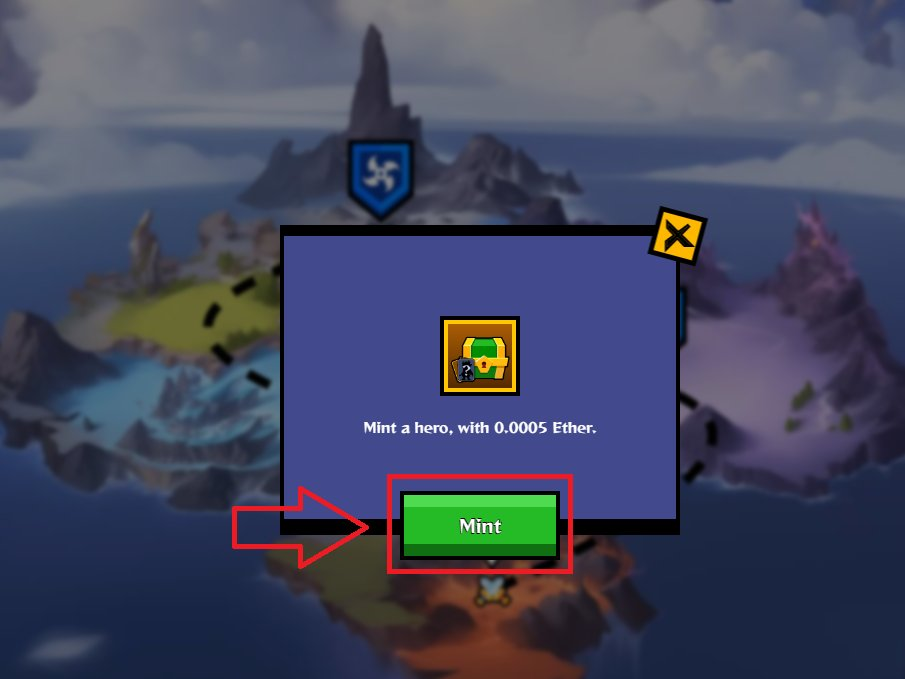
https://test.zypher.game/CryptoRumble/
-
Connect wallet, click "Mint" and confirm transaction
You can play several rounds of the game here.
14. Visit:
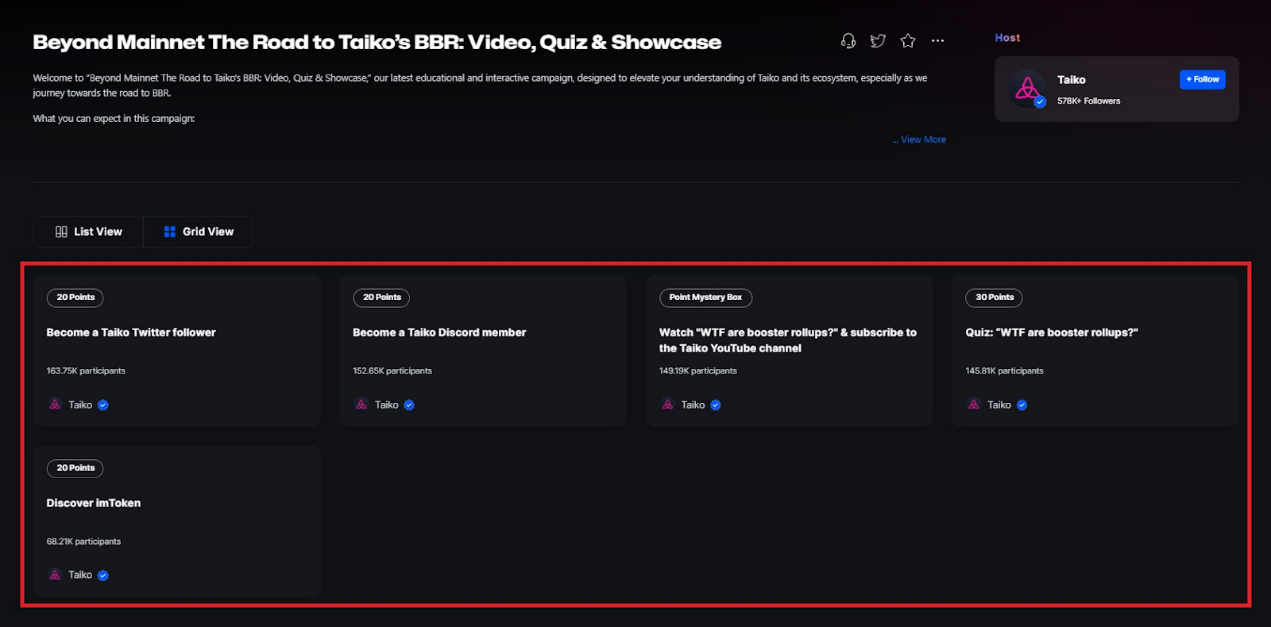
https://galxe.com/taiko/campaign/GCcSkt47pX
-
Log in and complete as many tasks as possible
Quiz answers can be found in this TG group: https://t.me/CryptoNobler
Deadline: February 26, 2024
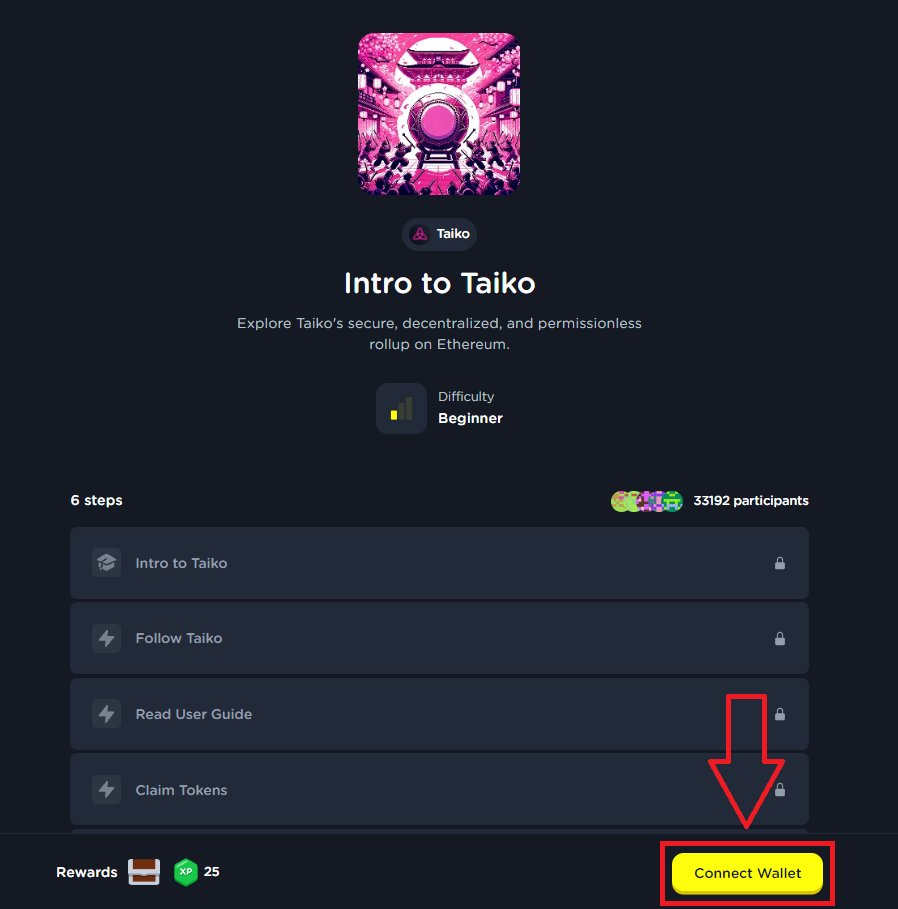
15. Visit: https://layer3.xyz/quests/intro-to-taiko
-
Connect wallet, log in and complete as many tasks as possible
Some projects distribute rewards based on your social activities, so the more tasks you complete, the better.
Join TechFlow official community to stay tuned
Telegram:https://t.me/TechFlowDaily
X (Twitter):https://x.com/TechFlowPost
X (Twitter) EN:https://x.com/BlockFlow_News