Anthropic’s Unreleased Model Can Detect Thousands of Vulnerabilities—Save These 15 Digital Security Checklist Items
TechFlow Selected TechFlow Selected
Anthropic’s Unreleased Model Can Detect Thousands of Vulnerabilities—Save These 15 Digital Security Checklist Items
Covers the fundamentals of personal security protection in the AI era.
 Navigating Web3 tides with focused insights
Author: Ole Lehmann
Compiled by: TechFlow
TechFlow Intro: Anthropic has released its latest frontier model, Claude Mythos Preview—a model so powerful it discovered thousands of zero-day vulnerabilities across all major operating systems and browsers. Its capabilities are so formidable that Anthropic itself dared not publicly release it, fearing uncontrollable damage. The bad news? Models with similar capabilities will inevitably fall into attackers’ hands—sooner rather than later. Last year, OpenAI co-founder Karpathy compiled a digital security checklist; now is the time to take it seriously.
Here’s what happened: Anthropic announced Claude Mythos Preview yesterday.
How powerful is this model? It uncovered thousands of zero-day vulnerabilities across all major operating systems and browsers—so powerful that Anthropic refused to release it publicly, fearing irreversible harm.
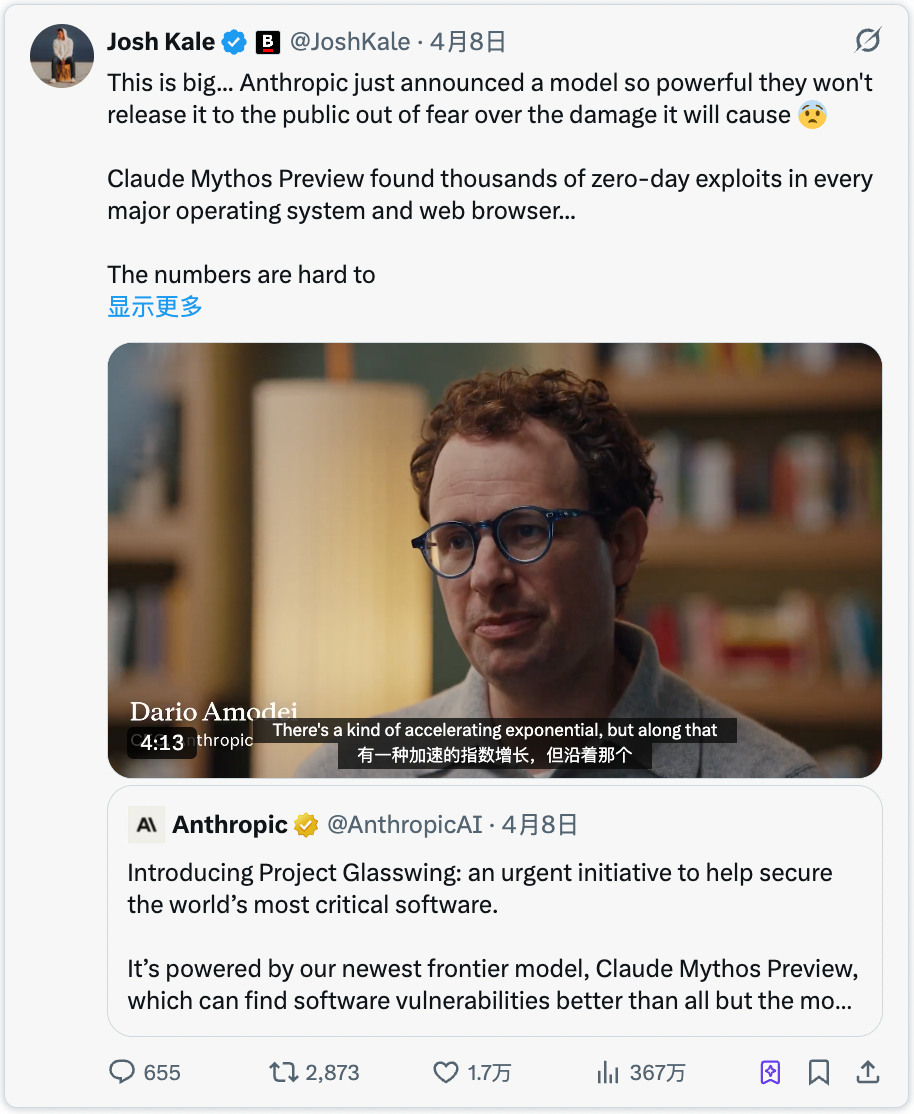
The model is not yet publicly available—but once malicious actors acquire a model of comparable capability (and it’s only a matter of time), the cyberattacks you’ll face will be so advanced that most people won’t even realize they’ve been compromised.
This is like a pandemic for the software world.
So your digital security defenses need strengthening—now.
Karpathy’s Digital Security Guide
Last year, OpenAI co-founder Karpathy compiled a digital security guide covering foundational personal security practices for the AI era.
This is one of the best beginner checklists I’ve seen. Here are the 15 things you should do right now:
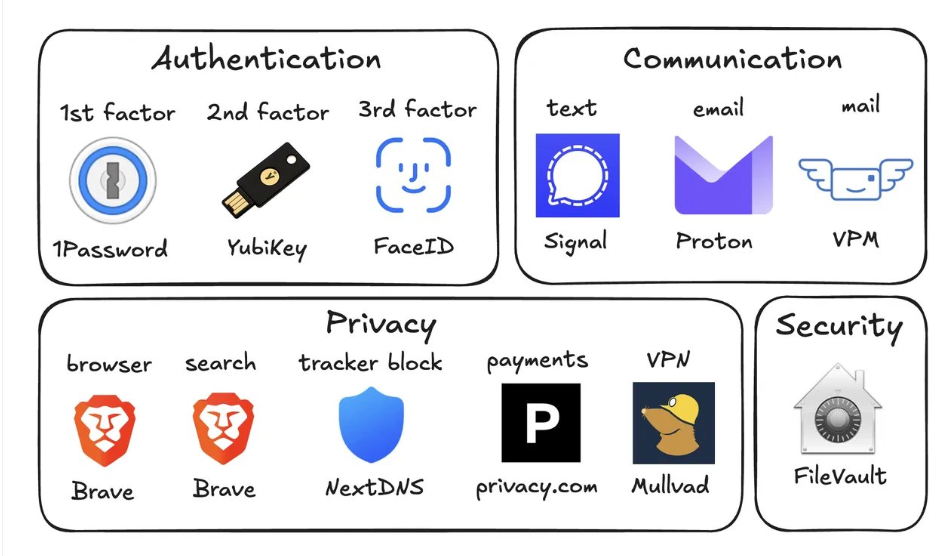
1. Use a password manager (e.g., 1Password)
Generate a unique, random password for every account.
If one service is breached, attackers will try the same credentials on all other platforms. A password manager eliminates this risk entirely—and with auto-fill, it’s actually faster than reusing passwords.
2. Use hardware security keys (e.g., YubiKey)
A physical device serving as your second authentication factor. An attacker must physically possess it to access your account.
SMS-based verification is highly insecure—SIM swapping (where someone calls your carrier pretending to be you and porting your number to their device) is far easier than most people assume.
Buy two or three YubiKeys and store them in separate locations, so losing one won’t lock you out completely.
3. Enable biometric authentication on all devices
Face ID, fingerprint—whatever your device supports. Enable it for your password manager, banking apps, and all sensitive applications.
This adds a third layer of authentication: “Who are you?” No database breach can steal your face.
4. Treat security questions like passwords
Questions like “What is your mother’s maiden name?” can be answered in 10 seconds via Google.
Generate random answers for security questions and store them alongside your passwords in your password manager. Never answer security questions truthfully.
5. Enable full-disk encryption
Called FileVault on macOS, BitLocker on Windows.
If your laptop is stolen, disk encryption turns it into a brick—not a treasure trove of your files. Setup takes two minutes and runs silently in the background.
6. Minimize smart home devices
Every “smart” device is essentially a networked computer—with a microphone—sitting inside your home.
They continuously collect data, transmit it to servers, and are frequently compromised. That Wi-Fi air quality monitor you bought from Amazon doesn’t need your precise GPS coordinates.
Fewer connected devices = fewer entry points into your network.
7. Switch to Signal for daily communication
Signal provides end-to-end encrypted messaging—no one (not Signal itself, not your carrier, not any interceptor) can read your messages.
Standard SMS and even iMessage retain metadata (who messaged whom, when, and for how long), which anyone with access can analyze.
Enable message auto-deletion—90 days is a solid default, preventing old conversations from becoming liabilities.
8. Use a privacy-focused browser (e.g., Brave)
Brave is built on Chromium, supports all Chrome extensions, and delivers nearly identical user experience.
9. Set Brave Search as your default search engine
It maintains its own independent index—unlike DuckDuckGo, which is effectively just a skin over Bing.
If a result seems off, prepend “!g” to reroute that query directly to Google.
The premium tier costs $3/month. Paying as a customer is always better than being the product—for free.
10. Use virtual credit cards (e.g., Privacy.com)
Generate a new card number for each merchant. Set spending limits per card, and fill in arbitrary names and addresses on billing forms.
If a merchant suffers a breach, attackers obtain only a disposable card number—not your real financial identity. This also means no merchant learns your actual address.
11. Get a virtual mailing address
Services like Virtual Post Mail receive your physical mail, scan it, and let you view it online. You decide which items to shred and which to forward.
This way, you avoid handing your real home address to every online store at checkout.
12. Don’t click links in emails
Email address spoofing is trivial. With AI, phishing emails now look indistinguishable from legitimate ones.
Instead of clicking links, manually open websites and log in.
Also disable automatic image loading in email settings—embedded images can be used to track whether you opened the email.
13. Selectively use a VPN (e.g., Mullvad)
A VPN hides your IP address—the unique identifier linking your device and location—so services you connect to cannot identify you.
You don’t need it running 24/7, but enable it on public Wi-Fi or when accessing less-trusted services.
14. Implement DNS-level ad blocking (e.g., NextDNS)
DNS is essentially the phonebook your device uses to locate websites. Blocking at this level stops ads and trackers before they load.
It works across all apps and browsers on your device.
15. Install a network monitoring tool (e.g., Little Snitch for Mac)
It shows which apps on your computer are communicating, how much data they send, and where they send it.
Any app transmitting significantly more data than expected is suspicious—and likely warrants uninstallation.
Currently, Mythos remains exclusively in the hands of defensive teams under Project Glasswing (Anthropic, Apple, Google, etc.).
But attackers will soon gain access to Mythos-level models—likely within six months, possibly sooner. Strengthening your security now is urgent.
Spending 15 minutes today saves you immense trouble tomorrow.
Join TechFlow official community to stay tuned
Telegram:https://t.me/TechFlowDaily
X (Twitter):https://x.com/TechFlowPost
X (Twitter) EN:https://x.com/BlockFlow_News
 @itsolelehmann