How to participate in MegaETH public sale, check out the hottest ICO platform right now
TechFlow Selected TechFlow Selected
How to participate in MegaETH public sale, check out the hottest ICO platform right now
Don't know how to use Echo yet? Then you're already outdated.
 Navigating Web3 tides with focused insights
Author: Lvdong Xiaogong
Fundraising $50 million in minutes, an ICO price of $0.05, immediate 20x returns upon listing, with peak gains delivering up to 3260% returns for ICO investors.
The success of the Plasma ICO made nearly everyone realize that the era of ICO mania might be returning. From that moment on, all eyes turned to the platform behind it—Echo.
Not only did it host Plasma's breakout, but Echo is also attempting to redefine launchpad rules through its innovative Sonar feature.
No one wants to miss the next "Plasma." Now, a new wave of excitement is building. MegaETH, the next project poised to replicate Plasma’s legend, is now open for registration on the Echo platform.
In this article, BlockBeats will fully explain how to complete MegaETH registration and KYC, how to use Echo and Sonar, and how to join the most active investment groups.
1. How to Complete MegaETH KYC
The hottest ICO currently on Sonar is MegaETH, which is open for registration from October 15 to October 27, with only 6 days left until registration closes. The KYC verification process involves multiple steps, but if your documents are complete and accurate, approval is almost instantaneous. If manual review is required, expect to wait at least 1–3 days, so complete your KYC as early as possible.
1. Prepare Required Documents
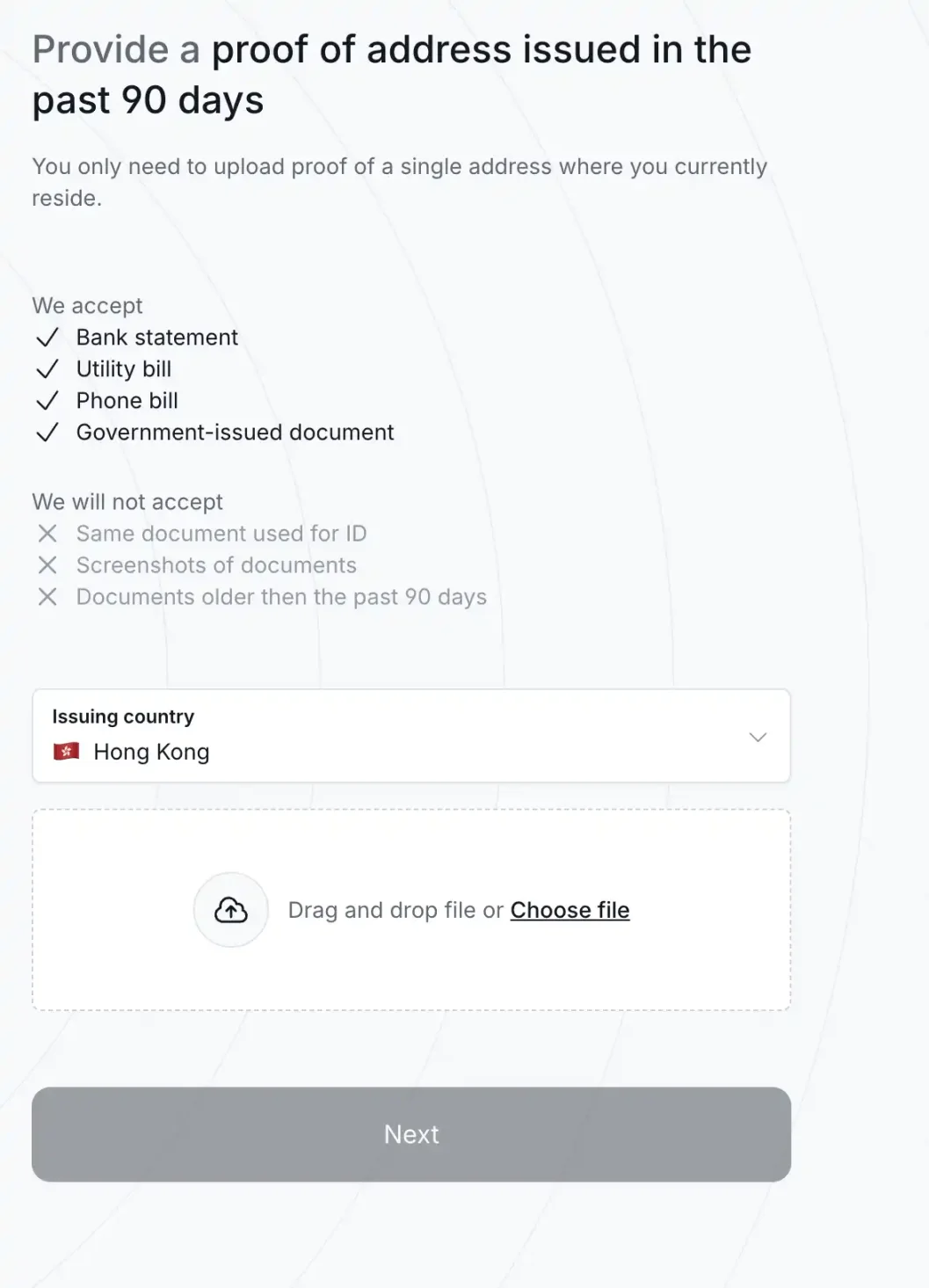
You'll need high-resolution photos of a passport or driver’s license, a smartphone capable of facial recognition, and a recent utility bill or bank statement issued within the last three months.
Addresses from mainland China are listed as restricted regions and cannot be used. You must submit proof of address from another region. Many Twitter users have shared solutions for this issue, so we won’t elaborate further here. Our following steps will use a mainland Chinese passport combined with Hong Kong address proof and a bank statement as examples.
2. Access the MegaETH Registration Page
According to community analysis, completing KYC via the MegaETH registration page has a higher success rate than going through Sonar directly. Therefore, we recommend starting from the MegaETH registration page.
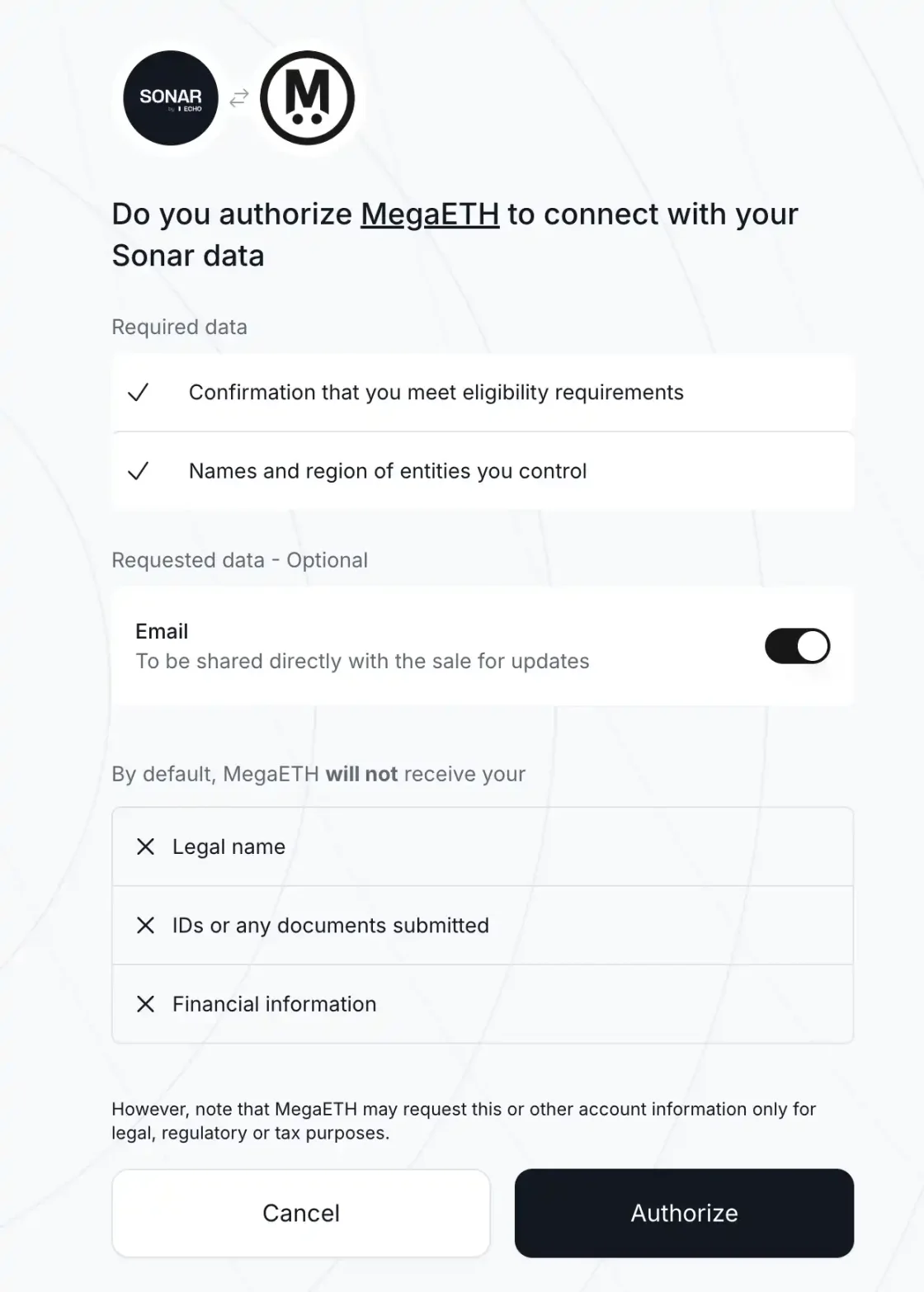
Upon entry, you’ll first need to authorize a data connection. Click "Authorize" to agree and proceed.
3. Complete Your Profile
On the MegaETH profile completion page, start by adding links under "Social Media & Work" for Twitter, Discord, and GitHub. Use accounts with active engagement, as prior participation and contributions within the MegaETH and Ethereum ecosystems may increase your chances of receiving an allocation during oversubscription.
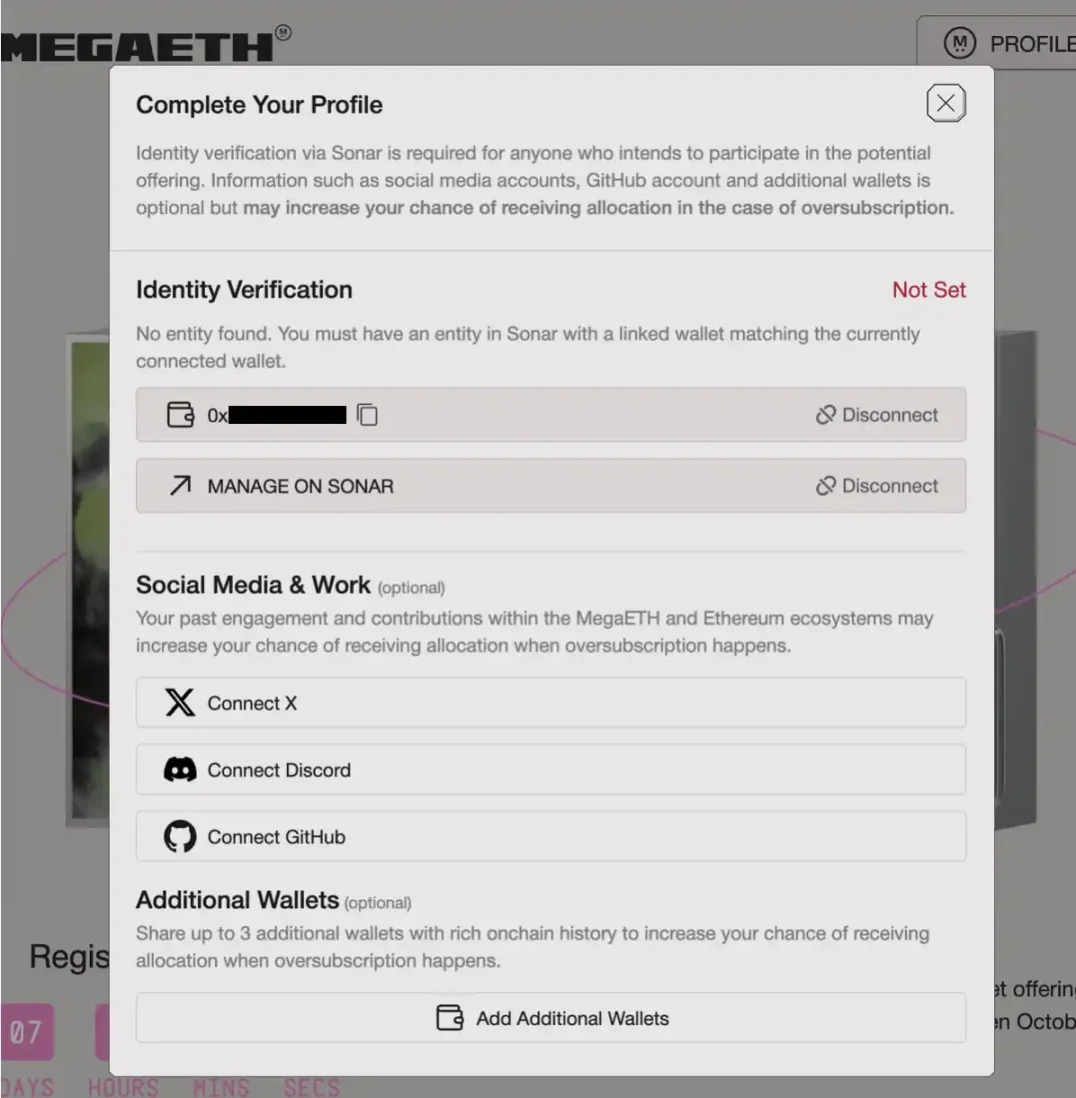
Additionally, click "Add Additional Wallets" to upload up to three more wallets with rich on-chain interaction history, which can further improve your allocation odds.
Next comes the critical "Identity Verification" step. First, connect a primary wallet—preferably one with extensive on-chain activity, as mentioned earlier.
Then click "MANAGE ON SONAR," where you’ll use the passport photo and bank statement prepared in Step 1.
4. Identity Verification
After clicking "MANAGE ON SONAR," you’ll enter the identity verification stage. As shown in the image, two documents must be uploaded.
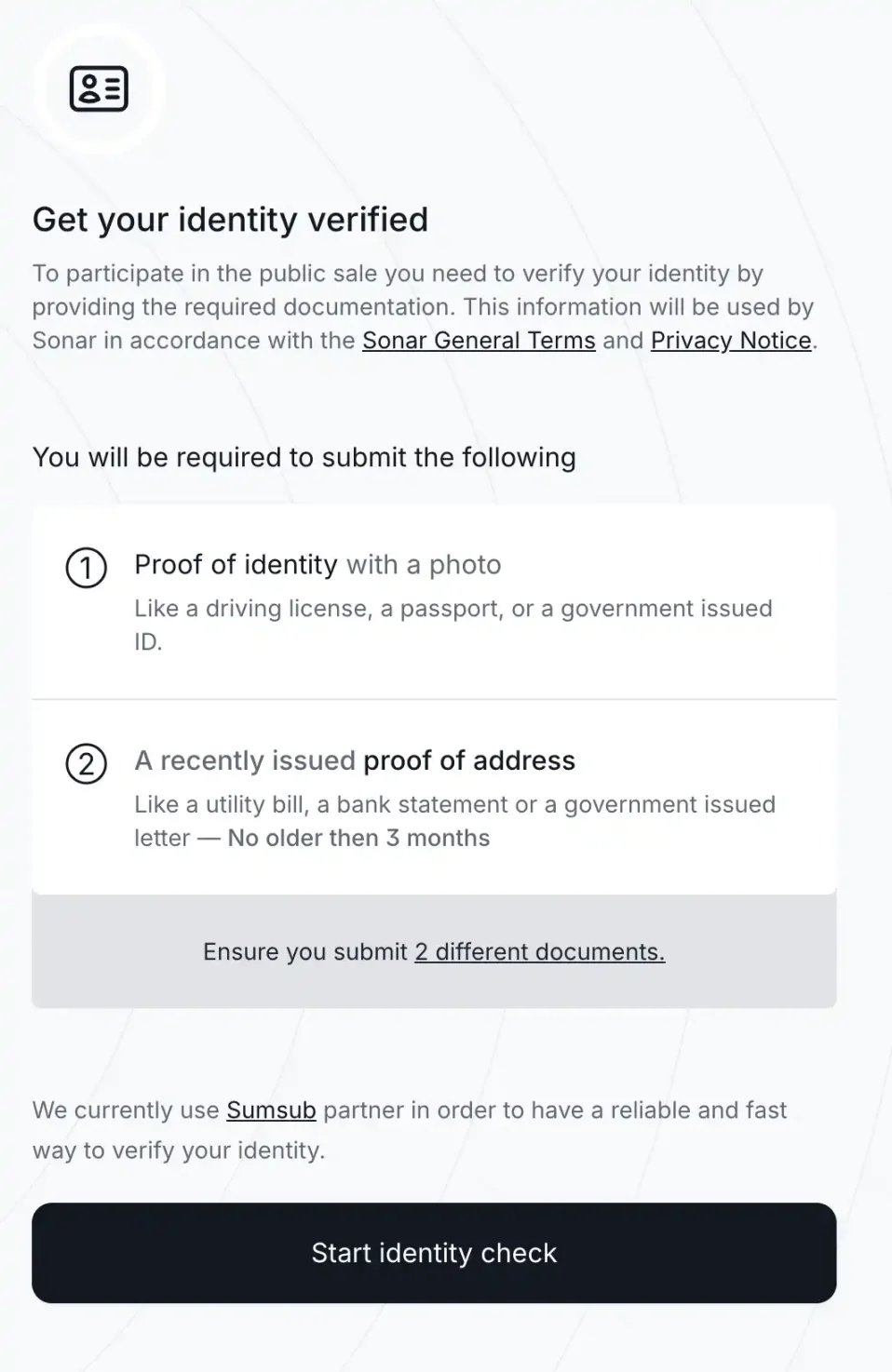
First, click on "Proof of identity with a photo"—this can be a passport photo (preferred) or a driver’s license. Ensure the photo is high-resolution. Upload the original downloaded file rather than a screenshot, as system detection of screenshots will result in failure.
After uploading, a facial recognition step will appear. Take the photo in a well-lit area, ensuring your face is clearly visible and unobstructed.
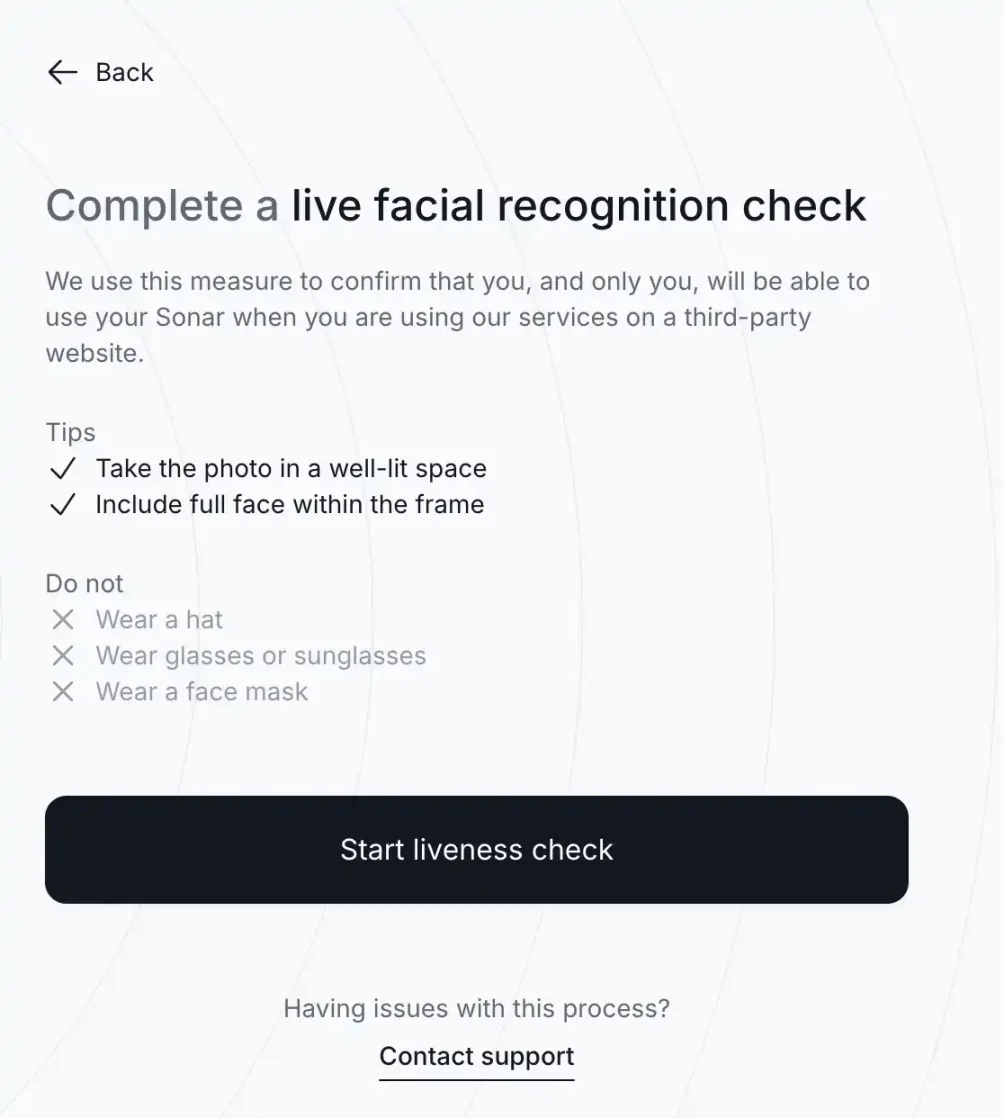
Click "Start liveness check," then follow the prompt to complete it on your phone. Click "Continue on phone" to reveal a QR code and link—scan the QR code or open the link on your phone to complete facial recognition.
After facial recognition, return to your computer. The page will advance to the next step: uploading proof of address. If you receive an email indicating failure, try submitting alternative documents.
5. Complete Registration
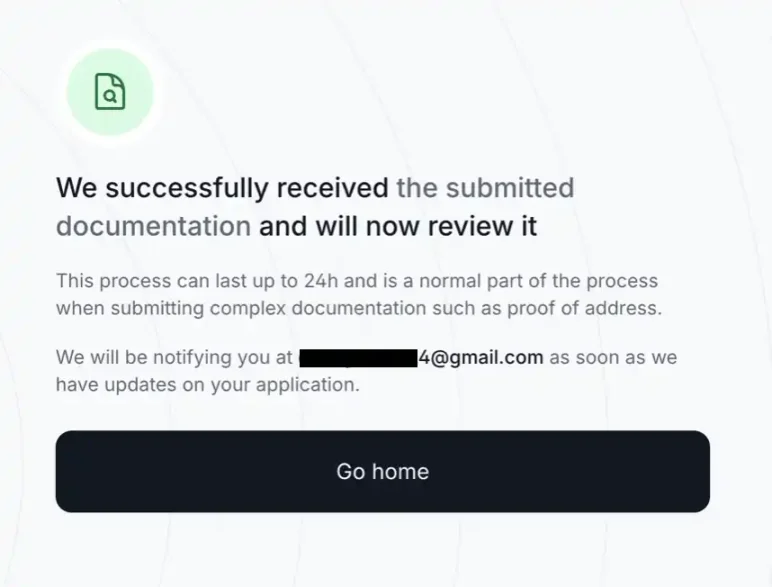
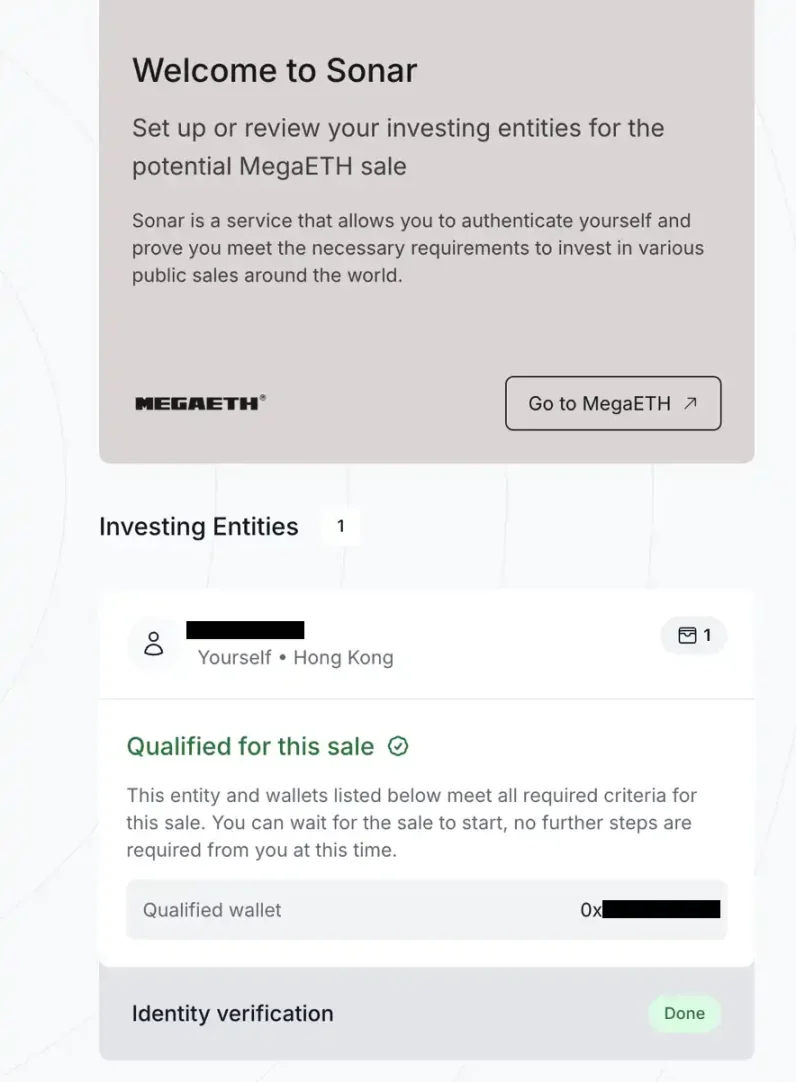
Once KYC is approved, you’ll receive an email or platform notification. Official sales details will be announced after October 27. Returning to the homepage, you’ll see "Qualified for this sale," indicating this wallet has passed both KYC and eligibility checks.
Note: During the funding phase, you may be required to undergo secondary facial verification or asked to resubmit proof of address from the past 90 days. Stay updated via @megaeth_labs on Twitter and official Sonar email notifications.
2. How to Create and Use Echo & Sonar
1. Register on Echo
Even after completing MegaETH registration, you still cannot use Echo, as their KYC systems are separate. You must go to Echo’s homepage and complete registration there.
This process is simpler than before, so we’ll keep it brief. Just complete the following steps in order: enable Two-Factor Authentication (2FA); link your X (Twitter) account or Farcaster account; select your country of residence; agree to the terms; fill out your investment experience and personal information.
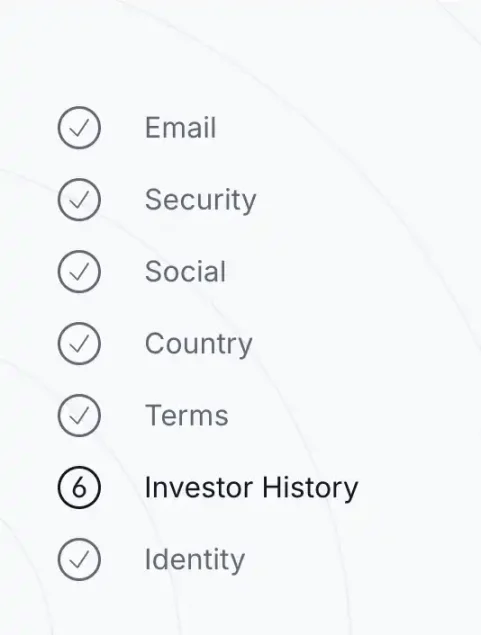
The only slightly complex part is Step 6: the Investor History questionnaire. It includes dozens of questions about your investment background, income level, asset size, understanding of vesting, etc. Answers that seem inconsistent may lead to rejection. Emphasize substantial investment experience, annual income over $200K, or net assets exceeding $1M. For uncertain professional questions, you can verify answers using AI tools.
2. Join Groups
Group functionality is one of Echo’s standout features. While Echo itself does not recommend or display specific deals, group leaders ("group owners") can.
After creating a group, the owner can share their investment opportunities. Members can join these groups and choose whether to follow each trade based on its specifics, participating under identical conditions.
All members are pooled into a single investment entity, which then invests on their behalf using USDC as the settlement currency. All transactions occur on-chain.
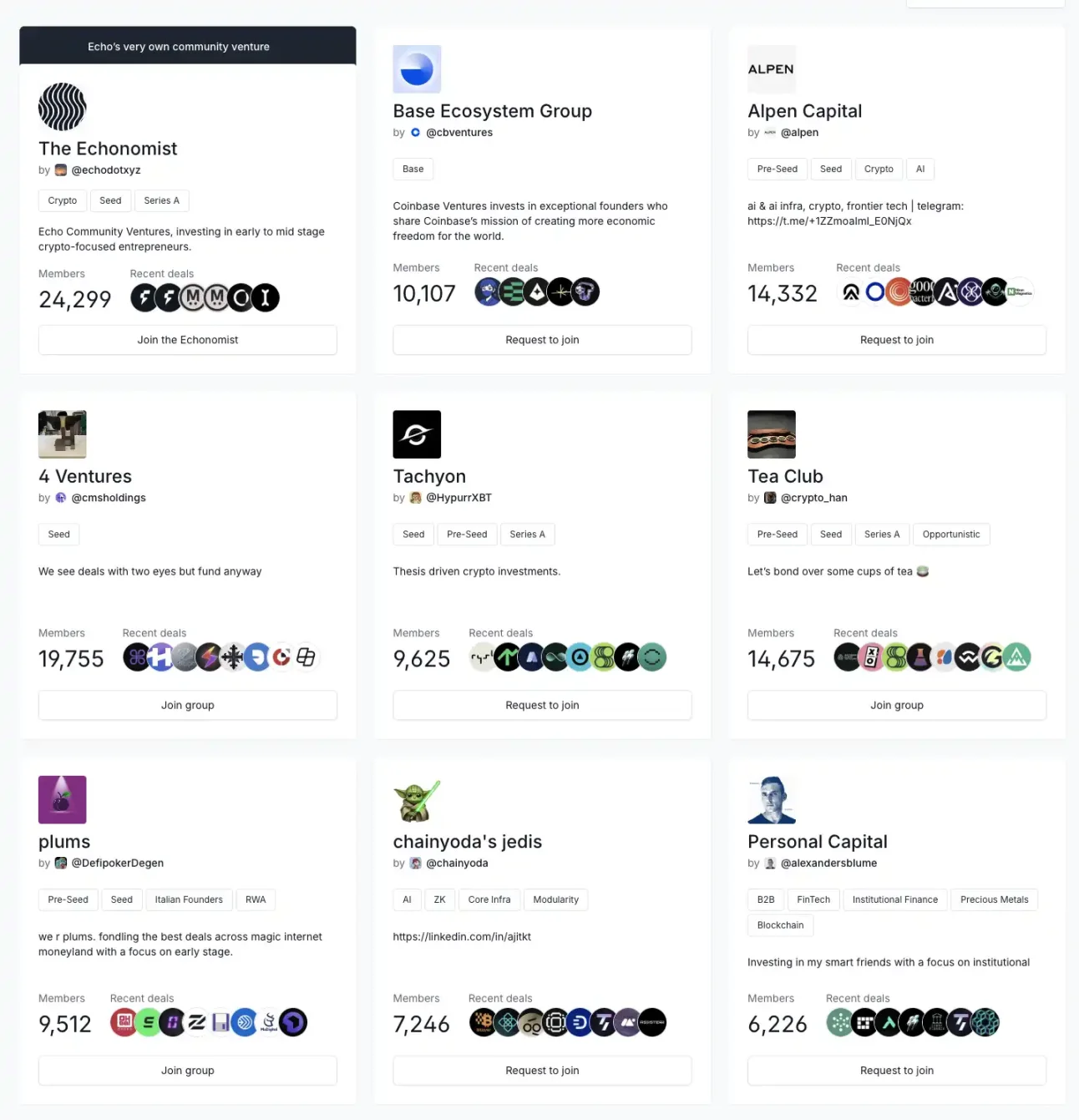
Any Echo user can apply to create a group, though application processing times are currently very slow.
On the groups page, you can browse and request to join available groups. Before joining, you can view the group’s member count and recently executed deals. Some groups are invite-only and accessible only to invited users.
We recommend joining larger groups led by well-known figures, such as Club Cobie, created by Echo founder Cobie.
Join TechFlow official community to stay tuned
Telegram:https://t.me/TechFlowDaily
X (Twitter):https://x.com/TechFlowPost
X (Twitter) EN:https://x.com/BlockFlow_News
 BlockBeats