X Account Security Audit and Hardening Guide
TechFlow Selected TechFlow Selected
X Account Security Audit and Hardening Guide
This article will explain how to perform authorization audits and security configurations for X accounts.
 Navigating Web3 tides with focused insights
Author: Yao
Background Overview
Recently, there have been frequent incidents of Web3 project teams and influencers having their X accounts compromised and used to post phishing tweets. Hackers are skilled at using various methods to steal user accounts. Common attack patterns include:
-
Tricking users into clicking fake Calendly/Kakao meeting scheduling links to steal account authorization or gain control over the user's device;
-
Sending direct messages that lure users into downloading malware-laced programs (such as fake games or meeting apps). Besides stealing private keys or seed phrases, such malware may also steal X account permissions;
-
Using SIM swap attacks to steal X account access that relies on phone number verification.
The SlowMist security team has assisted in resolving multiple such incidents. For example, on July 20, the TinTinLand project’s X account was compromised, and the attacker pinned a tweet containing a phishing link. With SlowMist’s assistance, TinTinLand promptly resolved the account breach, conducted authorization reviews, and strengthened the security of their X account.
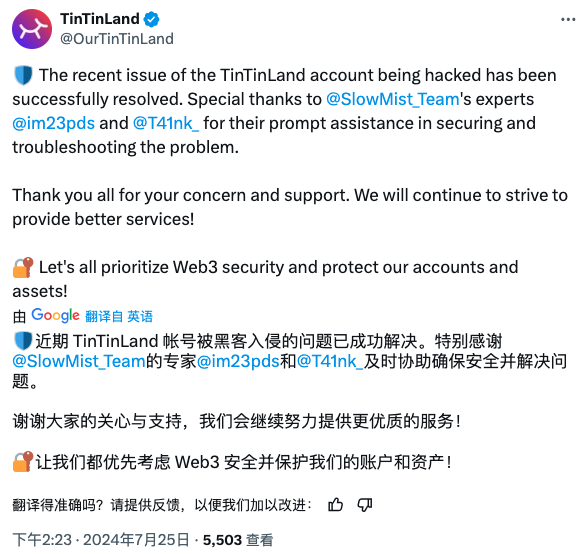
Given the increasing number of victims and widespread lack of awareness about enhancing X account security, the SlowMist security team will explain how to audit authorizations and secure your X account. Below are the detailed steps.
Authorization Audit
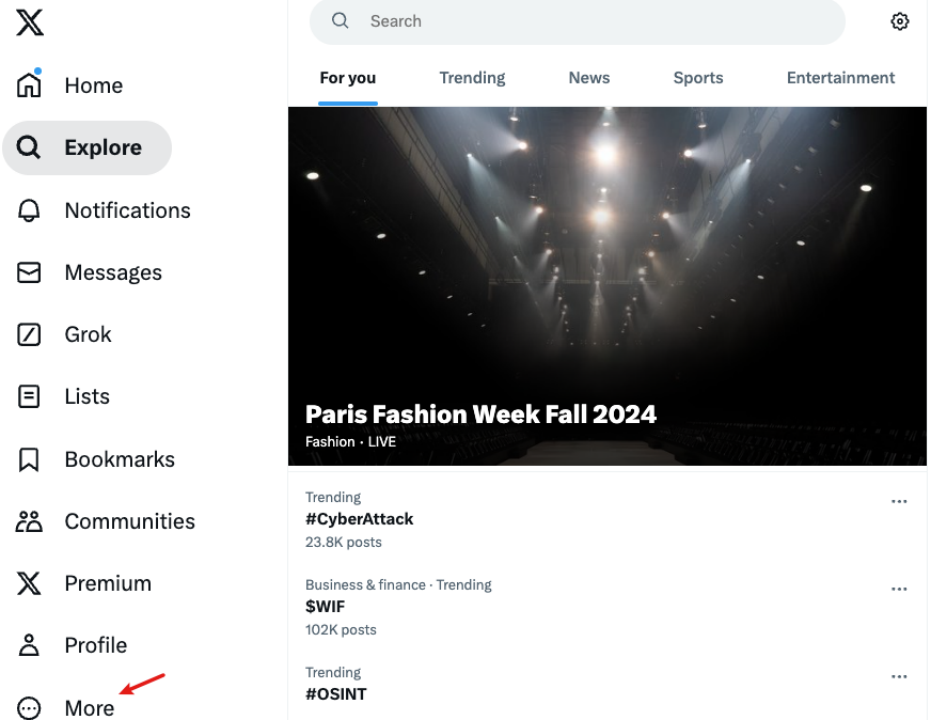
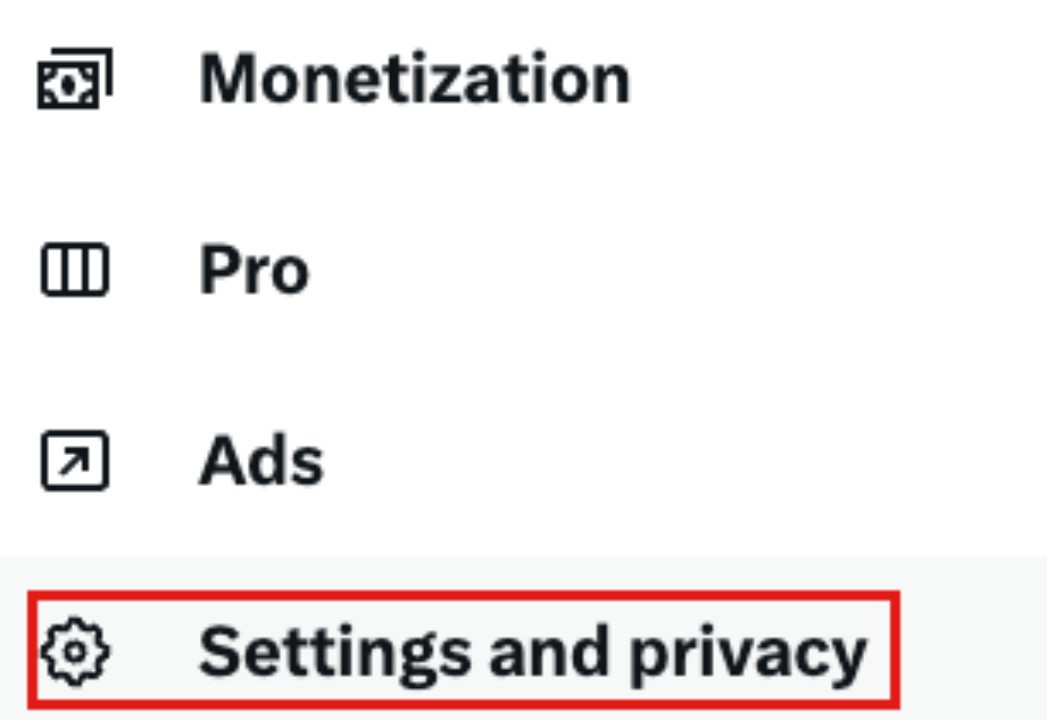
Using the web version as an example, after opening x.com, click “More” in the sidebar and select “Settings and privacy,” where you can manage account security and privacy settings.
After entering the “Settings” section, choose “Security and account access” to configure account security and authorized access.
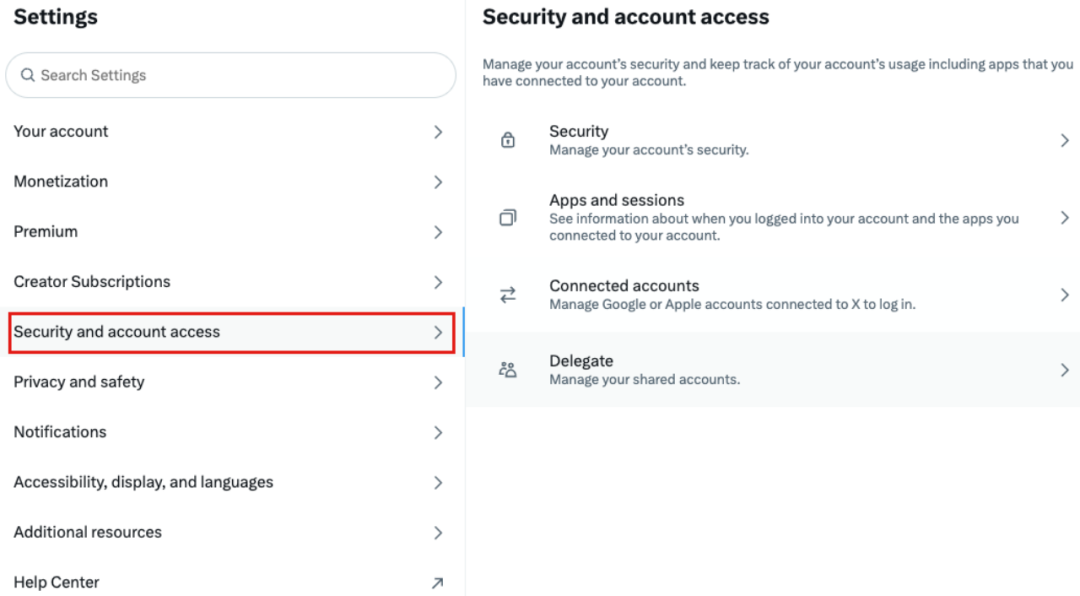
Review Authorized Applications
Many phishing attacks occur when users accidentally click and authorize malicious app links, granting attackers permission to post from their X accounts, which are then used to spread phishing content.
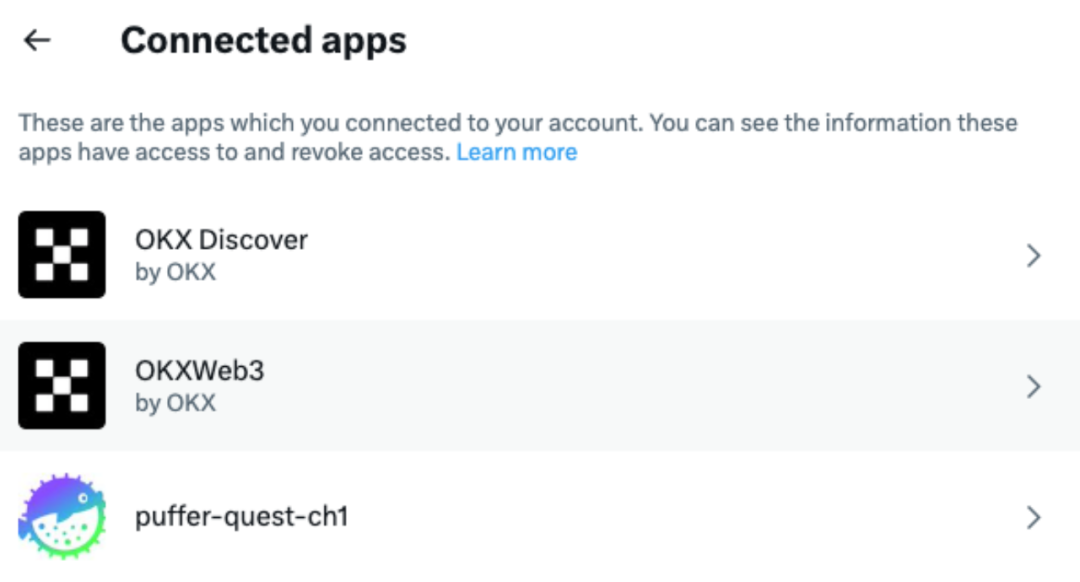
Audit method: Go to the “Apps and sessions” section to see which applications your account has authorized. As shown in the image below, this demo account has authorized three apps.
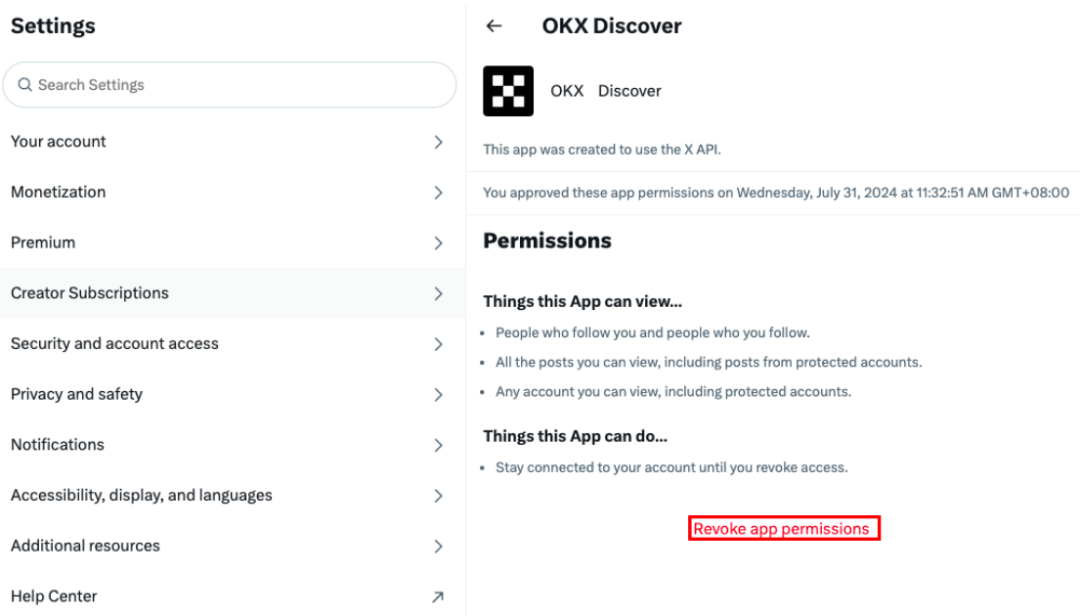
By selecting a specific app, you can view its granted permissions and use “Revoke app permissions” to remove access.
Check Delegation Status
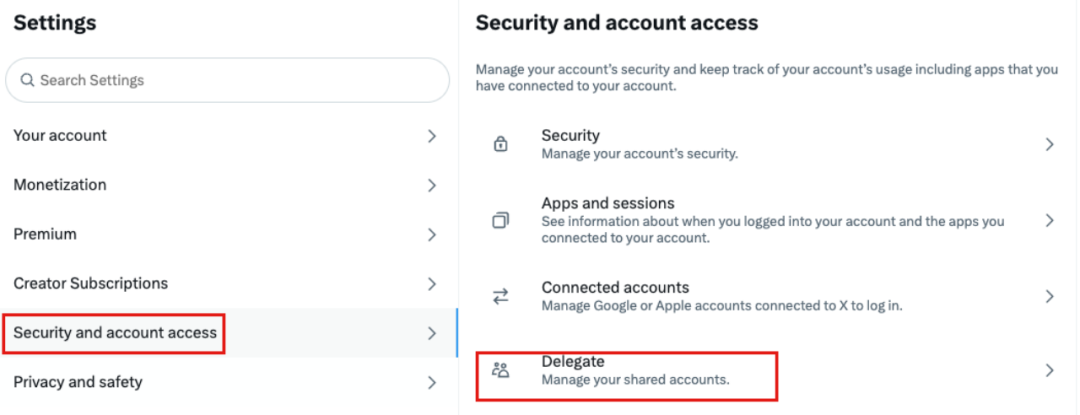
Audit method: Settings → Security and account access → Delegate
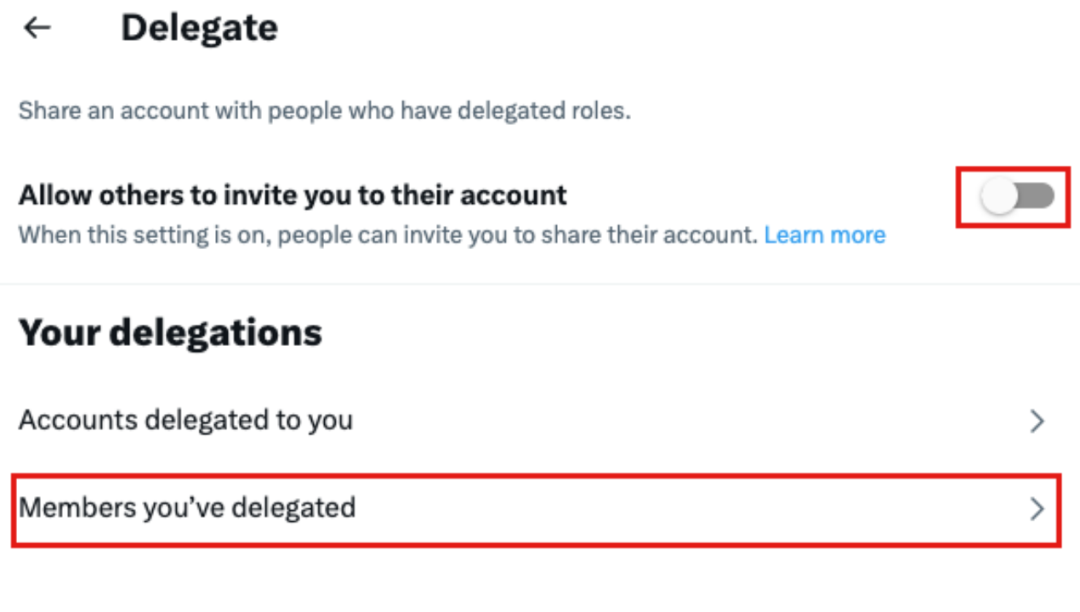
If the account has enabled invitation-based management, go to “Members you’ve delegated” to check which accounts your access has been shared with. Revoke delegation immediately if sharing is no longer needed.
Check Login Activity Logs for Anomalies
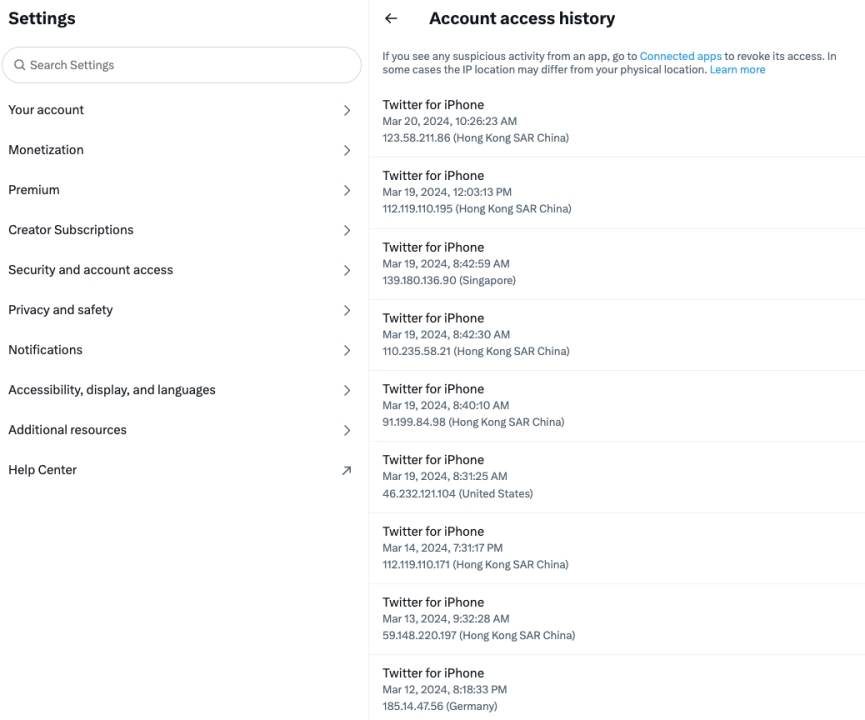
If you suspect unauthorized access, review login activity logs to identify suspicious devices, dates, and locations.
Audit method: Settings → Security and account access → Apps and sessions → Account access history
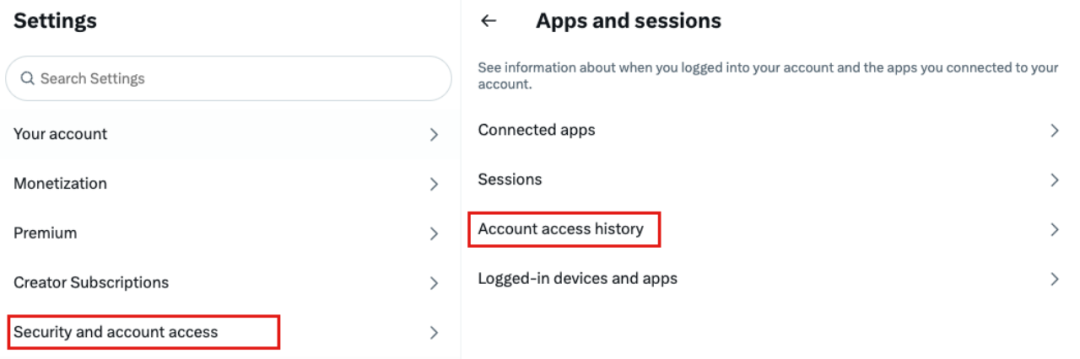
As shown below, entering Account access history allows you to view device models, login dates, IP addresses, and regions. Any unfamiliar entries may indicate your account has been compromised.
Check Active Login Devices
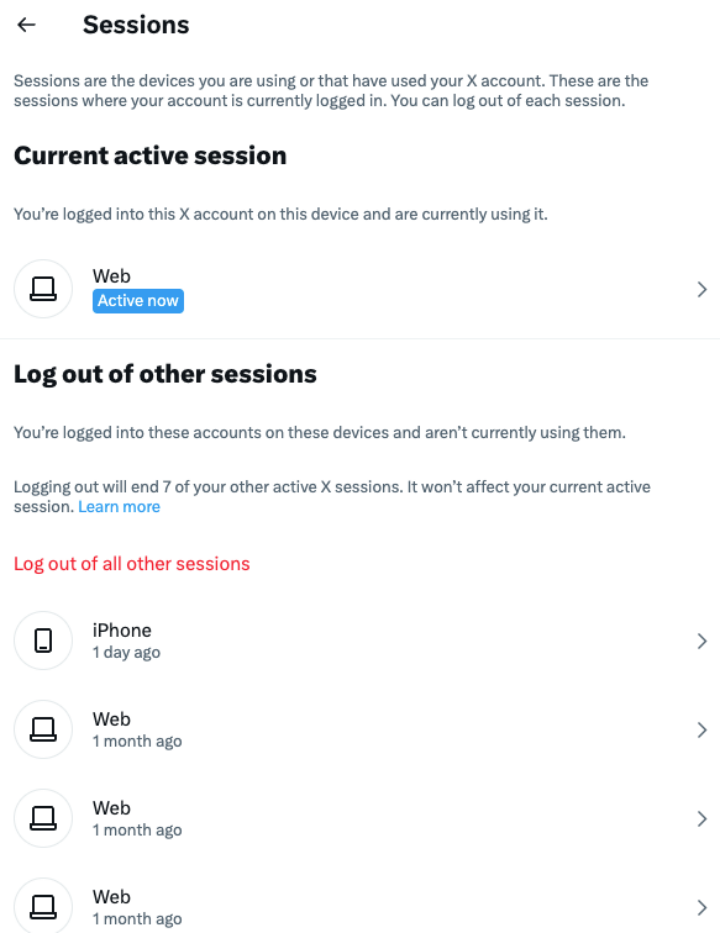
If your X account has been hijacked and shows signs of malicious login, you can check active login devices and log out suspicious ones.
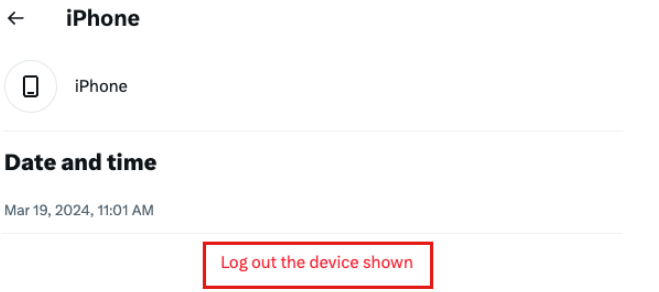
Action method: Click “Log out the device shown” to sign the account out from a specific device.
Security Settings
Two-Factor Authentication (2FA)
Enabling 2FA adds an extra layer of protection, reducing the risk of full account takeover even if your password is compromised.
Setup method: Settings → Security and account access → Security → Two-factor authentication
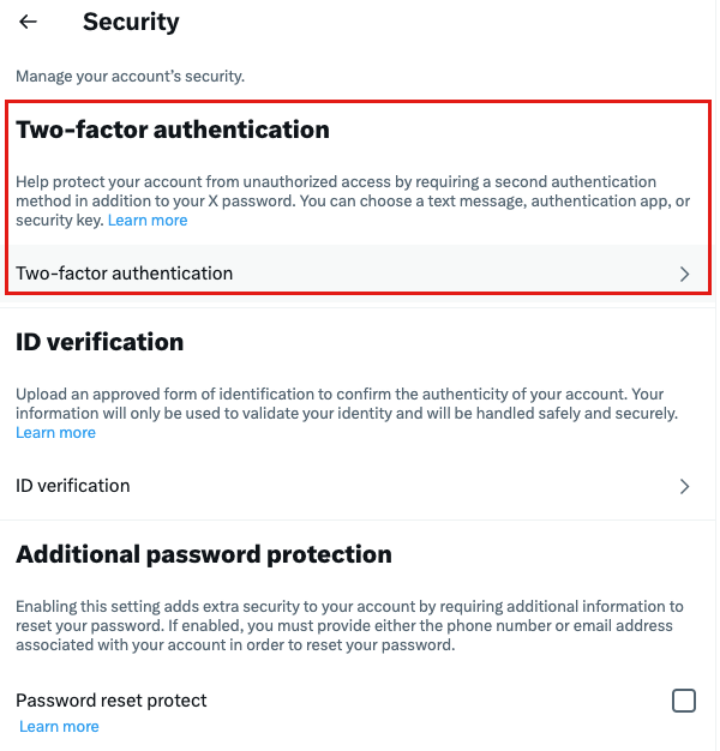
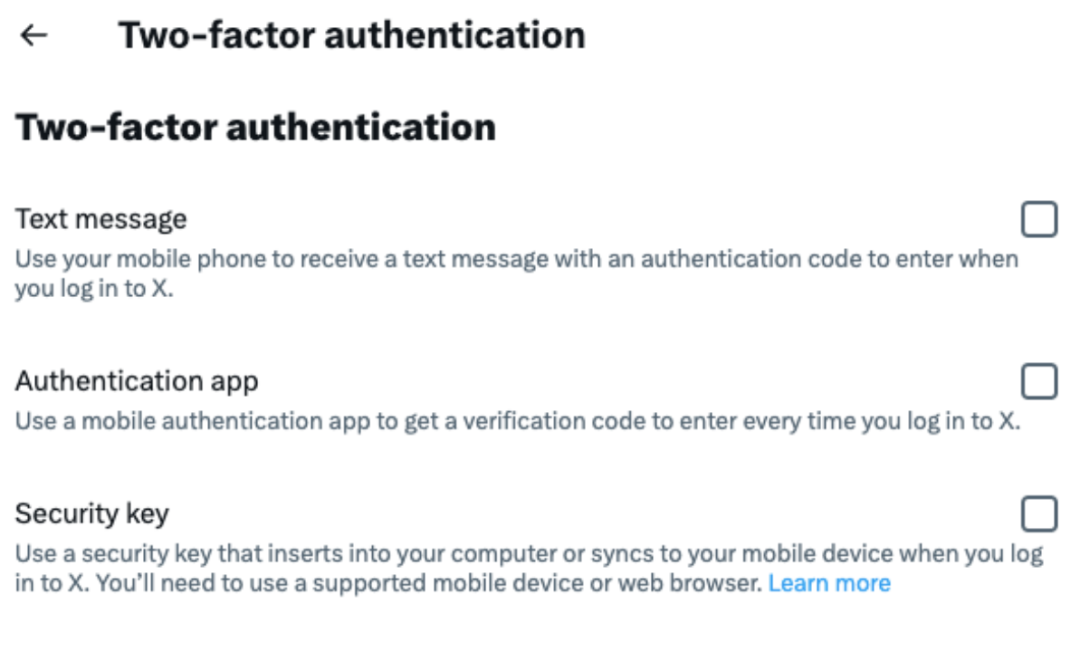
You can enhance security by setting up one or more of the following 2FA methods: SMS codes, authenticator apps, or security keys.
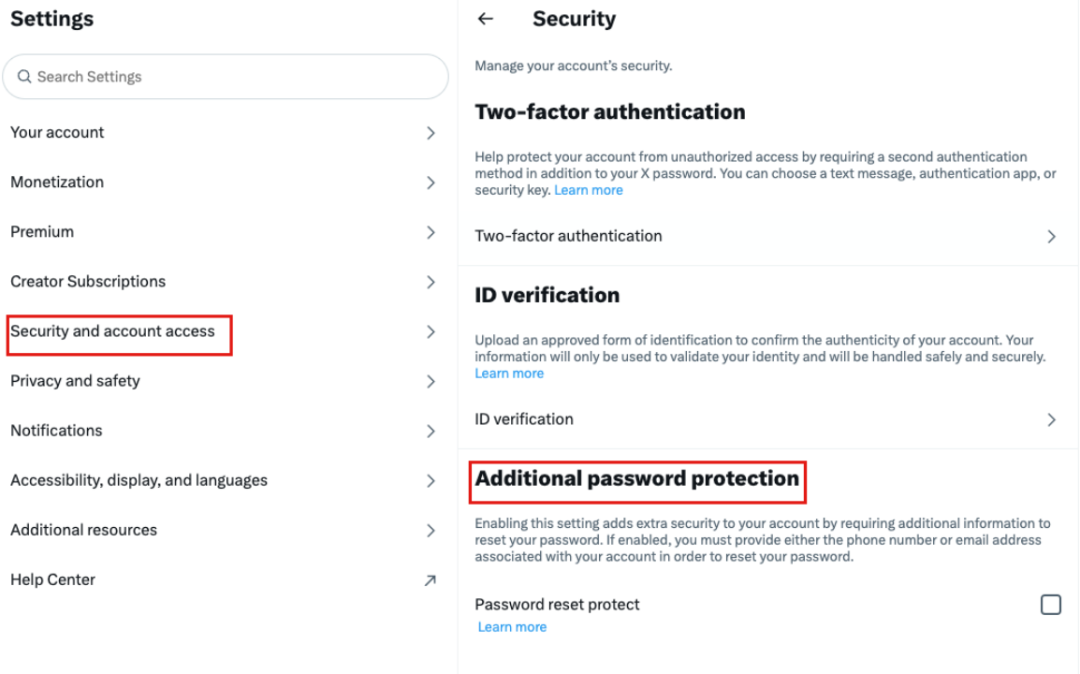
Additional Password Protection
In addition to setting a strong password and enabling 2FA, users can further strengthen X account security by enabling additional password protection.
Setup method: Settings → Security and account access → Security → Additional password protection
Summary
Regularly auditing authorized applications and reviewing login activities are crucial for maintaining account security. The SlowMist security team recommends that users routinely perform authorization audits on their X accounts to enhance security and reduce the risk of hacking. If you discover your account has been compromised, immediately change your password, conduct an authorization audit, revoke suspicious permissions, and strengthen your account's security settings.
Join TechFlow official community to stay tuned
Telegram:https://t.me/TechFlowDaily
X (Twitter):https://x.com/TechFlowPost
X (Twitter) EN:https://x.com/BlockFlow_News
 @SlowMist_Team