



Web3 Security Beginner's Guide: Avoiding the Risk of Wallets Being Compromised by Malicious Multi-Signature
TechFlow Selected TechFlow Selected
Web3 Security Beginner's Guide: Avoiding the Risk of Wallets Being Compromised by Malicious Multi-Signature
In this issue, we will use the TRON wallet as an example to explain knowledge about multi-signature phishing.
 Navigating Web3 tides with focused insights
Author: SlowMist Security Team
Background
In our previous Web3 Security Beginner’s Guide to Avoiding Pitfalls, we mainly discussed the risks of downloading/purchasing wallets, how to find official websites and verify wallet authenticity, as well as the risks of private key/mnemonic phrase leaks. We often say, "Not your keys, not your coins," but there are cases where even if you possess your private key or mnemonic phrase, you still cannot control your assets—specifically when a wallet has been maliciously set up with multi-signature (multi-sig) authorization. Based on data collected from MistTrack theft reports, some users whose wallets were maliciously multi-signed didn’t understand why, despite seeing balances in their accounts, they couldn't transfer funds. Therefore, this article uses TRON wallets as an example to explain multi-sig phishing, including how multi-sig works, typical hacker tactics, and how to avoid having your wallet maliciously configured with multi-sig.

Multi-Signature Mechanism
First, let's briefly explain what multi-sig is. The original intent of multi-sig mechanisms is to enhance wallet security by allowing multiple parties to jointly manage and control access to a digital asset wallet. Even if some managers lose or leak their private keys/mnemonic phrases, the assets within the wallet may remain safe.
TRON’s multi-signature permission system includes three distinct types of permissions: Owner, Witness, and Active, each serving specific functions.
Owner Permission:
-
Holds the highest level of authority to execute all contracts and operations;
-
Only addresses with Owner permission can modify other permissions, including adding or removing signers;
-
By default, after creating a new account, the account itself holds this permission.
Witness Permission:
This permission is primarily associated with Super Representatives. Accounts with this permission can participate in elections and voting for Super Representatives and manage related operations.
Active Permission:
Used for daily operations such as transferring funds and calling smart contracts. This permission can be defined and modified by the Owner, typically assigned to addresses needing to perform specific tasks. It represents a collection of authorized actions (e.g., TRX transfers, staking assets).
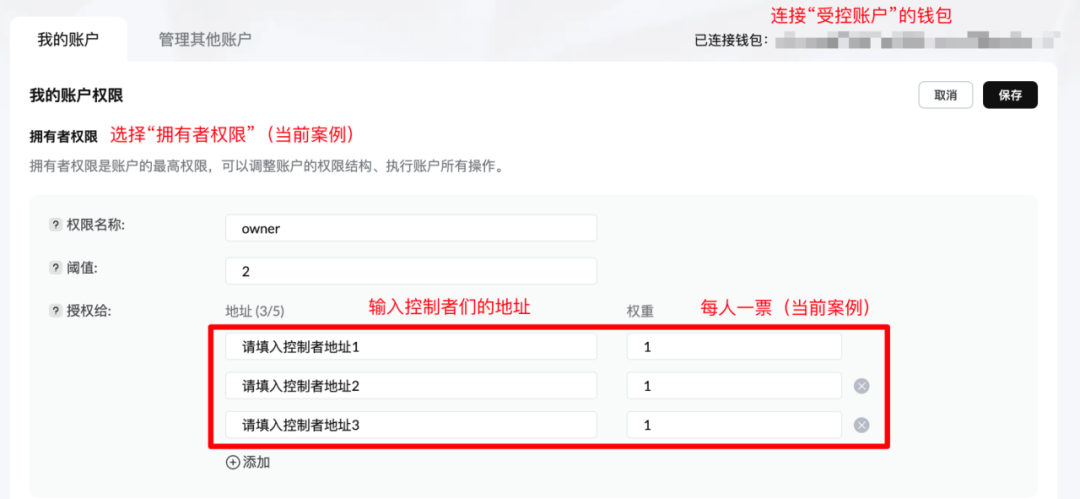
As mentioned above, when a new account is created, its address automatically holds the Owner permission (highest level). The owner can then adjust the account's permission structure, deciding which addresses receive authorization, assigning weight values to these addresses, and setting thresholds. A threshold specifies the minimum total weight of signatures required to execute certain operations. In the image below, the threshold is set to 2, and each of the three authorized addresses has a weight of 1. Thus, any operation requires confirmation from at least two signers to take effect.
(https://support.tronscan.org/hc/article_attachments/29939335264665)
Process of Malicious Multi-Signature Setup
After obtaining a user’s private key/mnemonic phrase, if the user hasn’t implemented a multi-sig setup (i.e., the wallet is solely controlled by one person), hackers can either grant Owner/Active permissions to their own address or fully transfer the user’s Owner/Active permissions to themselves. Both actions are commonly referred to as “malicious multi-sig,” though this is a broad term. In fact, we can distinguish between them based on whether the user still retains Owner/Active permissions:
Using the Multi-Signature Mechanism
In the example below, the user still holds Owner/Active permissions, but the hacker has granted these permissions to their own address. Now, control of the account is shared between the user and the hacker (threshold = 2), with both addresses assigned a weight of 1. Although the user still holds their private key/mnemonic and possesses Owner/Active permissions, they cannot transfer assets because any withdrawal request must be signed by both the user and the hacker to succeed.
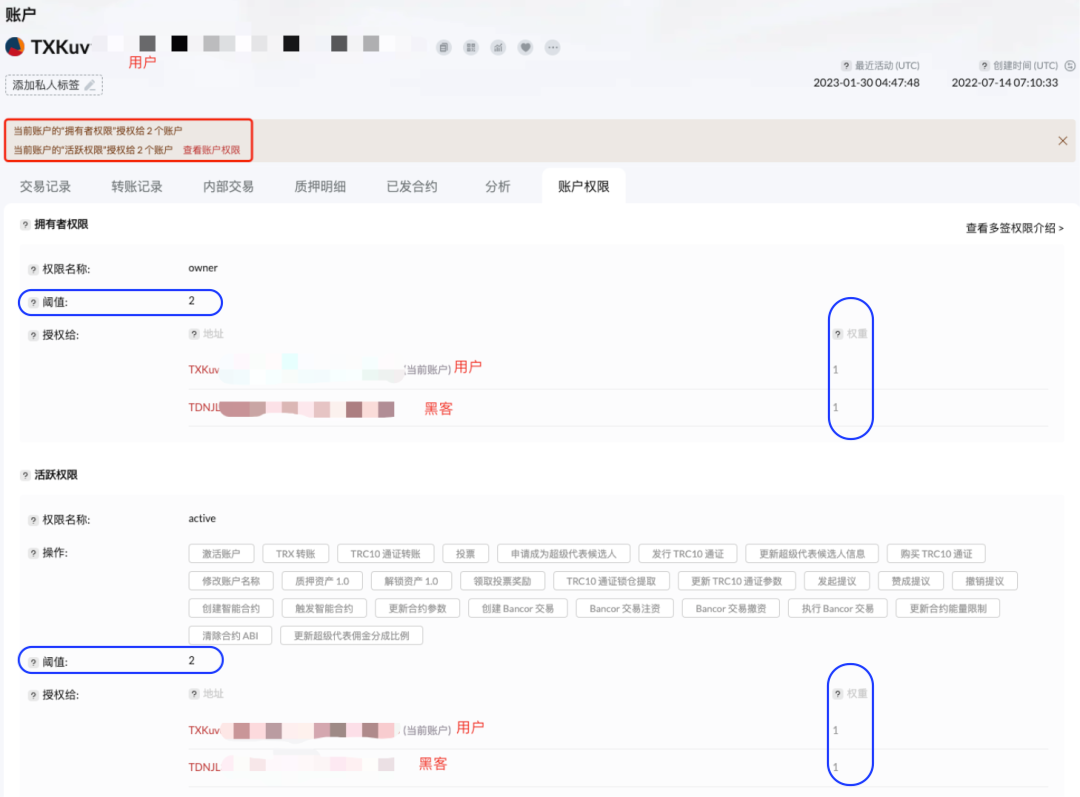
Although outgoing transactions require multiple signatures, incoming deposits do not. If users don’t regularly check their account permissions or haven’t attempted withdrawals recently, they might remain unaware that their authorization settings have changed—and continue to suffer losses. If the wallet holds few assets, hackers may adopt a long-term strategy, waiting until significant digital assets accumulate before stealing everything at once.
Exploiting TRON’s Permission Management Design
Another scenario involves hackers exploiting TRON’s permission management design to directly transfer the user’s Owner/Active permissions to a hacker-controlled address (threshold remains 1), thereby stripping the user of all Owner/Active rights—even losing their "voting rights." Note that in this case, the hacker isn’t using multi-sig to block transfers, but it's still commonly referred to as a "malicious multi-sig" attack.
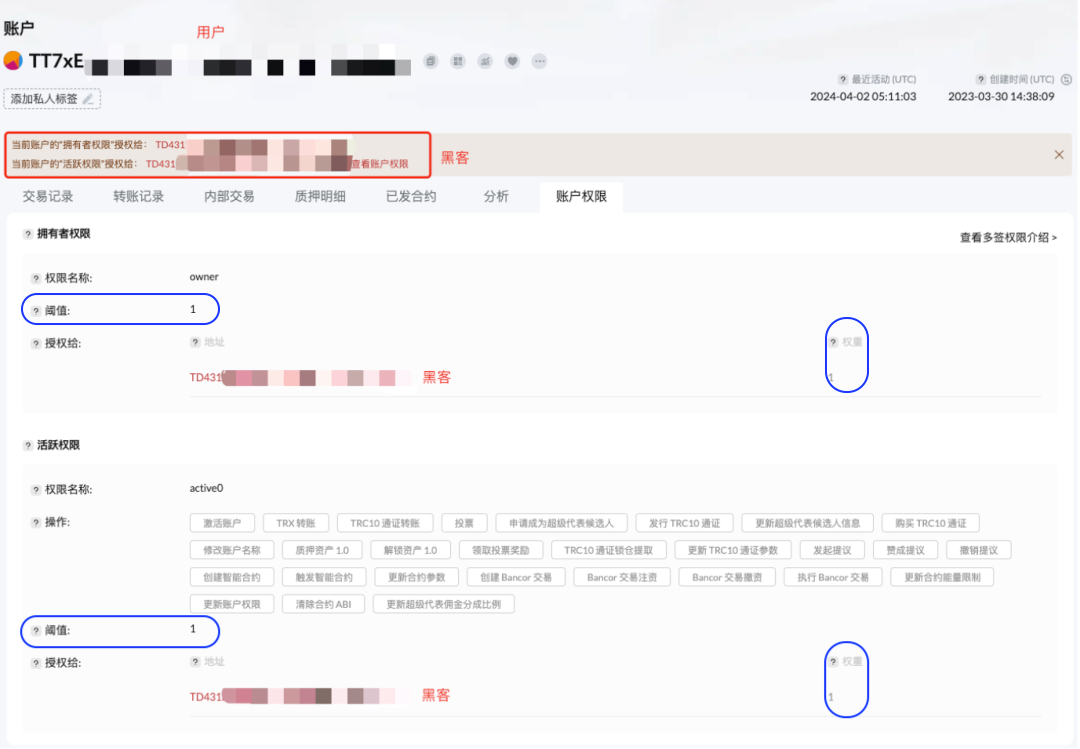
Both scenarios lead to the same outcome: regardless of whether the user still technically holds Owner/Active permissions, they’ve lost actual control over the account. The hacker now holds full control, able to change permissions and transfer assets freely.
Common Methods of Malicious Multi-Signature Attacks
Based on stolen wallet reports collected via MistTrack, we’ve identified several common causes of malicious multi-sig attacks. Users should stay vigilant if encountering any of the following situations:
1. Downloading wallets through unofficial channels—clicking fake links sent via Telegram, Twitter, or from acquaintances—resulting in installing counterfeit wallets, leaking private keys/mnemonic phrases, and leading to malicious multi-sig setups.
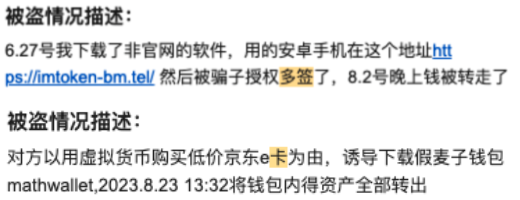
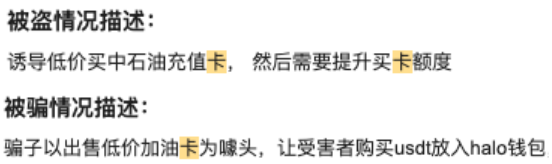
2. Entering private keys/mnemonic phrases on phishing websites that claim to sell gift cards, recharge cards, or VPN services, resulting in loss of wallet control.
3. During OTC trades, someone secretly captures your private key/mnemonic phrase or gains account authorization, subsequently enabling malicious multi-sig and causing asset loss.

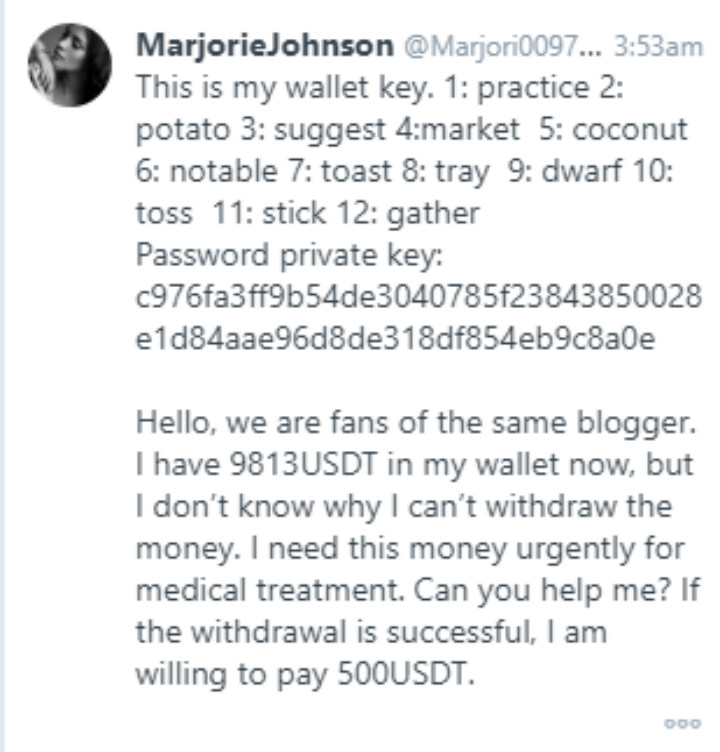
4. Scammers provide you with a private key/mnemonic phrase, claiming they cannot withdraw funds from the associated wallet and offering a reward if you help. While the wallet does contain funds, no amount of gas fee or speed will allow withdrawal—because the scammer has already configured spending permissions to another address.
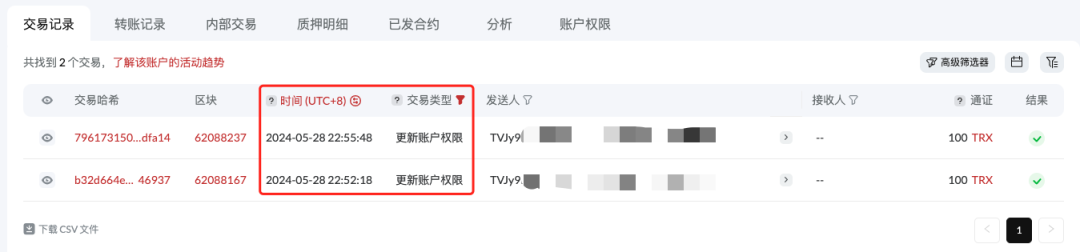
5. A less common case: users click phishing links on TRON and sign malicious data, after which their wallets are maliciously multi-signed.
Summary
In this guide, we used TRON wallets as an example to explain multi-sig mechanisms, how hackers carry out malicious multi-sig attacks, and common tactics involved, aiming to deepen understanding and improve defenses against such threats. Besides malicious setups, some beginners may accidentally configure their wallets with multi-sig due to operational errors or lack of knowledge, requiring multiple signatures for transfers. In such cases, users only need to meet the multi-sig requirements or go to the permission settings and assign Owner/Active permissions exclusively to one address to revert back to single-signature mode.
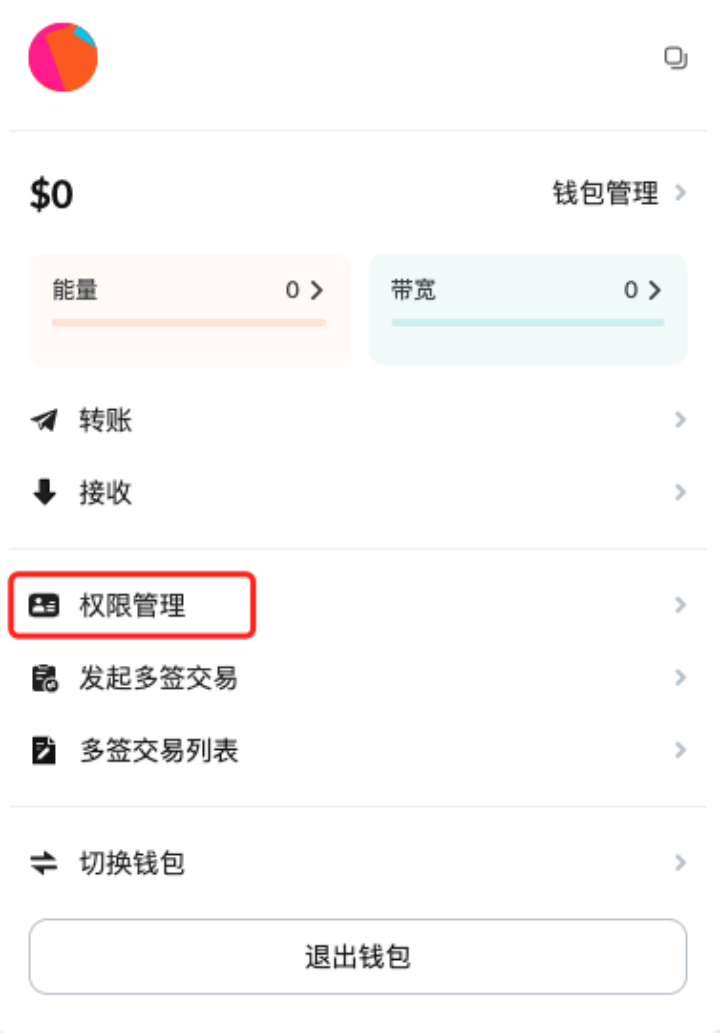
Finally, the SlowMist Security Team recommends that users regularly review their account permissions for anomalies; download wallets only from official sources—we previously explained how to identify legitimate websites and verify wallet authenticity in our Web3 Security Beginner’s Guide|Risks of Fake Wallets and Private Key/Mnemonic Leaks; avoid clicking suspicious links or entering private keys/mnemonic phrases carelessly; install antivirus software (e.g., Kaspersky, AVG) and anti-phishing browser extensions (e.g., Scam Sniffer) to enhance device security.
Join TechFlow official community to stay tuned
Telegram:https://t.me/TechFlowDaily
X (Twitter):https://x.com/TechFlowPost
X (Twitter) EN:https://x.com/BlockFlow_News
 @SlowMist_Team