



Recent Theft Incident Reflection—How to Protect My Account?
TechFlow Selected TechFlow Selected
Recent Theft Incident Reflection—How to Protect My Account?
"Unless necessary, don't let anyone around you know you're trading cryptocurrencies."
 Navigating Web3 tides with focused insights
Author: Wang Fugui'er
Recently I've seen many theft incidents, and it seems platforms have taken responsibility by reimbursing users. However, users themselves should also proactively enhance their account security—after all, it's your own money. As our ancestors said, "A gentleman does not stand beneath a dangerous wall." In plain terms, this means eliminating the possibility of risk altogether, rather than trying to minimize losses after damage has occurred through remedial measures like mending a pen after sheep are lost. Proactively avoiding risks is the highest form of risk management.
Spread Your Funds
No matter how much capital you hold, always divide your funds into at least two portions. Ideally, store them on two different platforms. If you're committed to just one platform, at minimum use two separate accounts.
Avoid Simple Passwords
This may seem the most obvious and redundant advice, yet it's actually the most critical. Always use a combination of uppercase and lowercase letters plus symbols. Many platforms now enforce such requirements, but some still allow passwords without case sensitivity or special characters. It’s recommended that even for website logins, email registrations, or casual gaming accounts, you follow strict password rules to ensure sufficient strength.
Don't Reuse Passwords
You might believe trading platforms are secure enough and your passwords won't be leaked. But nowadays, every website and app requires registration, and not all provide robust user protection. Imagine using the same password for an adult entertainment site as for your financial accounts—if that site turns malicious or suffers a breach, aren't all your accounts left completely exposed?
Change Passwords Regularly
Traditional financial institutions handle this better—they repeatedly remind users, which can feel annoying. Yet they don’t just advise customers; they enforce these rules strictly for employee system access too, often preventing reuse of previous passwords. You never know when your password might be compromised or when an attack could occur, so don’t mind the hassle. Change your passwords regularly to prevent potential breaches.
Third-Party App Authorization
Whether on Twitter, Discord, or any other platform, you'll frequently encounter third-party authorization requests when connecting external services. First, carefully review the permissions being requested—never grant excessive privileges. Second, promptly remove third-party authorizations after use; simply re-authorize next time if needed. Finally, if absolutely necessary, use a secondary account instead of risking your primary one.
Regularly Review Login History and Device Management
Not only should you immediately remove unrecognized devices and monitor unfamiliar login activities, but also clean up old devices you no longer use. This helps avoid risks from lost, repaired, or sold devices. Perform the same checks within your email account’s security settings.
Control API Permissions
Avoid using APIs unless absolutely necessary. If required, strictly limit API permissions. Reports suggest in this recent incident, APIs were granted withdrawal rights. Also, routinely audit your API keys and promptly delete any high-permission APIs you didn’t set yourself.
Always Enable Two-Factor Authentication (2FA), Specifically Google Authenticator
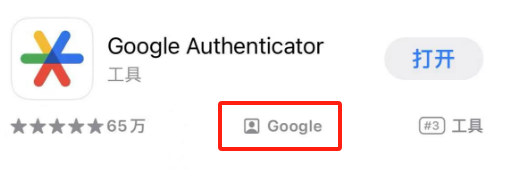
Using Google Authenticator (GA) is extremely convenient—there’s no excuse not to enable it. It instantly maximizes your security level. Victims in this recent event apparently mostly did not have GA enabled. Note: When downloading authenticator apps, many unofficial versions exist. Make sure to download only from the official developer—Google.
Disable Cloud Sync for Google Authenticator
Simply turn off the small cloud icon in the top-right corner to disable cloud synchronization.

Manually Record Your Google Authenticator Secret Key
Treat your GA secret key like your wallet private key or recovery phrase—write it down securely. Keep multiple backups in case you hide it too well and forget where it is.
Isolate Google Authenticator from Your Trading Device
Keep GA on a separate, offline phone. This device never connects to the internet, so while it looks like a smartphone, it essentially functions as a physical security token shaped like a phone.
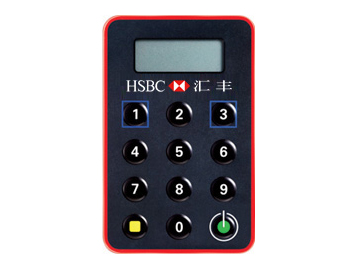
Isolate Devices Used for Email and Phone Number
If possible, distribute these across multiple devices. Don’t consider it troublesome. We keep emphasizing device isolation because the cost isn’t high—a used iPhone 10 now costs less than 1,000 RMB.
Stay Low-Key!
This point is extremely important: unless absolutely necessary, never let anyone around you know you’re trading crypto.
Join TechFlow official community to stay tuned
Telegram:https://t.me/TechFlowDaily
X (Twitter):https://x.com/TechFlowPost
X (Twitter) EN:https://x.com/BlockFlow_News
 @0xRichWang