




MetaMask Snap Technical Deep Dive: Analysis of Development Experience, Capability Limitations, Security, and Commercial Potential
TechFlow Selected TechFlow Selected
MetaMask Snap Technical Deep Dive: Analysis of Development Experience, Capability Limitations, Security, and Commercial Potential
What is MetaMask Snap, and what are its technical capabilities?
 Navigating Web3 tides with focused insights
Author: Li Damao, Bruce
What is MetaMask Snap?
A few days ago, ConsenSys announced the public launch of MetaMask Snaps Open Beta. MetaMask Snaps extend wallet capabilities by allowing users to install apps (Snaps) developed by third-party developers to gain new functionalities.
If we consider ConsenSys as having turned MetaMask into something like WeChat, then Snaps are akin to WeChat Mini Programs. This reveals MetaMask's ambition—combined with ConsenSys’s scale and MetaMask’s user base, the landscape of the wallet space will be transformed.
Currently, 35 official Snaps have been released, along with a Snap store at https://snaps.metamask.io/.
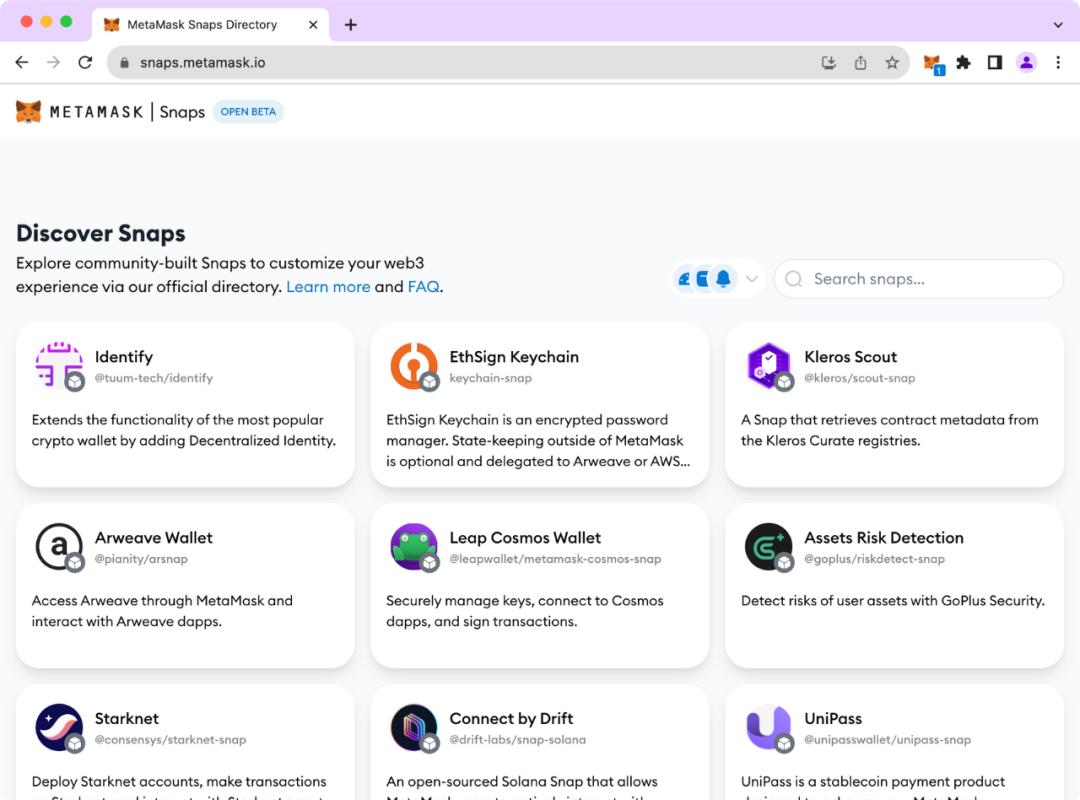
Overview of selected Snaps
So what exactly does MetaMask Snap look like from a technical perspective? What are its limitations? Is it secure? How is the developer experience? These factors may all determine the future potential of MetaMask Snaps.
Since last year, LXDAO has deeply researched Snap implementation, and several members have already participated in Snap development and related hackathons. Today, we’ll dive into these questions technically and build a real Snap to give you hands-on insight into the developer experience.
First Experience with MetaMask Snap
Installing MetaMask Snap
Typically, Snaps can be installed via the official MetaMask Snap marketplace or directly from a project’s website. Take UniPass as an example: when visiting their app page, a button prompts you to connect your MetaMask.
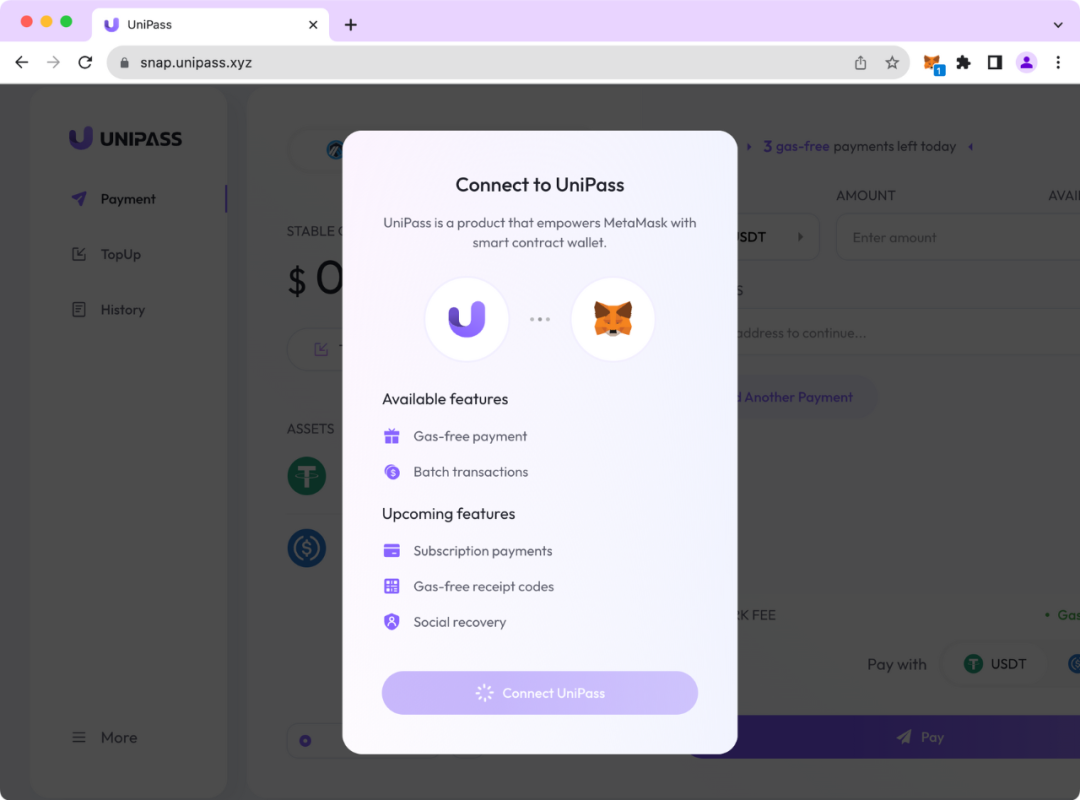
After clicking, the Snap installation begins:
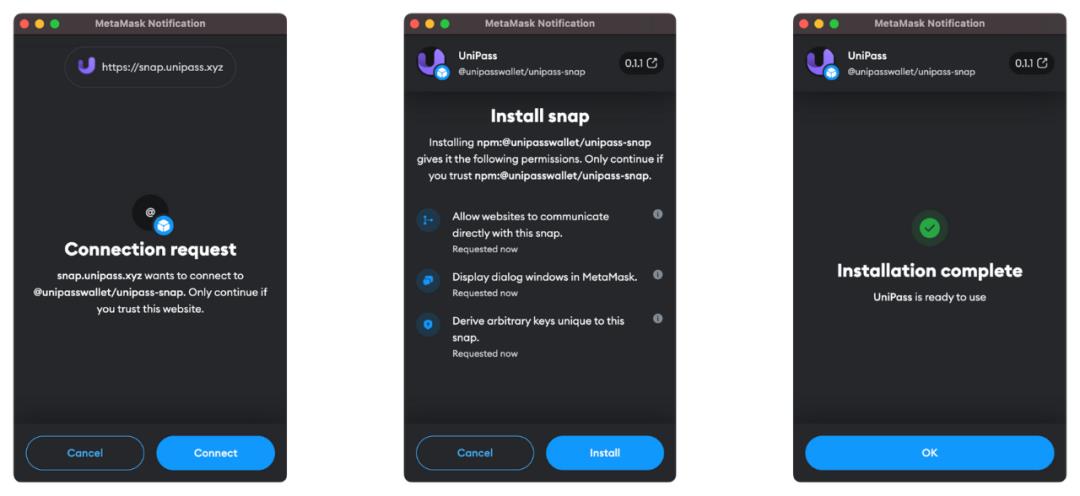
Using MetaMask Snap
Once installed, you can begin using the associated product and features. In this case, UniPass creates a smart contract account for you, enabling control through your MetaMask EOA account.
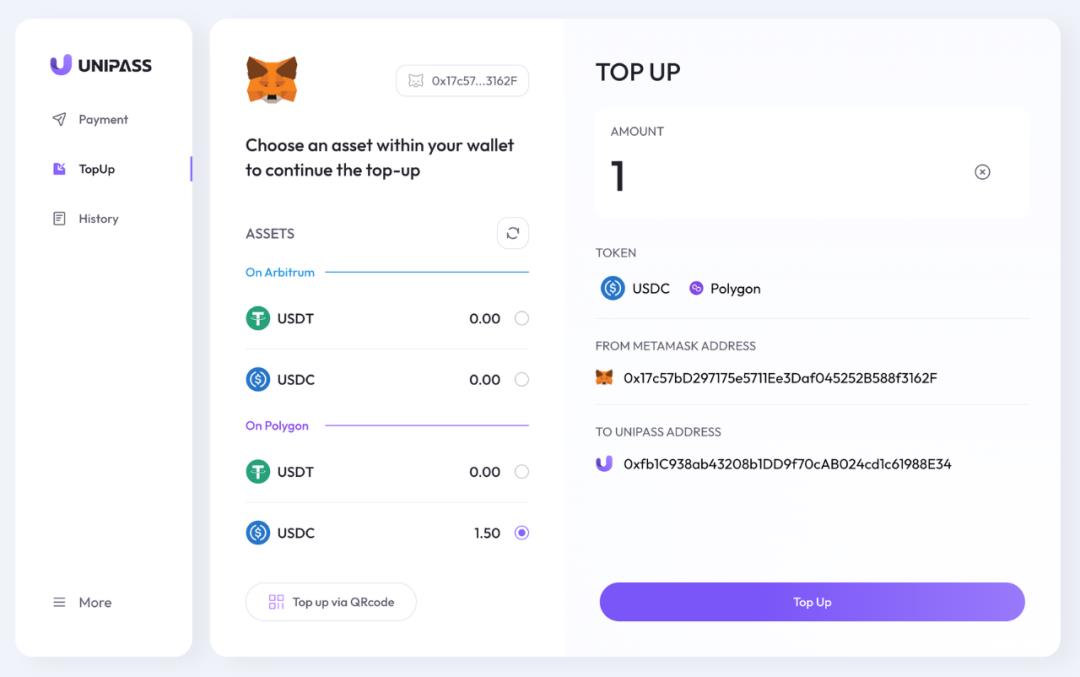
When initiating a transfer, UniPass triggers a Snap popup asking for confirmation to execute the action on the UniPass AA wallet.
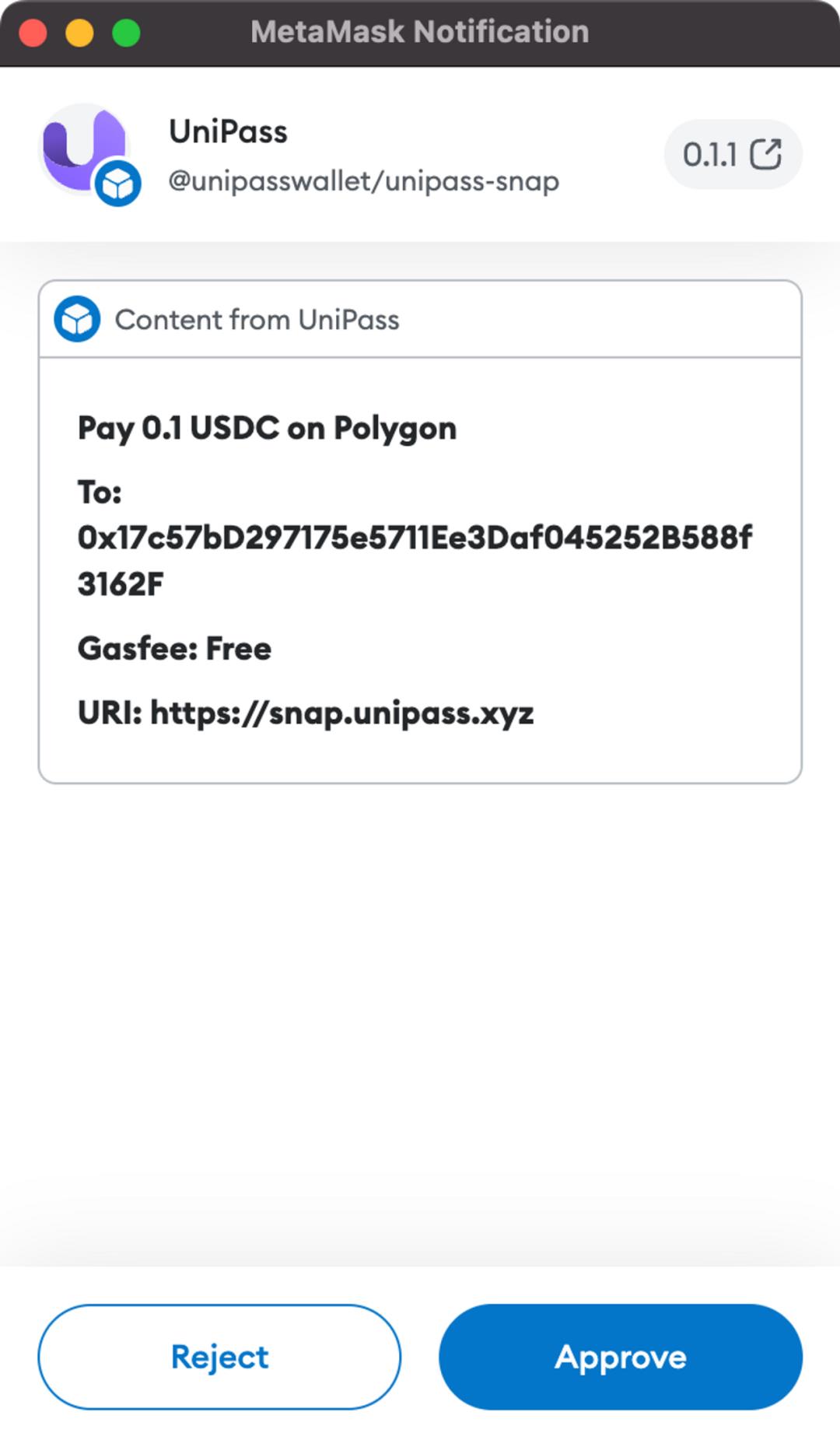
After confirming within MetaMask, the operation proceeds. In this scenario, MetaMask gains the ability to control the UniPass AA wallet via the Snap. UniPass doesn’t need to develop its own wallet extension and can onboard users at very low cost via MetaMask!
What insights can we draw from this installation and usage flow?
-
Snaps feature fine-grained permission controls, including permissions for connecting wallets and making network requests. The design follows the Principle of Least Privilege, prioritizing security.
-
From npm:@unipasswallet/unipass-snap, we see that Snaps use NPM for package and version management. We’ll discuss security implications later.
-
Snaps offer high flexibility, allowing projects to customize content and logic per their needs. However, UI is currently basic, leaving room for improvement.
-
The Snap experience is simple and reliable, meeting beta and production-level standards.
For any wallet product, security comes first. Next, let’s analyze Snap’s security design.
Is Snap Secure?
Analysis of Snap Runtime Environment
As mentioned earlier, Snaps rely on NPM for package and version management, indicating they are essentially web-based JavaScript applications. As everyone knows, JavaScript’s flexible syntax makes it vulnerable to XSS and phishing attacks. How does MetaMask Snap address these challenges?
Research shows MetaMask funds Agoric and deeply integrates Agoric’s Hardened JavaScript (also known as Secure EcmaScript) as its “fully virtualized” sandbox solution. Agoric designed a restricted JavaScript API and submitted a draft proposal to TC-39 (the JS standardization body), available here: https://github.com/tc39/proposal-ses.
In short, Hardened JavaScript is a more secure subset of standard JavaScript. By restricting certain JS APIs and leveraging built-in mechanisms, it reduces risks. It runs code in a secure sandbox while adhering to the Principle of Least Privilege for access control.
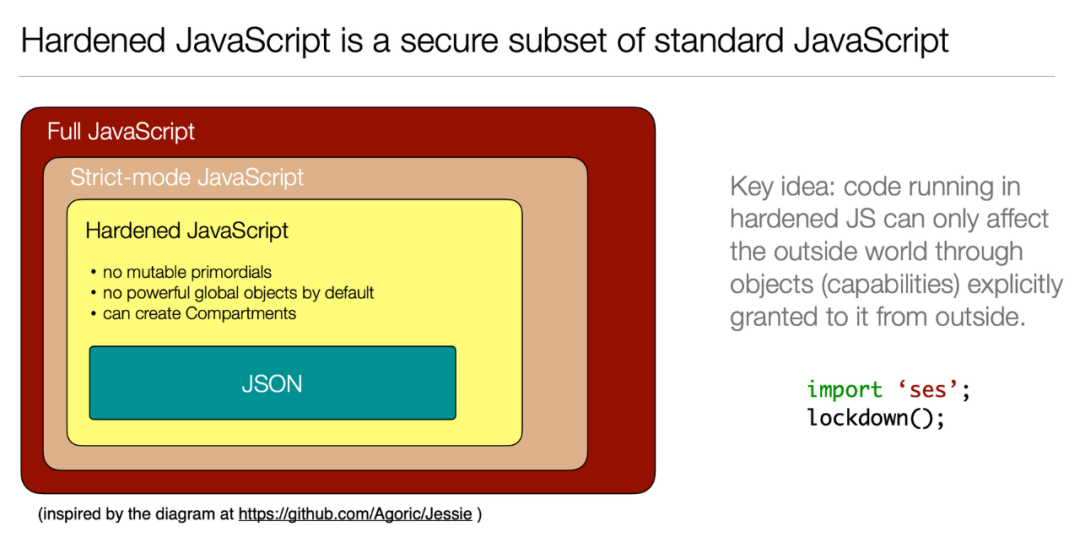
Agoric and MetaMask jointly developed LavaMoat, a toolset focused on securing external dependencies in JS projects and limiting specific APIs and logic.
Agoric and MetaMask have also conducted white-box and black-box security testing, producing detailed security reports. Therefore, we have strong reasons to trust Snap’s runtime security.
Snap Code Must Be Open Source and Audited
Beyond explicit user authorization and least-privilege design, officially recognized Snaps must open-source their code, significantly reducing the likelihood of malicious code via community scrutiny.
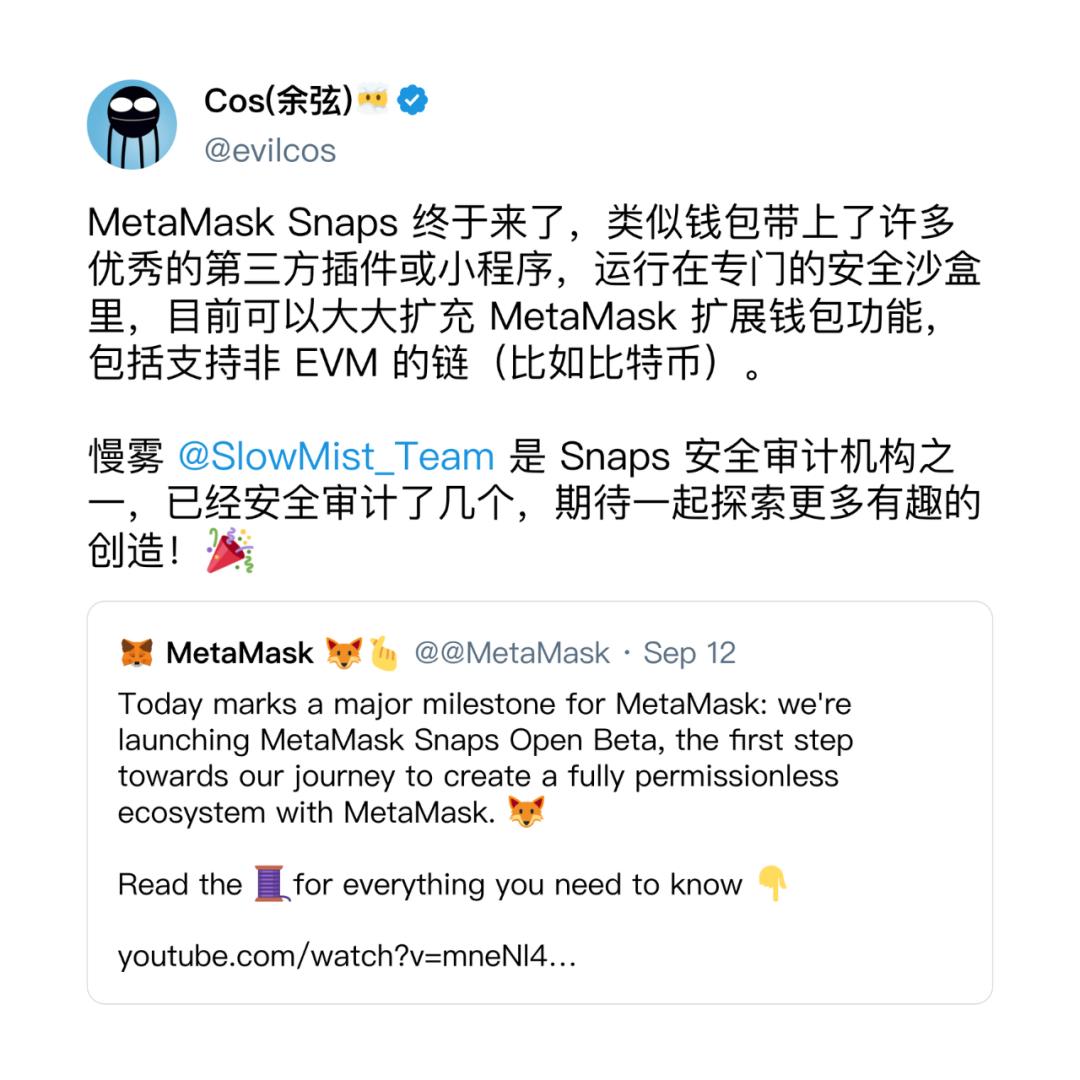
Additionally, Snaps listed on the official site must undergo third-party security audits before publication. This greatly enhances trustworthiness—auditors include well-known firms such as SlowMist.
Known Security Risks of Snap
Since Snaps currently rely on NPM for package and version management, there is inherent risk due to possible code changes. Non-mandatory audits could lead to security issues.
MetaMask cannot control NPM’s release process, so project teams can publish new versions anytime. Due to audit costs, auditing companies won’t review every single version update. This means newer versions might not be open-sourced or audited.
However, because execution occurs in a sandbox environment under least-privilege principles, unless users manually approve new permissions, updated Snaps retain only previous permissions. Still, if a Snap requests excessive initial permissions, risks remain. Hence, caution is advised during installation and usage.
Technical Capabilities and Limitations of MetaMask Snap
Although MetaMask Snap was recently announced, it has actually been in development for four years! The original idea was proposed by Dan Finlay on October 10, 2019, published on Medium.
Balancing security, flexibility, and functionality is extremely challenging, reflecting the significant investment and preparation MetaMask has made for this moment.
Currently, three main APIs are exposed:
-
Interoperability – allows developers to build wallets for other chains based on MetaMask
-
Transaction Insights – enables developers to inspect transaction data before submission, analyzing potential risks
-
Notifications – allows direct messaging to users via Snap (though requires website integration, somewhat limited)
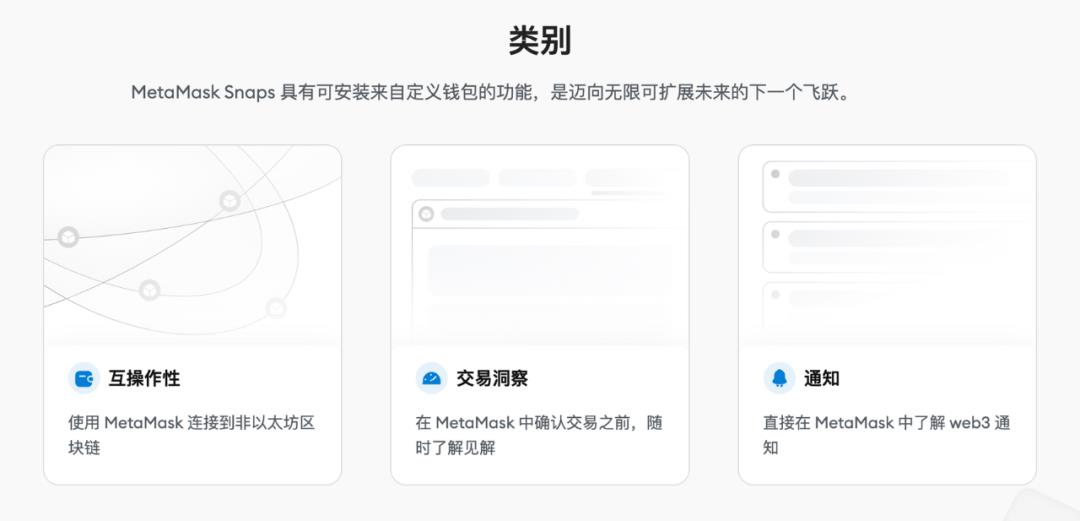
Below is a brief overview of the specific capabilities and effects of MetaMask Snap to help you visualize them better.
Notification Capability
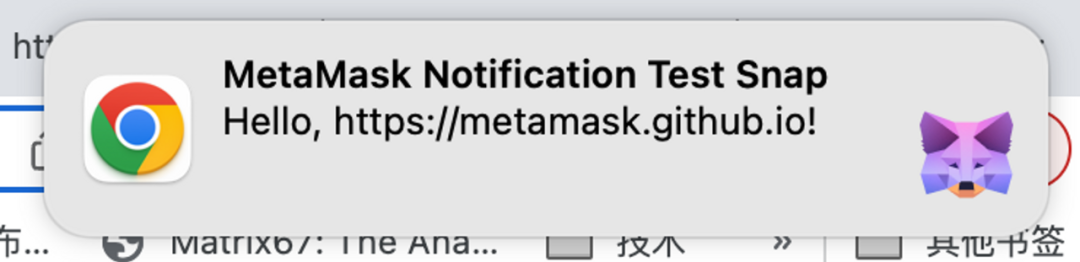
The snap_notify interface can display notifications in MetaMask or the browser. Snaps can send messages directly to users, as shown below:
Transaction Insights Capability
When users interact with smart contracts, MetaMask triggers the Snap’s onTransaction event, passing the unsigned raw transaction to the handler method. The Snap can return a custom interface on the transaction confirmation screen.
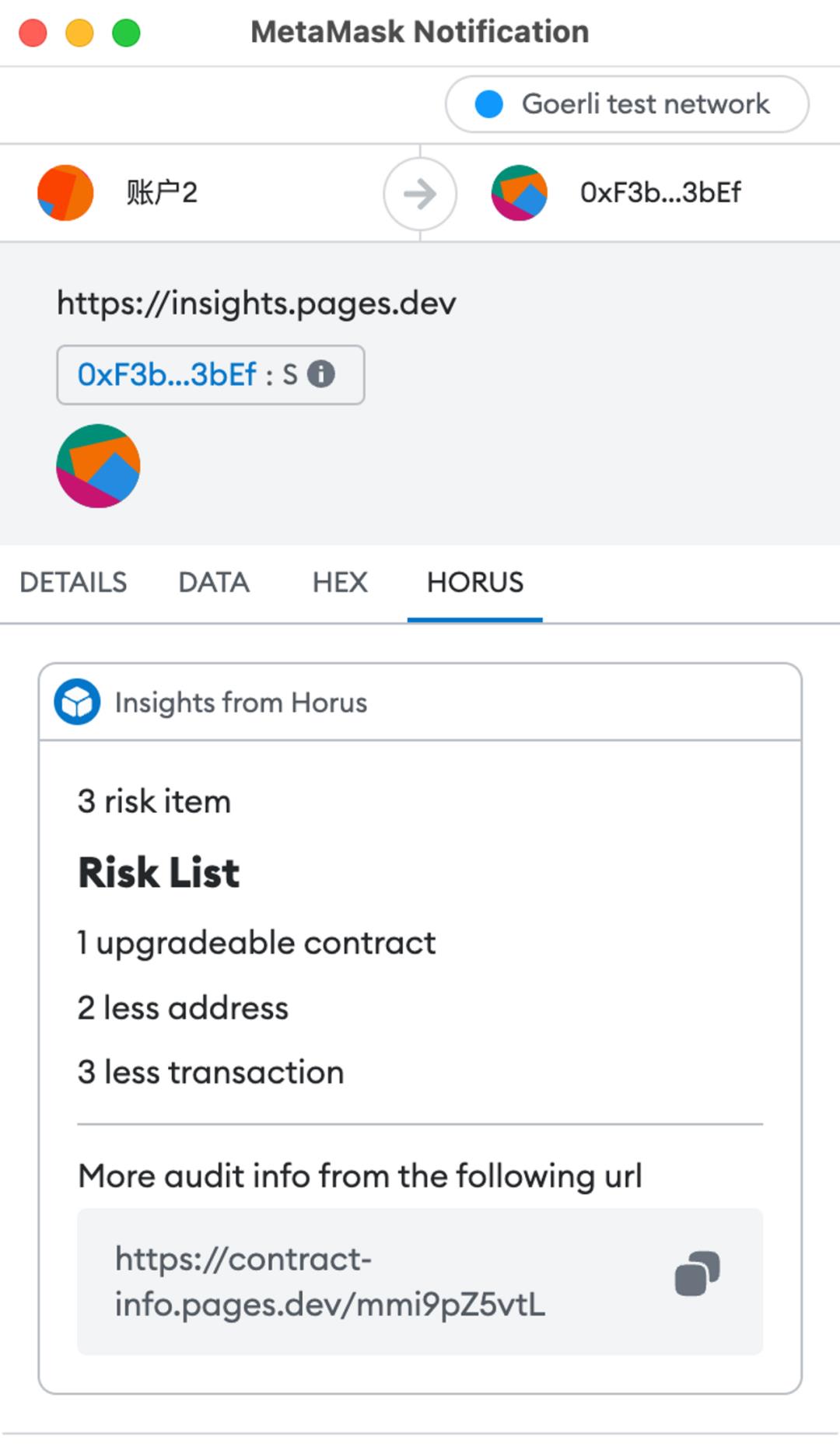
This capability enables functions such as security auditing of transaction information and enhanced data display.
Dialog Interface and Custom UI Capability
The Dialog feature allows Snaps to pop up independent windows, mimicking traditional Alert/Confirm/Prompt dialogs (see image below) for alerts, confirmations, and input collection.
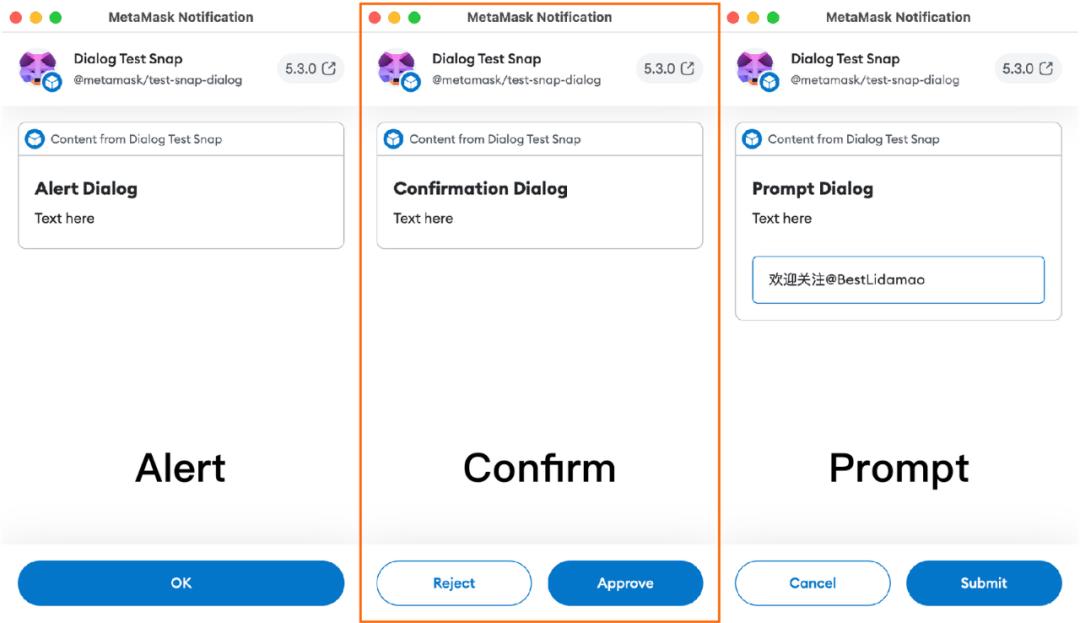
With Dialog, you can create simple interactive interfaces to integrate with your DApp.
What Can’t MetaMask Snap Do Yet?
Due to security constraints, Snaps currently don’t support third-party frontend frameworks and only provide minimal UIKit components. Below is an example using insight to show all available UI components for developers.
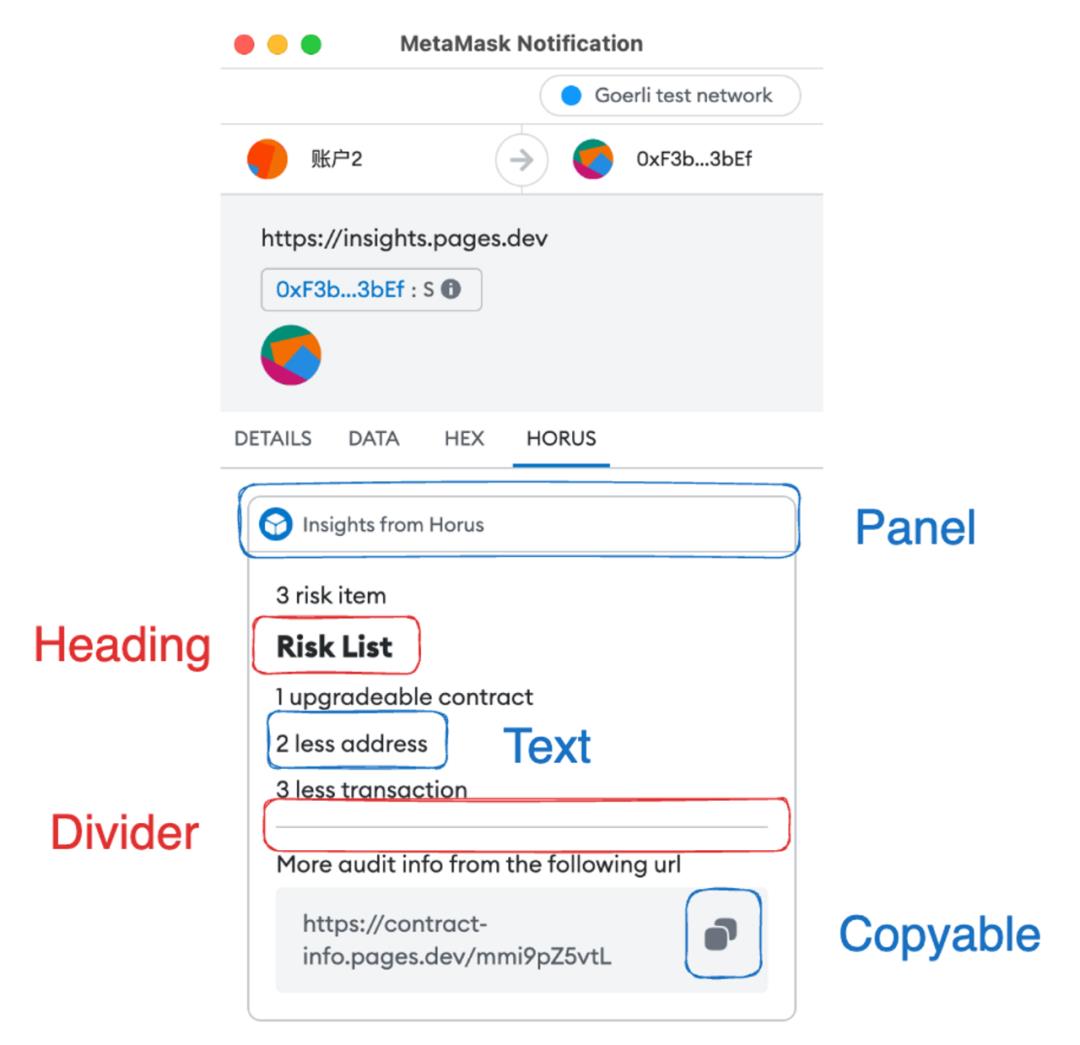
As shown, currently available components include Heading (large text), Text (small text), Panel (card, usable once), Divider (line), Copyable (click-to-copy), and limited Markdown subsets (bold and italic). Interactive elements aren’t yet feasible, nor is embedding HTML for interactivity. According to official Discord responses, these restrictions are for security and will likely be relaxed in future versions.
Similarly, for security, only Fetch requests are supported—not protocols like WebSocket. Also, client information (e.g., which URL triggered the Snap) cannot be accessed, limiting functional diversity.
Most of these limitations exist for security reasons. Once safety is further proven, more permissions are expected to be granted.
With these APIs, MetaMask effectively becomes an open platform. It feels similar to how WeChat evolved with Official Accounts and Mini Programs—no longer just a simple chat tool.
Back in 2019, MetaMask foresaw today’s fragmented market: numerous blockchains, projects, and customized wallet demands. Instead of every team building their own plugin and users installing multiple extensions, building on MetaMask Snap makes more sense. Among the first batch of released Snaps, we already see non-EVM wallets like Sui Wallet, Solana Wallet, and Arweave Wallet. With its existing user base, MetaMask Snap is poised to reshape the wallet landscape.
In fact, the potential of MetaMask Snap may exceed our expectations—even going beyond wallets. For instance, EthSign’s team built KeyChain, a universal password manager using MetaMask Snaps, where all browser passwords are encrypted and stored using wallet keys. Securing your wallet thus secures all your passwords.
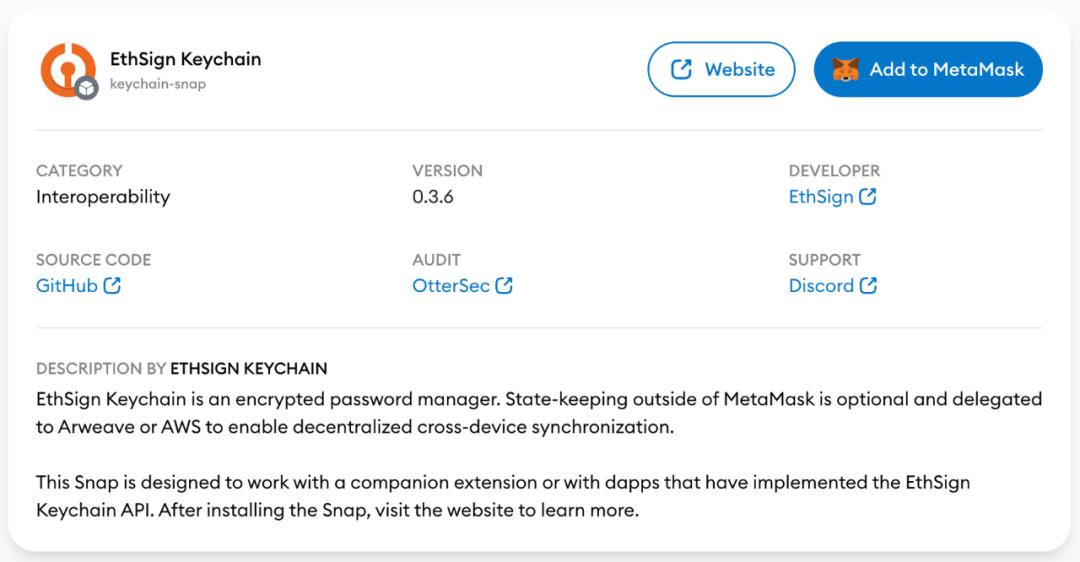
Snaps are closely tied to developers. With open APIs, what’s the actual developer experience like? Let’s build one ourselves to find out.
Building a Test Snap from Scratch
Clarifying the Concept
It’s widely known that most users rarely understand the true nature of the smart contracts they interact with. Key concerns include:
-
Whether the contract is a phishing scam
-
Whether the contract is upgradeable
-
Whether the contract is newly deployed with little community validation
-
Whether the contract source code is open-sourced
For average users, reading Solidity code before every transaction is unrealistic. This is where Transaction Insights shine—ideal for implementing smart contract analysis, such as using AI to perform basic **security audits, potentially filtering out 80% of simple phishing attacks.**
Setting Up the Development Environment
Download Wallet
First, install MetaMask Flask.
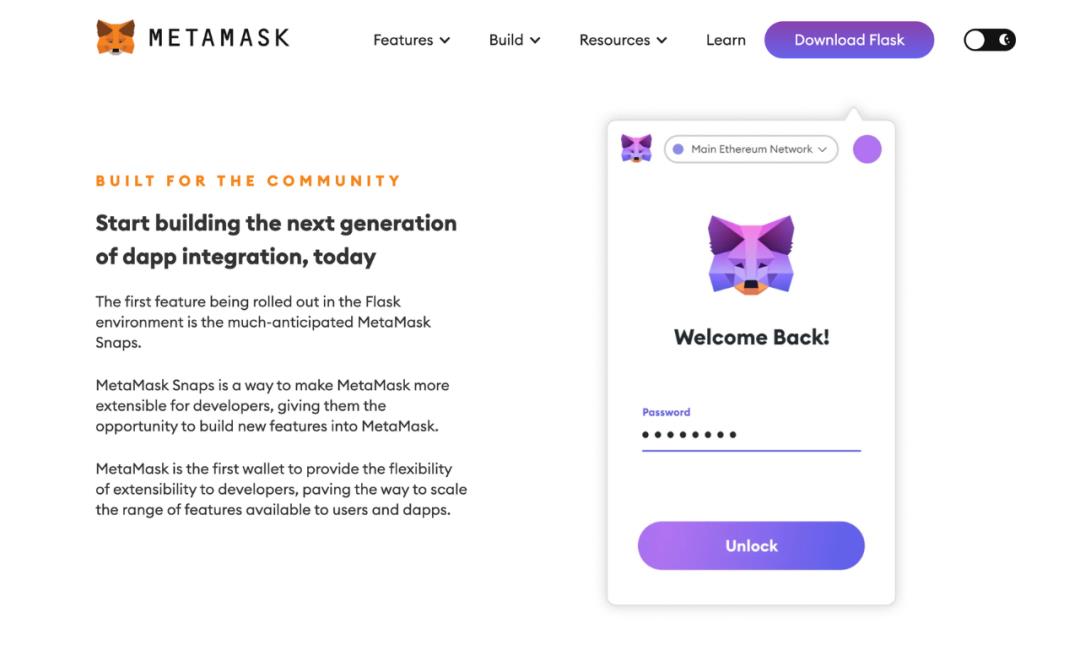
MetaMask Flask is a developer-focused MetaMask extension for previewing and experimenting with new features. Note: This is a developer version; do not use it daily or import your main wallet keys. We use Flask here to enable local, real-time previews of our Snap.
We recommend temporarily disabling MetaMask and other browser wallets, or creating a new Chrome profile to avoid conflicts.
Create Account
After installation, create a new wallet just like setting up regular MetaMask. Note: This should be a dedicated test wallet—do not import your personal accounts.
Next, fund the new wallet with testnet tokens. Faucets provide free test coins. This tutorial uses Goerli, so we’ll focus on that network.
Initialize Snap from Template
Following official docs, use the CLI @metamask/create-snap to generate a new Snap project, initializing with the official template:

Snap File Structure
Main Snap files reside in ./packages/snap. Directory structure:
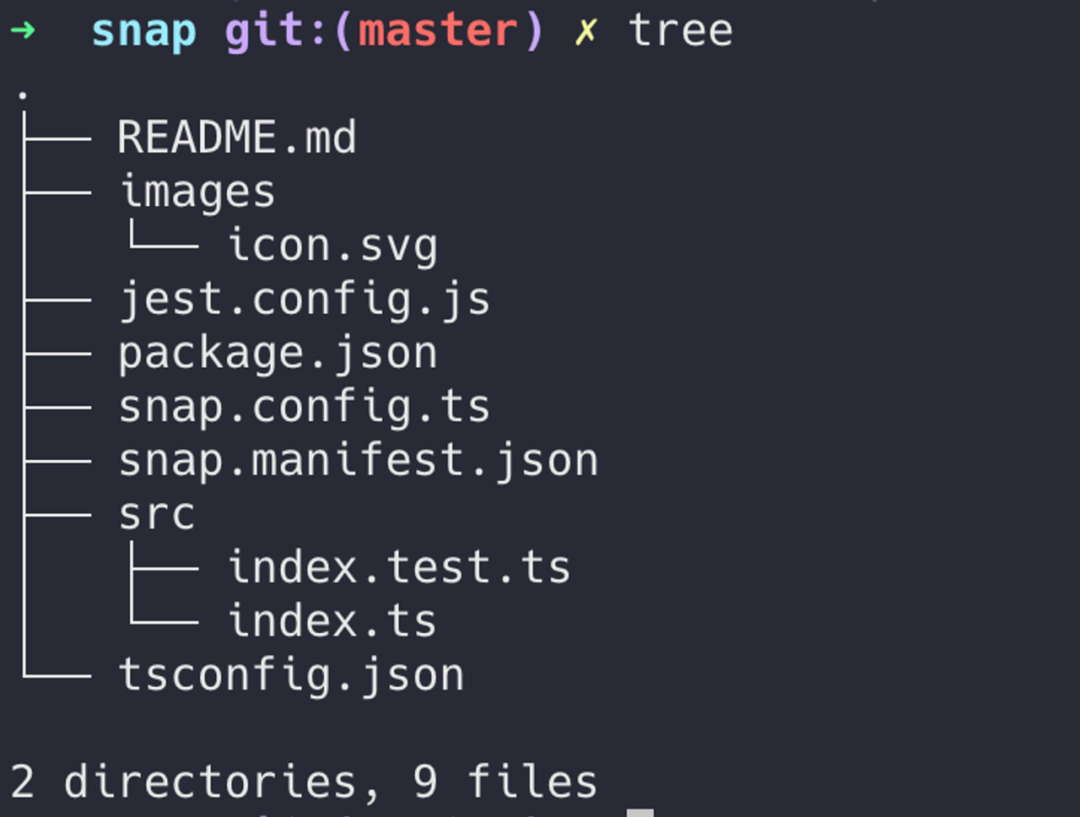
Snap configuration is defined in snap.manifest.json. The core file is ./src/index.ts—notably concise.
Enable Permissions
First, enable required permissions. Add the following three lines in snap.manifest.json:
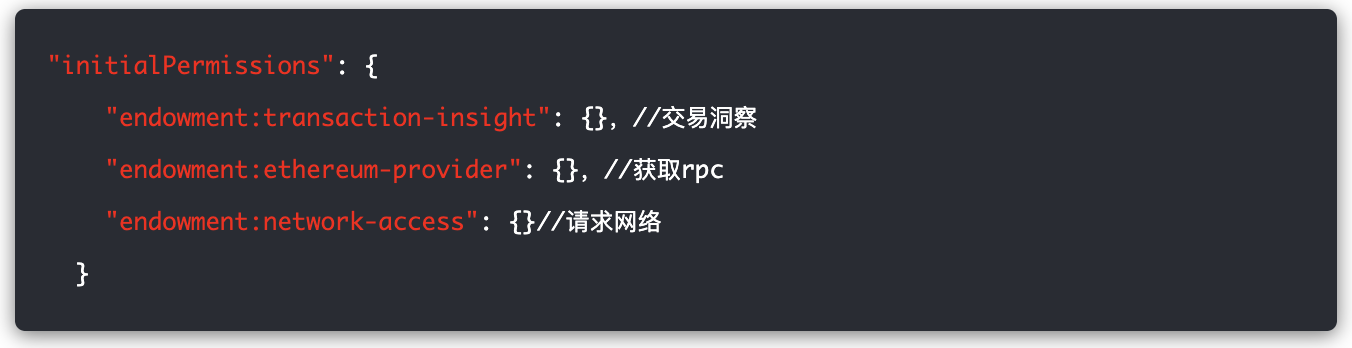
You can also modify description and proposedName in the manifest to change project details and name.
Retrieve Transaction Data
For this demo, modifying index.ts alone completes all functionality. A simplified code snippet is shown below. Full working code: https://github.com/LidamaoHub/insights.
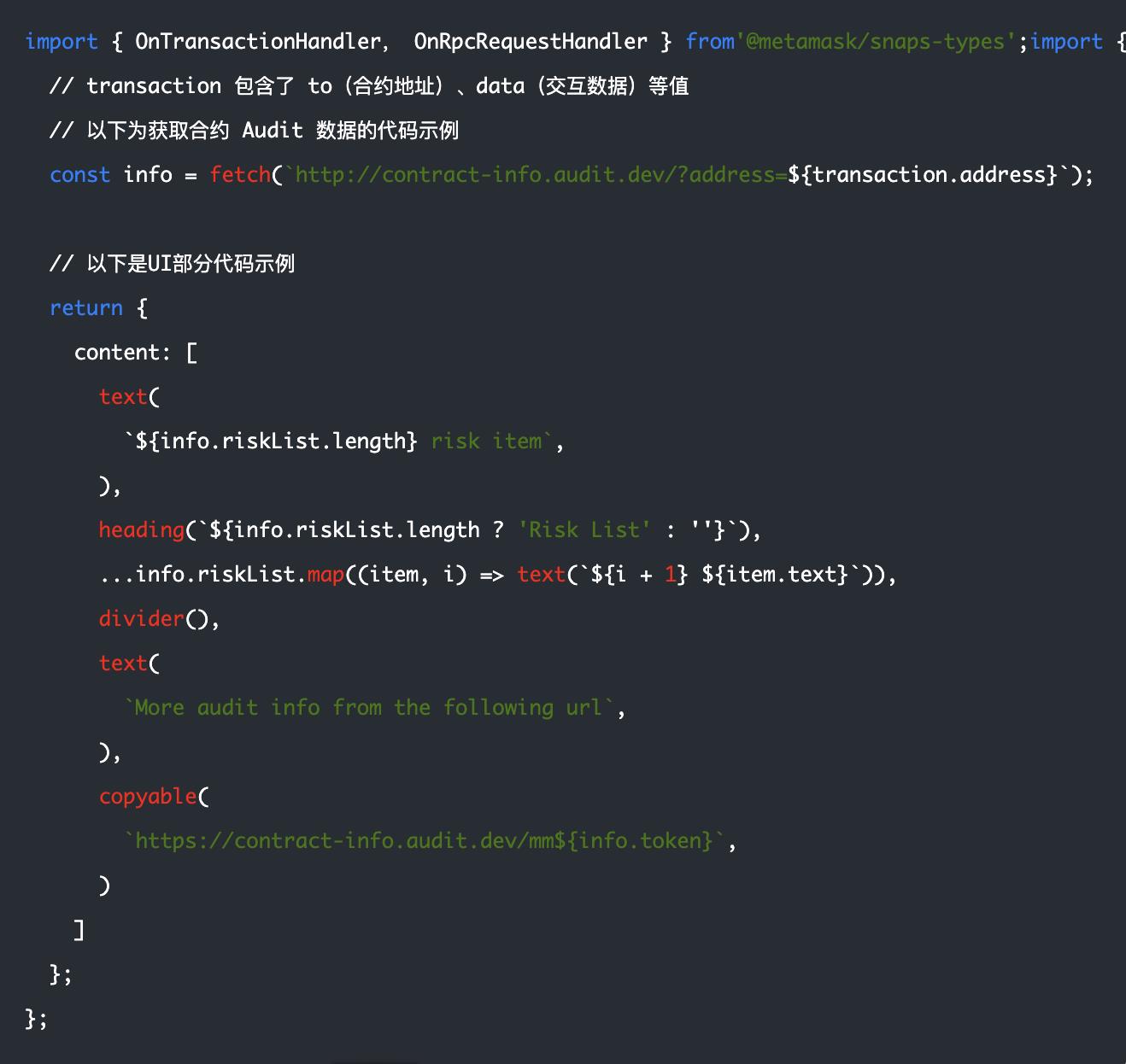
Refer to MetaMask Snap developer documentation for building more complex products.
After installation, each transaction will show similar risk warnings:
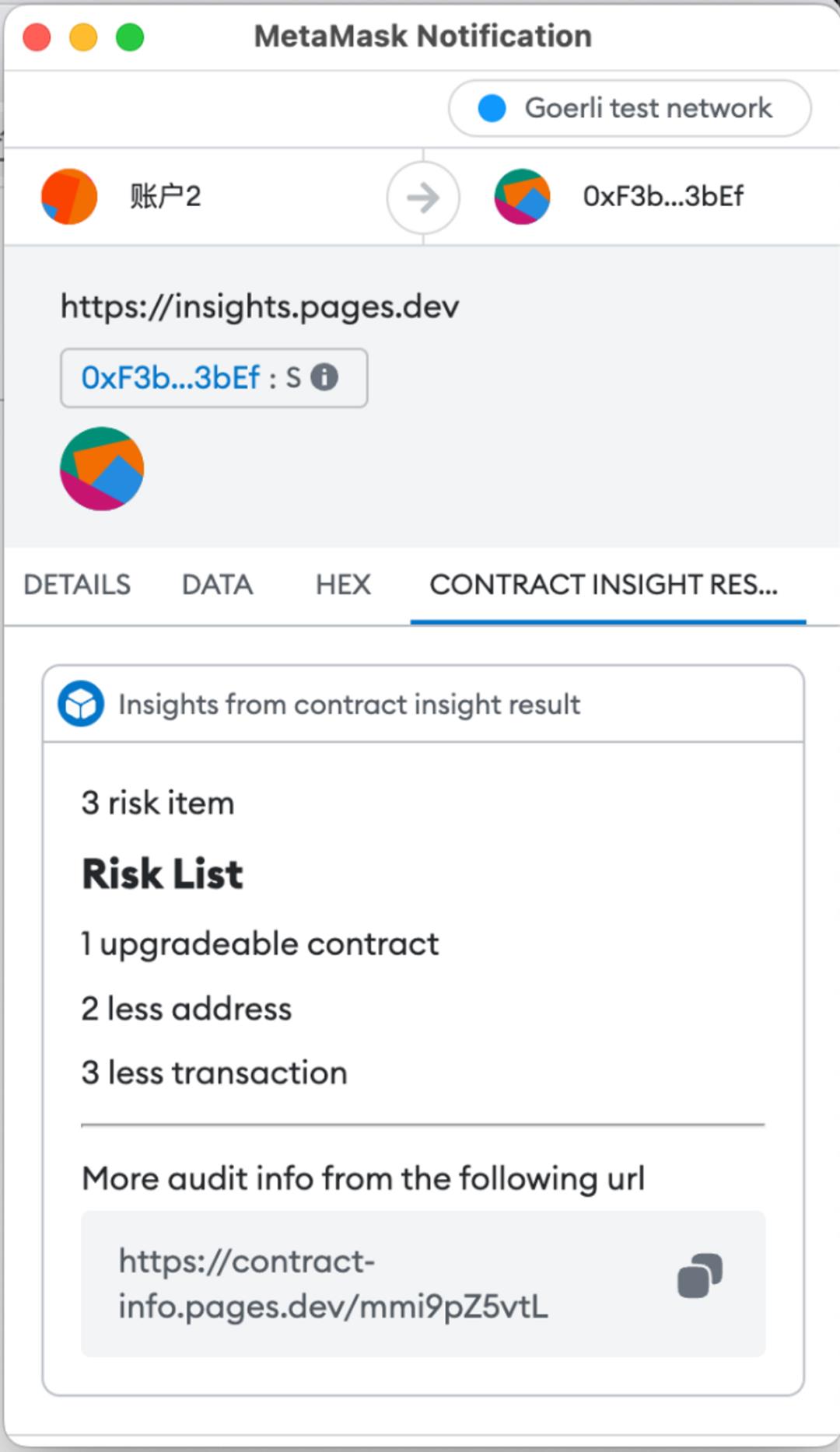
Currently, Snap development offers a smooth experience with minimal issues. Official templates are rich and diverse. Experienced developers can typically start building their desired Snap within hours. However, formal publication and mainstream adoption face a major hurdle: security audits. Not all independent developers or small teams can afford audits. Thus, we shouldn't expect explosive growth in Snap quantity or variety in the near future.
Developer Support
If you’ve successfully run the above example, congratulations—you’re now a qualified beginner Snap developer!
MetaMask officially launched MetaMask Grants DAO last year, funding high-value projects in the MetaMask ecosystem. This employee-led experimental program awards grants to global external developers building impactful experiences on MetaMask. MetaMask allocates part of its quarterly profits to this DAO, with an annual budget of $2.4 million.
Any project enriching the MetaMask ecosystem can apply for MetaMask Grants DAO (MetaMask Grant). Learn more at https://metamaskgrants.org/.
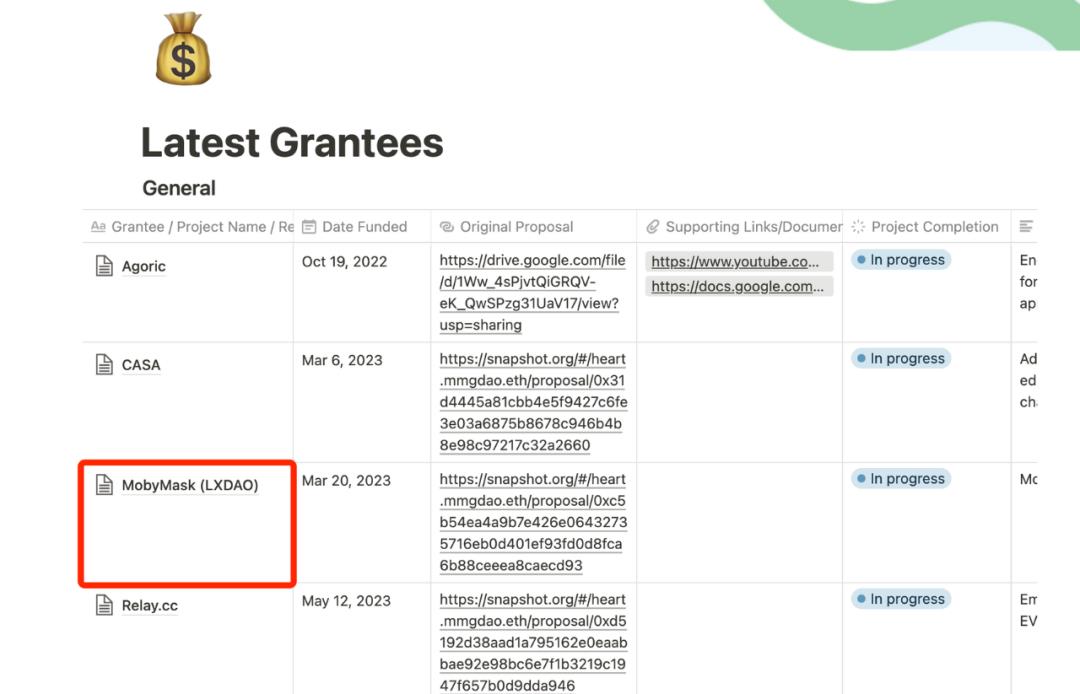
Notably, LXDAO was honored to receive a MetaMask Grant this year and has engaged in related development, establishing direct communication channels. If you're an LXDAO member with ideas, you can efficiently submit applications through them.
Conclusion
We’ve explored from a technical standpoint what Snaps are, their security, capabilities, limitations, and developer experience. Summary:
-
Snaps resemble WeChat Mini Programs, unlocking vast possibilities for MetaMask
-
Overall security is solid, though some risks remain—stay cautious with high-risk permissions
-
Due to security-first design, current capabilities are limited, but still allow creative and valuable Snaps
-
After four years of refinement, developer experience is excellent. However, whitelist mechanisms and audit requirements mean we won’t see an explosion of Snaps soon
MetaMask Snap continues rapid iteration. More permissions and features are expected in the future. We hope for more open yet secure mechanisms—like Apple’s official audit system or centralized code repository versioning—to lower barriers for developers. If improved, demand could surge dramatically, possibly even spawning dedicated Snap developer roles.
Leveraging MetaMask’s massive user base, independent developers may finally get their chance. Let’s wait and see what breakthrough innovations Snaps will bring next.
Finally, thank you for reading—this article helps spread awareness of MetaMask Snap’s current state and progress.
Join TechFlow official community to stay tuned
Telegram:https://t.me/TechFlowDaily
X (Twitter):https://x.com/TechFlowPost
X (Twitter) EN:https://x.com/BlockFlow_News
 @LXDAO_Official