


Unlocking the potential of websites with NFTs
TechFlow Selected TechFlow Selected
Unlocking the potential of websites with NFTs
How to integrate Brand Connect into your website to build your first tokenized application network? (TAPP—the term we internally coined and use)
 Navigating Web3 tides with focused insights
Token Negotiator (Brand Connect) is a new technical product developed by Smart Token Labs based on the TokenScript framework. As a fully open-source NPM package, it enables any website to perform on-chain and off-chain token attestations.
Link: https://www.npmjs.com/package/@tokenscript/token-negotiator
This article aims to demonstrate how to integrate Brand Connect into a website to build your first tokenized application network (TAPP—a term we internally coined). Throughout this process, we'll use the widely adopted React library to illustrate how tokens can enable user experiences and interactions across different networks.
To ensure you gain maximum value from this article, let’s begin with a Q&A format to introduce some fundamental concepts and technical terms.
What is a token?
All tokens referenced in this article refer to NFTs (non-fungible tokens issued on blockchains) or cryptographically created, non-fungible tokens (assets primarily stored in device memory, email, or web storage protocols).
These types of tokens can represent anything digital—car keys, concert tickets, artwork, or your identity (DID). The possibilities extend far beyond these examples and are still being explored.
What is a tokenized web?
A tokenized web is an innovative concept that centers the user experience around tokens.
What is attestation?
Attestation refers to evidence or proof of something. For example, at an airport, you must present a valid passport and ticket to prove your eligibility to board a flight. The same concept applies in a tokenized web: ownership of a token can be verified via attestation before enabling further actions.
Why consider using tokens?
Tokens are not limited by specific use cases or centralized services.
Tokens can be authenticated and used anywhere.
Tokens provide decentralized security and privacy models.
Compared to centralized services, tokens give users greater control.
By adopting tokens, a new form of internet emerges—one where user interactions have reduced friction and easier access to services.
Are there alternatives?
Traditional web services (commonly known as Web 2.0) offer various methods to achieve solutions similar to what tokens can do (e.g., creating verifiable credentials usable across domains), but what we reveal in this article will expand your imagination toward a new paradigm—one with far greater potential and capabilities than today’s existing web.
What are the risks of using (or not using) tokens?
The tokenized web is a relatively new concept, and much remains to be learned and built to fully understand its potential and associated risks.
So far, we've found that using tokens presents lower risk for users who want to secure their credentials and for enterprises seeking robust, flexible solutions.
What are the benefits?
For businesses, NFT collections can unlock access to entirely new audiences previously unreachable.
For users, the same tokens can be reused across multiple applications, reducing friction caused by repeatedly granting access to online services.
For developers, tokens open the door to building novel applications where token ownership becomes a foundational building block for new user experiences.
Alright, let’s get started!
First, create a new React app using the following command:
npx create-react-app my-app
Once completed, change into the directory:
cd my-app
Then run:
npm run start
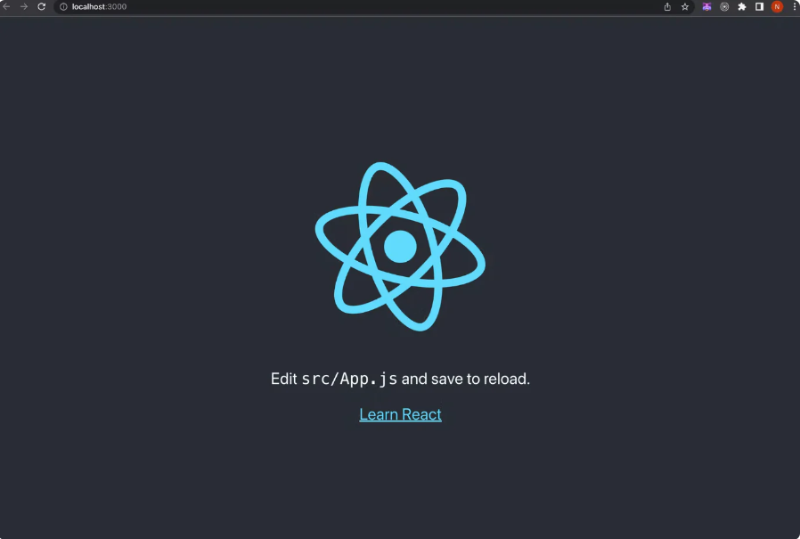
You should now see the default React welcome screen:
Next, install Token Negotiator (Brand Connector) using the following command:
npm i @tokenscript/token-negotiator
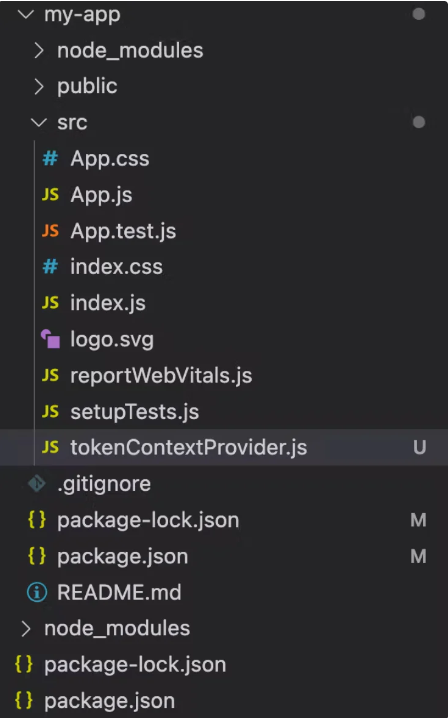
“tokenContextProvider.js” as shown in the application directory below.
After installation, you can begin loading tokens onto the page. Next, create a script named "tokenContextProvider.js" in your project directory as shown below:
In this file, we’ll configure the library using React's ContextProvider API to pass tokens down to components via props.
Add the following content to the newly created file:
Sorry, please check the original link for code.
Change the contract address '0x264...' and chain 'rinkeby' to match the smart contract address and network location of your NFT. If you don’t own an NFT, there are many ways to mint one on a testnet—some require coding, others don’t, such as OpenSea.
issuers: [
{
collectionID: "demo-tokens",
contract: '0x26472AA24D795AbcB687bddb44d733ef55Ebdf09',
chain: 'rinkeby'
}
]
Once you hold an NFT and have configured Token Negotiator, we need to make four changes to allow the library to read the user’s tokens.
Next, make the following updates in "App.js": import the library and inject a marker overlay component within the class element "overlay-tn".
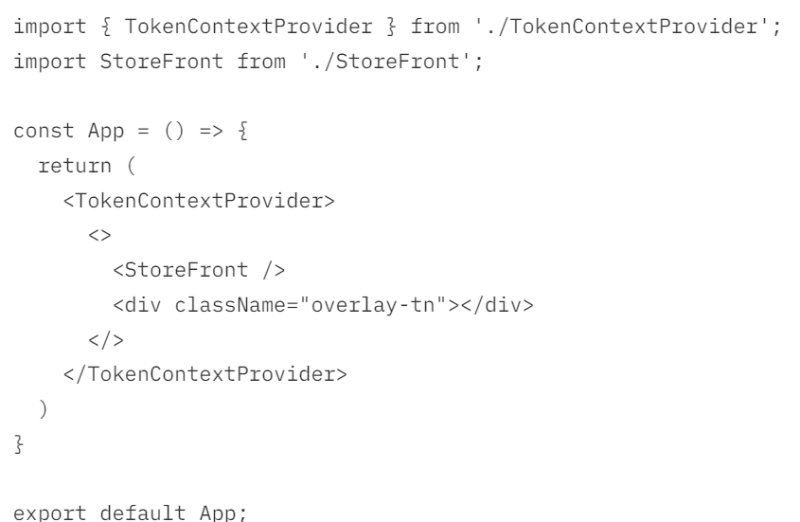
After that, create a new component called "StoreFront.js" to display a list of products for sale.
Sorry, please check the original link for code.
Finally, create a new component named "StoreItem.js" to display data for each store product.
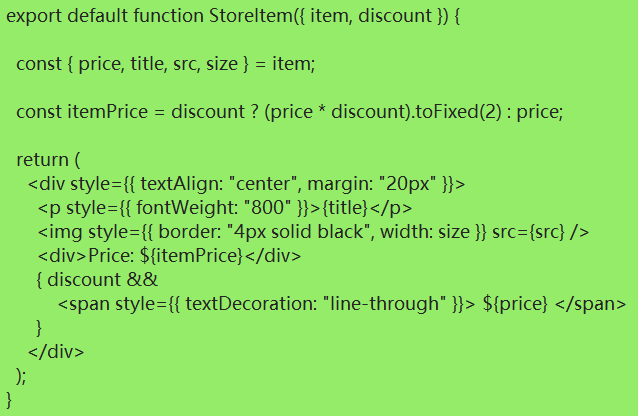
Configuration step: Adjustments based on Create-React-App / webpack 5, or skip ahead using our completed version.
In webpack version 5, Node.js polyfills are no longer provided by default and must be explicitly imported by developers. This affects many projects, including Create-React-App. Fortunately, here’s a solution:
https://www.alchemy.com/blog/how-to-polyfill-node-core-modules-in-webpack-5?ref=hackernoon.com
Alternatively, if you prefer to skip this step, proceed directly to the complete example code available at the link below:
https://github.com/TokenScript/token-negotiator-examples/tree/main/art-gallery-medium-article-website?ref=hackernoon.com
Great! Now that configuration is complete, let’s test the application. Run the following command in your project directory:
npm run start
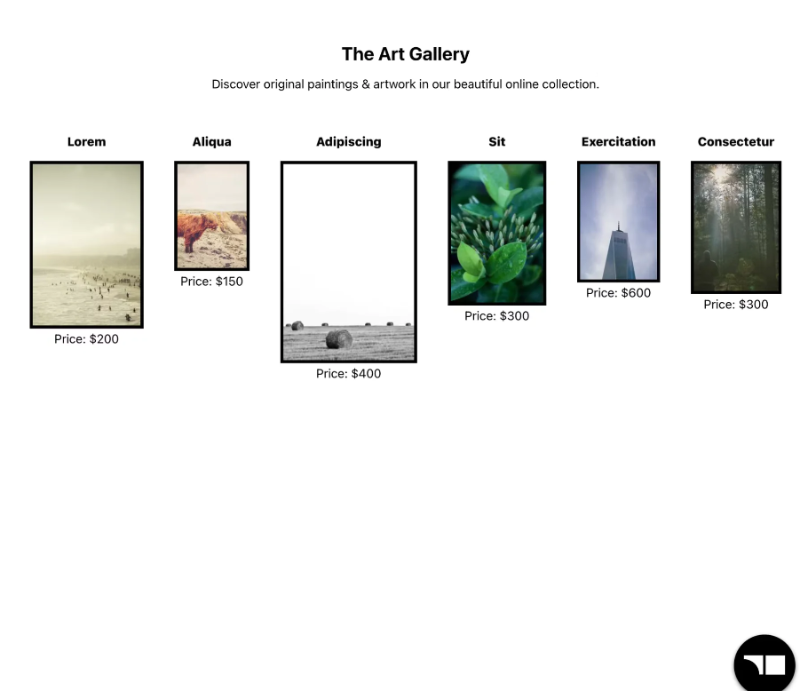
1. When clicking the Token Negotiator component’s FAB button, it displays all configuration details required for token usage.
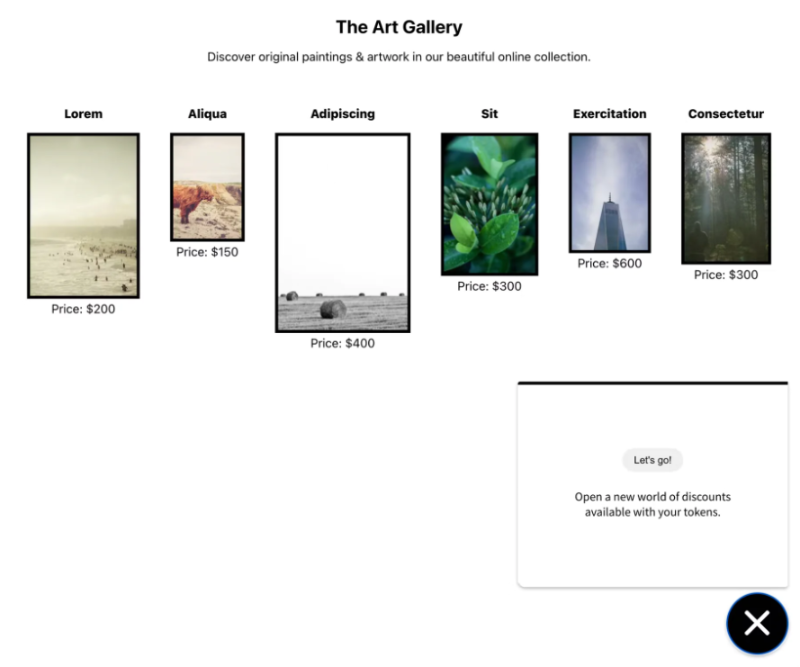
2. Next, end users will need to connect their wallet to locate their tokens.
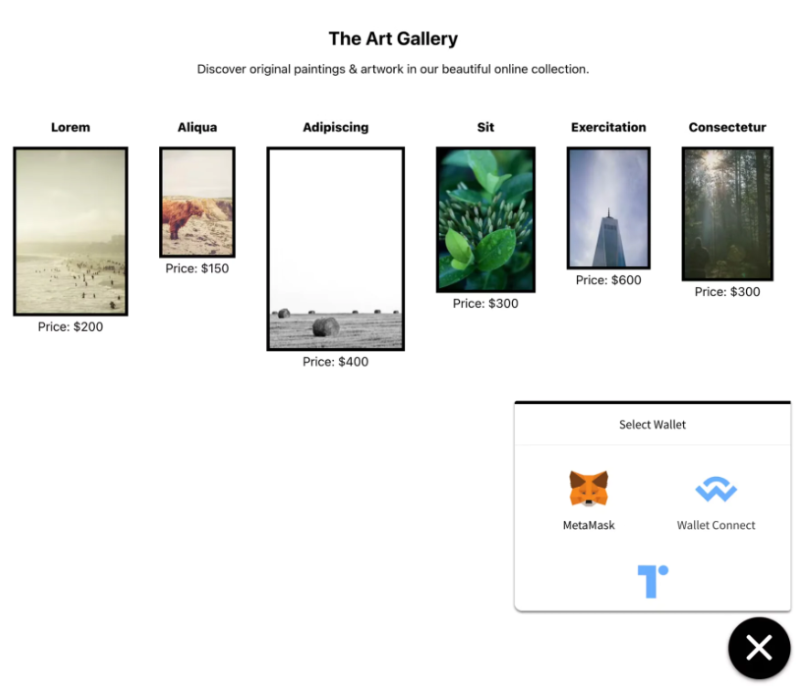
3. Users can then choose which token collections to load into the website. In this example, only one collection is used. In real-world scenarios, you may include several different functional token sets, enabling diverse features directly within the user’s web experience.
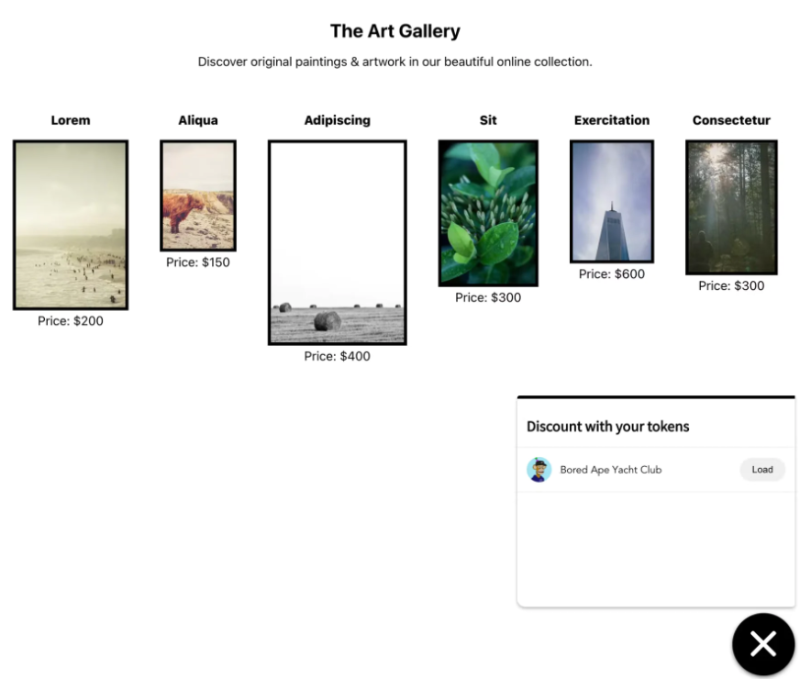
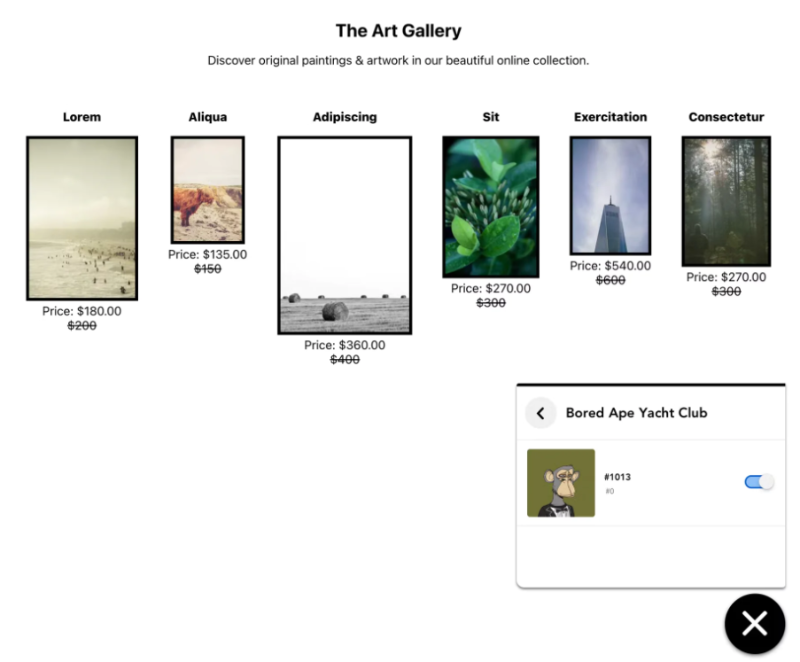
4. Now, end users can load their tokens onto the website to enjoy discounts. This technology can be used by websites to offer special services to holders of specific token series.
In summary
In this article, we demonstrated how to install Token Negotiator (Brand Connect) in a React JS project, enabling owners of specific NFT collections to unlock discounts or other exclusive services.
We hope this article has inspired you and shown how TokenScript’s technological framework empowers tokens with limitless possibilities.
"TokenScript will set a new standard for token composability in the future of Web3, where tokens are as ubiquitous as web pages, serving as primary objects for ownership, identity, and interaction." -- CTO Weiwu
Thank you for reading
Our vision is to build open-source technology to create a better web for everyone.
Please feel free to share your feedback and thoughts below. We’ll soon publish another article explaining the use of off-chain tokens—cryptographically designed tokens that don’t require blockchain knowledge to use.
Related Links:
Join TechFlow official community to stay tuned
Telegram:https://t.me/TechFlowDaily
X (Twitter):https://x.com/TechFlowPost
X (Twitter) EN:https://x.com/BlockFlow_News
 Smart Token Labs 中文爱好者