Clawdbot—the “Greatest AI Application to Date”—May Not Be for You
TechFlow Selected TechFlow Selected
Clawdbot—the “Greatest AI Application to Date”—May Not Be for You
AI employees are wonderful, but they remain “dangerous” at this stage.
 Navigating Web3 tides with focused insights
Author: Zhang Yongyi
Over the past weekend—48 hours—you may have inadvertently missed a viral AI Agent product: Clawdbot. If you were still immersed in Claude Code’s various “Skill” features, you likely missed it entirely. Countless AI influencers and bloggers overseas have hailed it as:
“The greatest AI application to date.”
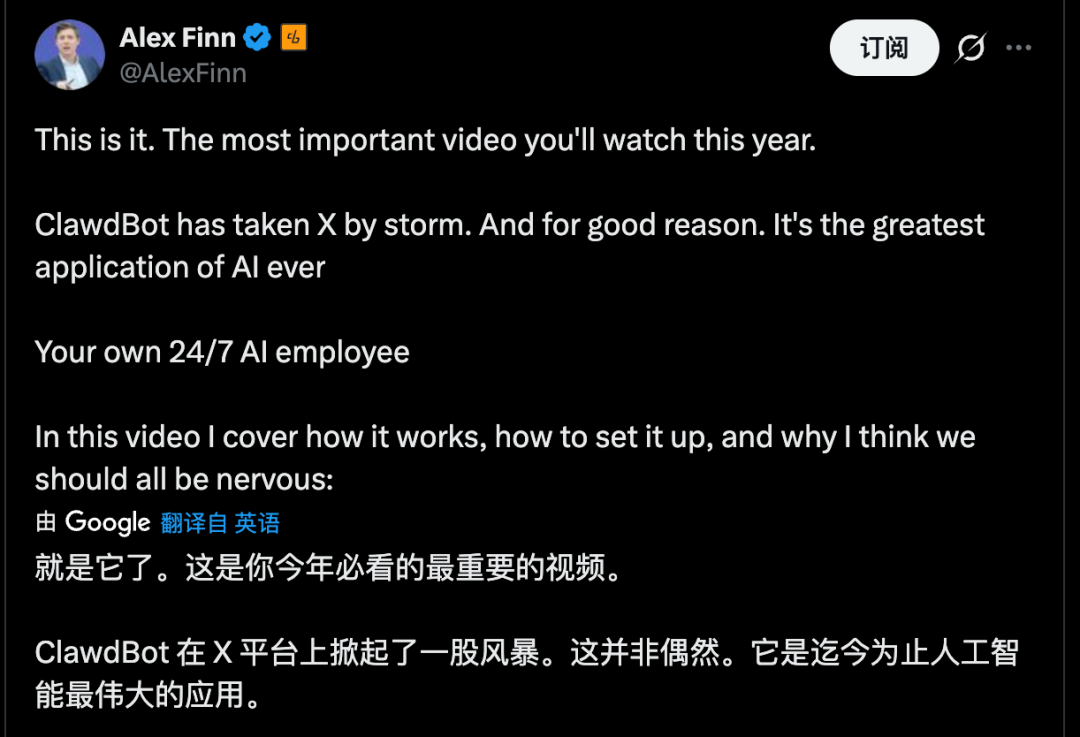
Clawdbot truly qualifies as a phenomenon. Numerous industry peers and tech leaders enthusiastically recommended it—even purchasing Mac mini units specifically for it, including the Product Lead of Google AI Studio. Since its explosive rise, Clawdbot has become tightly coupled with the Mac mini hardware, forming an iconic, breakout combo.

That Google AI Studio’s Product Lead would proactively endorse Apple hardware speaks volumes about Clawdbot’s appeal. | Image source: X
But don’t misunderstand—this article isn’t here to promote the product. Quite the opposite: it aims to ease your anxiety. You haven’t missed anything critical—because at this stage, Clawdbot remains nothing more than a “geek toy.”
01 What is Clawdbot?
Clawdbot is an open-source, locally-run AI agent project built by Peter Steinberger and the community. Its mascot? A lobster.
Compared to previous local open-source AI projects, Clawdbot does two key things:
First, it provides a set of “hands-on” tools—browser control, shell execution, file reading/writing, scheduled tasks, canvas drawing, etc.—so model outputs translate directly into actions.
Second, it implements a gateway, integrating messaging platforms like WhatsApp, Slack, Discord, Signal, iMessage, and Microsoft Teams. You can remotely command your computer from any familiar chat interface.
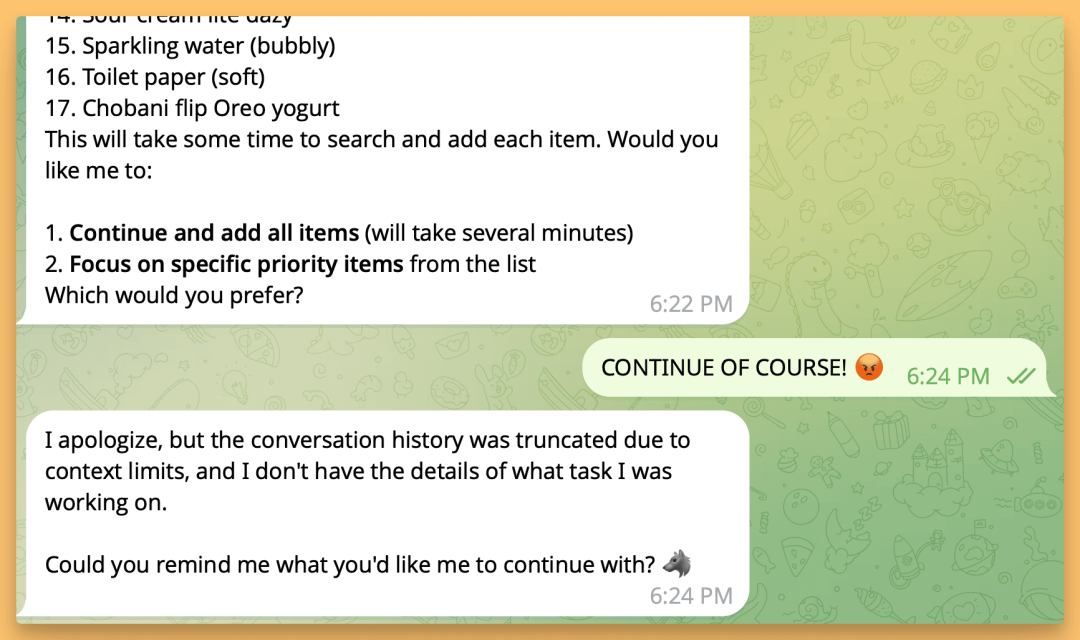
High-privilege device control via natural conversation—enabling near-total task automation—is Clawdbot’s core selling point. | Image source: X
Clawdbot’s concept isn’t complicated—but the real bottleneck lies in hardware requirements: it needs a machine running 24/7, compatible with macOS, Linux, or Windows (via WSL2). The core idea is simple: all configuration and memory reside on your local disk; model inference occurs only when needed.
In short: it’s a “permanently resident AI agent on your PC + a centralized chat-based control hub.” That explains its sudden virality: the long-held Jarvis fantasy has become something you can download, run, and tinker with.
02 What Can It Do?
I personally tested Clawdbot over the weekend. Installation was relatively straightforward—but the real complexity lay in configuration: tailoring Clawdbot to your specific workflow. It also demands extremely high system permissions—a fact that outright precludes using it on personal devices containing sensitive data.
Yet, once granted appropriate permissions, the experience begins to feel genuinely sci-fi: for instance, automating home router reconfiguration, deploying sync services, setting up URL shorteners, or even handing over your desktop folder to rebuild an entire website—all done via chat. It feels like assigning tasks to a remote, online “AI employee.”
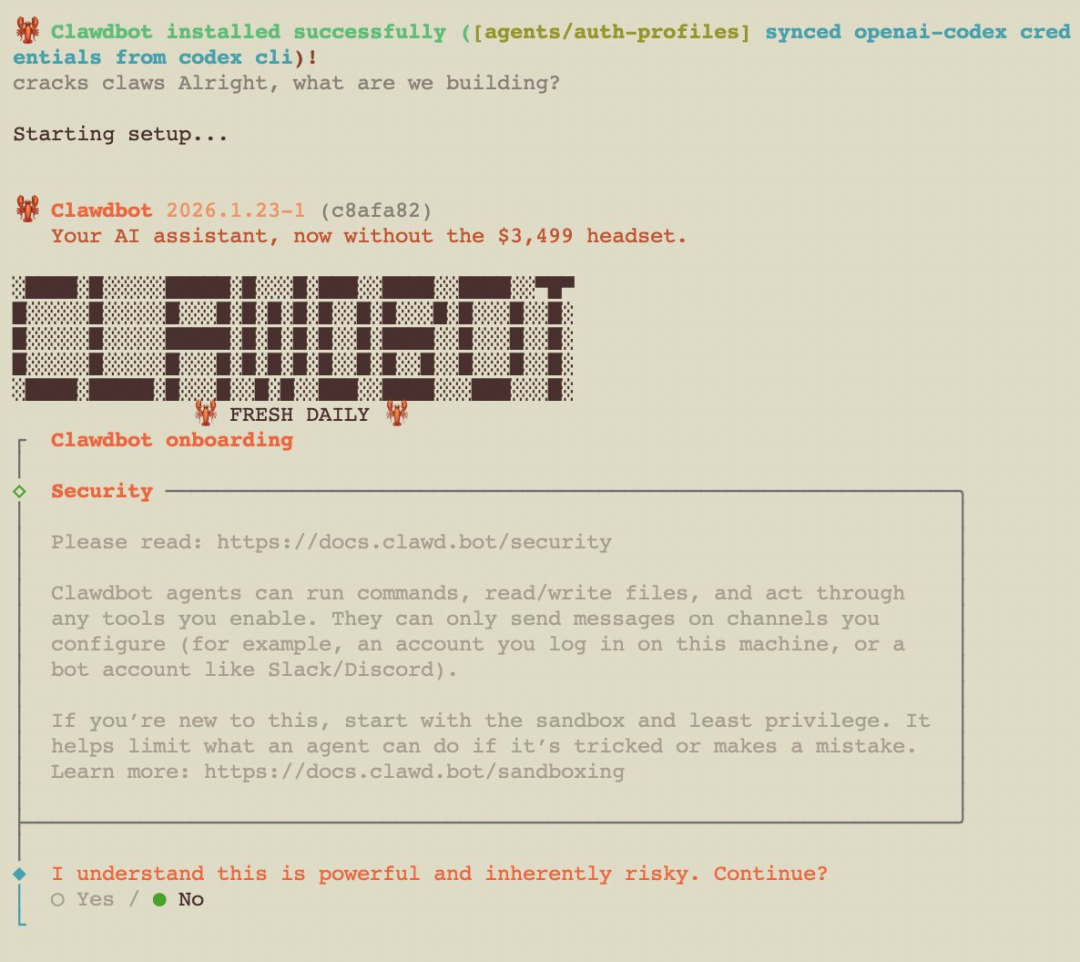
High “delegation” means users must entrust more personal information and device permissions. | Image source: X
Its radically different user experience—compared to prior AI agents—stems from one fundamental distinction: most AI tools answer questions; Clawdbot actually *does* work for you—even if imperfectly.
Clawdbot ships with built-in tools: browser control, canvas drawing, scheduled tasks, etc. It browses web pages, fills forms, reads/writes files, executes shell commands. Crucially, it supports multi-channel integration—WhatsApp, Slack, Discord, Signal, iMessage, and Teams—letting you remotely control your computer through any of these apps.
Once these “hands-on” capabilities are seamlessly integrated, creative use cases multiply—for example:
Send: “Extract all dates from that contract and format them into a table.” It locates the file, parses content, structures the data, and delivers the result.
Send: “Run tests on this code; fix errors if they occur.” It pulls the code, opens VS Code, runs tests, edits code, and re-runs tests.
Send: “Draft and send this week’s report, then create a new ‘retrospective’ project in Todoist.” It auto-generates scripts, configures cron jobs, and fully executes the workflow.
None of these steps alone is mysterious—but what *is* remarkable is how it stitches together command-line interfaces, browsers, folders, and chat windows into a single pipeline. Your effort shifts from “operating” to “describing.”
You issue instructions via chat; Clawdbot reads/writes files, launches browsers, runs commands, and automates workflows on your machine. You type a sentence on your phone—and it completes the task remotely, like a virtual desktop, but with a thinking model in the middle.
03 Why Is Everyone Buying Mac mini?
Many deploy Clawdbot on a dedicated Mac mini, treating it as an “always-on AI assistant.”
Mac mini is preferred because Clawdbot’s GUI operations currently work only on macOS.
One user described monitoring Claude coding sessions via Clawdbot—automatically pulling code, launching VS Code, running tests, generating fixes, and committing changes. Another claimed to “rebuild their entire website while lying in bed watching TV”—all via conversational commands.
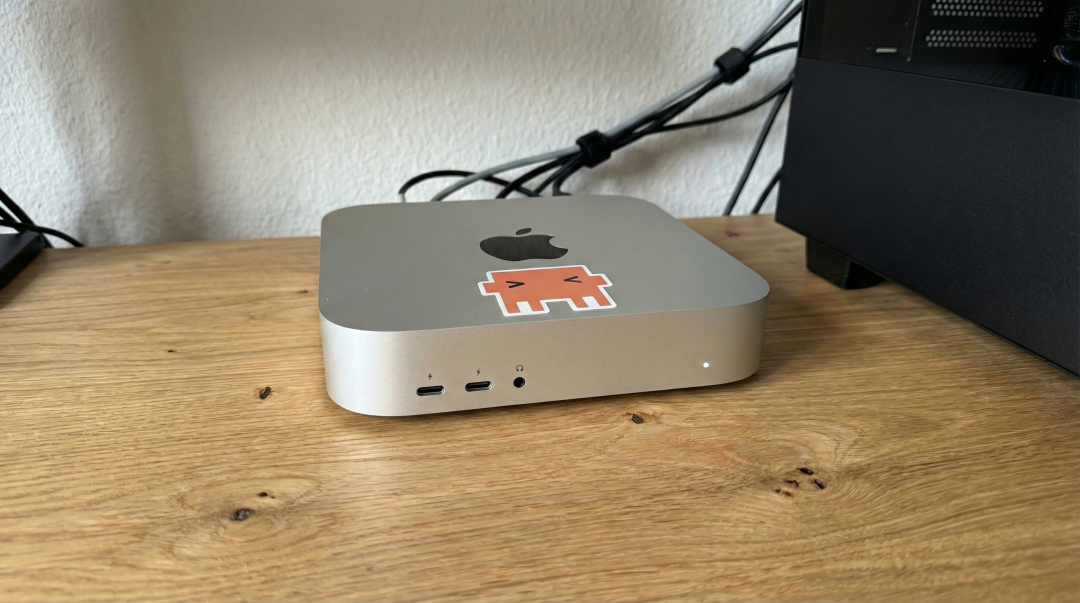
Clawdbot has turned the Mac mini into the latest fashion statement in the AI Agent space. | Image source: X
The logic behind this is straightforward: Clawdbot needs persistent uptime. The Mac mini is affordable, quiet, energy-efficient—and ideal as a home server.
Moreover, it demands exceptionally high privileges. Using it alongside daily personal data poses serious security risks. Hence, many experts opt for a dedicated machine—effectively isolating risk within a controlled, contained environment.
It can automate virtually anything you do on your computer. The more powerful it becomes, the more essential isolation becomes.
Of course, some go overboard: stacking multiple Mac minis on desks, wiring in Raspberry Pis—creating makeshift data centers. More level-headed community advice recommends starting with an idle PC—or even a $5/month VPS.
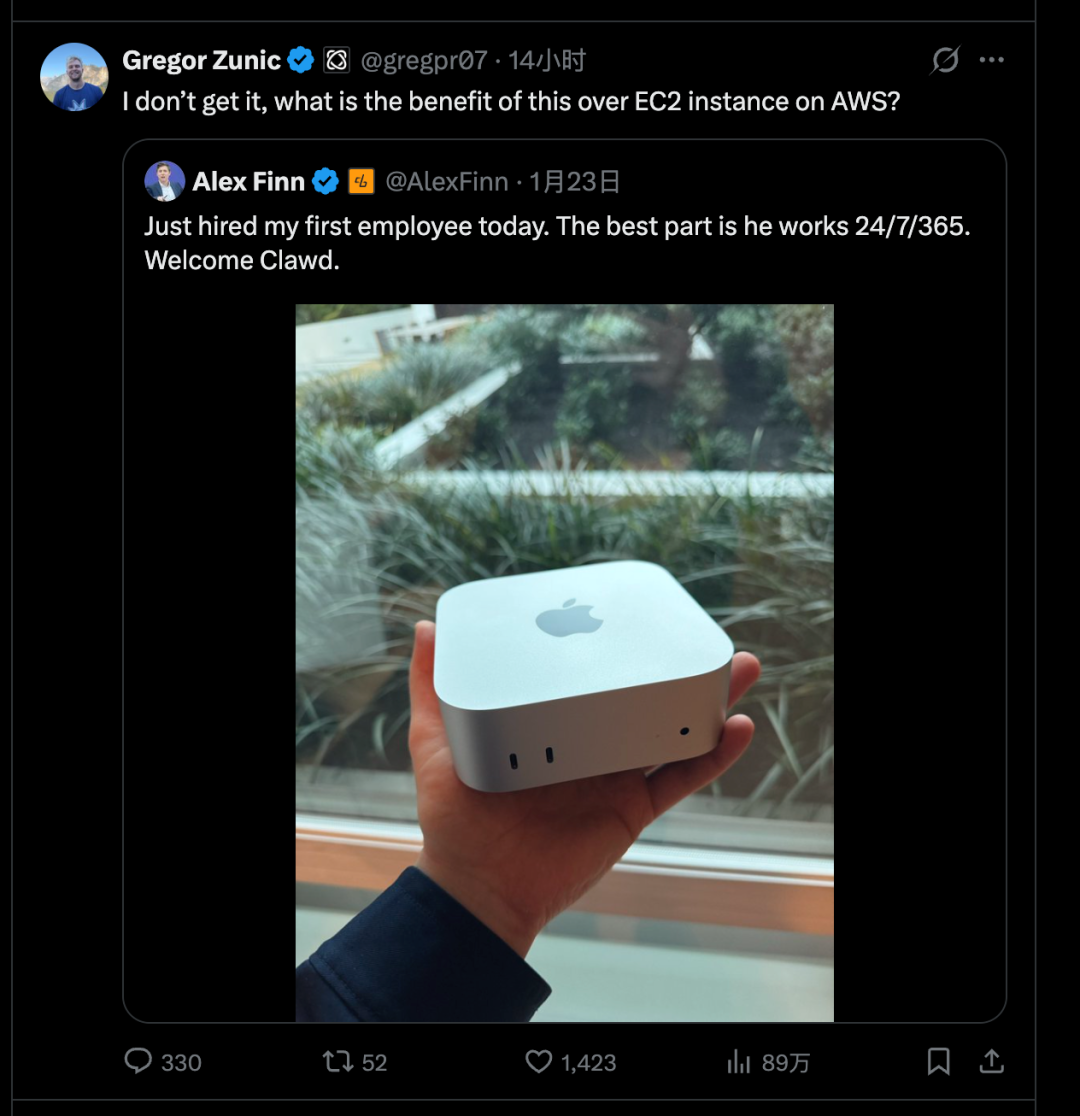
Many users have since realized: renting a cloud server may be Clawdbot’s optimal home. | Image source: X
In other words, the Mac mini isn’t a prerequisite. Whether you buy hardware depends solely on where you’re willing to grant “maximum privileges.”
Ultimately, the Mac mini is simply the community’s default choice among hardcore enthusiasts. Officially, Clawdbot strongly recommends pairing it with an Anthropic Pro or Max subscription and Claude Opus 4.5—for superior long-context handling and prompt injection protection. However, Anthropic recently restricted Claude Code OAuth tokens to internal use only, disabling external API access. Users now need a separate Anthropic API key to function properly.
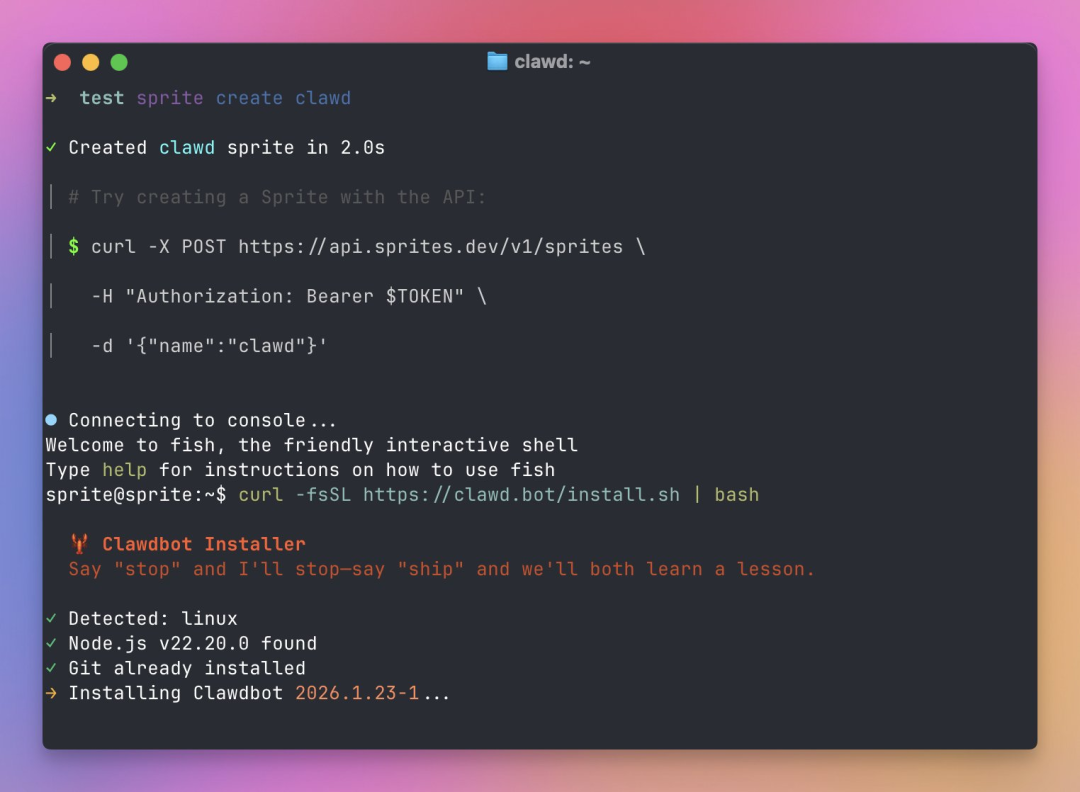
Conversational interaction—the primary UX—is both its biggest strength and its hidden vulnerability. | Image source: X
04 Greater Power, Greater Risk
But the most critical “caveats” are embedded right in the product’s architecture.
Clawdbot’s capabilities rest entirely on permission grants. It can send emails, modify configurations, and execute scripts—meaning that if it misinterprets instructions, falls victim to prompt injection, or gets misled by webpage content, the consequences extend far beyond a wrong answer: they involve real-world operational errors. You cannot meaningfully reduce such risks with a simple “I’ll be careful,” because the root cause lies in the system design itself:
It requires contextual awareness to operate intelligently—yet the more context it ingests, the greater the volume of potentially sensitive information exposed. Some users have already reported Clawdbot accidentally deleting critical photos from their computers.
It needs tool execution to deliver utility—yet the more powerful those tools, the broader the potential damage from missteps. Risks include password leaks and other severe security breaches. Meanwhile, it requires internet connectivity to close workflow loops—the more connected it is, the more entry points exist for injection and manipulation.
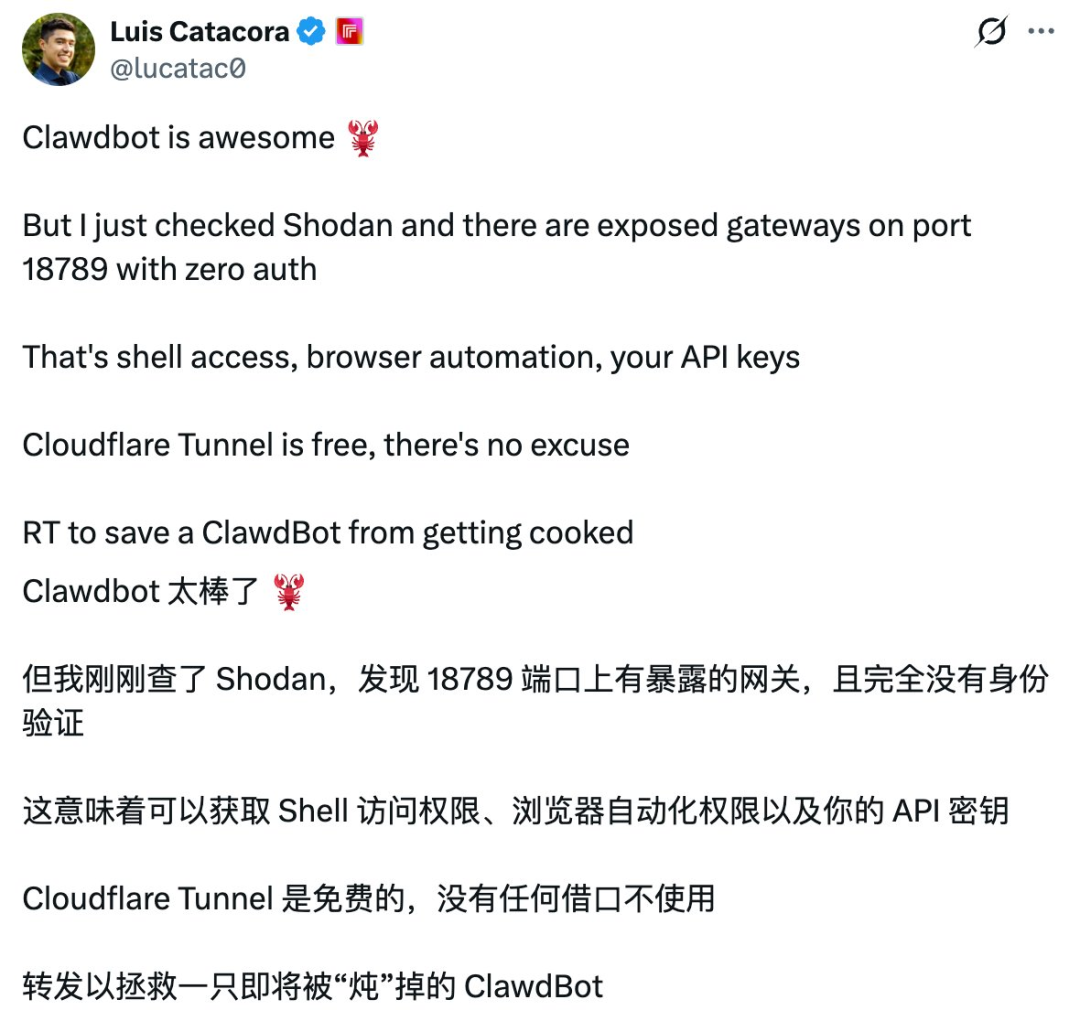
As more users dive deeper, Clawdbot’s vulnerabilities continue surfacing. | Image source: X
This is why—even during early adoption—recommendations like “dedicated hardware deployment,” “least-privilege access,” “double-confirmation for sensitive actions,” and “using one-time credentials for accounts/passwords” appear constantly across Clawdbot communities.
So if you’ve recently seen lots of chatter about it, my advice is: don’t rush to install it—and don’t stress about missing out. The reason is simple: yes, it’s impressive; yes, it lays its risks bare.
Most people’s actual needs haven’t yet reached the point where they’re ready to hand over their entire computer to a model.
It’s undeniably cool—cool enough to force a reevaluation of what “automation” could mean. But it’s also genuinely dangerous—dangerous enough that I’d never recommend deploying it on any production device.
In theory, integrating Feishu isn’t far-fetched either. Once a system can connect to iMessage, Slack, and Teams, integrating a domestic platform like Feishu is merely a matter of time. The real question has never been “Can it integrate?”—but rather, “Who bears responsibility once it does?” Organizational permissions, compliance, auditing, and data boundaries instantly elevate this personal toy to enterprise-system complexity.
You might find this surge sudden—but the rhythm feels familiar.
Last year, around the same time, Manus similarly exploded—its demo videos went viral, the “I’ve handed my job to AI” narrative swept social feeds, and tutorials and group chats multiplied overnight.
The difference? Clawdbot moves the battlefield from cloud-hosted product pages to your own computer.
Memory is no longer just account-specific chat history—it’s often local files, Markdown logs, portable configurations.
Execution no longer relies on “platform-provided actions”—it taps into your local toolchain.
Access isn’t confined to web interfaces—chat apps become universal remotes.
Success isn’t defined by a one-off demo—it’s achieved when you gradually plug your daily life and work routines into its framework.
Precisely because of this, Clawdbot proves more intoxicating than Manus: it sits closer to your OS, closer to your data, and closer to your permissions—perhaps too close.
After 48 hours of hands-on experience, I believe that if you treat Clawdbot as a consumer-grade product promising immediate productivity gains, you’ll likely be disappointed: steep configuration barriers, permission-related anxiety, model subscription costs, and error-related overhead will quickly erode initial enthusiasm.
If instead you view it as a trend indicator, Clawdbot’s value is undeniable: personal AI is evolving—from “answering questions” to “executing tasks,” from “occasional use” to “always-on presence,” and from “application” to “system.”
Future personal computing devices may increasingly resemble “home servers”—instantly awakened by messages—and your primary interface may well be the very chat window you use every day.
You can certainly wait: wait for simpler installation flows, more mature permission models, security middleware becoming standard, and community best practices codified into clear, manual-style documentation. Only then will Clawdbot transition from geek toy to mainstream tool.
Until then, think of it as a highly capable—but occasionally reckless—lobster: capable of getting work done, astonishing in its potential, and best kept safely confined within a box whose consequences you’re prepared to accept.
Join TechFlow official community to stay tuned
Telegram:https://t.me/TechFlowDaily
X (Twitter):https://x.com/TechFlowPost
X (Twitter) EN:https://x.com/BlockFlow_News