Solana Actions and Blinks: An innovative path to revolutionize blockchain interaction, or just a fleeting attempt?
TechFlow Selected TechFlow Selected
Solana Actions and Blinks: An innovative path to revolutionize blockchain interaction, or just a fleeting attempt?
In the world of blockchain and cryptocurrency, user experience is a key factor driving technology adoption and application.
 Navigating Web3 tides with focused insights
By: Teahouse Assistant
In the world of blockchain and cryptocurrency, user experience is a key factor driving technology adoption and application. To this end, Solana Labs has recently partnered with Dialect to launch two tools: Actions and Blinks. These tools aim to seamlessly integrate blockchain operations into every corner of the internet, enabling users to perform various on-chain activities without leaving their current applications.
Specifically, Solana Actions is a set of APIs that allow developers to create blockchain transactions directly from their applications. Users can execute various Web3-native transactions—such as asset transfers, NFT interactions, voting, staking, and tipping content creators—without leaving their current environment. Transactions can be browsed, signed, and sent via client-side buttons, QR codes, or URLs that invoke Actions. The ease of use provided by Actions lowers the barrier to blockchain interaction, eliminating the need for users to navigate complex decentralized applications (DApps) to complete transactions.
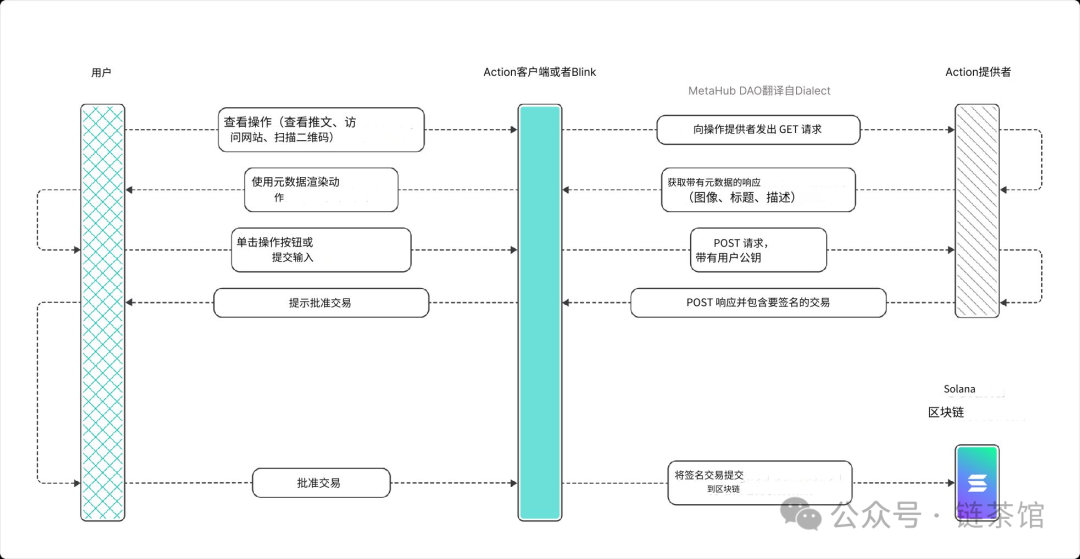
Blinks (Blockchain Links) convert Solana Actions into shareable, metadata-rich links, allowing users to initiate blockchain transactions directly from a URL. This functionality enables on-chain transactions across various platforms—including websites, social media, and even physical QR codes—without switching to a different application. Notably, Blinks can leverage browser extensions, wallets, or bots to display enhanced features and improve user experience. For example, a Blink on a website could trigger a transaction preview within a wallet, enabling users to complete the transaction without ever leaving the site. Popular Solana wallets like Phantom and Backpack already support this feature, with more platforms expected to integrate it soon.
In simple terms, Actions are a standardized API suite for developers on Solana, offering users a convenient tool to control various blockchain transactions. Whether buying tokens, voting, or minting NFTs, users can do everything in one place without opening multiple apps or websites. Blinks, on the other hand, serve as the user-facing frontend that transforms any Solana Action into a shareable link, enabling direct on-chain operations within social media platforms. By integrating plugins with traditional centralized social platforms, we can truly achieve "using Solana anywhere."
To enable these capabilities, Solana has further integrated with various platforms and protocols such as Jupiter, Solflare, and Phantom.
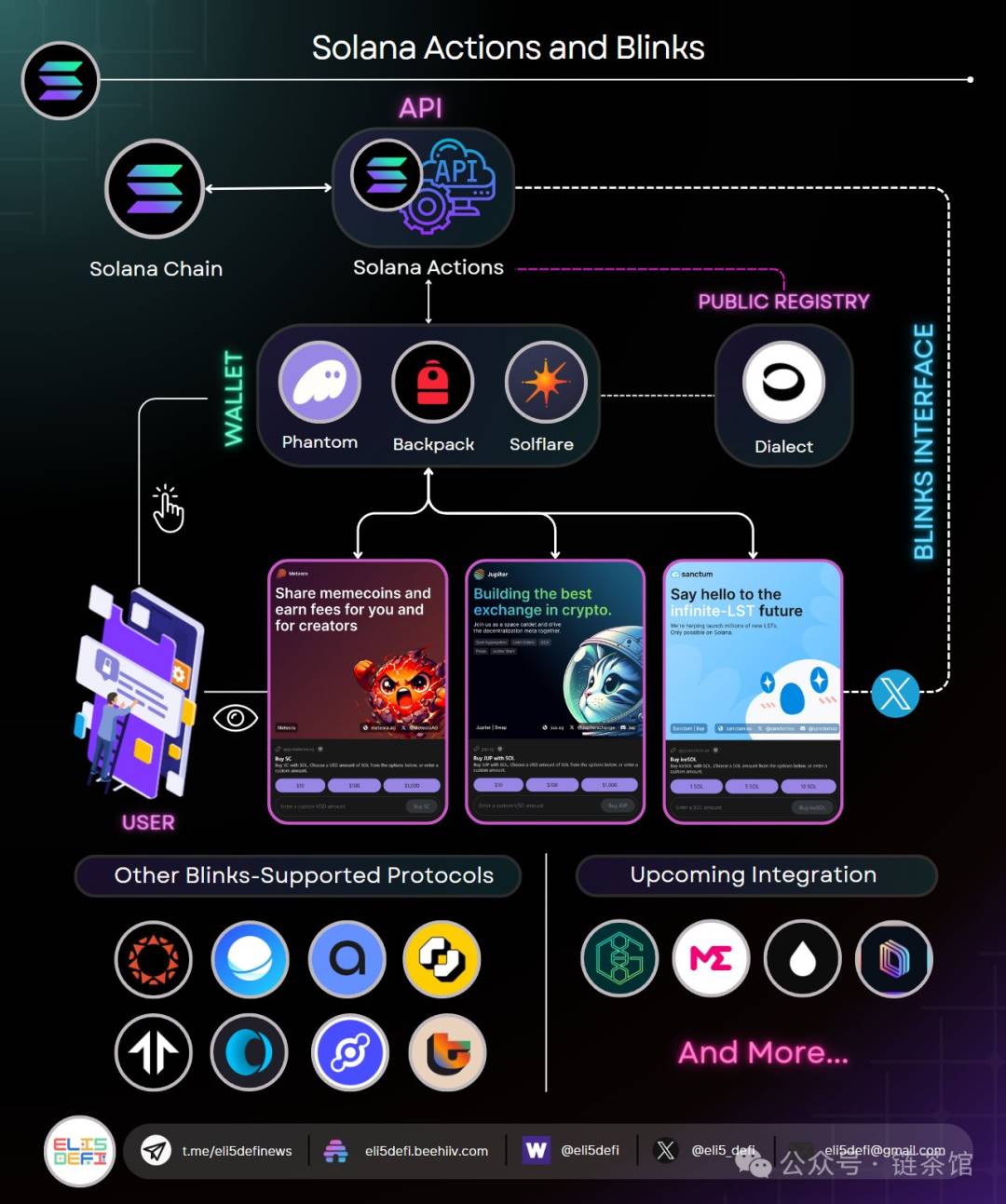
Although Blinks are still in testing, over 50 functionalities have already been integrated. Below are several use case examples:
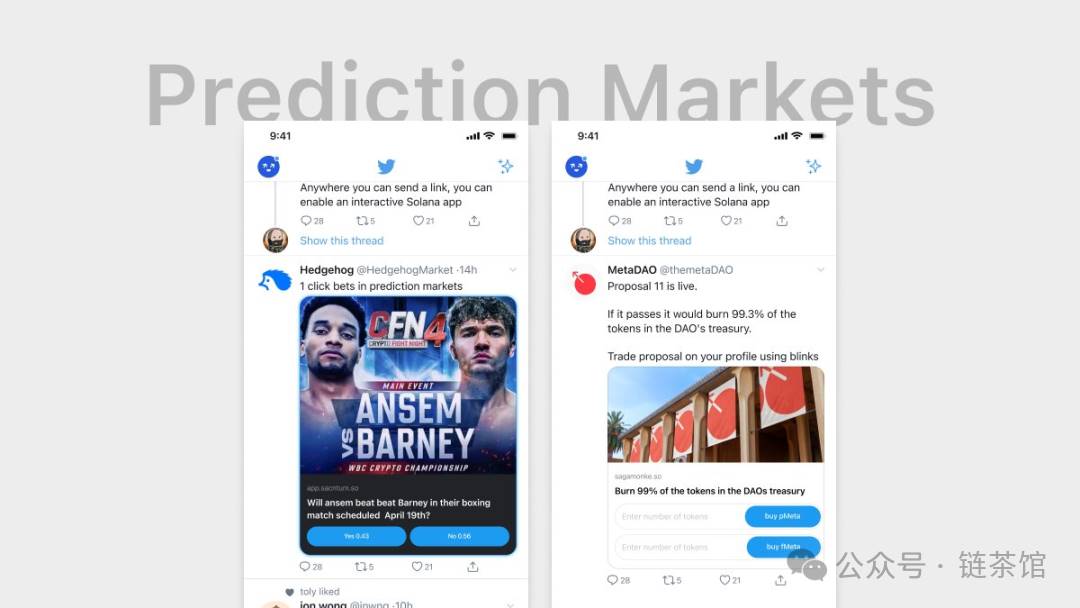
1. Prediction Markets and Voting: Users can directly pay in cryptocurrency on Twitter to bet on sports, predict events, or vote on future proposals.
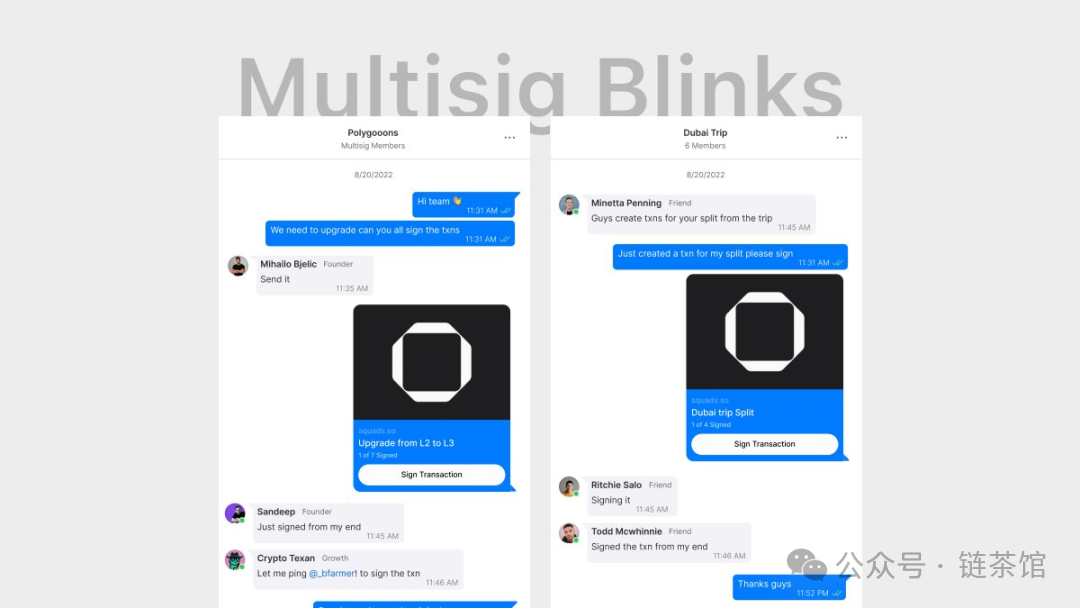
2. Operating Multisig Wallets via Direct Messages: Users can send Blinks links in private messages, allowing other wallet holders to approve transactions.
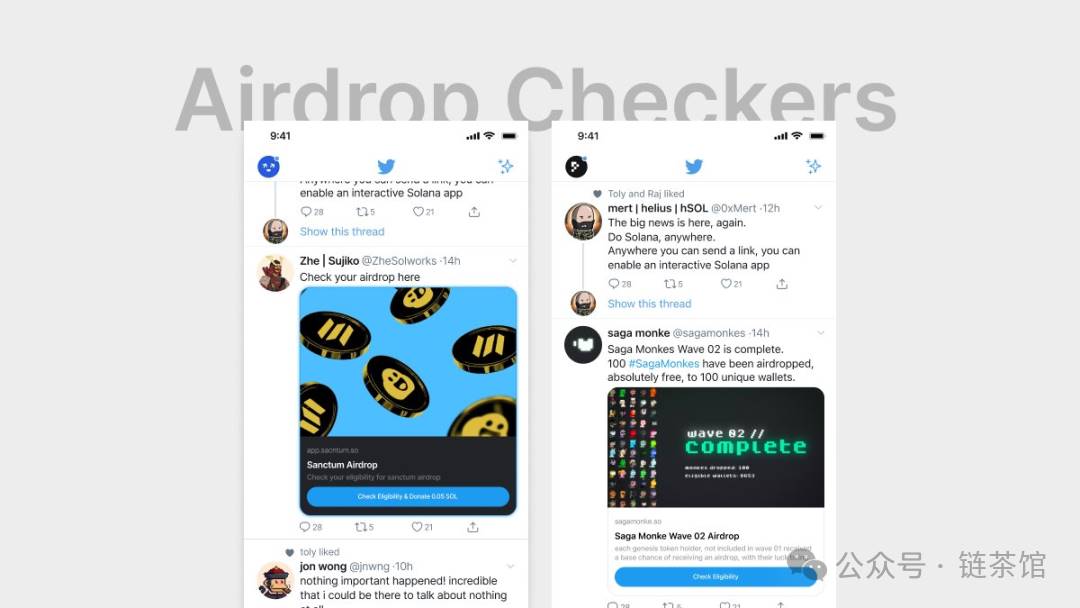
3. Airdrop Checker: Users can check their eligibility for NFT and token airdrops through message signing, paying only a small fee.
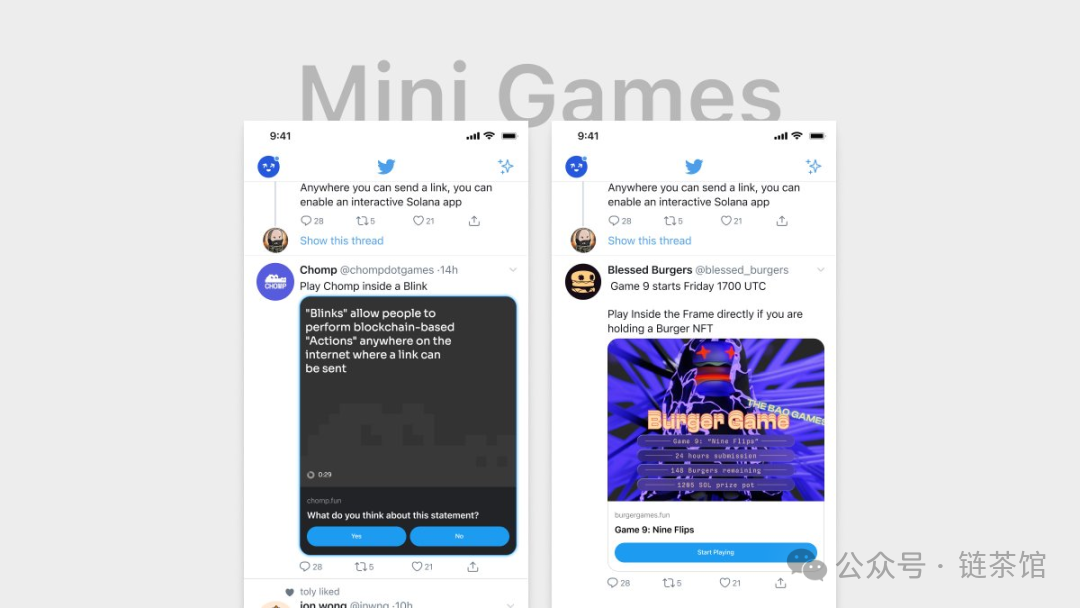
4. Mini-Games: Developers can create interactive mini-games and quizzes, capturing user input via Blinks.
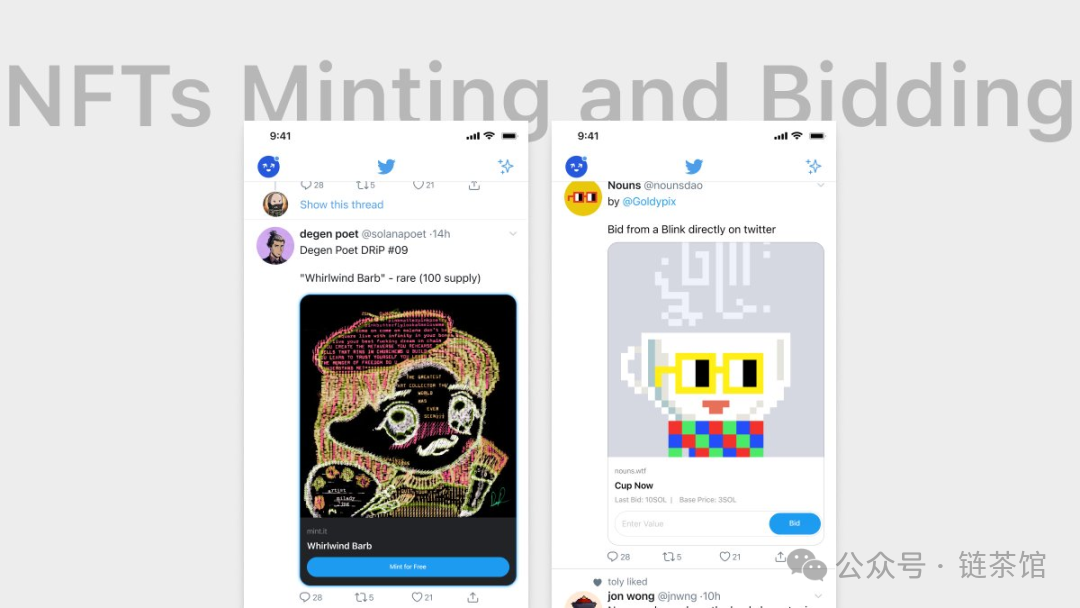
5. NFT Minting and Auctions: Users can mint, bid on, and purchase NFTs directly within their Twitter feed.
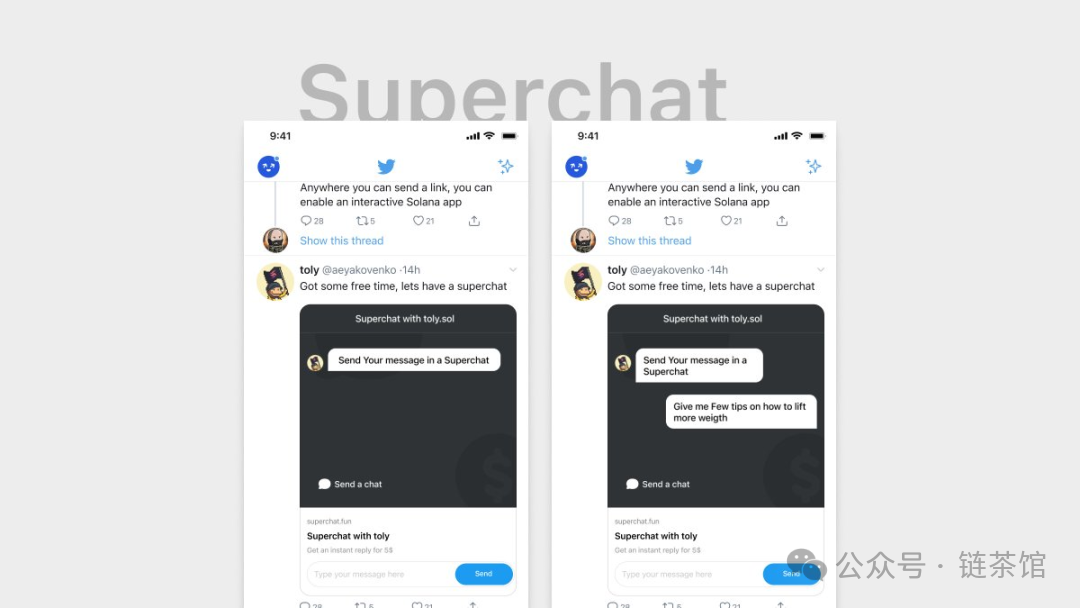
6. Encrypted Paid Messages: Users can send paid messages, which creators can view and reply to via a dashboard.
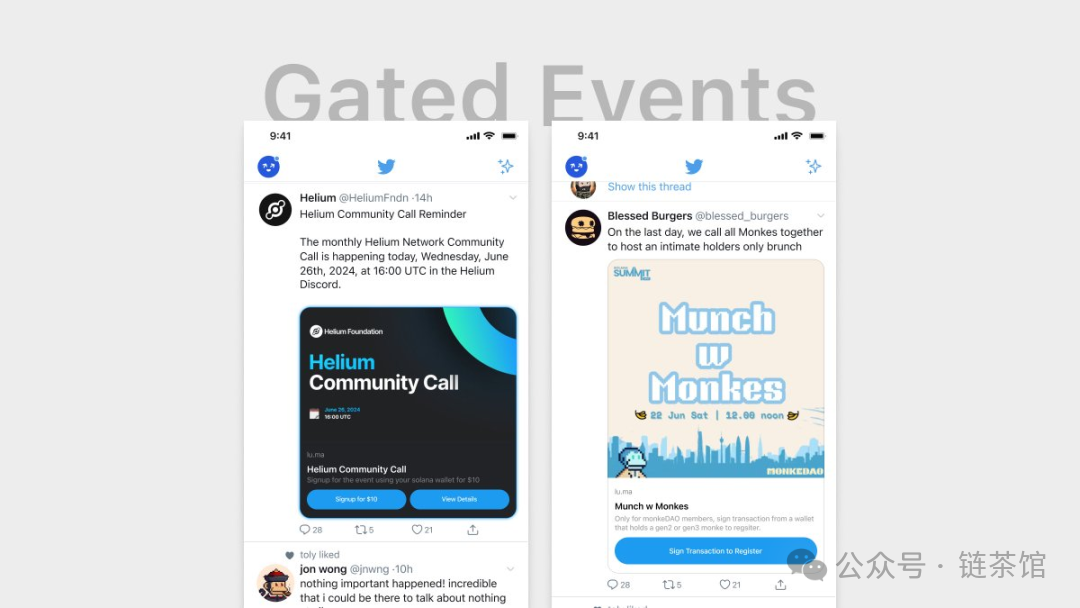
7. Event Registration: Users can connect their wallets and register for events via action posts, checking eligibility instantly.
8. Token-Based Content Marketplaces: Creators can use Blinks to gate access to their content, accepting NFTs as payment to make content more exclusive.
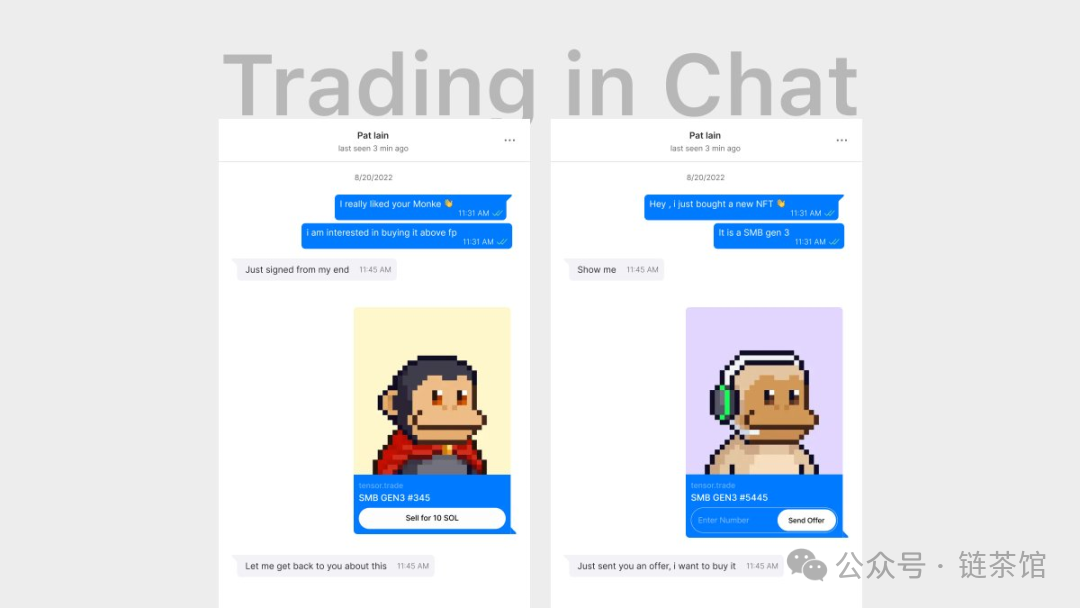
9. In-Chat Transactions: Users can directly send, buy, and trade meme tokens and NFTs within chat interfaces.
-
Payment Requests and Settlements: Users can send and request USDC in chats and settle transactions directly within the chat interface.
-
Cleaning Up Unused NFT and Token Accounts: Users can destroy unwanted NFTs and spam tokens via Blinks.
-
Meme-Centric Tool Creation: Blinks allow meme communities to build mini-games and tools on Twitter for direct community engagement.
-
Native Staking for Validators: Validator operators can attract liquidity and enable native staking by creating Blinks.
-
Purchasing Time: Users can directly buy time from their favorite crypto Twitter influencers via Twitter.
-
Platform Operations: Users can directly perform various crypto platform actions on Twitter, such as flash trading fees, supporting or opposing proposals, etc.
-
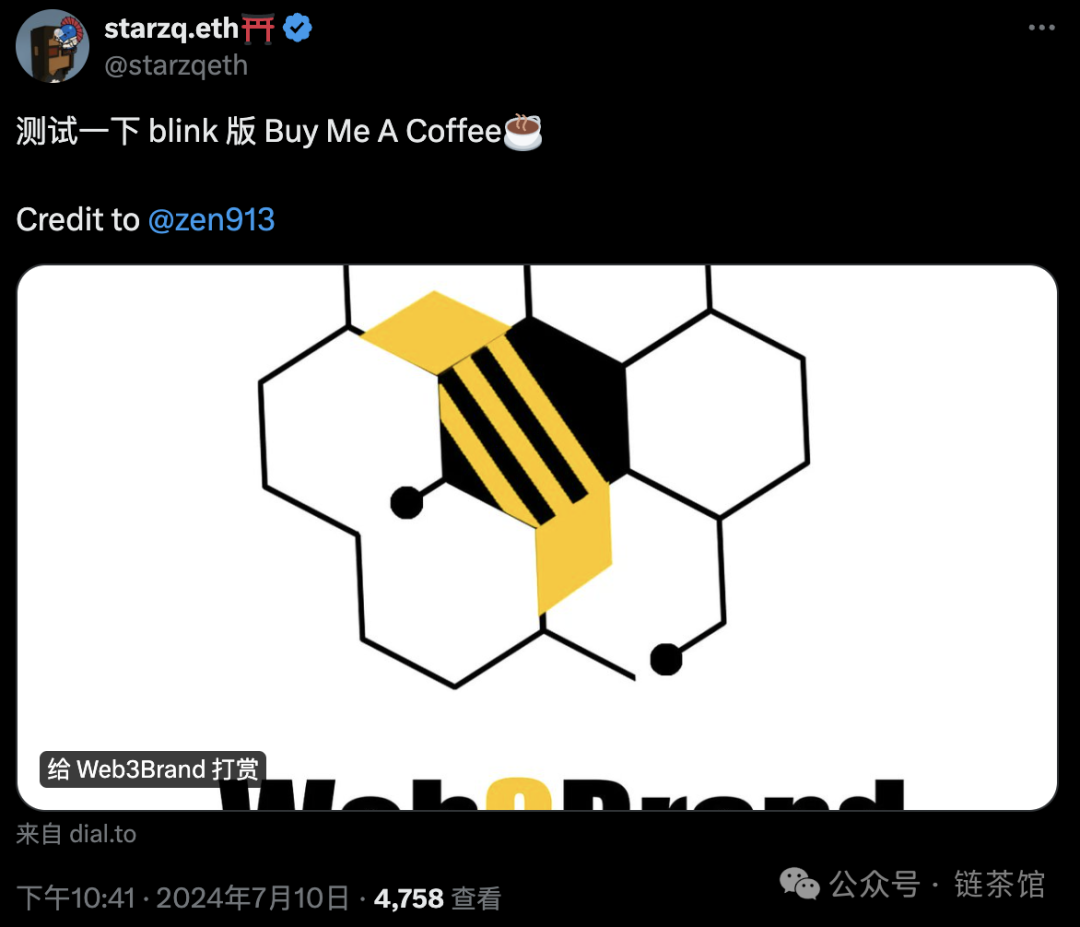
GitHub Sponsorships and Tips: Users can tip or sponsor their favorite developers directly within GitHub using Blinks.
-
Developer Engagement: Developers can directly monetize their open-source work via Blinks.
-
Actions Within NFTs: Users can create interactive NFTs containing embedded actions, enhancing their utility.
-
YouTube & Blinks: During live streams, YouTube creators and viewers can interact via encrypted Splash using Blinks.
-
Blinks in Telegram DMs: Users can send, receive, trade, and mint NFTs and tokens within Telegram private messages.
-
Apple Device Integration: Blinks can integrate with Apple’s App Clip and NFC technologies.
-
Super Apps: Developers can more easily build super apps and embed Blinks into any website.
From the above use cases, it's evident that Solana Actions and Blinks offer a convenient way to embed blockchain transactions into social media and other platforms, simplifying user operations, enhancing user experience, and promoting broader adoption of blockchain technology.
Below are the steps to use Blinks: (Note: Currently, Blinks are only available on desktop and not supported on mobile devices.)
-
Set Up Your Wallet:
-
Wallets supporting Blinks include Phantom, Backpack, and Solflare.
-
Users must enable the Solana Actions feature within their wallet settings.
-
Execute Transactions:
-
Users can copy and paste transaction URLs onto Twitter or other platforms.
-
After clicking the link, users can complete transactions—such as purchasing JUP, NFTs, or participating in governance votes—without leaving the platform.
Regarding public opinion, some claim it will bring revolutionary innovation and endless possibilities, while others argue it’s merely a superficial convenience improvement for PC users. However, in the short term, both "extreme praise" and "extreme criticism" are objectively unbalanced. We should instead critically analyze this new technology.
On the positive side, Blinks allow users to initiate transactions instantly with a single click, improving immediacy and convenience. Users can directly conduct blockchain transactions—like buying tokens, voting, or minting NFTs—on social media platforms without switching apps or websites, streamlining the process and lowering the entry barrier to blockchain technology, thereby attracting more users to the crypto space. Additionally, Blinks can be applied across diverse scenarios such as prediction markets, airdrop checks, mini-games, encrypted paid messages, event registration, and content marketplaces, greatly expanding the application scope of blockchain technology. By embedding into platforms like Twitter, Telegram, and GitHub, Blinks significantly broaden their usability and user base.
However, currently Blinks only support desktop users and do not yet cover mobile devices, limiting their reach and user experience. Moreover, despite the convenience offered by Blinks, traditional Web2 users often lack sufficient awareness of cryptocurrency and blockchain security risks, which may lead to skepticism toward the new technology. Using Blinks requires users to trust the security of platforms and links, and establishing such trust remains a significant challenge.
Join TechFlow official community to stay tuned
Telegram:https://t.me/TechFlowDaily
X (Twitter):https://x.com/TechFlowPost
X (Twitter) EN:https://x.com/BlockFlow_News