Top 8 Most Profitable Nodes in 2024 and Their Strategic Outlook
TechFlow Selected TechFlow Selected
Top 8 Most Profitable Nodes in 2024 and Their Strategic Outlook
The cost of maintaining a node ranges from $10 to $30 per month.
 Navigating Web3 tides with focused insights
Author: AlΞxWacy, Crypto Researcher
Translation: Felix, PANews
Node operators are making big money—SOL node operators earn over $500,000, TIA node operators earn over $80,000. Crypto researcher AlΞxWacy has collected 8 of the "most promising" nodes that genuinely have the potential to generously reward users, and currently don't have much attention. Notably, the monthly cost to maintain a node ranges from $10 to $30, primarily used for launching a VPS server. If your resources are limited, it's recommended to choose the project you're most interested in.
PANews note: All links and instructions in this article are for reference only; always follow official information.
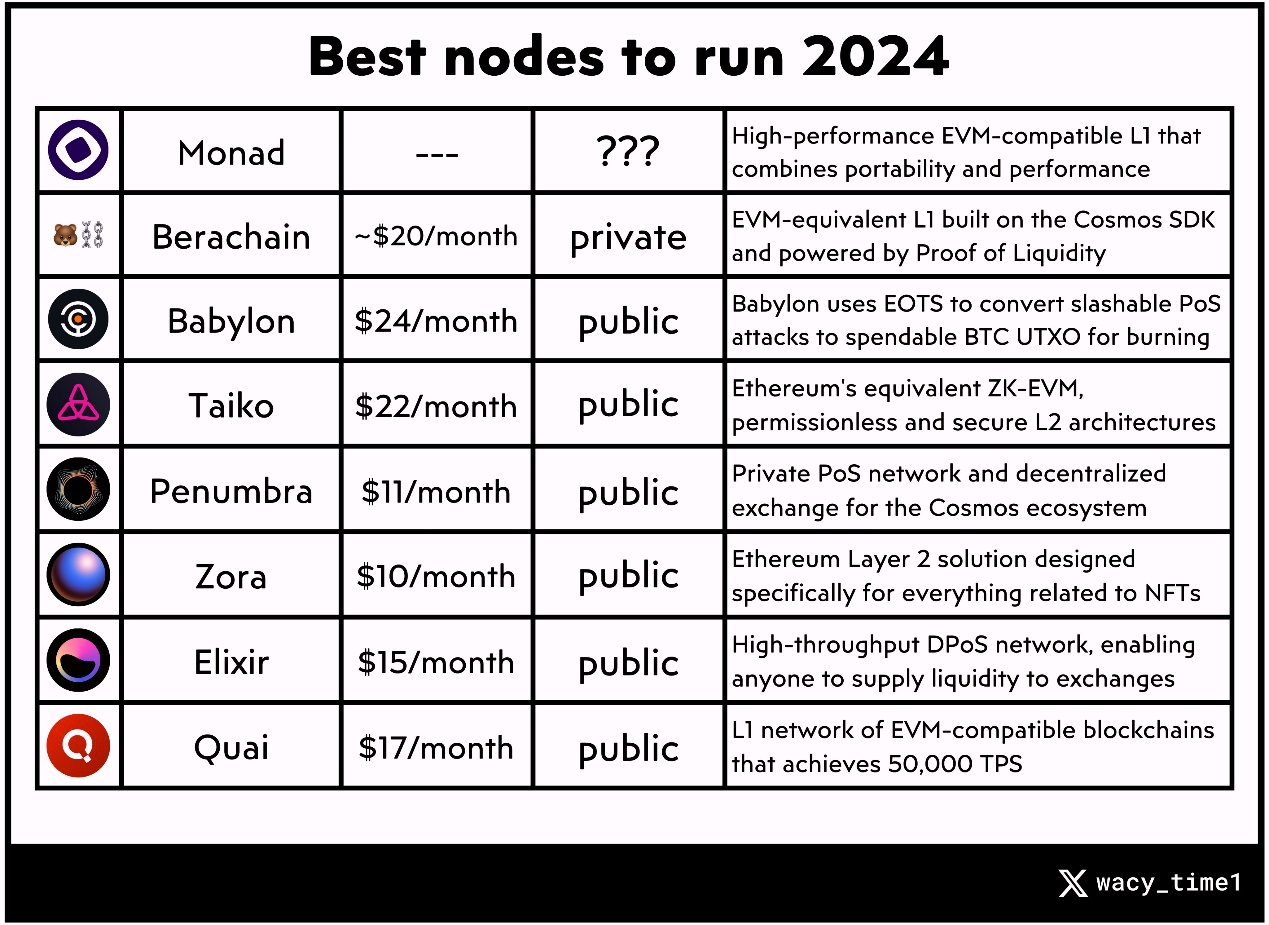
Babylon ($24/month)
Babylon is a new project within the Cosmos ecosystem, aiming to enhance the security of Cosmos networks and other PoS chains by leveraging Bitcoin’s security. Detailed guide to running a node (from crypto KOL Leshka.eth):
1. Get a VPS Server
-
Register an account here: https://tinyurl.com/node-server
-
Select option: Virtual Server → Dedicated → Vienna 3: 4 Cores / 8 GB RAM / 120 GB SSD

2. Complete Payment
Monthly payment is available.
3. Connect to Server
-
Download and install Putty: https://putty.org
-
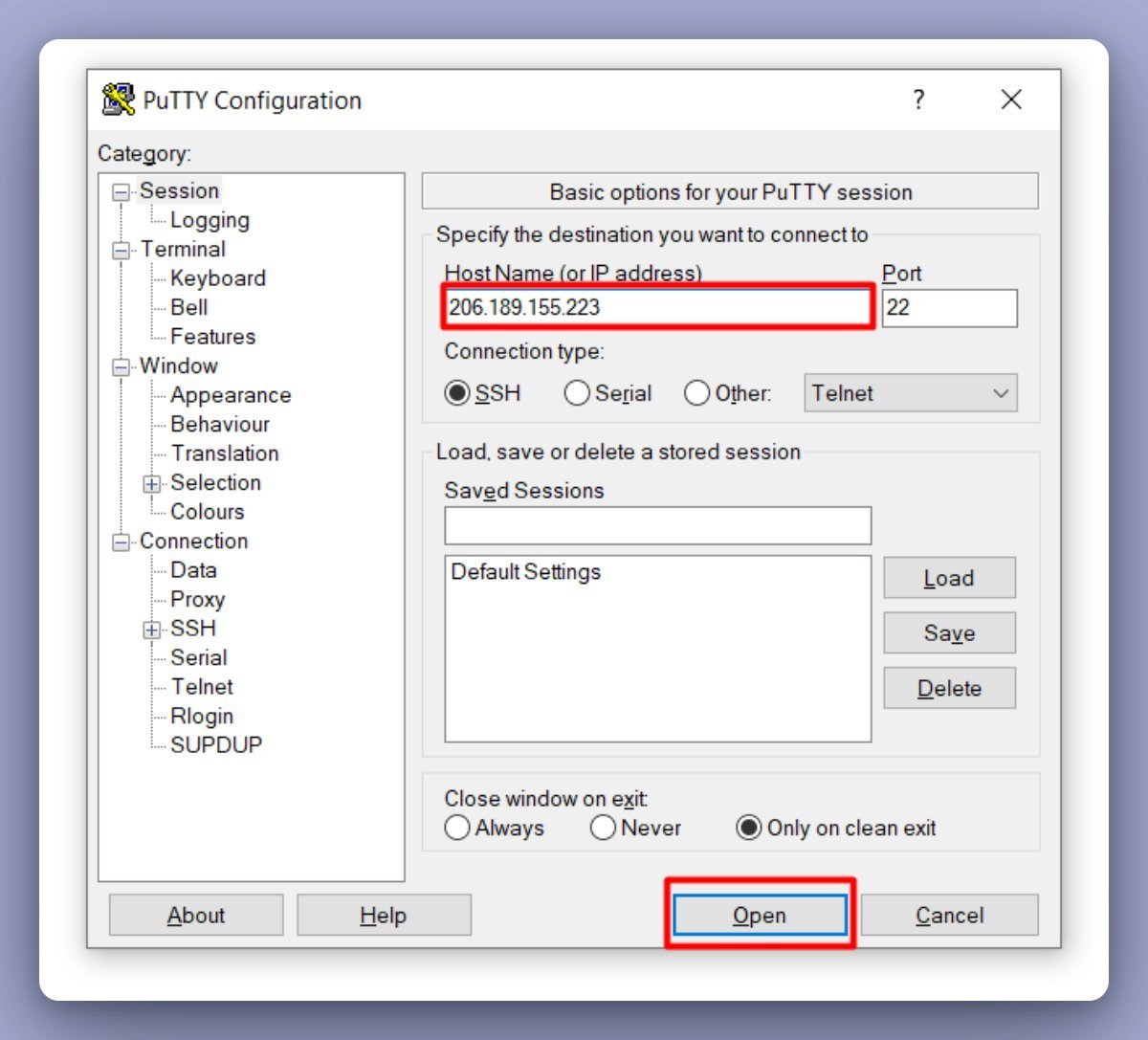
Copy your IP address (should be received after paying for the server)
Enter your address into Putty and click “Open”:
-
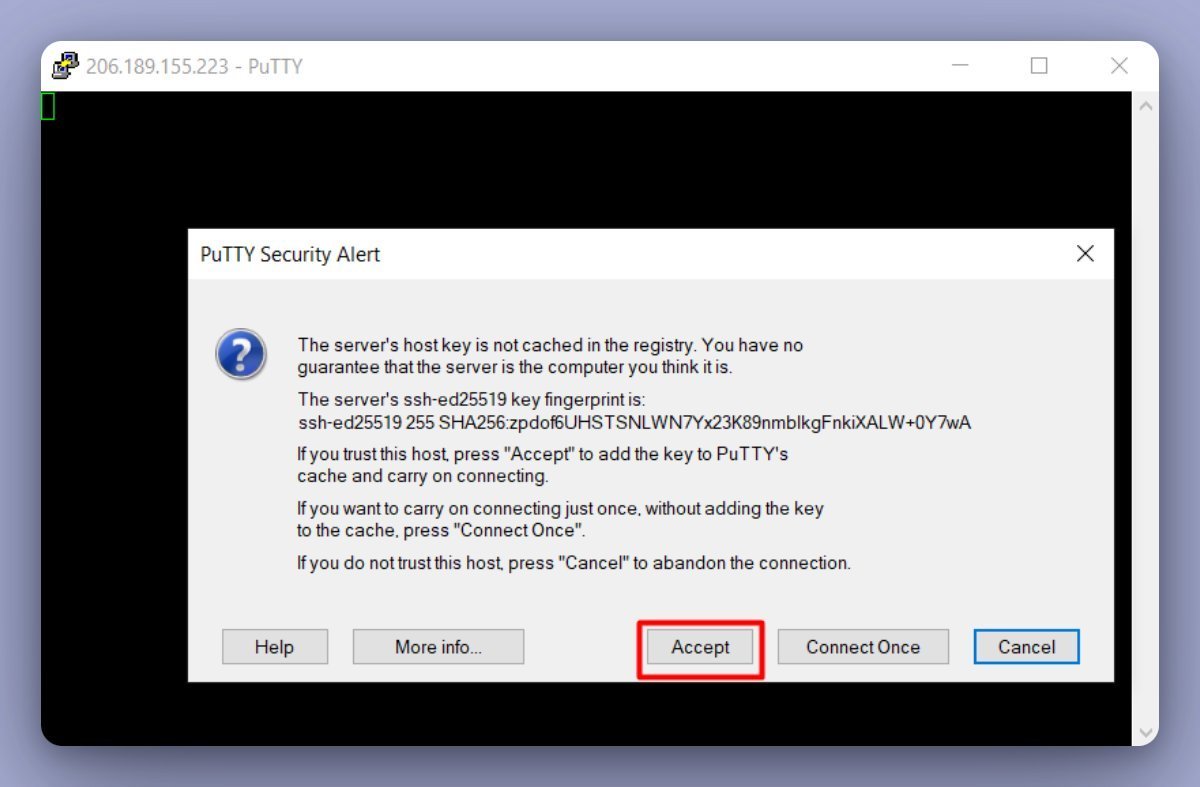
Click “Accept”, type “root”, then press Enter.
-
Then enter the password sent after purchasing the server, then press “Enter”.
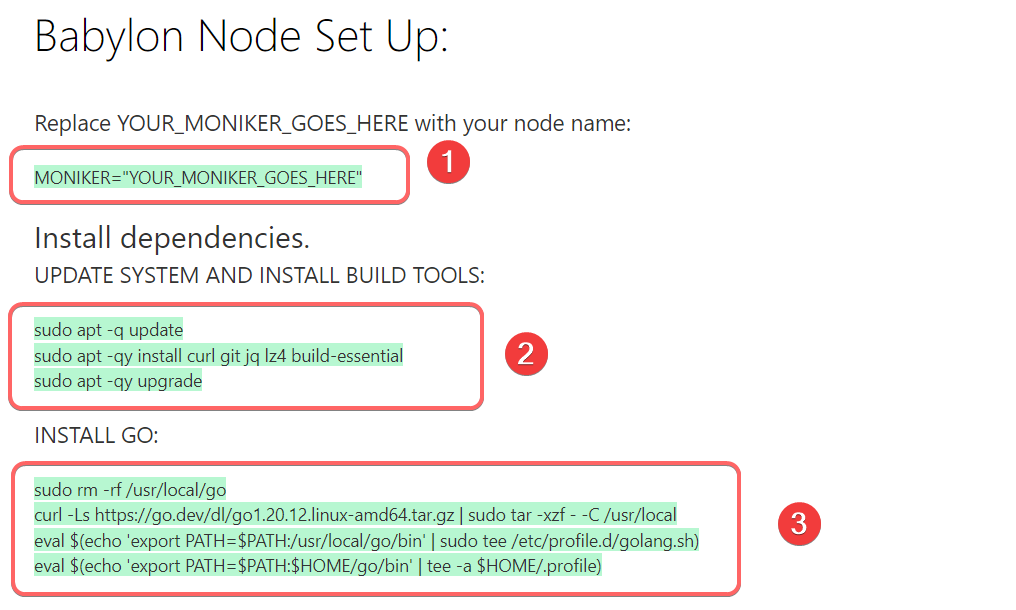
Commands are grouped and highlighted in green.
To paste copied commands into the terminal, right-click the mouse.
Copy and paste entire command groups at once: https://tinyurl.com/babylon-node
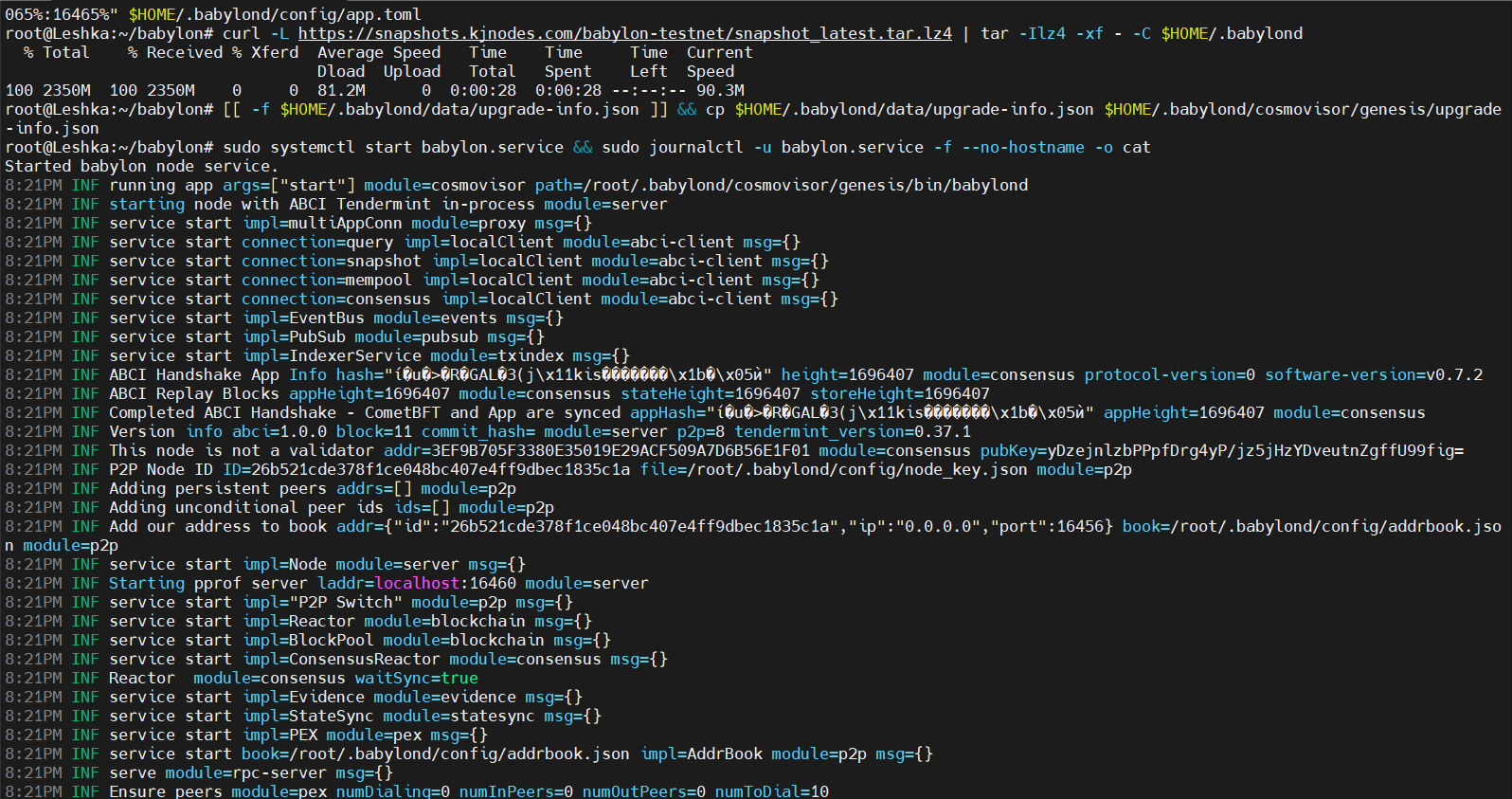
After installing the node and completing the final step “Start service and check logs”, you should see logs similar to the screenshot below:
Taiko ($22/month)
Taiko, an Ethereum Layer 2 network based on zkRollup, scales ETH through a decentralized and secure L2 architecture. Step-by-step node setup guide (from crypto researcher Xremlin):
1. Set Up VPS Server
-
Register: http://contabo.com
-
Submit credit card details
-
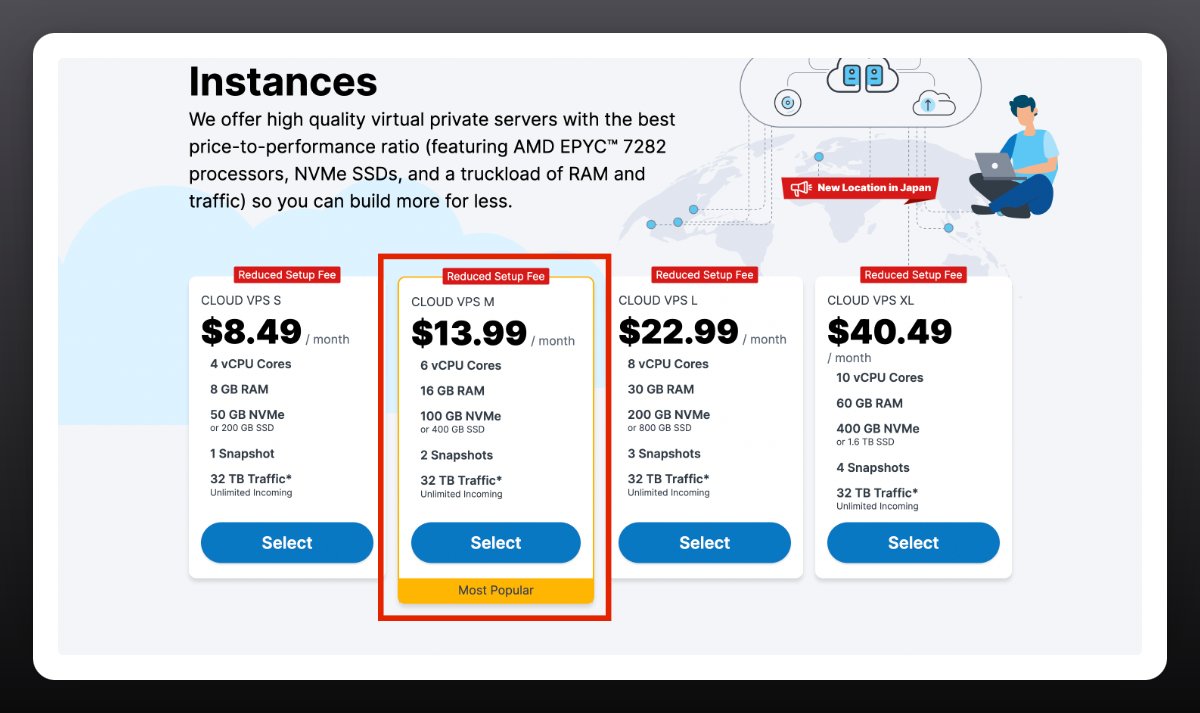
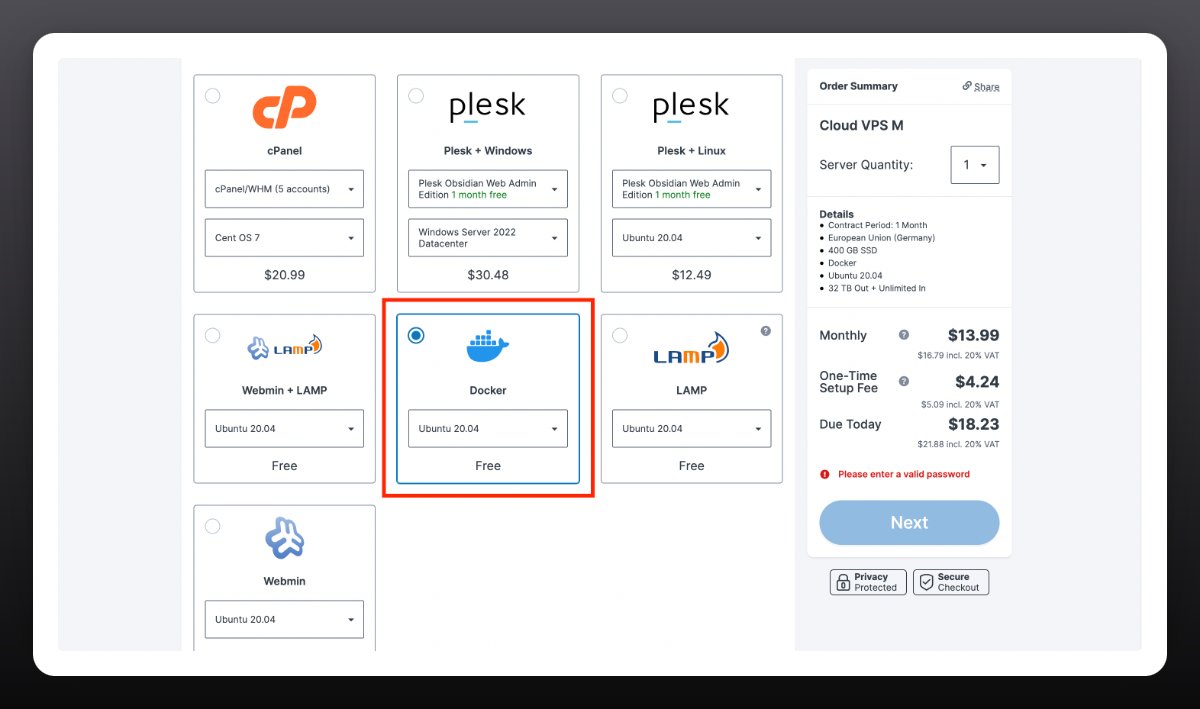
Choose the “Cloud VPS N” option.
-
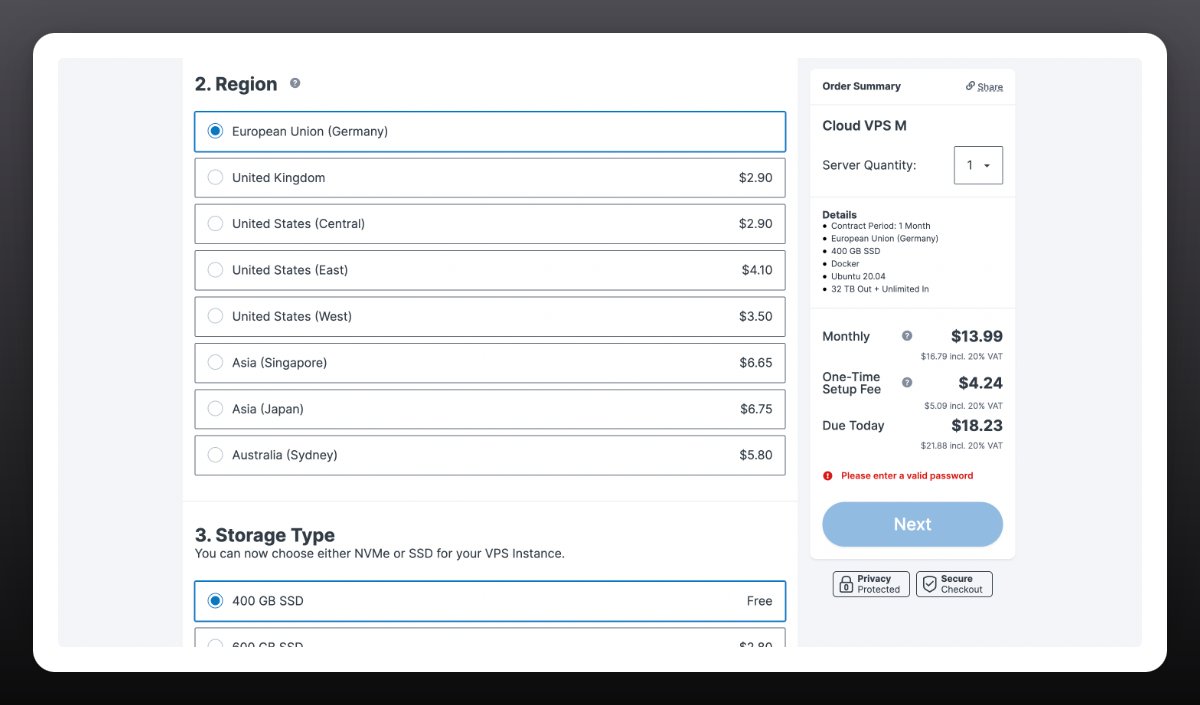
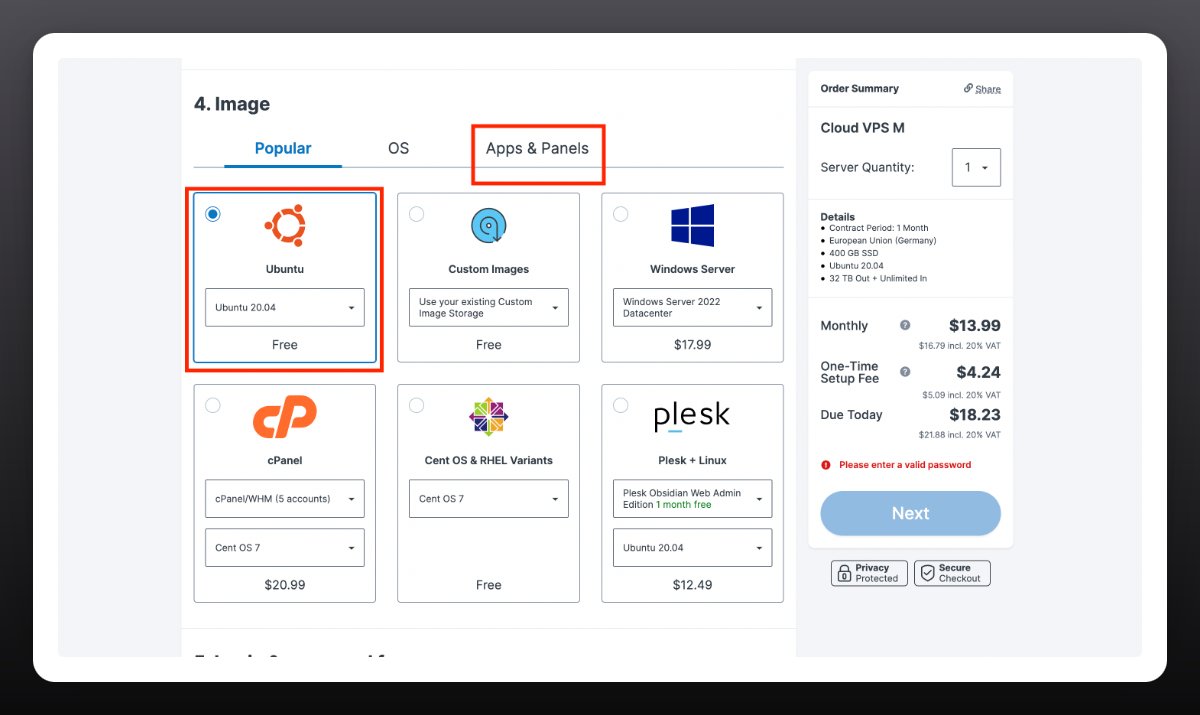
Select the following parameters:
Region - EU
Storage - 400 GB
Image - Ubuntu 20.04
Apps & Pannels – Docker
You will receive an email with VPS details within 15–60 minutes.
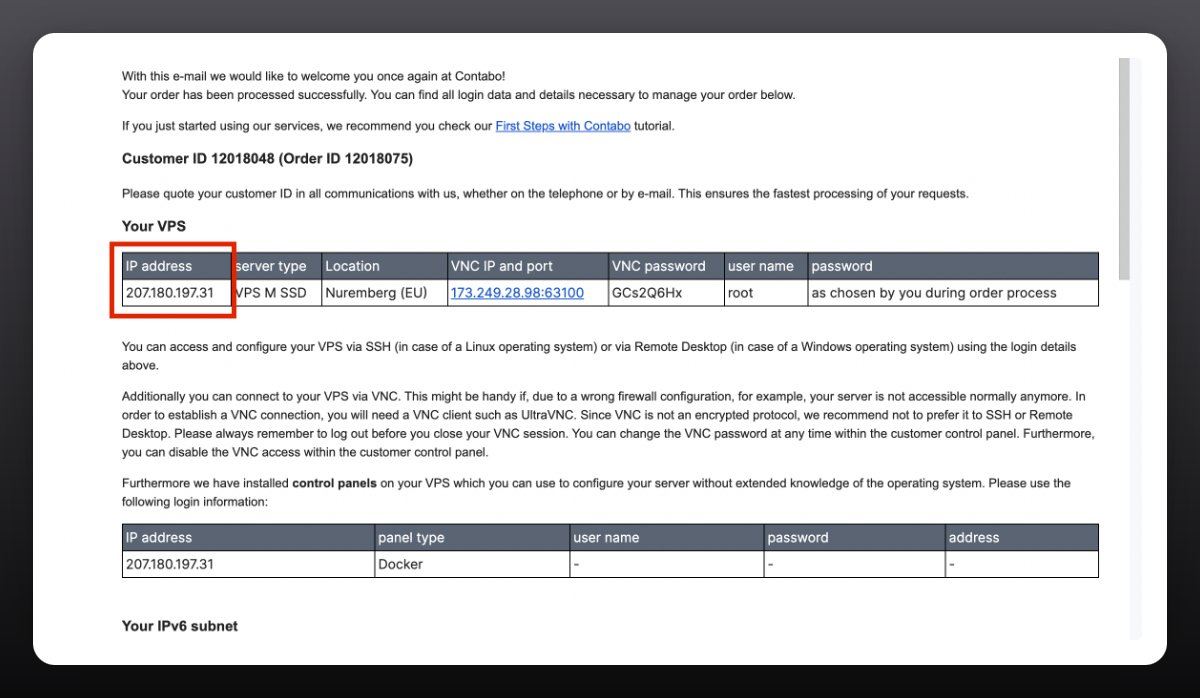
Connect to your server:
-
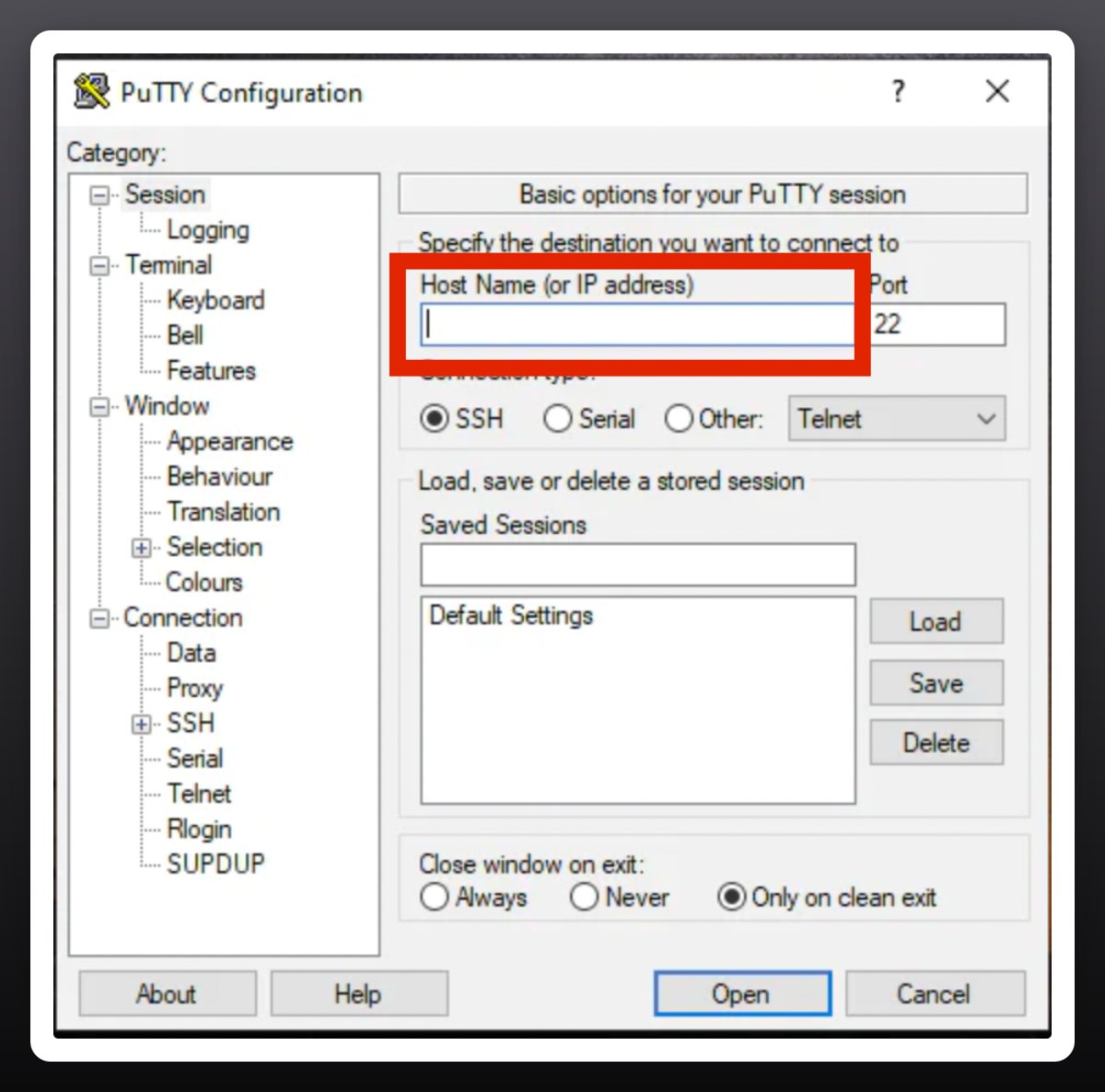
Install Putty from http://putty.org
-
Paste your server’s IP address, then click “Open” and “Accept”
-
Type “root”, press Enter, then enter the password you created on Contabo.
-
Note: You won’t see the password as you type.
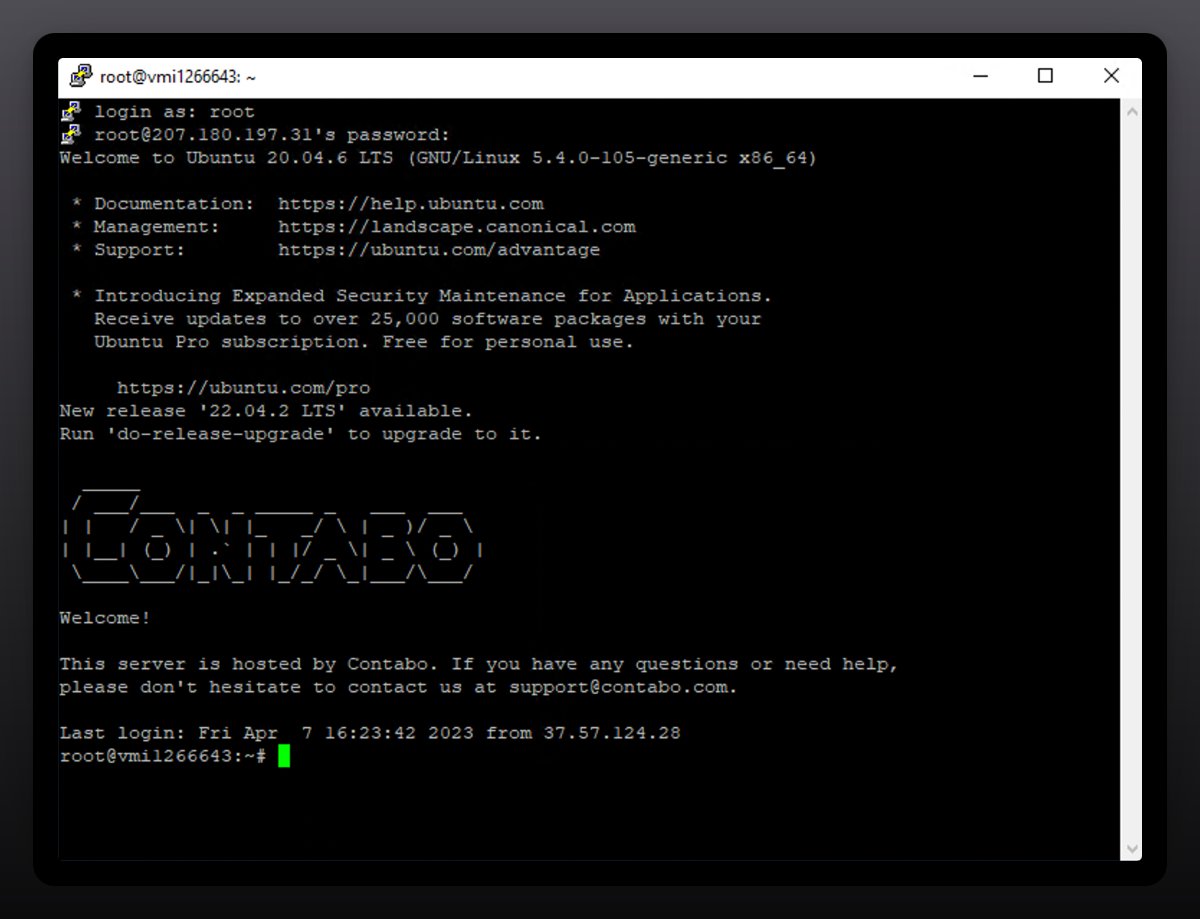
Sometimes the system may prompt you to press “Y”. Continue accordingly when prompted.
Paste the following commands one by one:
sudo apt-get install \
ca-certificates \
curl \
gnupg \
lsb-release
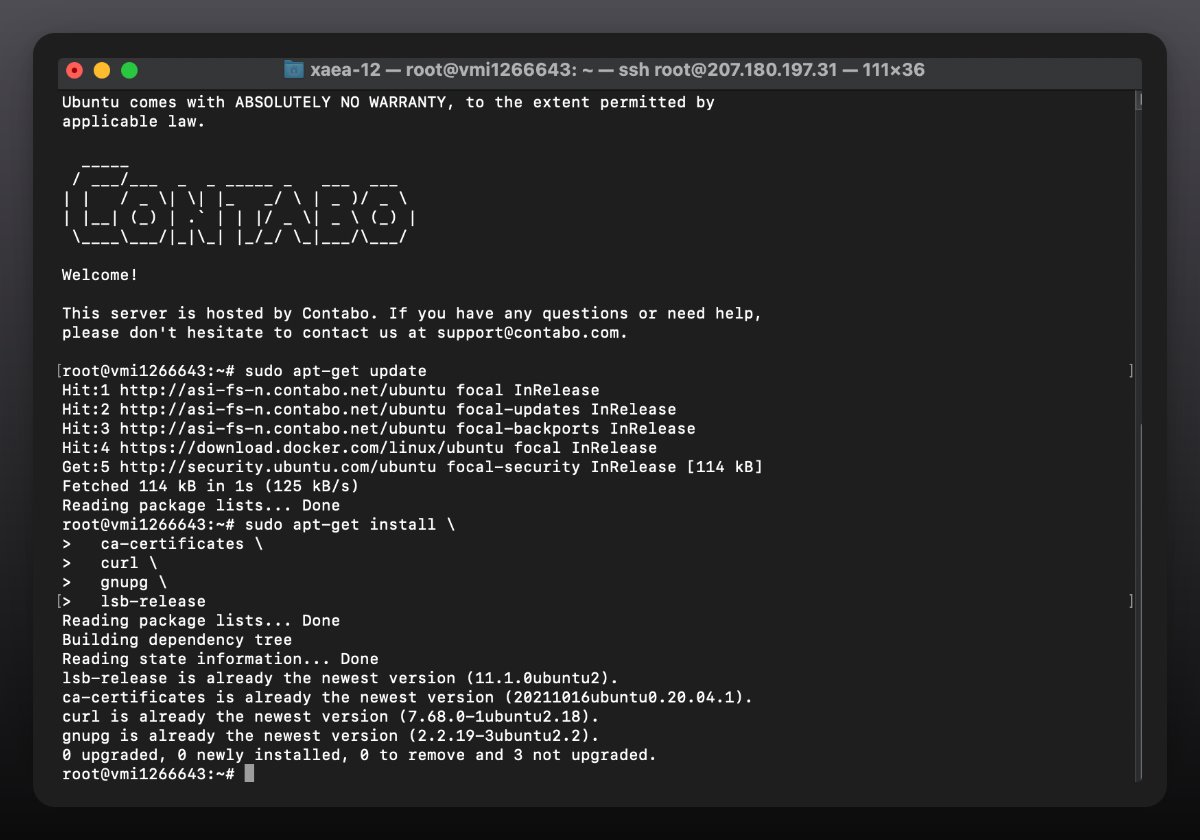
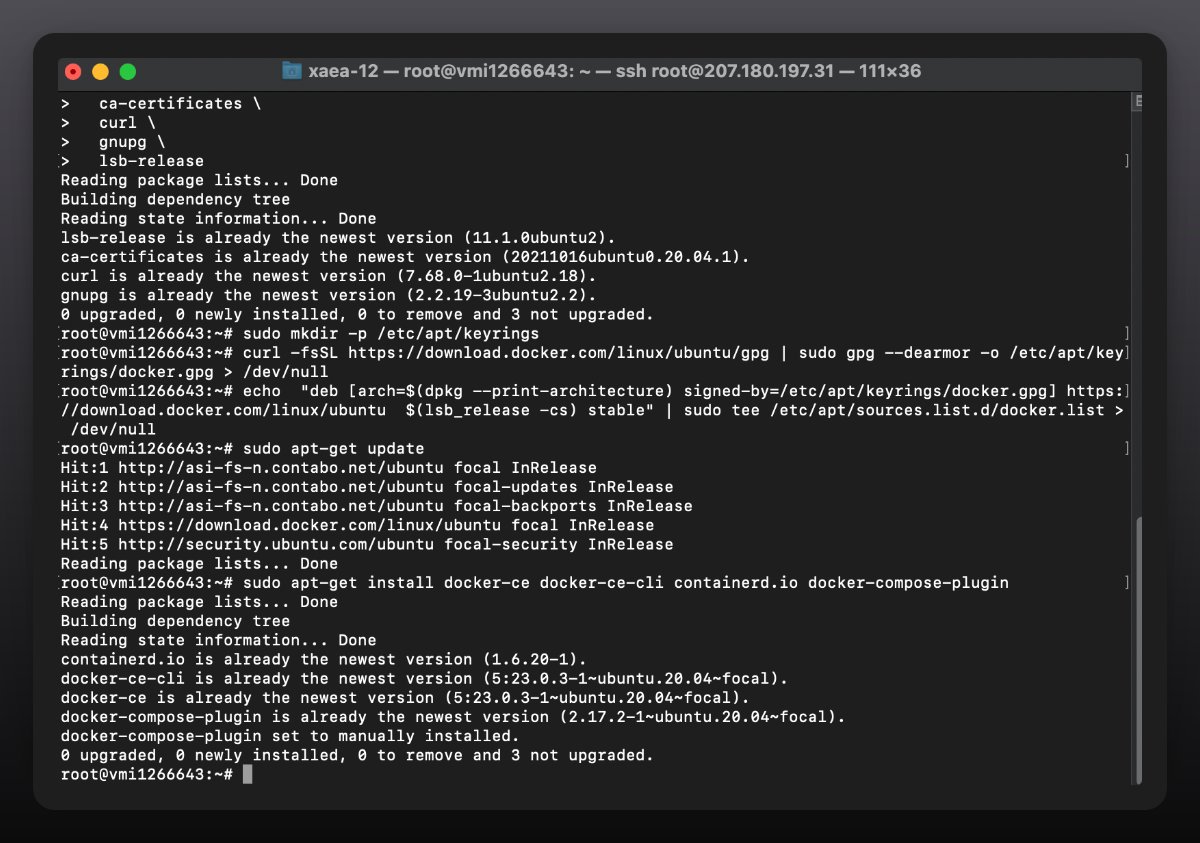
sudo mkdir -p /etc/apt/keyrings
curl -fsSL https://download.docker.com/linux/ubuntu/gpg | sudo gpg --dearmor -o /etc/apt/keyrings/docker.gpg > /dev/null

echo "deb [arch=$(dpkg --print-architecture) signed-by=/etc/apt/keyrings/docker.gpg] https://download.docker.com/linux/ubuntu $(lsb_release -cs) stable" | sudo tee /etc/apt/sources.list.d/docker.list > /dev/null

sudo apt-get update
sudo apt-get install docker-ce docker-ce-cli http://containerd.io docker-compose-plugin
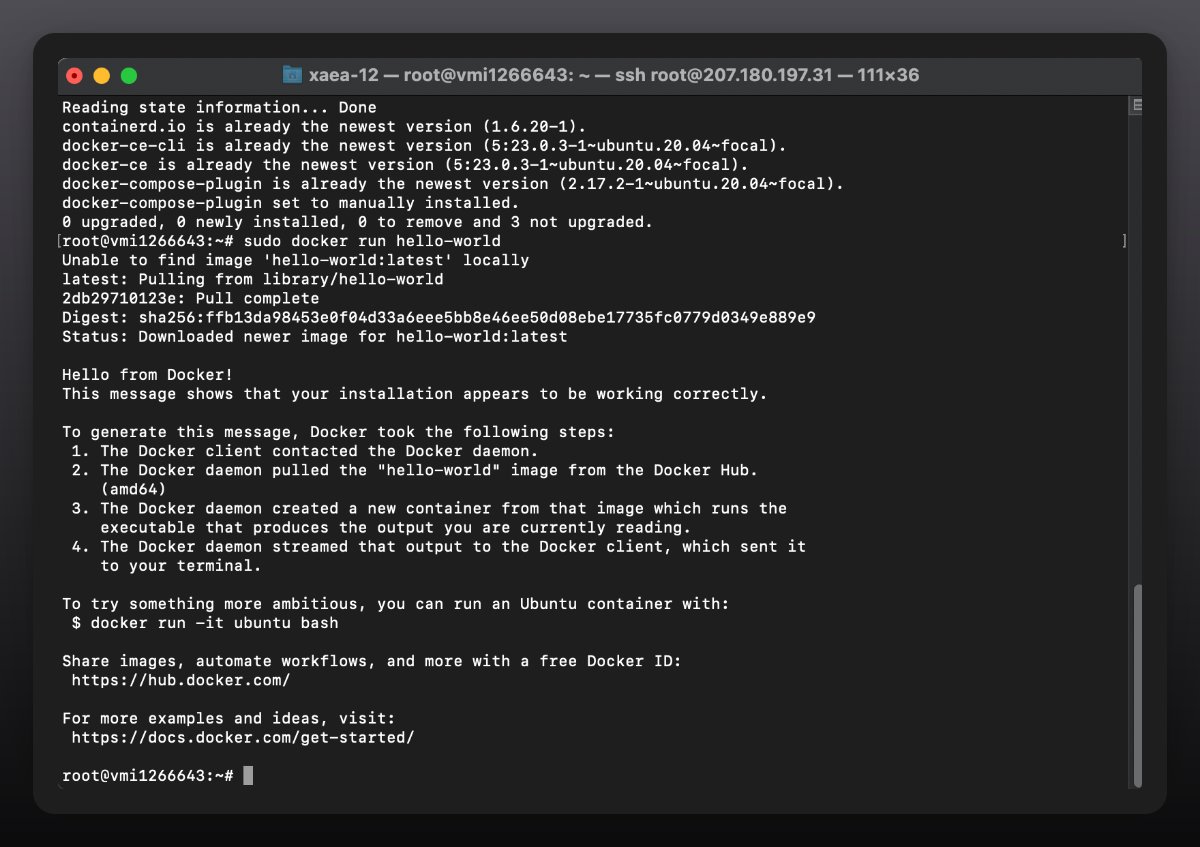
To verify everything works, run: sudo docker run hello-world
You should see the following message:
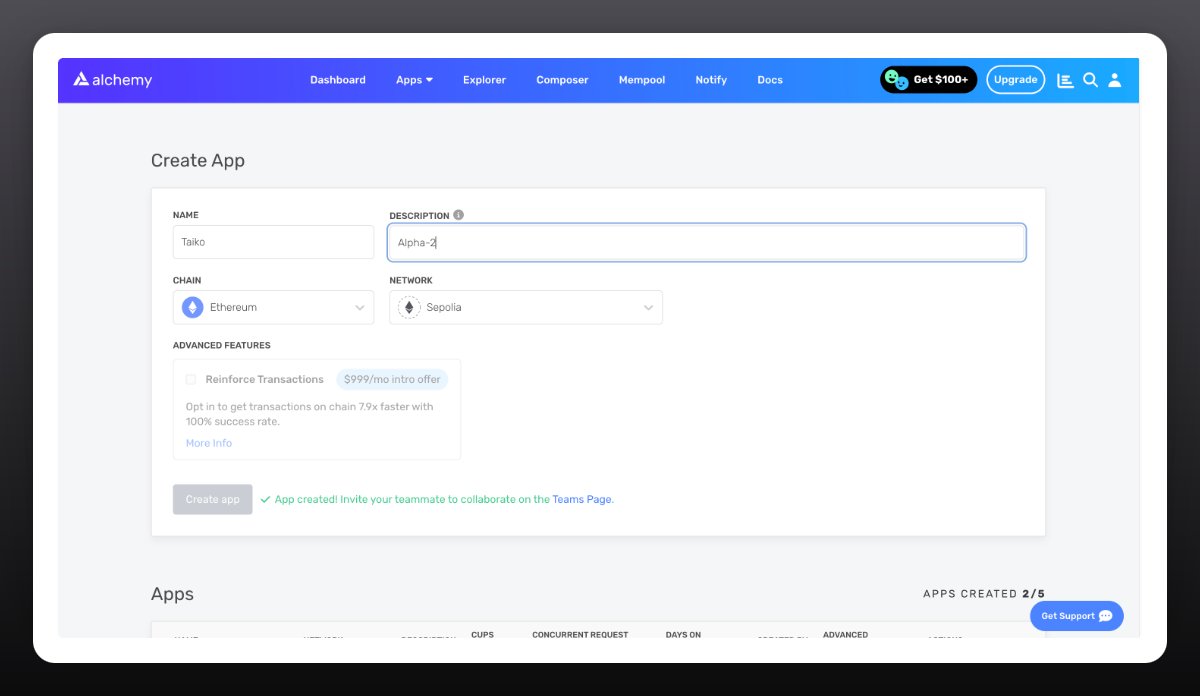
Go to: http://auth.alchemy.com/signup
Create an account
Click Applications → “Create App”
Name: Taiko
Description: Alpha-2
Chain: ETH
Network: Sepolia
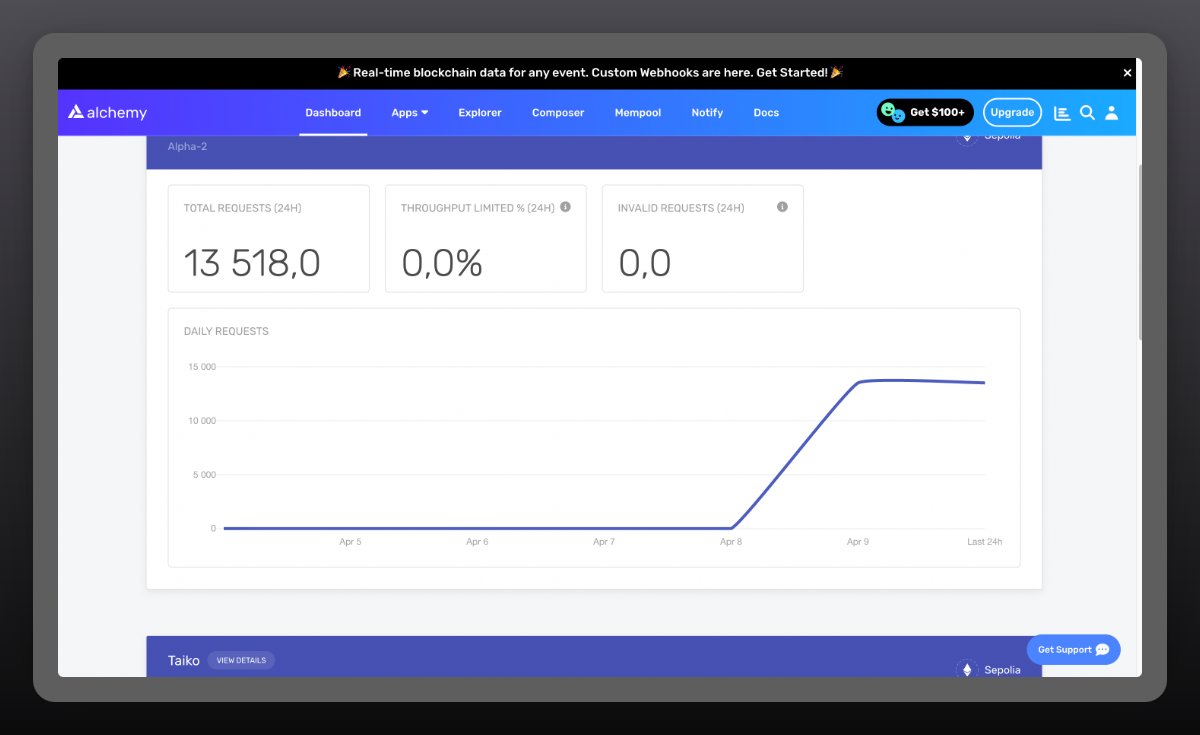
Click “Create Application”
Scroll down and click “View Keys”
Copy both Websockets and HTTPS into a text editor
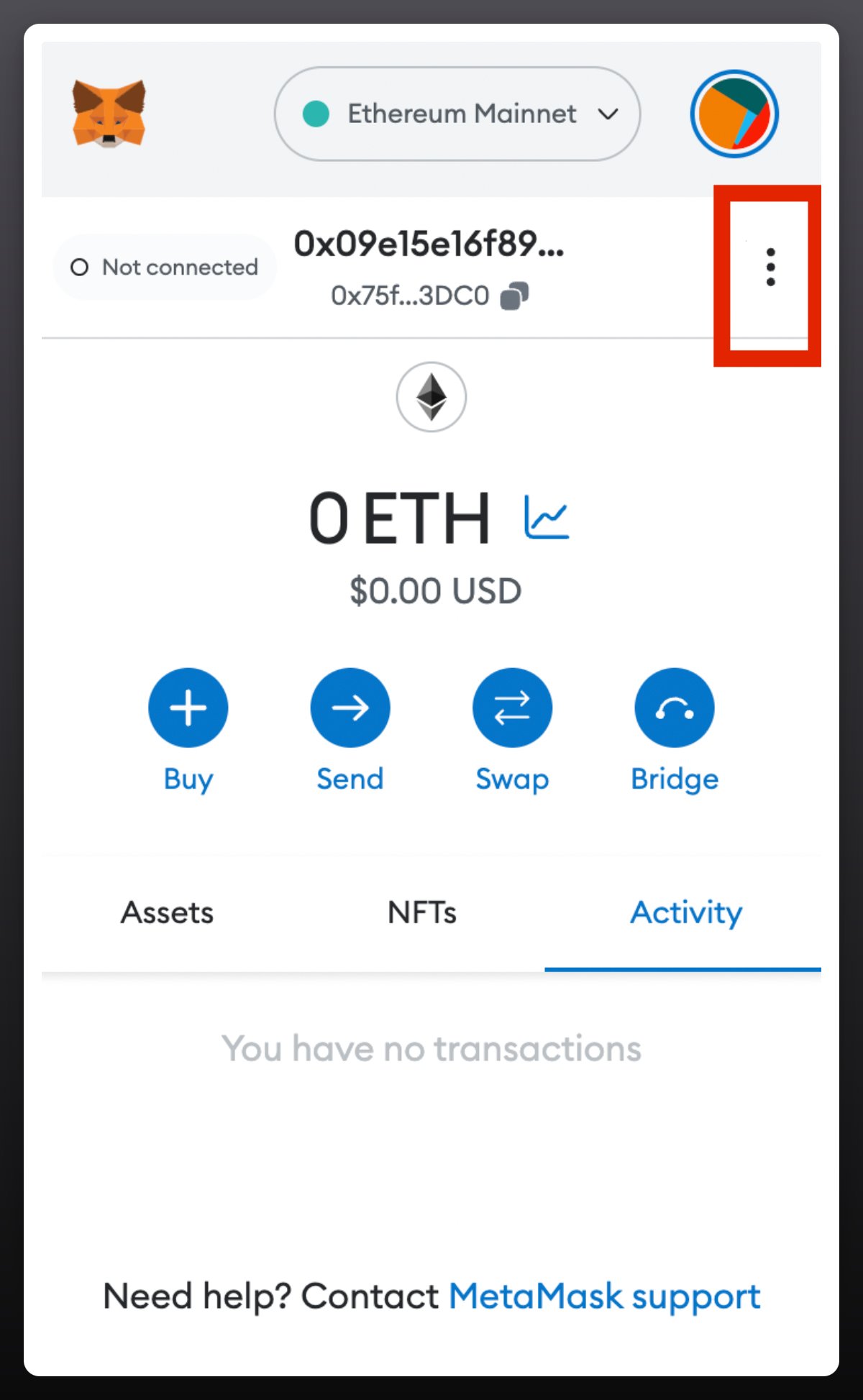
Create a new Metamask wallet.
Click the three dots in the top-right corner of the wallet.
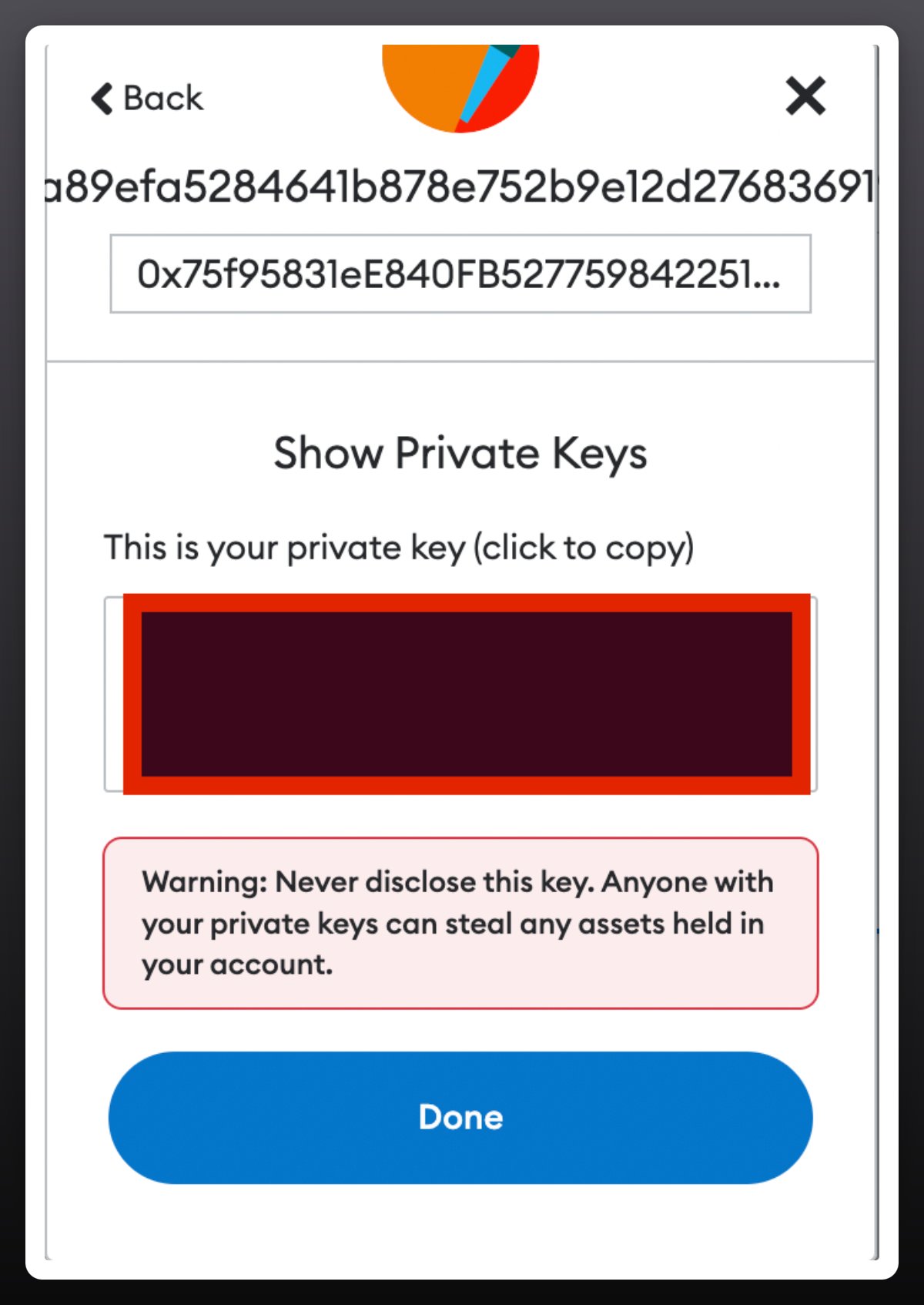
Select Account Details → Export Private Key.
Copy the key into a text editor.
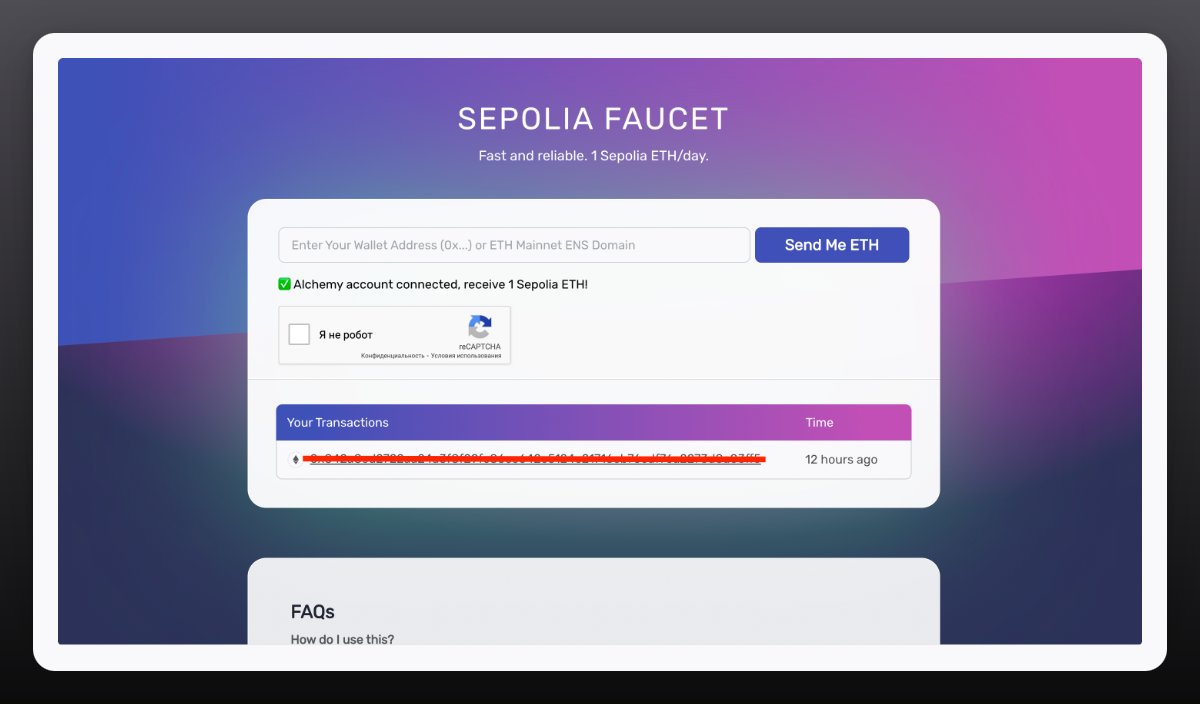
Request Sepolia ETH from faucet: http://sepoliafaucet.com
Paste commands:
git clone https://github.com/taikoxyz/simple-taiko-node.git
cd simple-taiko-node
cp .env.sample .env
nano .env
You’ll see the menu below:
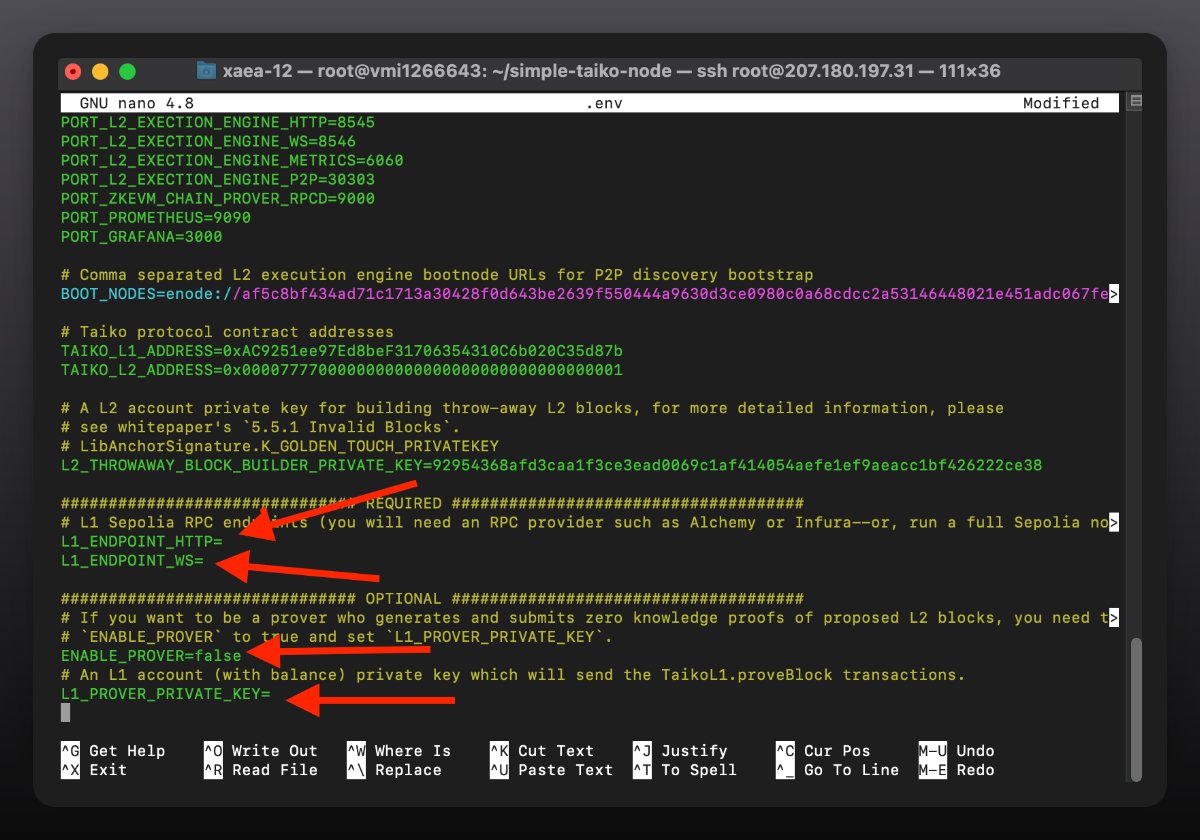
Navigate using keyboard arrows
Enter as shown in the screenshot below:
-
HTTP/WS: Paste Alchemy data
-
ENABLE_PROVER: Replace "false" with "true"
-
Private key: Insert the key copied in the previous step
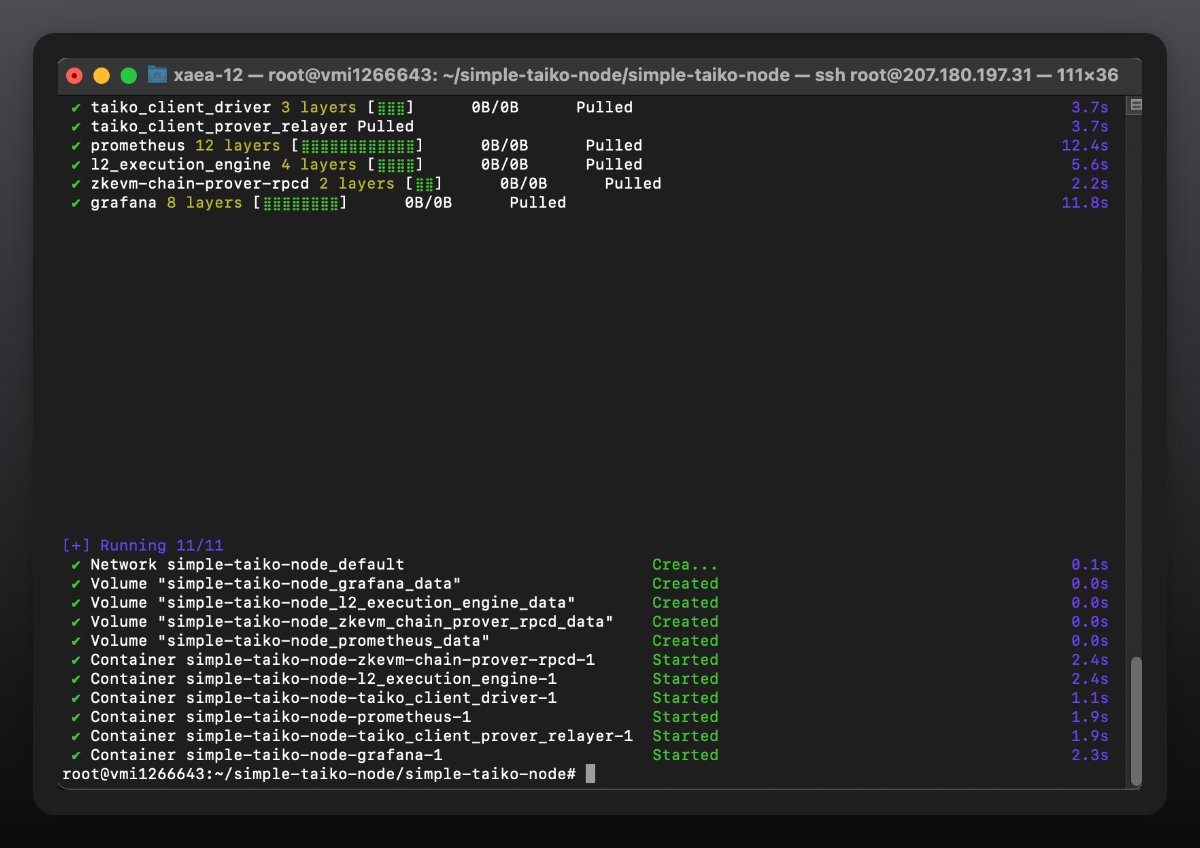
Press “Ctrl + X”, type “Y”, then press Enter
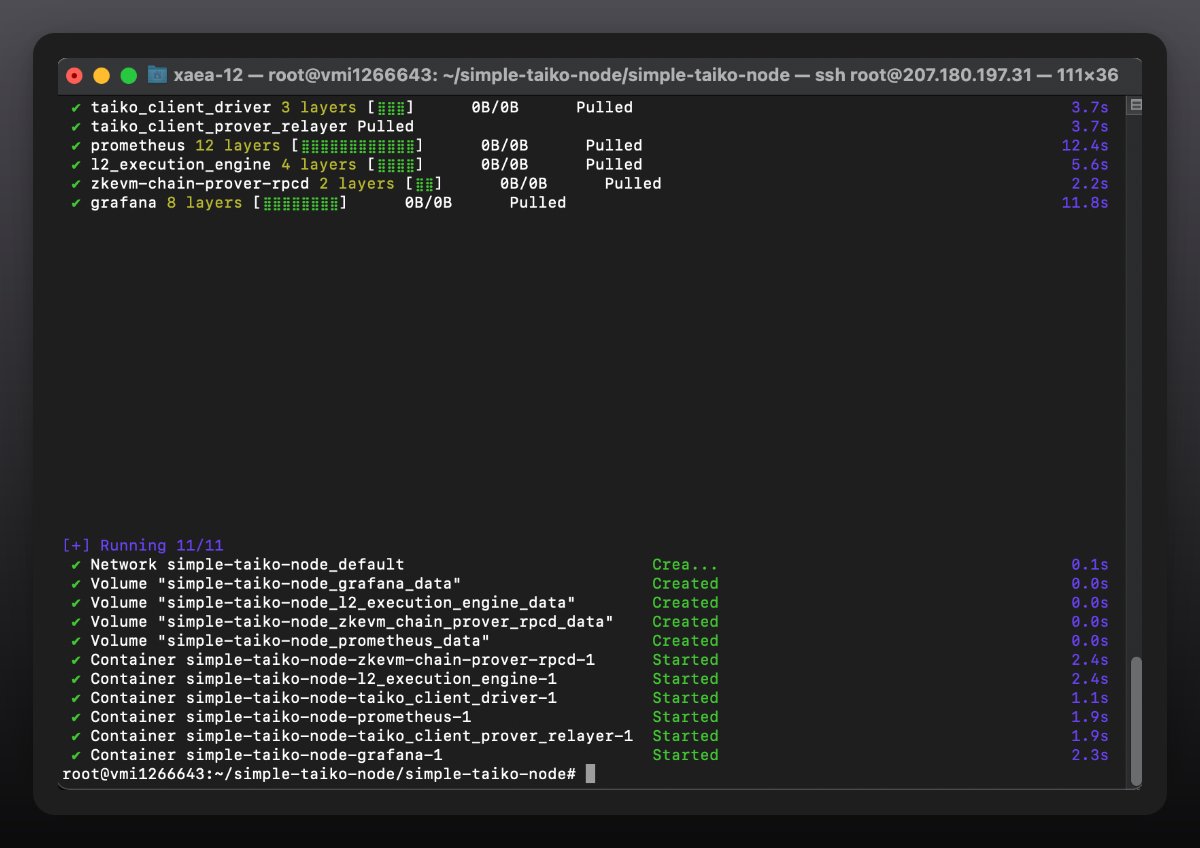
Run node: "docker compose up -d"
Zora ($10/month)
Zora is an Ethereum L2 solution specifically built to revolutionize the NFT world.
Detailed guide available via video: Youtube
Elixir ($15/month)
Elixir Protocol opens new possibilities by providing a high-throughput DPoS network, enabling everyone to contribute liquidity to exchanges.
Read detailed written guide: https://medium.com/coinmonks/how-to-install-run-the-elixir-2-0-validator-node-9d6f94a55f58
Penumbra ($11/month)
Penumbra is an innovative, decentralized exchange and fully private, cross-chain proof-of-stake network. Penumbra expands possibilities across the Cosmos ecosystem and beyond.
Read detailed written guide: https://nodes.bond/updated-and-enhanced-guide-for-installing-and-running-a-penumbra-node-and-validator/
Quai Network ($17/month)
Quai Network is an EVM-compatible L1 blockchain achieving 50,000 TPS throughput while maintaining decentralization, security, and scalability.
Watch detailed video guide: Youtube
Berachain ($10–20/month)
Berachain is an L1 blockchain built using the Cosmos SDK with EVM compatibility, secured by an innovative Proof-of-Liquidity consensus protocol.
Official documentation for node setup: https://docs.berachain.com/nodes/quickstart/run-local-validator-node
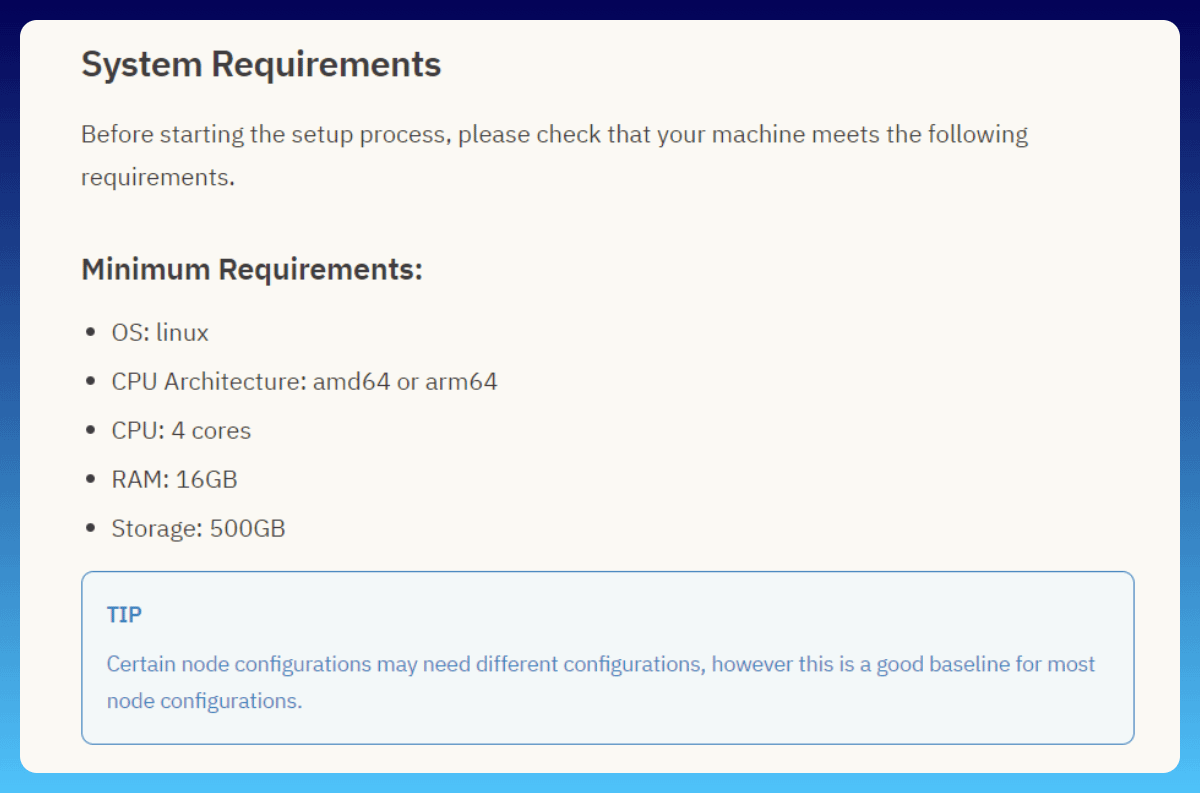
Currently, public nodes are not available—access to run nodes is limited to selected individuals. Despite modest system requirements, it remains worth watching. VPS cost is $10–20 per month.
Monad
Monad is a highly anticipated project. Yesterday, the system requirements for running a Monad full node were announced. Reports indicate that initially, node operation will only be available to a selected group of 100 users.
Expected hardware requirements for running a Monad full node:
-
CPU: 16-core CPU
-
Memory: 32 GB RAM
-
Storage: 2 TB NVMe SSD
-
Bandwidth: 100 Mb/s
The following information is speculative:
It is expected that soon (after mainnet launch), more users will be granted permission to run nodes. However, it's unlikely everyone will gain access. It may require filling out forms or submitting questionnaires with personal information. Therefore, it's best to prepare a questionnaire now. This questionnaire should include detailed experience with cryptocurrency (which could prove useful many times in the future).
If you have sufficient resources, you can run nodes for all projects. But if you're limited, it's recommended to choose one or more.
Join TechFlow official community to stay tuned
Telegram:https://t.me/TechFlowDaily
X (Twitter):https://x.com/TechFlowPost
X (Twitter) EN:https://x.com/BlockFlow_News
 @wacy_time1