Kimi Claw Hands-On Review: Amid the OpenClaw Craze, Automated AI Remains in Its Pioneering Phase
TechFlow Selected TechFlow Selected
Kimi Claw Hands-On Review: Amid the OpenClaw Craze, Automated AI Remains in Its Pioneering Phase
Kimi Claw, one of China’s first AIs to “consume” OpenClaw.
 Navigating Web3 tides with focused insights
Author: Xu Shan
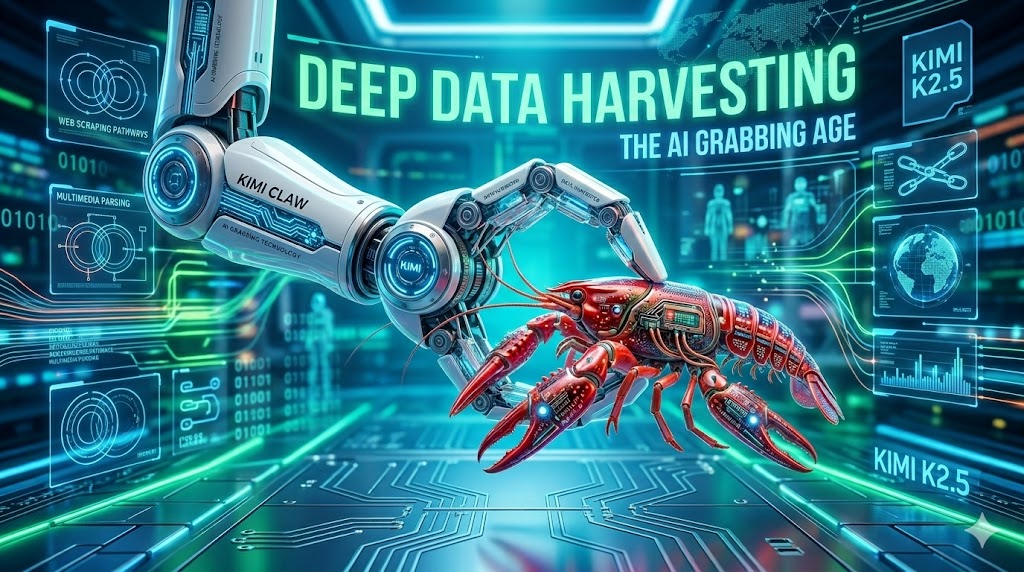
In 2026, a single crayfish stirred up the entire AI industry—and the momentum behind OpenClaw continues well into the post–Spring Festival period.
Recently, multiple domestic model vendors have successively launched products targeting OpenClaw: MiniMax rolled out MaxClaw, and Kimi launched Kimi Claw. Clearly, OpenClaw’s demonstrated AI execution capability—and developers’ surprising tolerance for AI-generated outputs—have revealed tangible commercial value to the market.
Among these competing offerings, Kimi Claw occupies a relatively clear positioning: it is not a ground-up, self-developed Claw product, but rather a managed cloud service built on OpenClaw, with data hosted on Moonshot’s cloud infrastructure and pre-configured with over 5,000 skills from the ClawHub community.
Its advantages include stable performance, easy deployment, low learning curve, and round-the-clock online operation enabled by cloud hosting. Simply visit the Kimi official website and click “Create” once—Kimi will instantly deploy Kimi Claw for you.
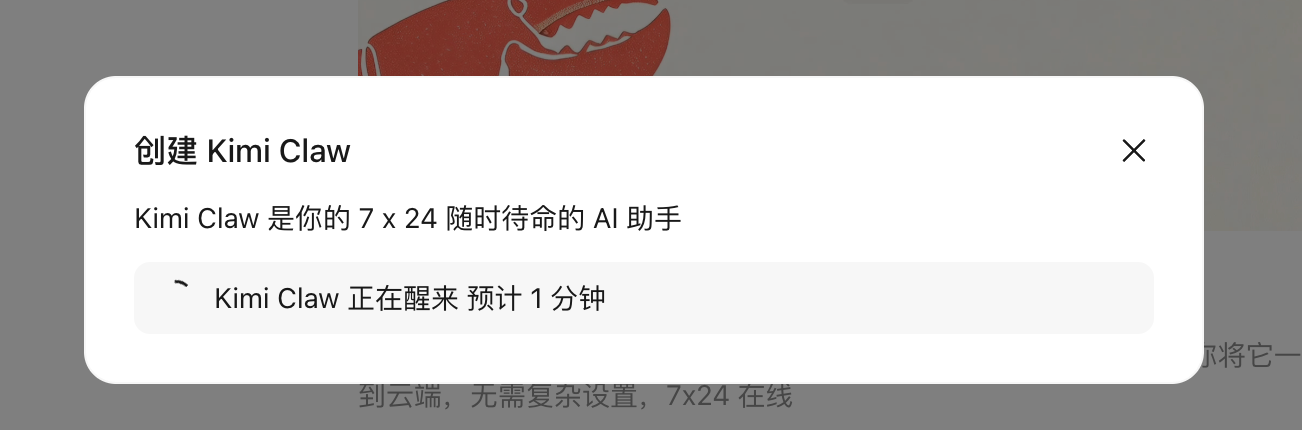
One-click deployment of Kimi Claw | Source: GeekPark
Put differently, Kimi Claw isn’t an entirely new product—it’s essentially a pre-provisioned virtual machine hosted remotely in the cloud, allowing users to directly access and run OpenClaw environments via Kimi.
It features no functional cuts or additional abstraction layers; operationally, it is nearly identical to locally deployed OpenClaw—except that Kimi handles environment setup, configuration, and deployment for users. However, it provides zero assistance with post-deployment tuning. Without mastering how to issue precise instructions and structure tasks appropriately, the learning curve remains steep.
For users completely new to OpenClaw-style tools, this may cause misaligned expectations: they assume plugging into OpenClaw immediately enables automated AI execution, when in fact it only delivers a convenient interface—leaving numerous configurations and fine-tuning steps still requiring hands-on exploration. Consequently, offering popular, pre-packaged Skills for OpenClaw-like products is poised to become a key focus area for many AI model vendors moving forward.
Currently, Kimi Claw remains in beta testing and is accessible exclusively to Kimi Allegretto subscribers.
I. Building an Automated Office Workflow in 30 Minutes
We found that many users—including ourselves—still struggle to grasp the boundaries of AI execution after integrating OpenClaw: curious about what it *can* and *cannot* do, yet uncertain where to begin.
In practice, whether deploying OpenClaw locally or accessing it externally via Kimi Claw, usage approaches generally fall into two categories: building applications from scratch (“from 0”) versus optimizing existing ones (“from 0.5”). We tested both approaches firsthand—starting first with building a new application and optimizing a workflow from the ground up.
Before trying Kimi Claw, I reflected on which parts of my daily work could be formalized into fixed workflows—or which tasks could be enhanced with AI assistance. Prior to that, all I needed to consider was which type of AI tool would yield optimal results for my use case.
I selected the “work diary” segment: combining daily workflow tracking, task logging, summary writing, and reflective analysis into a consolidated daily report. Previously, generating such reports involved manual data entry; now, I wanted AI to automatically extract relevant information and generate structured tables via conversational interaction.
I first fed a rough outline to an AI to refine the instruction, ultimately producing an extremely detailed, multi-layered prompt covering role definition, skill configuration, data integration, core workflow logic, multimedia table structure, memory anchoring points, permissions, and boundary constraints—then submitted it to Kimi Claw.
Kimi Claw quickly parsed the instruction and confirmed execution details with me—such as basic information, Feishu permissions, data storage options, and trigger mechanisms. We then proceeded to build a Feishu app on the Feishu platform per the instructions and shared its App ID and App Secret with Kimi Claw.
At one stage—when creating the required spreadsheet inside Feishu—I asked Kimi Claw to generate the exact table format, then passed that spec to Feishu’s built-in AI system to auto-generate the spreadsheet.
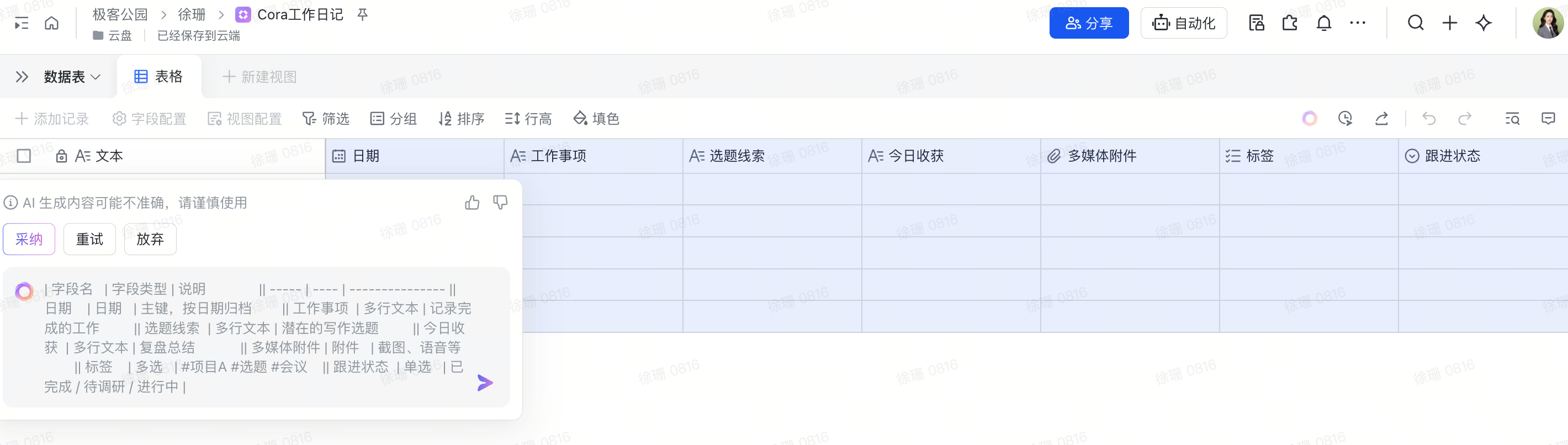
One of Kimi Claw’s deployed application interfaces | Source: GeekPark
After encountering hurdles—including difficulty locating collaborators, finding the correct app page, and retrieving IDs—I received my first message from Kimi Claw roughly thirty minutes later.
The bot-building speed exceeded my expectations. When stuck, I’d simply tell Kimi Claw exactly where I’d hit a roadblock and choose among the solutions it proposed. If none fit, I’d ask for alternative approaches.
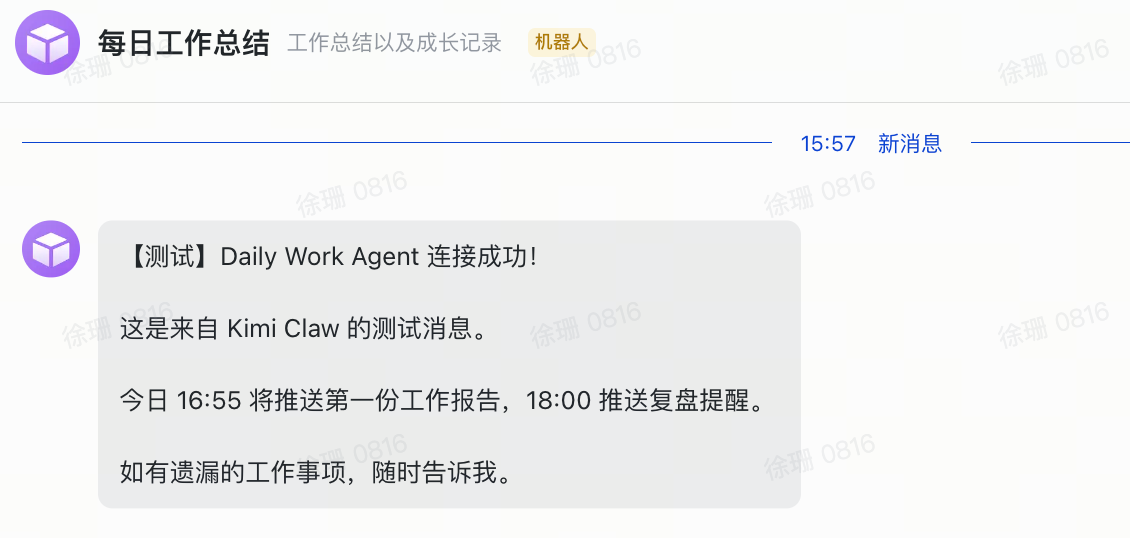
One-click deployment of Kimi Claw to Feishu | Source: GeekPark
Cross-platform compatibility proved critical during workflow construction. After granting 12 Feishu permissions, my AI application still fell short of ideal functionality. Specifically, I hoped the AI could parse my chat histories to infer pending tasks—but repeated attempts yielded empty group-chat lists, as Feishu’s AI app policy restricts access to only conversations the AI itself participates in—not full group-chat listings.
Overall, Kimi Claw demonstrates strong familiarity with mainstream enterprise platforms like Feishu and DingTalk, enabling even novice users to understand and execute most standard developer instructions. Yet corporate applications prioritize data security and impose strict permission-granting conditions. Real AI integration into workflows may thus require not just tools like Kimi Claw, but also next-generation applications natively designed for AI collaboration.
Moreover, operational bugs frequently appear—for instance, user interactions with Kimi Claw or active Agent tasks may inadvertently be logged as personal work items. Learning to identify and fix such bugs has become a crucial part of “tuning” AI behavior.
Building custom applications from scratch demands clear mental models of the desired workflow, plus foundational product-thinking skills. Users must define input/output interface openness and connectivity while carefully managing invocation frequency and runtime cost.
This entire workflow setup consumed approximately 15k–25k tokens—costing roughly ¥1 at Kimi’s pricing. Daily usage averages ~¥0.53, totaling ~¥15.9 monthly.
II. Hands-On Test: Building an Automated AI News Assistant—“Pre-Built” Apps Are Fast to Deploy, But Customization Is Costly
Beyond designing bespoke applications, I also tested several “pre-built” apps—such as automating news aggregation using Kimi Claw.
During our initial automated news-fetching attempt, we instructed Kimi Claw to monitor a tech media outlet’s official website. The prompt read:
Please monitor the industry website xxxx and summarize any newly published articles containing the keyword “AI” from the past week and upcoming three days. Automatically extract the title, abstract, and publication timestamp, compile them into an online spreadsheet, and perform viral-article analysis in the reporting style I specify.
Kimi Claw requested specific configuration details—but during our first round, we discovered many official websites employ anti-scraping measures, making high-quality site monitoring difficult. Kimi Claw struggled to accurately scope extraction parameters, resulting in “idle runs” where large numbers of tokens were consumed without meaningful output.
This monitoring task ran eight times between 4 a.m. and 11 a.m., consuming ~180K tokens and costing ~¥3.68. At the original setting—one run per hour—the daily cost would reach ~¥11, totaling ~¥330 monthly.
Subsequently, after consulting domain experts, we abandoned writing custom prompts from scratch and instead downloaded a relevant instruction package from ClawHub or similar repositories, then extended it for our specific news-aggregation needs.
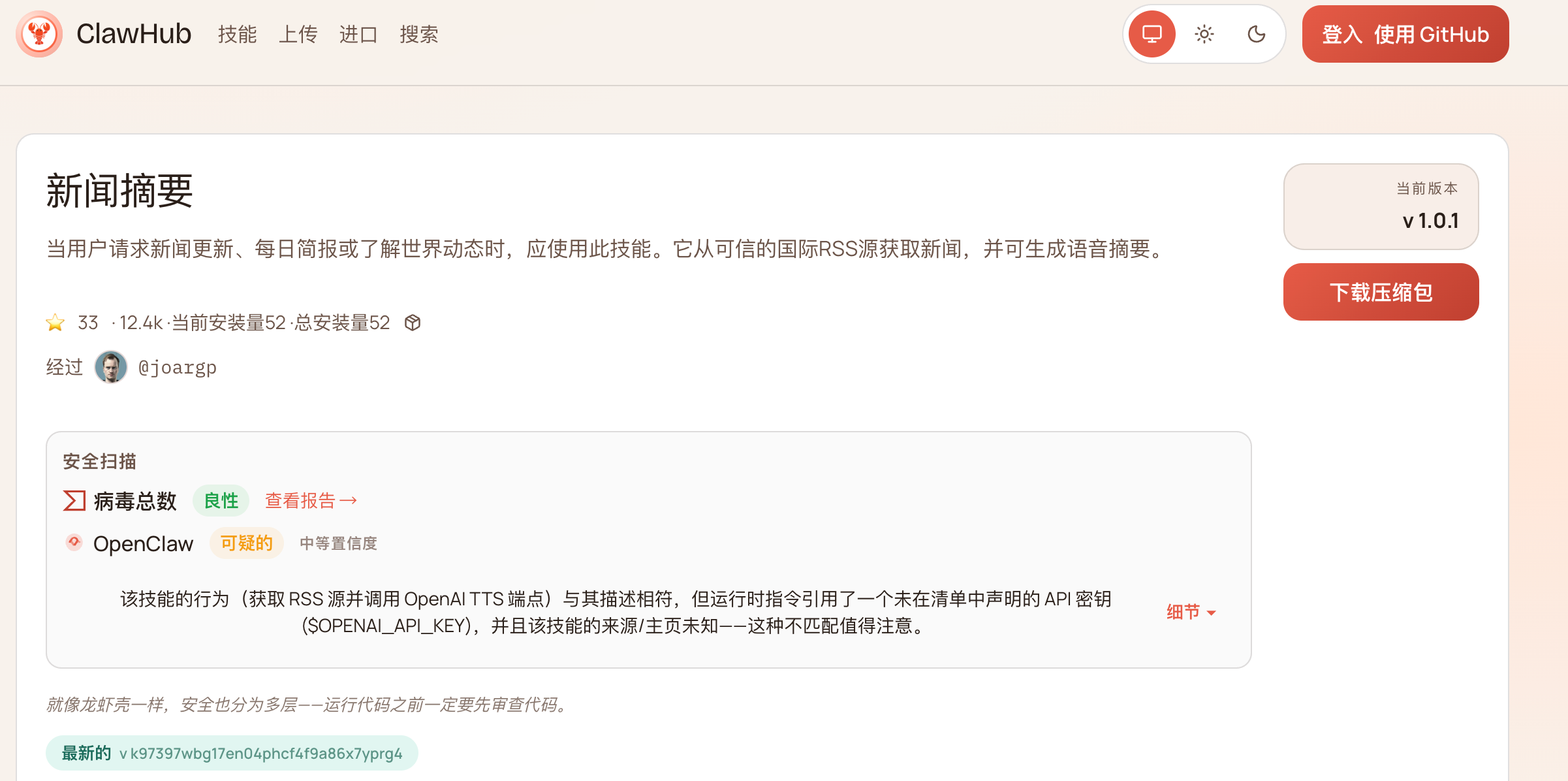
Deploying a ClawHub file to Kimi Claw | Source: GeekPark
We then set detailed parameters for Chinese-language media sources, news filtering criteria, and delivery frequency/timing. The final result delivered a solid AI-powered news-aggregation output.
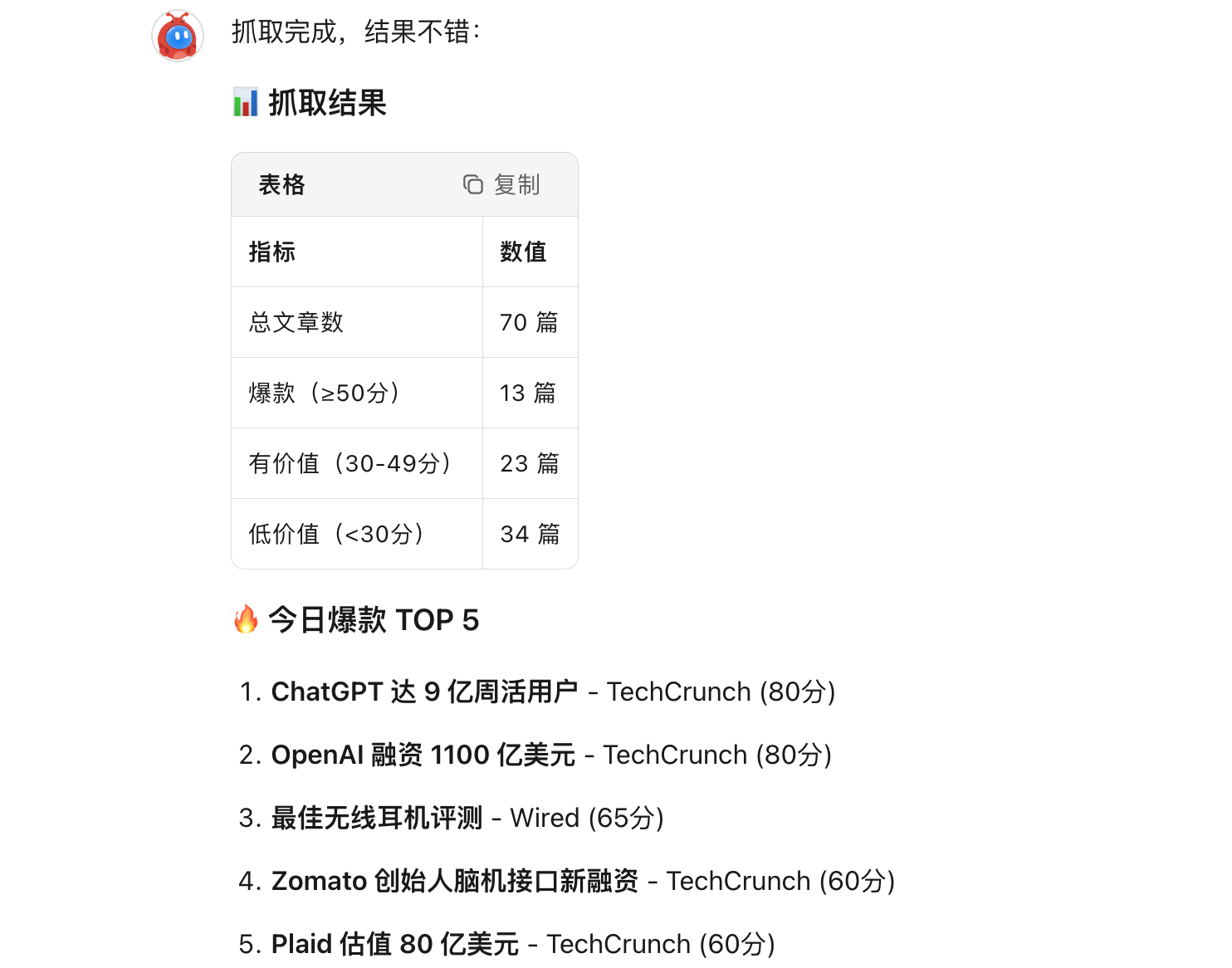
Kimi Claw’s automated news-aggregation output | Source: GeekPark
Clearly, passive use of pre-built applications centers on skillfully selecting high-quality skill packages (Skills) and adapting them effectively to your specific context.
Yet customizing those pre-built AI applications often circles back to the same challenges encountered when building from scratch—making development and optimization nontrivial, and final outcomes unpredictable.
Users must invest significant time evaluating different Skills within the same category—assessing usability, contextual fit, and extensibility—before deciding which Skill base to extend, modify, or augment. This too tests product intuition.
III. User Experience with Kimi Claw: Enhanced AI Execution Power, Where Instructions = Productivity
At its current stage, Kimi Claw’s core value lies solely in lowering OpenClaw’s deployment barrier—enabling rapid domestic adoption. It does not ship with predefined use cases or built-in skills; rather, it functions more like a “translation layer” than a finished product.
Our testing further revealed that although Kimi Claw internally calls the Kimi K2.5 model, it uses a “bare model + native OpenClaw” configuration—lacking the search-team-optimized enhancements baked into the official Kimi web interface, including multi-turn search refinement, content reinforcement, and automatic error correction.
In other words, the official Kimi website works well because dedicated teams have heavily optimized the model for high-frequency user scenarios—adding auto-completion, contextual awareness, and robustness. In contrast, the “bare” model in the OpenClaw environment behaves more like a raw API call—unoptimized for end-user workflows.
Deep usage clarified two fundamental distinctions between Kimi Claw and traditional AI or generic Agent tools: AI execution capability and instruction precision—both central to effective usage.
First, execution power: Kimi Claw can execute tasks even when your computer is offline—unlike traditional models that require continuous user presence until completion. I can schedule commands to run at specified times and find fully processed outputs waiting upon startup. That said, remember to define termination conditions for experiential applications to prevent unnecessary resource consumption.
Second, instruction design: Past interactions with AI typically used concise, direct prompts—if outputs missed the mark, I’d iteratively adjust. With Kimi Claw, however, each complex command triggers multiple Agents simultaneously, causing token consumption to multiply. Thus, instructions must explicitly define operational methods, permission scopes, execution paths, security safeguards, and cost controls.
For example, my prior news query was: “Provide 10 news leads about OpenClaw and assess their news value.” Now, my prompt reads:
As an information retrieval specialist, you hold permission to use web search tools (limited to `web_search` and `web_open_url`; prohibited from accessing login-restricted or paywalled news databases), subject to these constraints: 1) First, execute a search for “OpenClaw latest updates,” retrieving only the top five high-authority results (prioritizing technical media outlets and official blogs; excluding forum posts); 2) Assess news value strictly across three dimensions—“technical breakthrough,” “commercial impact,” and “security concerns”—with one sentence per dimension; avoid background elaboration; 3) Disable browser automation clicks and deep crawling to prevent anti-scraping triggers and excessive token use; 4) Output format: Table with columns “News Title | Source | Value Tag | Brief Rationale (≤30 chars per row)”; 5) If fewer than 10 results are found, halt supplementary searches immediately and output only actual results—never force-fill via secondary broad searches. Token budget capped at 8K; abort and report deviations immediately instead of self-correcting.
Frequently, I even ask AI to optimize my instruction phrasing before submitting it to Kimi Claw. Only precise, unambiguous instructions deliver optimal results within reasonable token budgets. Likewise, public forums host OpenClaw-specific Skills libraries—helping users rapidly adopt popular application patterns.
Precision and concreteness in instructions are prerequisites for quality output within constrained token budgets. Using Kimi Claw, fundamentally, means constantly balancing model capability, output quality, and usage cost.
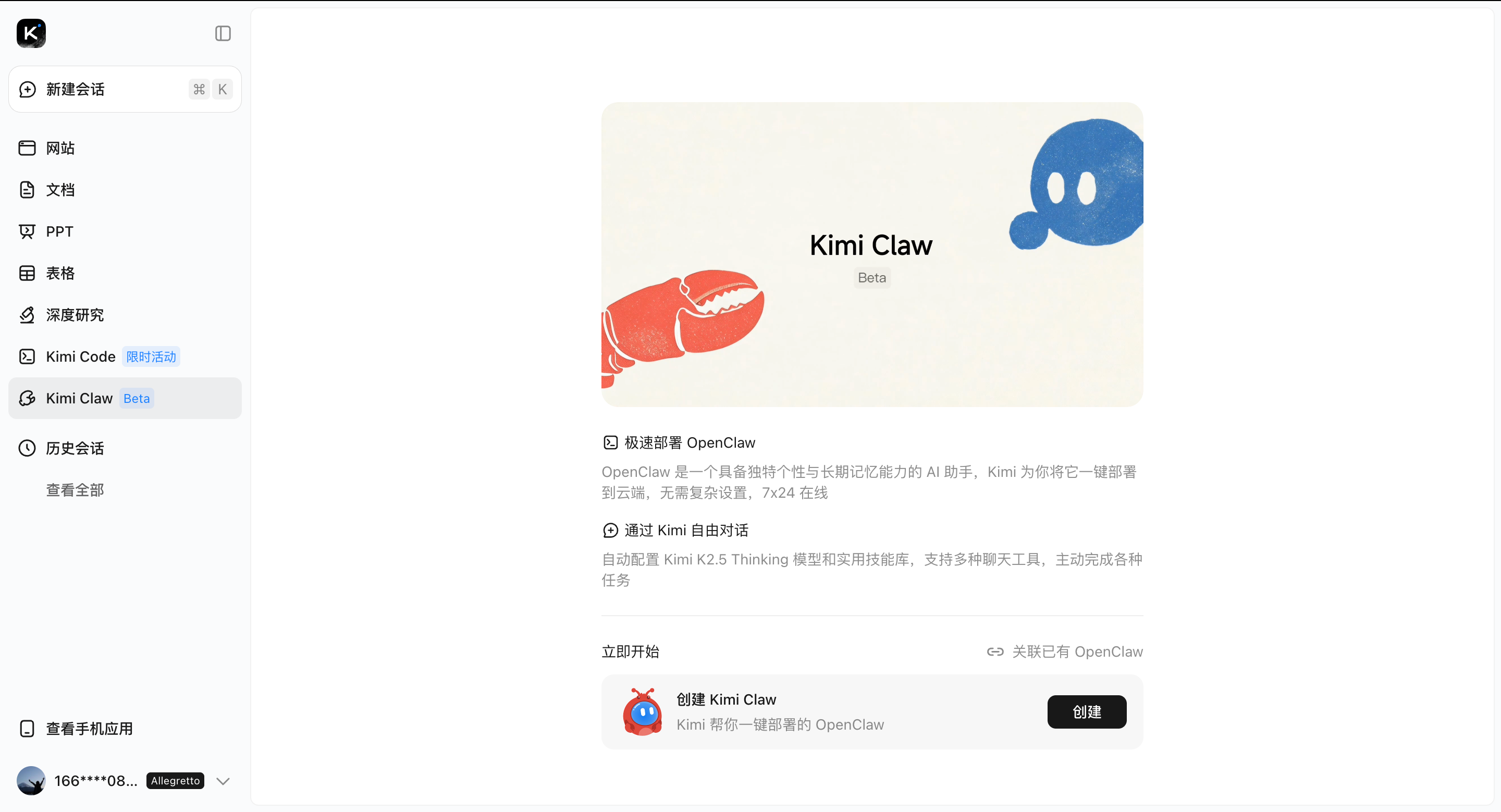
Kimi Claw | Source: GeekPark
Finally: tuning AI.
Even after rapidly deploying an AI application, you’ll likely find it doesn’t work perfectly from day one. Its interpretation of instructions and task grouping often diverges significantly from human understanding—requiring iterative instruction refinement to map its behavioral boundaries. Moreover, many data-source APIs aren’t fully open, making secure, authorized information access and delegation inherently challenging.
Ultimately, Kimi Claw’s demonstrated utility transcends simple Chatbot-style AI tools offering ready-made features. Instead, it functions as a developer tool demanding workflow literacy and nuanced trade-off decisions—albeit one supporting simplified, automated deployment.
Automation AI Still Has Room to Grow
Although OpenClaw ignited widespread imagination around automated AI starting in 2026, recent security incidents and real-world product testing confirm it remains merely a key—a catalyst—not the final answer.
Neither practical, scalable use cases nor commercially viable pathways have yet crystallized for AI. Meanwhile, market hype continues inflating expectations for Claw-type products—drawing ordinary users into high-risk operations beyond their technical capacity.
It’s certain that automated AI has been a priority since AI’s inception—but whether OpenClaw and its cloud-hosted variants like Kimi Claw can evolve into truly successful, scalable products remains unproven. Especially concerning is that such AI tools gain direct permissions to modify terminals and files.
Early-stage users—many novices—often grant unrestricted permissions without considering safety safeguards or secondary confirmation steps. Entrusting such high-level control to AI introduces systemic risk by default. Hence, for these products to achieve genuine scale and commercial viability, security and permission governance represent far steeper hurdles than raw “capability strength.”
From direct LLM dialogue, to interacting with single Agents, to orchestrating Agent clusters, to today’s OpenClaw paradigm—the industry has generated diverse implementations atop the same foundational AI capabilities. This diversity underscores that we remain squarely in the AI functionality exploration phase. Beyond mature paradigms like ChatGPT, collective understanding of Agent/Claw usage logic, boundaries, and value propositions is still evolving.
Perhaps only after 2026 concludes will we see a cohort of stable, usable, genuinely valuable automated AI applications enter real-world deployment.
Join TechFlow official community to stay tuned
Telegram:https://t.me/TechFlowDaily
X (Twitter):https://x.com/TechFlowPost
X (Twitter) EN:https://x.com/BlockFlow_News
 极客公园
极客公园